# Layers of Computing
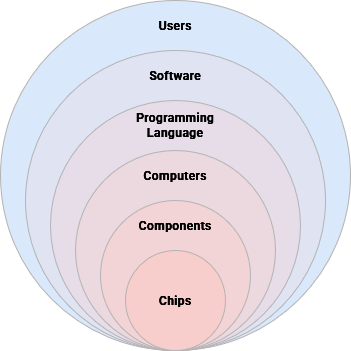
Computers are built heavily around the concept of [abstraction](https://en.m.wikipedia.org/wiki/Abstraction_(computer_science)) – or simplifying complex mechanisms in ways that allow you to build modular systems that can work together while also being easier to understand and maintain. This creates a pipeline for independent modules – each completing their own complex task – to communicate with each other through a common technical language.
## Abstraction
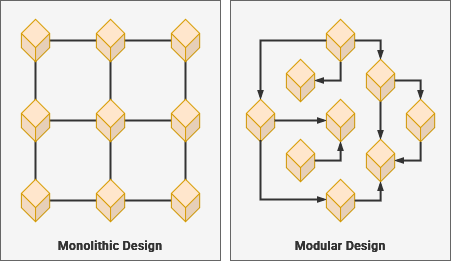
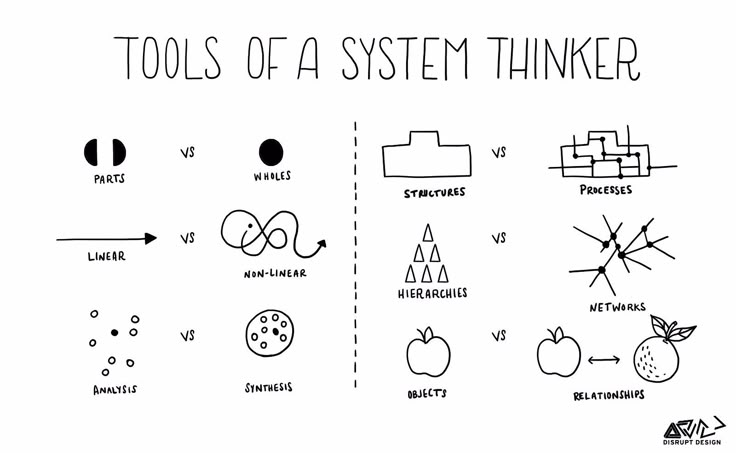
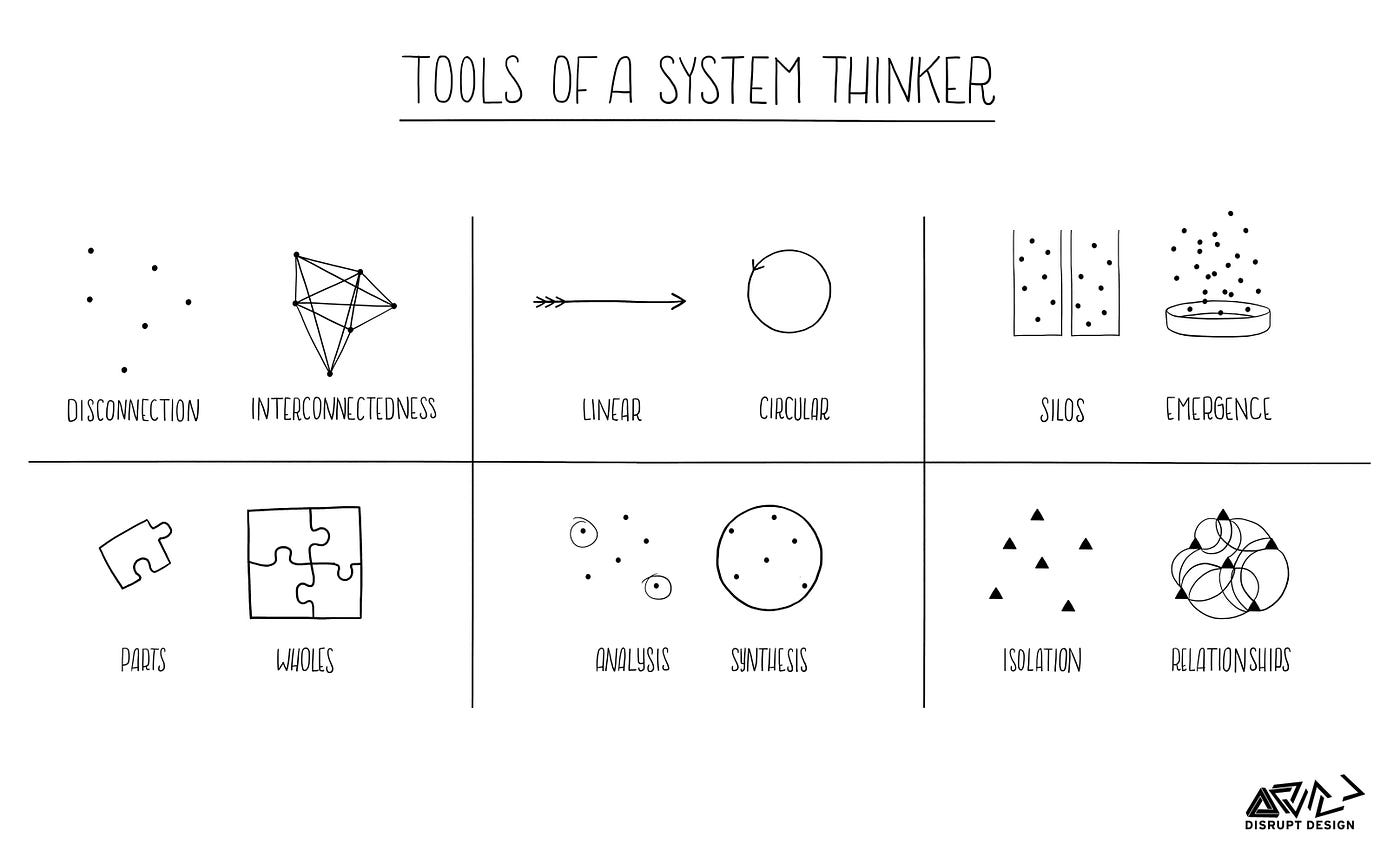
Abstraction is related to [modular design](https://en.m.wikipedia.org/wiki/Modular_design) – or creating discreet modules that communicate through a common language. Similarly, [systems thinking](https://en.m.wikipedia.org/wiki/Systems_thinking) enables people to consider the complexity of our real world – and all of its relationships – at both the large and small scale.
| [](https://hub.subspace.services/uploads/images/gallery/2025-04/1000000040.jpg)
| [](https://hub.subspace.services/uploads/images/gallery/2025-04/1000000041.jpg)
|
While you may need to have some knowledge about hardware specifications to build a computer, you don't need to understand the mechanical underpinnings of the physical engineering. You aren't required to know how to code just to install and use a software package.
Abstractions within a system are defined along lines that denote architectures, standards, protocols and specifications. USB ports are an abstraction that allows us to connect an external device to a computer. Thanks to the common language built through the [USB protocol](https://en.m.wikipedia.org/wiki/USB_Implementers_Forum), users can often connect these devices without needing to give it much thought.
There [standards](https://en.m.wikipedia.org/wiki/Software_standard) are often defined by the technology's originating corporation – such as [Intel's x86 processor architecture](https://en.m.wikipedia.org/wiki/X86) – or agreed upon through a committee. They allow manufacturers and developers to use hardware interchangeably within compatible environments. By developing standardized systems, computers can translate software code written by Humans into a language usable by our computer.
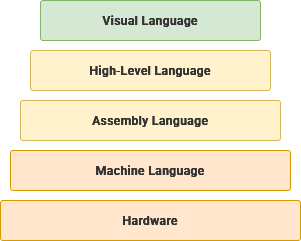
A software [compiler](https://en.m.wikipedia.org/wiki/Compiler) can take human-readable, [high-level](https://en.m.wikipedia.org/wiki/High-level_programming_language) programming languages and translate them until they are [low-level machine code](https://en.m.wikipedia.org/wiki/Machine_code) that can run on your hardware. There are [many different programming languages](https://en.m.wikipedia.org/w/index.php?title=List_of_programming_languages) – each requiring their own compiler – and they can be sorted by their level of abstraction.
Visual Language
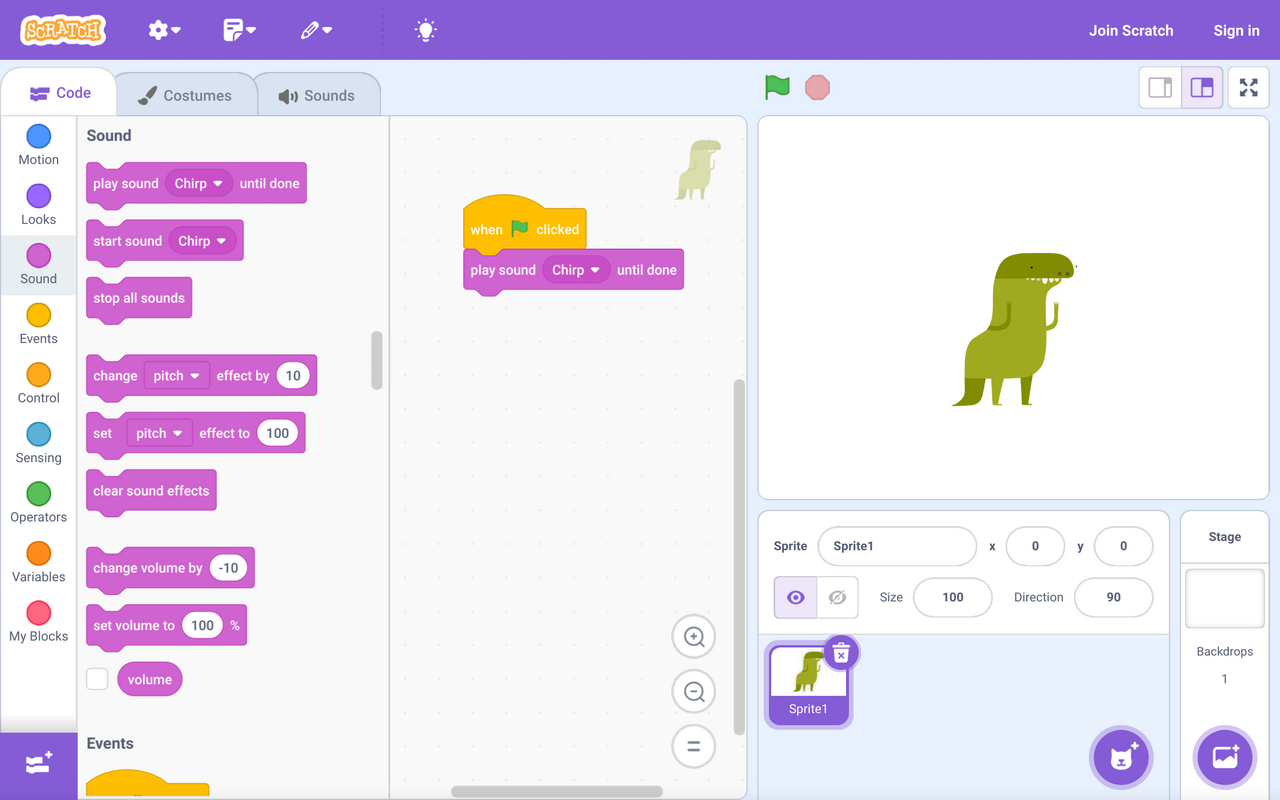
As the name implies, these programming languages use a visual metaphor to build programs instead of using natural language elements. These can be an excellent pathway for learning the core logic concepts behind programming.
[](https://hub.subspace.services/uploads/images/gallery/2025-04/scaled-1680-/1000006964.png)
**This code uses the** [**Scratch visual programming language**](https://en.m.wikipedia.org/wiki/Scratch_(programming_language)) **to play a sound when a button is clicked.**
High-Level Language
These programming languages are highly abstracted from raw machine code and generally use text-based natural language elements.
```c++
#include
using namespace std;
int main() {
return 5 + 7;
}
```
**This** **code uses the** [C++ programming language](https://en.m.wikipedia.org/wiki/C%2B%2B) **to return the sum of 5 and 7.**
Assembly Language
This category offers mnemonic representations of physical machine instructions while still operating extremely efficiently.
```assembly
mov abx, 5
mov cdx, 7
add abx, cdx
```
**These** [**x86 assembly code**](https://en.m.wikipedia.org/wiki/X86_assembly_language) **instructions will produce the sum of 5 and 7.**
Machine Language
This language is completely without abstraction and represents the literal binary data that is being processed by the computer.
Machine language is dependent on the hardware being used, which is why computer components are created to follow existing standards.
```machine
00000000 ; Stop Program
00000001 ; Turn on bulb
00000010 ; Turn off bulb
00000100 ; Dim bulb by 10%
00001000 ; Brighten bulb by 10%
```
**This theoretical set of machine code instructions could be used to control a light bulb.**
The term "hardware" derives from its relatively rigid nature in respect to change.
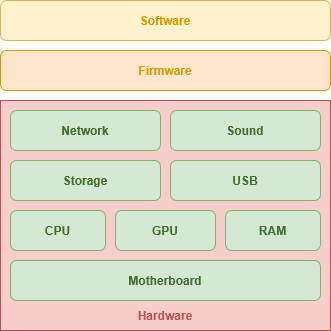
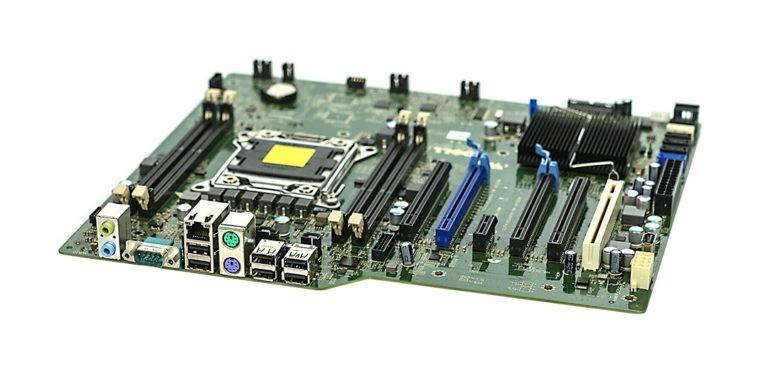
Hardware includes the [motherboard](https://en.m.wikipedia.org/wiki/Motherboard), which acts as a seat for all hardware parts within a computer and enables their communication. The [CPU](https://en.m.wikipedia.org/wiki/Central_processing_unit) performs precise calculations, the [GPU](https://en.m.wikipedia.org/wiki/Graphics_processing_unit) handles graphical manipulation, and the [RAM](https://en.m.wikipedia.org/wiki/Random-access_memory) stores data currently in use by software. Long-term data storage is accomplished through [high-capacity platter disks](https://en.m.wikipedia.org/wiki/Hard_disk_drive) or [solid-state flash memory drives](https://en.m.wikipedia.org/wiki/Solid-state_drive).
| [](https://hub.subspace.services/uploads/images/gallery/2025-04/scaled-1680-/1000006963.jpg)
Dell Precision T3600 Motherboard
|
Many motherboards contain an [RTC](https://en.m.wikipedia.org/wiki/Real-time_clock) (Real-Time Clock) that keep track of time even when the computer temporarily loses power. Other hardware components may include: [network interface cards](https://en.m.wikipedia.org/wiki/Network_interface_controller), [sound cards](https://en.m.wikipedia.org/wiki/Sound_card), [BlueTooth](https://en.m.wikipedia.org/wiki/Bluetooth), and [USB](https://en.m.wikipedia.org/wiki/USB) for connecting external devices.
## Firmware
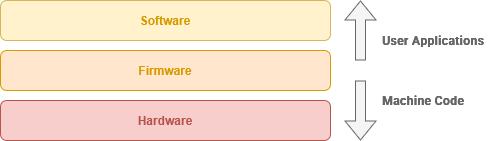
This low-level software enables the hardware to interact with higher level software such as your operating system. Hardware components have programming embedded into them that enable them to communicate.
"Firmware" reflects the heterogenous blend of software and hardware.
[Hardware abstraction](https://en.m.wikipedia.org/wiki/Hardware_abstraction) provides an operating system with access to the low-level functions on a hardware component without needing to know its [low-level machine code](https://en.m.wikipedia.org/wiki/Machine_code).
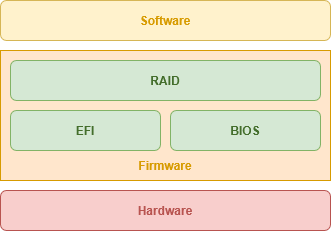
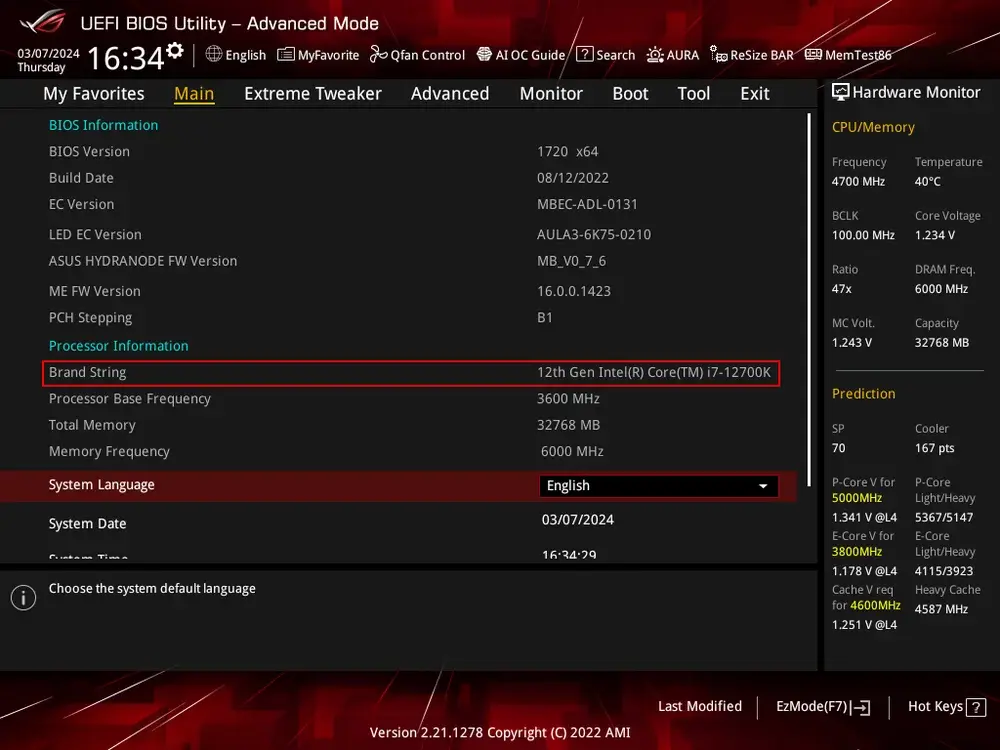
While easier to modify that hardware, altering firmware may require replacing a physical module or [flashing](https://en.m.wikipedia.org/wiki/Firmware#Flashing) a reprogrammable memory chip. Motherboards contain a reprogrammable firmware interface such as [BIOS](https://en.m.wikipedia.org/wiki/BIOS) (Basic Input Output System) or [UEFI](https://en.m.wikipedia.org/wiki/UEFI) (Unified Extensible Firmware Interface).
| [](https://hub.subspace.services/uploads/images/gallery/2025-02/scaled-1680-/1000006146.webp)
[AMI](https://en.m.wikipedia.org/wiki/American_Megatrends) UEFI Manager
|
These offer access to hardware-level configurations such as which storage device to boot from or which components to disable. [RAID](https://en.m.wikipedia.org/wiki/RAID) allows your computer to enable low-level storage drive duplication to make sure you never lose your data.
When the hardware is first turned on, the BIOS or UEFI will execute the [POST](https://en.m.wikipedia.org/wiki/Power-on_self-test) – or Power-On Self Test – to ensure all hardware is functional. After this, the firmware hands control to the software-based bootloader stored on the storage device and loads the operating system.
## Software
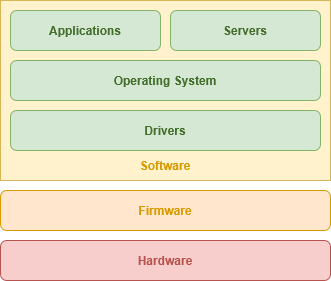
The operating system offers a general-purpose interface for completing tasks, either using a [command-line](https://en.m.wikipedia.org/wiki/Command-line_interface) or [graphical user interface](https://en.m.wikipedia.org/wiki/Graphical_user_interface). These generally take more storage space necessitating that they're stored on internal data drives.
[Drivers](https://en.m.wikipedia.org/wiki/Device_driver) are leveraged as necessary to expand on the functionality of hardware beyond what is offered by the firmware. These are special software packages that directly "drive" hardware from the operating aystem. This is common for components like graphic cards, sound cards and other controller chips.
| [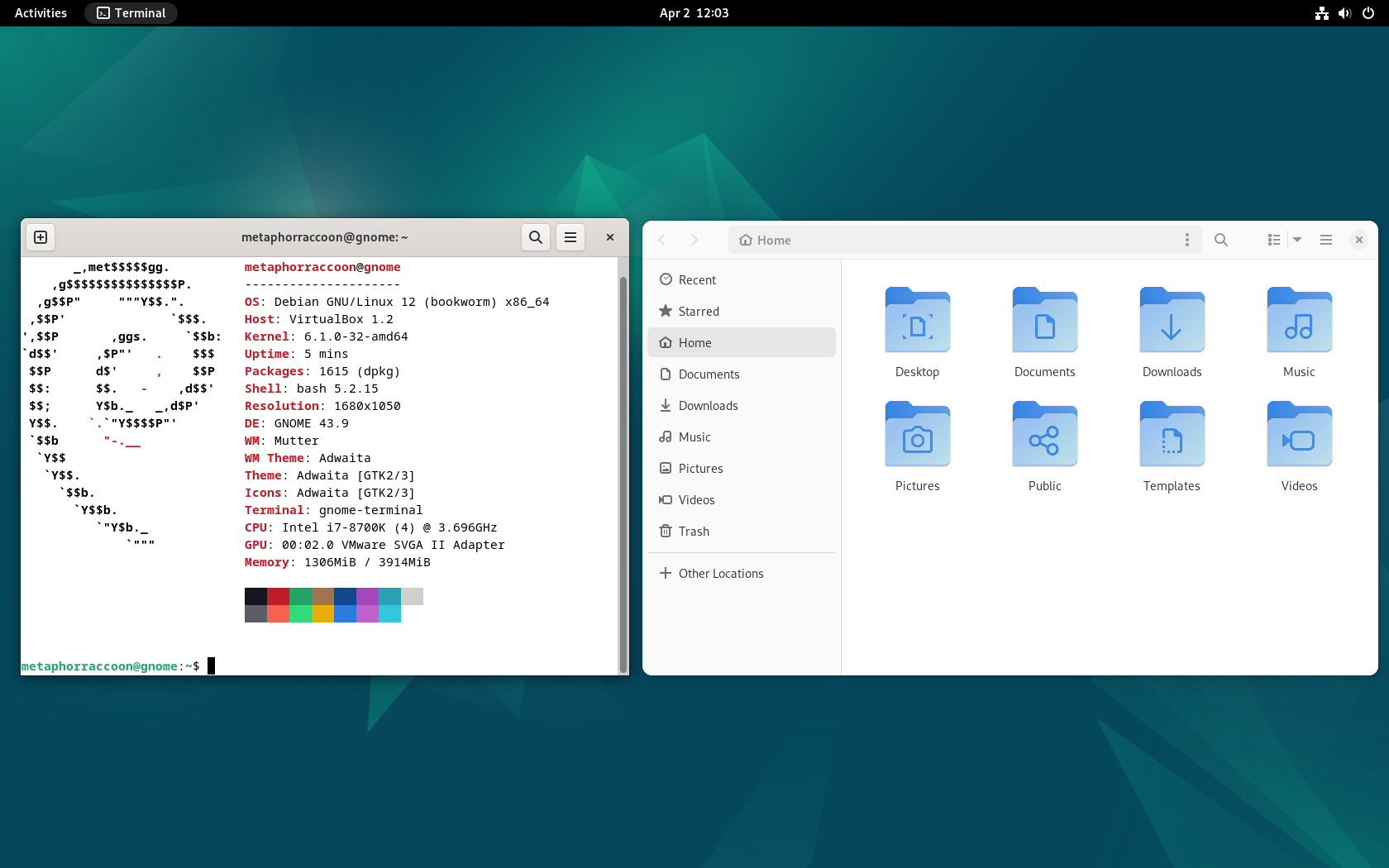](https://hub.subspace.services/uploads/images/gallery/2025-04/scaled-1680-/virtualbox-debian-gnome-02-04-2025-12-03-25.png)
Debian 12 GNOME
|
An operating system creates a user environment for running applications to perform specific tasks like opening a web browser or editing a word document. This type of software is often intended for one user through their user account on a computer they are accessing locally.
Compared to user applications like a web browser that are used while sitting in the chair at your computer, [server software](https://en.m.wikipedia.org/wiki/Server_(computing)) lets your computer respond to requests from client devices accessing over the network.