# Single-Board Computers
The [Raspberry Pi](https://www.raspberrypi.com/) computer series do not have a battery source to ensure that firmware settings are saved even if the computer loses power. This means that they do not use a conventional BIOS or EFI architecture.
[](https://hub.subspace.services/uploads/images/gallery/2025-02/1000006150.png)
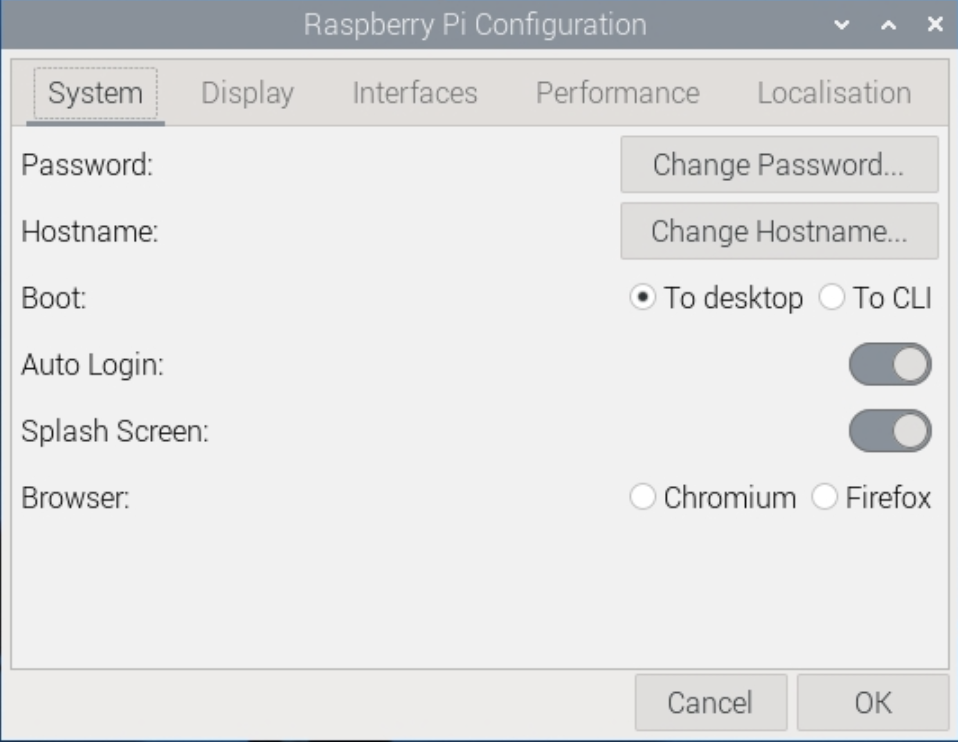
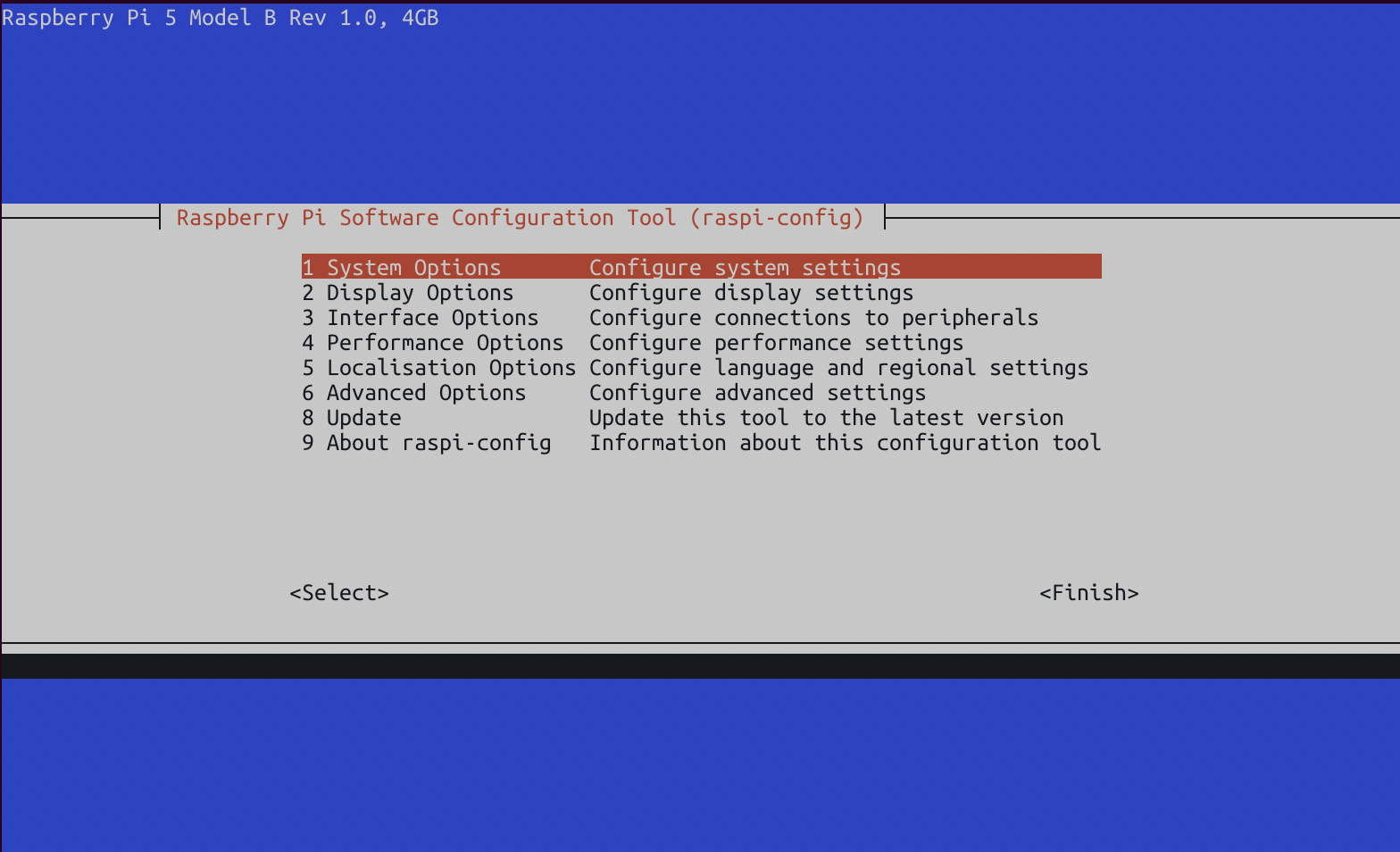
Instead, these systems use a configuration file that is stored on the hard drive and used to configure the system during the boot process. These settings are configured through the [command line](https://www.raspberrypi.com/documentation/computers/configuration.html) or a [graphic user application](https://projects.raspberrypi.org/en/projects/raspberry-pi-using/9).
[](https://hub.subspace.services/uploads/images/gallery/2025-02/1000006145.png)
## Performance Options
These settings pertain to the overall hardware performance configurations for your single-board computer.
Overlay File System
This option allows the Raspberry Pi to boot in a mode where [files on the SD card cannot be altered](https://storage.raspberrypi.com/product-information/f1a2k217gltilbt5cead63rjkbk9?response-content-disposition=attachment%3B%20filename%3D%22Making-a-more-resilient-file-system.pdf%22%3B%20filename%2A%3DUTF-8%27%27Making-a-more-resilient-file-system.pdf&response-content-type=application%2Fpdf&X-Amz-Algorithm=AWS4-HMAC-SHA256&X-Amz-Credential=product-information%2F20250211%2Feu-west-1%2Fs3%2Faws4_request&X-Amz-Date=20250211T224739Z&X-Amz-Expires=172800&X-Amz-SignedHeaders=host&X-Amz-Signature=267245ef0b145cc13a0ef386f29dd9fcf43869c82ce203743693e632f70d2ee7) and any modifications are only temporarily saved in memory while the operating system is powered on.
This increases the Raspberry Pi's life expectancy, but cannot be used for interactive systems that need to store long-term data between power cycles.
*Recommended:* Disabled
GPU Memory
This allows you to change the amount of memory allocated to the graphical processing unit of the Raspberry Pi.
Due to [fundamental differences](https://retropie.org.uk/docs/Memory-Split/) in the way that system-on-a-chip computers handle their graphical processing, this setting is an optimized default for your specific model. There is no need to alter these settings and doing so many decrease performance.
*Recommended:* Default
## Interface Options
These settings control the different physical and digital interfaces that can be used to interact with the Raspberry Pi.
SSH
This allows you to remotely connect to your server through a terminal and run commands to administrate your server.
*Recommended:* Enabled
VNC
This provides remote access to your Raspberry Pi's user desktop environment. We are disabling it to install RDP, a similar, more modern alternative. If desired, you can leave it on for additional access options.
*Recommended:* Disabled
SPI
The [Serial Peripheral Interface](https://learn.sparkfun.com/tutorials/serial-peripheral-interface-spi) is used by the Raspberry Pi to communicate with external sensors through the GPIO port.
*Recommended:* Disabled
I2C
The Inter-Integrated Circuit is an alternate standard used to communicate with devices through the GPIO port.
*Recommended:* Disabled
Serial Port
This disables serial connections through the GPIO port.
*Recommended:* Disabled
1-Wire
This disables a communication protocol that uses one wire on the GPIO port.
*Recommended:* Disabled
Remote GPIO
This disables [remote access to the GPIO port](http://abyz.me.uk/rpi/pigpio/python.html#pigpio.pi) through Python.
*Recommended:* Disabled
## System Options
These pertain to general settings of the core Debian operating system.
Change Password
For security, it is imperative that you change the default password for your Raspberry Pi computer.
Change Hostname
This allows you to change the name that your server uses while on your network; such as "raspberrypi.local".
Power LED
If desired, you can turn off the LEDs on the Raspberry Pi.
Wait for Network Connection
This requires that an internet connection is available before the Raspberry Pi will boot into the operating system.
*Recommended: Enabled*
## Disable Unused Hardware
Using rfkill to disable Bluetooth and wifi
[](https://hub.subspace.services/books/monitoring-maintenance/page/maintenance "Maintenance")