Jellyfin •
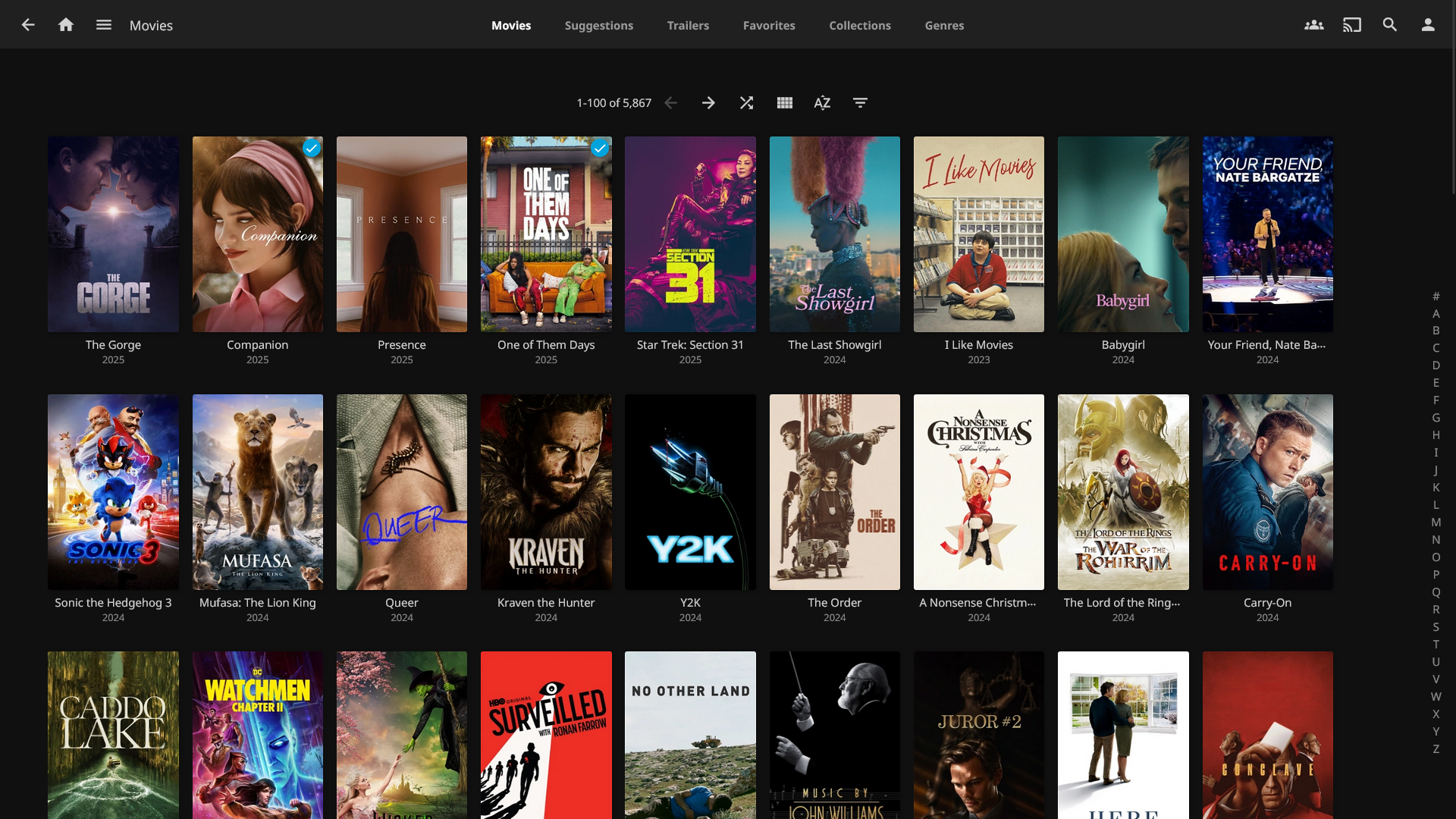
Jellyfin is a community-built media streaming solution for movies, music, television, books and photos. When you import media, it is automatically identified so metadata can be pulled from open repositories. Watch your media on all your devices with client apps made for every platform.
Overview
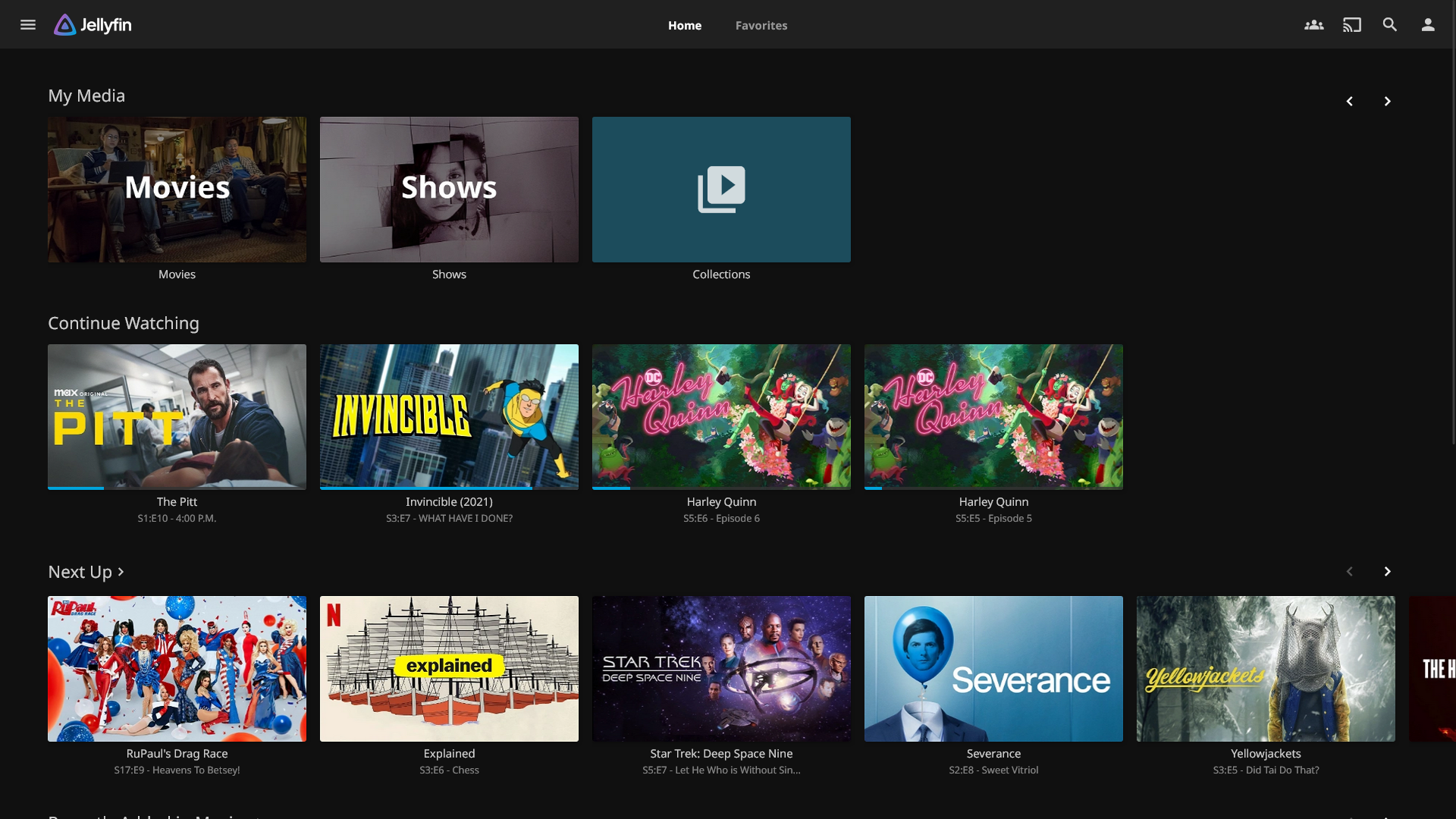
Jellyfin is a community-built media streaming solution for movies, music, television, books and photos. When you import media, it is automatically identified so metadata can be pulled from open repositories. Watch your media on all your devices with client apps made for every platform.
Tryout a Jellyfin demo.
- Access a home dashboard that lets you keep track of new releases, current progress and what's up next.
- Share your media with friends and sync your playback in real-time to watch together.
- Automatically converts media to a compatible format for your streaming device.
Media
Screenshots
Jellyfin Server v10.10.3
|
 |
 |
 |
Setup & Configuration
We need to install the service through Portainer and configure any necessary settings.
Preparation
There are some things we need to do in preparation to install this service.
Volumes
Persistent Data
This is where the service will store its own application data and ensures we can quickly update the service image.
Ensure your user has permissions to access the folder.
Media Folders
This service will need access to the folders where you store your media files.
Ensure your user has permissions to access the folder.
Environment
PUID
This is the numeric ID of the user account on Debian. If you are unsure, open a terminal and run:
id -uPGID
This is the numeric ID of the user account's group on Debian. If you are unsure, open a terminal and run:
id -gHardware Acceleration
You will need to perform additional steps to attach some graphics cards to Docker containers.
Intel Embedded Graphics
Modern Intel processors have an embedded graphic processor that can be used for hardware acceleration within this container.AMD Graphics
AMD and ATI graphic cards can be used for hardware acceleration within this container after an initial setup.
Nvidia Graphics
Nvidia graphics cards can be used for hardware acceleration within this container after an initial setup.
Installation
The service can be installed through the Portainer web interface.
Learn about creating a new stack.
Docker Compose
Intel and AMD Graphics
Use the following code to install the service:
---
services:
jellyfin:
image: lscr.io/linuxserver/jellyfin:latest
container_name: jellyfin
network_mode: bridge
environment:
- PUID=1000
- PGID=1000
- TZ=America/Vancouver
volumes:
# Persistent Data
- /srv/jellyfin:/config
# Media Folders
- /mnt/movies:/mmt/movies
- /mnt/television:/mmt/television
- /mnt/music:/mmt/music
- /mnt/books:/mmt/books
devices:
- /dev/dri:/dev/dri
ports:
- 8096:8096
- 8920:8920
- 7359:7359/udp
- 1900:1900/udp
restart: unless-stoppedNvidia Graphics
Use the following code to install the service:
---
services:
jellyfin:
image: lscr.io/linuxserver/jellyfin:latest
container_name: jellyfin
network_mode: bridge
runtime: nvidia
environment:
- PUID=1000
- PGID=1000
- TZ=America/Vancouver
- NVIDIA_VISIBLE_DEVICES=all
volumes:
# Persistent Data
- /srv/jellyfin:/config
# Media Folders
- /mnt/movies:/mmt/movies
- /mnt/television:/mmt/television
- /mnt/music:/mmt/music
- /mnt/books:/mmt/books
ports:
- 8096:8096
- 8920:8920
- 7359:7359/udp
- 1900:1900/udp
restart: unless-stoppedUpdating
Re-Deploy the Stack
This service has been optimized for running in Docker thanks to LinuxServer.io.
This allows you to re-deploy the stack through Portainer to download the latest updates.
User Manual
Development
This software is released under the GPL-2.0 license.
The software was developed as a fork of Emby after it changed to a closed-source model. Jellyfin is made available for Docker through the efforts of LinuxServer.io and their commitment to simplifying self-hosting.
You can learn more about how to contribute to Jellyfin through their website.
The Jellyfin development team also accepts sponsorships.
Resources
Official
- Official Wiki
- Official Matrix
- Official GitHub Repository
- Official Website
- Getting Started Guide
- Frequently Asked Questions
- General Troubleshooting