Services
We can install cloud software on our new server now that it's up and running.
- What is a Service?
- Considerations
- Evaluating Safety
- Selecting Your Services
- Managing Services
- Home Page
- Next Steps
What is a Service?
Access from anywhere – at any time – over the global connected Internet infrastructure is the purported goal of global cloud computing. Through the cloud, anyone can access data stored on remote servers no matter where they are in the globe. With an internet connection, you can use software installed on someone else's computer system without needing to maintain hardware or setup software yourself.
Business By Proxy
For corporations, a service might be considered many different things and falls along a spectrum. On one end, this may be "bare metal" hardware infrastructure or a Docker instance that is rented per month. On the other, a company may subscribe to web-based software or discrete functions that are pay-per-use.

This business model is commonly referred to as "Anything as a Service" where, instead of owning a product outright, a service provider licenses access to a maintained environment for a lump sum or subscription fee. These services are fully accessible over the internet and do not require businesses to have physical access to hardware systems they maintain themselves.

Many cloud services are built on top of an API (Application Programming Interface) – or established specifications that allow multiple services to communicate with each other through a common language. Through an API, clients and servers alike can request and receive information from a central location.

In practice, this allows consumers to uniformly access services like Proton Mail through numerous, isolated experiences – like their website, mobile apps, and desktop software. Functionally, this also means there is only one true version of the software available – the software API server. Even though the mobile and desktop software have different version numbers, they all connect to the central API server under the control of the software provider.
Digital Autonomy
By 2025, this business model has extended from technology conglomerates to an estimated 96% of corporations with over 60% of all corporate data stored in the cloud. By proxy, these cloud services have taken over most of the consumer-connected World Wide Web. It is quite literally impossible to avoid them.
The Cloud is used to invisibly control the flow of consumer data between "front-end" clients – such as the Google Drive website or the Pages app for iOS – and the provider's labyrinthian "back-end" of interconnected networks and systems located around the globe.
You can never own a physical CD with the service stored on it, available for you to install on your computer in the future. Instead, these software services often require signing up for a provider-specific account – after which, access to the product is free or follows a "freemuim" business model.
This weakens digital autonomy by making access to software contingent on agreement to predatory end-user licenses and data practices. 79% of global corporations leverage user accounts to collect information about consumers. This data – ranging from birthdays and addresses all the way to comprehensive dossiers about physical, behavioral and psychological profiles – can be sold to or shared with advertisers for a profit. Not even subscribing to a service will save you from surveillance capitalism and, depending on the platform, you may be specifically targeted.
Self-Hosting is the practice of managing your own server and hosting your own services on-premises instead of subscribing to a cloud provider. By managing your own infrastructure, your data stays in your possession. Much of the software available for self-hosting are created by open-source communities. This enables everyone to create their own personal cloud for themselves or a small group – like your immediate family or a small business.
This uses the same technologies as cloud computing companies, just on a smaller scale for a single home server instead of a distributed global data center infrastructure. While you are fully in control of your data, it also becomes your responsibility to maintain your server's hardware and software. While there may be an upfront investment in hardware, but results in lower overall monthly fees. You may never achieve perfect service availability, but smart planning now can minimize downtime in the future.
While most cloud services are based on the client and server model – where a central server responds to client applications – there are more self-hosted services exploring the concept of federation. Instead of a single designated server, each service instance behaves as an equal within a peer-to-peer network and communicate through a shared API language. For example, this allows your OwnCloud server to communicate and share files with a friend's OwnCloud server.

There are so many open-source software projects available for self-hosting on the internet. Many services provide their own browser-based web applications, as well as platform-specific software such as an Android app. Some services – like Radarr for managing a movie collection – operate as a single user environment. Many services offer true multi-user support with individually-customizable accounts. These generally come with an administrative panel for managing user access and configuring the service for them.

Increasingly, these disparate software packages are improving support for "Single Sign-On" services like Authelia that offer unified user accounts across multiple self-hosted services. These services leverage open standards like OpenID to ensure security and privacy. Practically, this means that signing in for one service will open access to all of your self-hosted services without needing to log in again.
Considerations
By hosting a service, we must act as designers, developers and systems administrators. Whether it is on the open internet, available to a select few, or only for your personal use – we must make sure we consider how we can safely approach it.
Hosting your own personal cloud server can provide a great deal of digital utility, but maintaining one can come with a great deal of responsibility. We must be proactive in maintaining privacy and security – for ourselves and any community whose trust we are seeking to maintain.
We will be exploring these important considerations and what we can do to address them. Depending on how you'll be using your services, you may not need to take the same measures as someone else. Making these decisions requires we consider our needs, our audience and how we'll balance the security with convenience for our server.
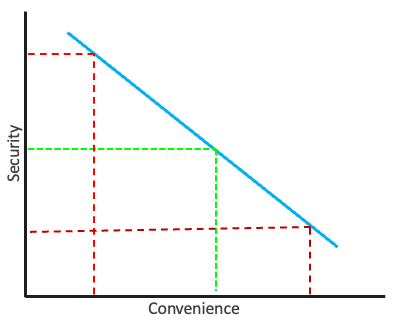
Learning to balance security and privacy while creating an intuitive and approachable experience can be a difficult task, but it is perhaps the most important. While building a digital ecosystem, you'll quickly find that every decision is a trade-off between security and convenience.
Along one end, security allows us to prevent unauthorized access so we can protect private and sensitive information. We can take proactive measures by using strong randomly generated passwords, enforcing data encryption and enabling two-factor authentication.
However, as we add more steps to the process, the user experience can become more difficult to use. Remembering multiple unique passwords and entering a constantly changing authentication code every time we log in can be annoying.
The more secure we create a system, the more restricting it will generally become. It is not uncommon for the hardest part of secure tools being that they're simply hard to learn to use. If we were to use the most secure enterprise tools available, we'd have to sacrifice usability and convenience – both for setup and continued usage.
In practice, there cannot be a system that is fully secure because then we would never be able to access it. To that end, convenience is important to consider because it can affect and inform how people will use that system.
When a user is frustrated by the inconvenience of remembering multiple random passwords, they may seek to remove a step in the process by writing down the password and attaching them to the monitor. People may hunt down insecure ways to access a system – decreasing security for everyone.
We need to find an ideal medium between our control over a system and our ability to use it. Threat modeling is a necessity to understand that balance point for our purposes. Through four targeted questions, we will explore how these apply to us.
Threat Models
Security is not a checklist of steps to be completed, but an active and ongoing discussion's. When stopping to consider the largest and most likely threats to our security, we have begun to create a threat model. They are a vitally important step to building a relationship with security.
In cyber security, a threat is any event undermines your ability to keep your data private and system secure. This can be the intentional actions of a malicious actor, an accidentally unsecured website offering a backdoor, or people intentionally getting around confusing security measures.
It's impossible to plan for every potential edge case, which is why a threat model focuses on the most probable and critical threats. Once we have a better understanding of these weaknesses, we can create safeguards and prioritize countermeasures.
The threat model outlines a defensive gameplan that provides a systematic overview. This covers what the system will be, who will have access, who might attack and why, as well as what they're hoping to acquire and how they might do it.
|
Orbit |
System This covers what exactly we are trying to protect – what it does, how it does it, and why it is important to us. This will help us understand the boundaries of the system we need to work on protecting.
|
| Encrypted |
Authorized Access By having a greater understanding of who should be authorized to access our system, we can begin to setup access controls that define who has the ability to use different parts of the system.
|
| Report |
Malicious Actor Once we know who is allowed to interact with our system, we'll be better able to describe who shouldn't be. A threat actor is any person or collective that attempt to exploit vulnerabilities in order to gain unauthorized access that allows them to perform a targeted attack to extract data or disrupt operations.
|
| Trophy |
Motivation It is important to consider why a malicious actor might choose to commit cyber crime. While hackers may be state- or corporate-sponsored, there are also more personally motivated reasons: stealing money, extracting private data, fulfilling an agenda or simply for the thrill of getting away with hacking.
|
| Target |
Target An important facet to consider while deciphering an attackers motivation is their target and what they're hoping to acquire. When a hacker is seeking money, they may steal it directly – or extort it through malware that encrypts personal data behind a paywall.
|
| Bomb |
Attack Vector When a malicious actor has made the decision to attack to get their desired target, they will need to figure out how. Depending on what they're after, there are various strategies they can employ – each informed by what they're hoping to achieve.
|
While considering these facets of security, you might start to see the ways it can be broken. By creating a threat model, we can identify key weaknesses and implement safeguards throughout its lifetime. This is not checklist, but instead an ongoing discussion to surface any potential (and emergent) flaws.
Through a series of questions, we will explore the potential weaknesses within the systems outlined within these guides. Alongside exploring how to proactively protect against these potential attack vectors, you will need to explore whether they're the right option for you.
How Large is Your Community?
This is important to identify because it can help us draw boundaries around potential malicious actors. When hosting a small server for your own personal use, there are far fewer people you need to worry about overall. Meanwhile, orchestrating several websites each catering to a hundred people has much more risk involved.
The cloud server systems provided by this guide are similar techniques to large companies – but they have a magnitude of scale more computing power. Realistically, a refurbished workstation and the tools provided herein will work decently well for supporting up to twenty-five people. The quality of their service depends on several factors:
|
Language |
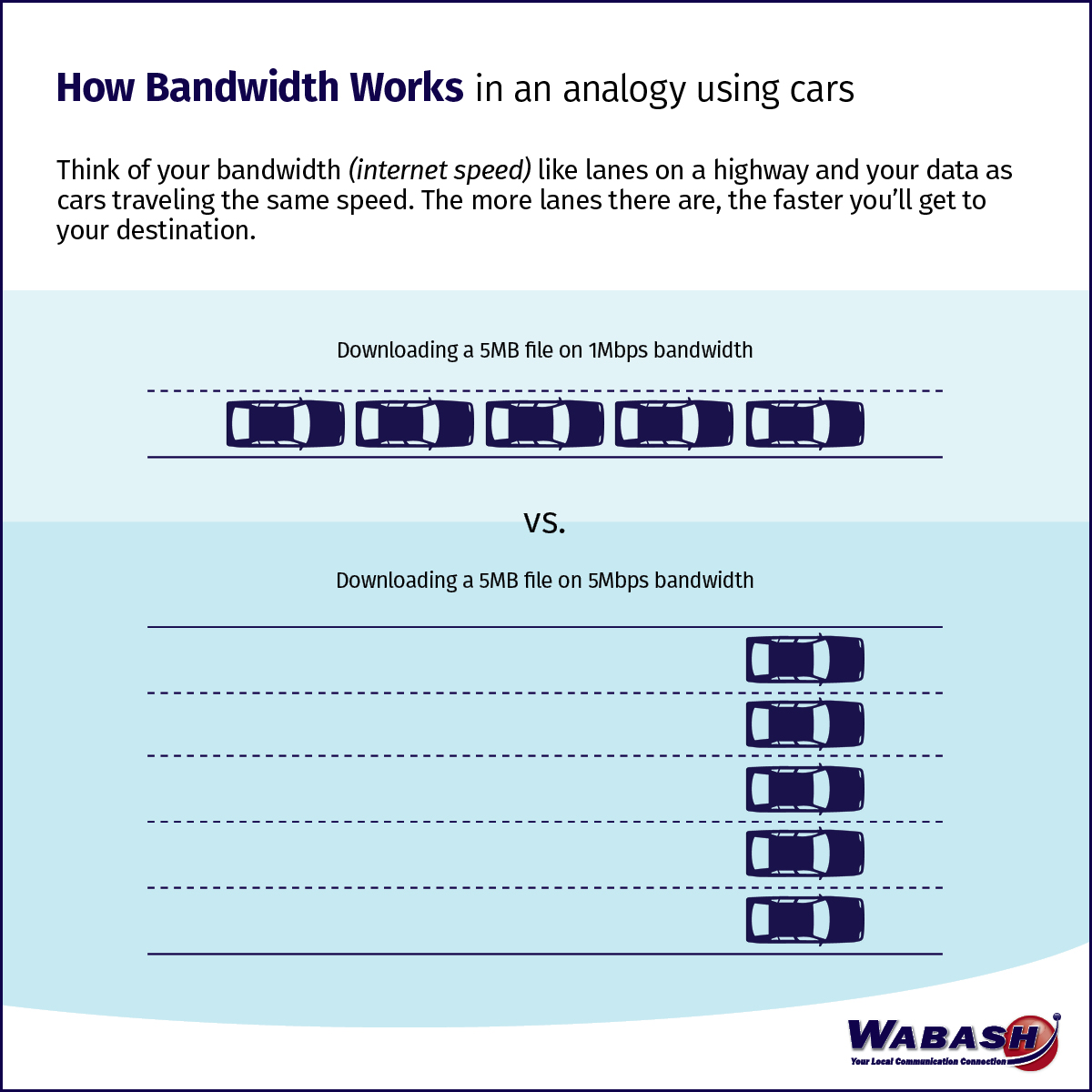
Internet Connection When hosting a web server, one key component is the quality of your Internet connection. This is imperative for maintaining performance, stability and a pleasant user experience.
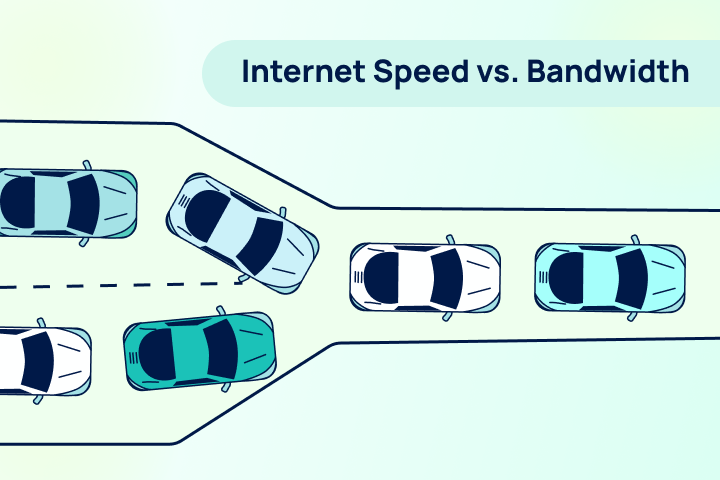
Imagine that your home's internet connection is a pipe connecting you to a service provider. You can measure how fast data moves through the pipe, as well as how wide the pipe is – effectively transporting more data over time.
This is the difference between speed and bandwidth. While speed is often concretely measured in M/bits, bandwidth can be more difficult to define. For a residential connection, the bandwidth may be shared among multiple homes or families. Additionally, the connection technology – like cable or mobile broadband – can dictate how much data can be transmitted concurrently. |
| Power |
Power Requirements Hosting a computer server and operating all of the required peripherals requires electricity. This may change over time as your needs evolve and you add hardware to fulfill them.
The more powerful the computer, the greater those requirements – while a mini PC may need 150W, a workstation can requires upwards of 600W. This can cause a strain on house wiring and greatly increase your monthly power bill.
When possible, try to spread out your power draw among multiple sockets.
|
| Moving |
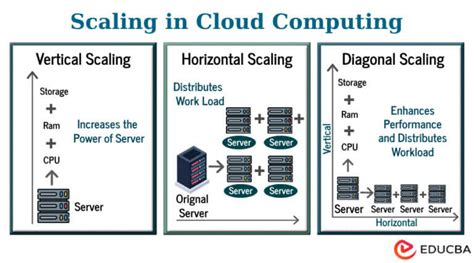
Scaling When it comes to hosting a digital space, it is important to consider how needs will grow. Our requirements have a tendency to scale over time – more storage, extra power and faster internet.
When hosting a media server, digital files can require more hard drive storage. Providing service to more people requires greater bandwidth and more powerful hardware – all of which costs additional money. While these necessities take some time to surface, it can be helpful to plan for upgrades going in.
|
| Gavel |
Legal Concerns Depending on what you will be using your server for, there may be legal concerns that must be considered. By offering services to people over the internet, we are entering a contract with our community.
|
| Diversity_3 |
Community Dynamics When offering services to a community, you must keep in mind the support you will need to provide. This will manifest differently depending on the services you are hosting.
|
What is Your Attack Surface?
When dealing with a software environment powered by physical hardware – such as hosting a server – you need to consider your level of exposure. There are often many vectors that malicious actors can exploit to attack software systems. An attack surface is the sum total of all possible vulnerabilities within the system being examined.
The goal of cybersecurity is an attack surface that is as small as possible with proactive protection against known weaknesses. The digital landscape continues to change rapidly, only increasing the necessity of systematic threat analysis.
Measuring your attack surface is an ongoing process that can expand over time – often unevenly. As you add more hardware, the more potential you have for encountering vulnerability within the system.
As you provide community services and offer access to broader audiences, your threats deepen. While you may be able to exert control over a private cloud server, members have their own autonomy – to enforce or eschew best security practices. More moving parts invites more risk: can you ensure that your friend will use a strong password?
When approaching security in software development, there are two important philosophies that inform the choices made:
|
Castle |
Security By Design This paradigm enables the creation foundationally secure software. Developers often employ best practices focused on:
It is not uncommon to employ open security practices that leverage the community. While closed software relies on keeping flaws hidden, open security relies on the oversight of everyone who uses and contributes to the software. |
|
Lens_blur |
Security By Obscurity This paradigm relies on concealing how the software works as a proactive security measure. While security traditionally constitutes physical locks or safeguards, this approach relies on sleight of hand – such as a key obscured by shadows as it rests on a car tire.
This philosophy assumes that secrets with remain secret – but this is often not the case. This is heavily employed by proprietary software by obscuring source code. While this can complement an already robust system, it is deeply discouraged as the sole security.
|

Confidentiality, integrity and availability are the core underlying of security. Ensuring there is no unauthorized access or modification while keeping systems always available requires careful planning.
Step 1: Visualize Systems
Before we can correct any potential vulnerabilities, we need to take stock of our hardware and software systems. This will include making a list of internet-connection electronic devices, such as:
|
Desktop_windows |
Computers These devices – often using x86 processors – are connected to the Internet using a variety of local (physical) means.
|
|
Smartphone |
Mobile Devices These devices generally focus on a "cloud-first" approach and wireless connection methods for improved portability.
|
|
Terminal |
Software User applications add more variability to the defined standards of operating systems.
|
|
Router |
Communication Computers process information independently and often transmit their data over a network – either local or regional in scale.
|
|
Home_iot_device |
Internet-of-Things Smart Devices These devices often contain system-on-a-chip computers that enable updates over the Internet.
|
[[Basic diagram of some devices and the ways they connect]]
Your digital attack surface will change shape from day-to-day and continue to morph over time. While computers may shut off at night or disconnect from the Internet, a server will always be a beacon visible over the network.
As the number of vulnerable points grow and opens potential for attacks, defenses become even more important. In the worst case clscenario, malicious actors only need one exploit to gain unauthorized access. These are some common elements:
|
Host |
Physical Access When a malicious actor gains physical access to the hardware – such as your server or network router – they have the potential to cause damage. This can be to the physical hardware components as well as the digital systems that they embody.
Computer ports that are used for communication and data transmission may come with their own flaws that can create unintended vulnerabilities. Ethernet ports can be used to deliver destructive electrical shocks and USB can be used to log every key you press on your keyboard. |
|
Lan |
Local Network Access By gaining access to the networks that computers use to communicate, it is possible to piggyback access to connected systems. This allows malicious actors to use your secure credentials to gain unauthorized access.
There are varying types of local networks ranging from personal devices to household electronics. This can include connecting a device directly to your router through Ethernet, gaining access to your Wi-Fi network or connecting over Bluetooth.
|
|
Captive_portal |
Remote Access Gaining the ability to control your computer over the Internet can involve compromising hardware, as well as leveraging exploits within software. There are so many applications available and each may come with their own vulnerabilities.
In addition to holes with an application's defenses leaving you open to an attack, malicious software can be distributed by hackers with the explicit intentions of gaining unauthorized remote access. There are numerous tactics that can be employed to reach the desired goal:
|
|
Settings_alert |
Misconfiguration When software is configured incorrectly – such as accidentally enabling a feature that you don't monitor – can lead to unexpected consequences. When you don't accurately know the perimeter of your attack surface, malicious actors can find entry points that not even you were aware of.
This can be as simple as using an insecure password that is easy to guess, or as critical as forgetting to secure your Wi-Fi network. While many software programs come with accessible "out-of-the-box" configuration, they are not often hardened for security.
While there are many ways that a system can become misconfigured, they all result in the same threat: vulnerability to authorized access to your private data. These are common areas:
|
|
Domino_mask |
Privacy WHOIS registration You will be sharing your public IP address with the world. Domain registration Credit card payments Things that are tied back to you by address, name and money. |
| Deployed_code |
Dependencies Web Frameworks (PHP, Apache, Java, etc.) Web Server Services (email, database, applications)
|
| Psychology |
Social Engineering Phishing
|
Step 2. Define Boundaries
Step 2: Find indicators of exposures. The second step is to correspond each indicator of a vulnerability being potentially exposed to the visualized map in the previous step. IOEs include "missing security controls in systems and software".[4]
Define your boundaries
Who do I want to protect it from?
What do you consider an attack?
|
Cloud_off |
Denial of Service DDos |
|
Gpp_maybe |
Unauthorized Access Malicious Actor limiting user access Strong and or randomly generated passwords Different passwords for different services
Firewall |
|
Water_lock |
Data Leaks Docker vs vm vs bare metal When running all your services through your bare operating system, such as on Debian, there is possibility for a vulnerability in that application to breach containment and effect other applications. By using a docker container, these processes are virtually separated into different operating systems that make it more difficult for a vulnerability in one container to affect the others. PhishingSQL injection Phishing
|
|
Swords |
Brute Force Attack Brute force https://en.m.wikipedia.org/wiki/Brute-force_attack In cryptography, a brute-force attack or exhaustive key search is a cryptanalytic attack that consists of an attacker submitting many possible keys or passwords with the hope of eventually guessing correctly. This strategy can theoretically be used to break any form of encryption that is not information-theoretically secure.[1] However, in a properly designed cryptosystem the chance of successfully guessing the key is negligible. |
| Pest_control |
Web Crawler bots and web crawlers https://en.m.wikipedia.org/wiki/Web_crawler Web crawler, sometimes called a spider or spiderbot and often shortened to crawler, is an Internet bot that systematically browses the World Wide Web and that is typically operated by search engines for the purpose of Web indexing (web spidering).[1] Crawlers consume resources on visited systems and often visit sites unprompted. Issues of schedule, load, and "politeness" come into play when large collections of pages are accessed. Mechanisms exist for public sites not wishing to be crawled to make this known to the crawling agent. For example, including a Claude ai bots https://en.m.wikipedia.org/wiki/Claude_(language_model)
|
Step 3. Create Safeguards
Step 3: Find indicators of compromise. This is an indicator that an attack has already succeeded.[4]
Add safeguards
One of the most simple and important ways to protect data and security is through encryption.
Encryption
https://en.wikipedia.org/wiki/Encryption
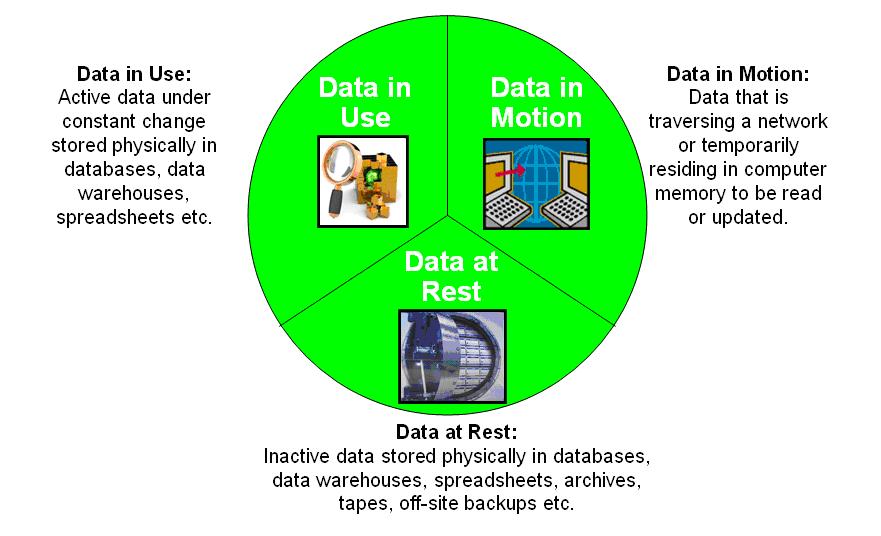
In cryptography, encryption (more specifically, encoding) is the process of transforming information in a way that, ideally, only authorized parties can decode. This process converts the original representation of the information, known as plaintext, into an alternative form known as ciphertext. Despite its goal, encryption does not itself prevent interference but denies the intelligible content to a would-be interceptor.
|
Circle |
Data at Rest disk encryption encryption at rest https://en.wikipedia.org/wiki/Data_at_rest Data at rest in information technology means data that is housed physically on computer data storage in any digital form (e.g. cloud storage, file hosting services, databases, data warehouses, spreadsheets, archives, tapes, off-site or cloud backups, mobile devices etc.). Data at rest includes both structured and unstructured data.[1] This type of data is subject to threats from hackers and other malicious threats to gain access to the data digitally or physical theft of the data storage media. To prevent this data from being accessed, modified or stolen, organizations will often employ security protection measures such as password protection, data encryption, or a combination of both. The security options used for this type of data are broadly referred to as data-at-rest protection (DARP).[2]
|
|
Bubble |
Data in Use encryption in use This can be difficult without specialized hardware that employs active encryption, such as ram and a processor. Software provides some data in use security. Encrypting in-use data is computationally intensive. The process requires the computer to encrypt and decrypt data in real-time, which often introduces performance overhead. This issue is a major reason why most adopters process data in the public cloud, a strategy that grants access to sufficiently powerful hardware.
https://en.wikipedia.org/wiki/Data_in_use https://phoenixnap.com/blog/encryption-in-use Data in use is an information technology term referring to active data which is stored in a non-persistent digital state or volatile memory, typically in computer random-access memory (RAM), CPU caches, or CPU registers.[1] Scranton, PA data scientist Daniel Allen in 1996 proposed data in use as a complement to the terms data in transit and data at rest, which together define the three states of digital data. Protecting data in use
|
|
Animation |
Data in Transit Https enceyption encryption in transit https://en.wikipedia.org/wiki/Data_in_transit Data in transit, also referred to as data in motion[1] and data in flight,[2] is data en route between source and destination, typically on a computer network. Data in transit can be separated into two categories: information that flows over the public or untrusted network such as the Internet and data that flows in the confines of a private network such as a corporate or enterprise local area network (LAN).[3] Data in transit is used as a complement to the terms data in use, and data at rest which together define the three states of digital data.[4] end to end encryption
|
using all three to ensure data is always encrypted.
On top of this foundation, we can add targeted defenses to help shore up security from specific angles
|
Verified_user |
Authentication This can be on the local server by restricting it only to the administrator. This can also mean limiting access to services behind a tool like Authelia. two factor Vpn vs proxy A VPN requires preconfigured authentication to access the server, whereas a proxy server provides access to the general public that can then have layers of security added.
|
|
Shield_toggle |
Proper Configuration disable robots
|
|
Encrypted |
Physical Security Lock case Restrict access to server Remove keyblard and mouse unless needed
|
|
Policy |
Monitoring intrusion protection services Monitoring services |
|
Security |
Isolation LAN access vs server only access (127.0.0.1:80:80) vs 80:80 Within docker, containers can be configured to be accessible over the local network to all computers, as well as restricted to access from only the local machine. This means you can open it while using a browser on the server computer, but your other computers cannot access it over the network.
|
kill switch
https://en.m.wikipedia.org/wiki/Kill_switch
A kill switch, also known more formally as an emergency brake, emergency stop (E-stop), emergency off (EMO), or emergency power off (EPO), is a safety mechanism used to shut off machinery in an emergency, when it cannot be shut down in the usual manner. Unlike a normal shut-down switch or shut-down procedure, which shuts down all systems in order and turns off the machine without damage, a kill switch is designed and configured to abort the operation as quickly as possible (even if it damages the equipment) and to be operated simply and quickly (so that even a panicked operator with impaired executive functions or a bystander can activate it). Kill switches are usually designed to be noticeable, even to an untrained operator or a bystander.
What is The Value of Your Data?
- What do I want to protect?
- How likely is it that I will need to protect it?
- How bad are the consequences if I fail?
- What is the value of the data? Does a hacker care about Joe Schmo? Probably not. But do you have confidential company data, or are you an important stakeholder? Well, now you've suddenly become a bigger target.
- How important is it to someone else, and how important is it to you, your security, identity and privacy?
-
Privacy ensures that unauthorized parties do not have access to your information and that you continue to control your personally identifiable information (PII). Therefore, Data privacy primarily deals with procedures and policies governing the collection, storage, and use of PII and proprietary company information such as trade secrets, personnel, and internal processes. PII is highly confidential because of the civil and criminal liability companies and individuals face if improper disclosure is allowed overtly or due to unintended data security breaches.
To ensure privacy, you need more than a specific technology or set of technologies. This includes training all employees who have access to sensitive data about approved data protection processes. Just as airline pilots use checklists to ensure that essential items are checked before a flight and monitored during flight, IT professionals must also be willing to use privacy policies and other resources to protect PII and other sensitive information. In particular, to ensure privacy, IT professionals must have a set of policies, and processes detailing how organizations and their employees collect, store, and use sensitive data on all systems. This privacy policy aims for all employees to recognize the importance of privacy, understand how to prevent inappropriate disclosure of information, and deal with privacy issues and policy violations.
Data breaches are no longer just embarrassing or inconvenient for businesses. Currently, privacy laws such as GDPR impose penalties for failing to protect the privacy of PII and other sensitive personal information. These compliance standards may impose financial penalties and criminal charges for PII's intentional and, in some cases, unintentional disclosures. GDPR imposes privacy standards and legal requirements on all companies that store or process the personal information of EU residents. -
What Is Data Security?
Data security uses physical and logical strategies to protect information from data breaches, cyber-attacks, and accidental or intentional data loss. Specifically, technologies and techniques used to prevent:
- Unauthorized access
- The deliberate loss of sensitive data
- Accidental loss or corruption of sensitive data
Examples of measures to ensure data security include data encryption, both at rest and in transit, and physical and logical access control to prevent unauthorized access. Specific techniques include multi-factor authentication, multiple layers of network and application-level access control, and detection and isolation of rogue devices after connecting to the network. Regular backups and a proven disaster recovery plan are essential parts of data security.
In short, data security is based on a technically sophisticated and comprehensive approach to protecting all networks, applications, devices, and data stores within an enterprise IT infrastructure. - The best way to understand the difference between data security and privacy is to look at the mechanisms used in your data security and privacy policies. Privacy policies control how data is collected, processed, and stored. While your organization's data security is more robust, detailing physical and logical controls to secure data. The way you collect, store, or distribute that data can violate your privacy policy. For example, enterprises can ensure that sensitive information is encrypted, masked, and restricted adequately to authorized parties. However, improper collection of this data, such as not obtaining informed consent from the data owner before collecting the data, does not change the security of the data but violates data privacy rules.
- Is this a vulnerable community?
- Vulnerable communities are groups within a population that face a higher risk of negative health, social, or economic outcomes due to various factors. These factors can include social, economic, political, and environmental components, as well as limitations due to illness or disability. Examples include people with disabilities, low-income individuals, racial and ethnic minorities, and those experiencing homelessness.
- Social:
Poverty, lack of access to healthcare, discrimination, limited English proficiency, and social isolation can all increase vulnerability.
Economic:
Low income, unemployment, and lack of access to financial resources can make individuals more susceptible to hardship.
Political:
Marginalization, lack of political representation, and policies that disproportionately affect certain groups can contribute to vulnerability.
Environmental:
Living in areas prone to natural disasters, pollution, or lack of access to clean water can create vulnerability.
Health-related:
Disabilities, chronic illnesses, and mental health conditions can limit an individual's ability to cope with challenges.
Examples of Vulnerable Communities:
People with disabilities:
May face physical and social barriers, limiting their access to employment, healthcare, and other essential services.
Racial and ethnic minorities:
May experience discrimination, systemic barriers, and disparities in health and socioeconomic outcomes.
Low-income individuals and families:
May struggle to afford basic necessities, access healthcare, and live in safe environments.
Individuals experiencing homelessness:
Face high risks of health problems, violence, and social exclusion.
Elderly individuals:
May be more susceptible to illness, social isolation, and financial hardship.
Children:
May be particularly vulnerable to neglect, abuse, and the effects of poverty and environmental hazards.
LGBTQIA+ individuals:
May face discrimination and social stigma, leading to increased risks of mental health issues and violence.
Migrant workers:
May be vulnerable to exploitation, low wages, and lack of access to legal protections.- Prisoners
- Should this data be accessible to the outside world, should it even be digitized?
- Is this information about your personal media collection or is it access to all of your financial data?
- Physical and digital security
- Physically locking down a computer
How Much Effort Are You Willing to Spend?
- How much trouble am I willing to go through to try to prevent potential consequences?
- How much time, money and effort are you willing to put into your security? Remember, there are entire companies dedicated to security, and entire SOC's whose sole job is monitoring for security incidents and even they don't catch everything. These organizations have multiple experts, layers of defense and constant monitoring, but the data they protect is worth it (see #2 above). How much effot you're willing to put in determines how many steps you need to take.
- Documentation
- Resources
- Updates & Upgrades
- Hardware and software
- Integration
- what you can handle yourself vs what you need a dedicated professi me
- onal for.
Evaluating Safety
This is how we evaluate software.
How to identify safe open source applications
Open source vs freeware
We have tested the software described here.

Assessment
Verify authenticity
Consider necessity. every new service increases the attack surface
Open source license type
Does the software require an account, especially one that requires you to provide information like your name or email? Many oss rely on email to build a community by few reputable projects require them.
Typosqiatting obs
Privacy statement
Maintenance & Sustainability
Is there a docker image?
Is it developer created community created or user created?
Activity level
Active community
Open to feedback
Regular updates
Multiple developers
Alpha , beta, stable,
How old is the project
Do they have a testing channel or just main
Is the software a proof of concept or a refined software model?
Maintainers and developers are after unpaid. They are passion projects. While some open source software is funded by foundations, many are small community projects that are self funded by donations.
Code quality reports, code maintenance
Is it maintained
GitHub badges. Is it compiling? Etc
Do they offer a way to deploy using docker?
Usability & Security
Assessment framework
Security vs convenience
Ux/ui
Trusted repository such as GitHub or gitlab
Security audits
Security Through Transparency
It’s How You Implement Software That Matters
Certifications
Secure defaults
Security is not necessarily incorporated into the design and development of OSS.
Many large organizations support OSS projects. However, these projects may rely on work conducted by smaller, volunteer-run OSS projects. For smaller OSS projects, volunteers may have less time to fix problems or conduct security testing. Also, these projects may not receive the funding needed to hire expert security auditors.
The blueprints (source code) reveal the layout, but they don’t tell you where the alarm system is located or the combination to the safe.
Can you report vulnerabilities?
Community
DOCUMENTATION: open or private editor docs? Code markup generator
Stability; number of open issue reports and or very active forums
What about the forums? Are they publicly accessible
How much do they ask for support and in what ways? Are they building community or exploiting it?
What is their community like? Where is it located? Reddit vs forum
Do they meet in person
History of development team
Company or community group
Business or consumer focused
Mission, vision, statement
What is the diversity of the developers
Are they open to outside contribution?
Selecting Your Services
There are a wide range of services you can self-host for yourself. Many more are available through Docker Hub, linuxserver.io, and awesome-selfhosted. These are just the ones we've tested.
Quick-Start Bundles
These pre-bundled templates can help you quickly get up and running with commonly-used combinations. Host a private office suite, manage your multimedia, build a professional website and more.
Office Suite
Docs
Includes: OwnCloud and Collabora
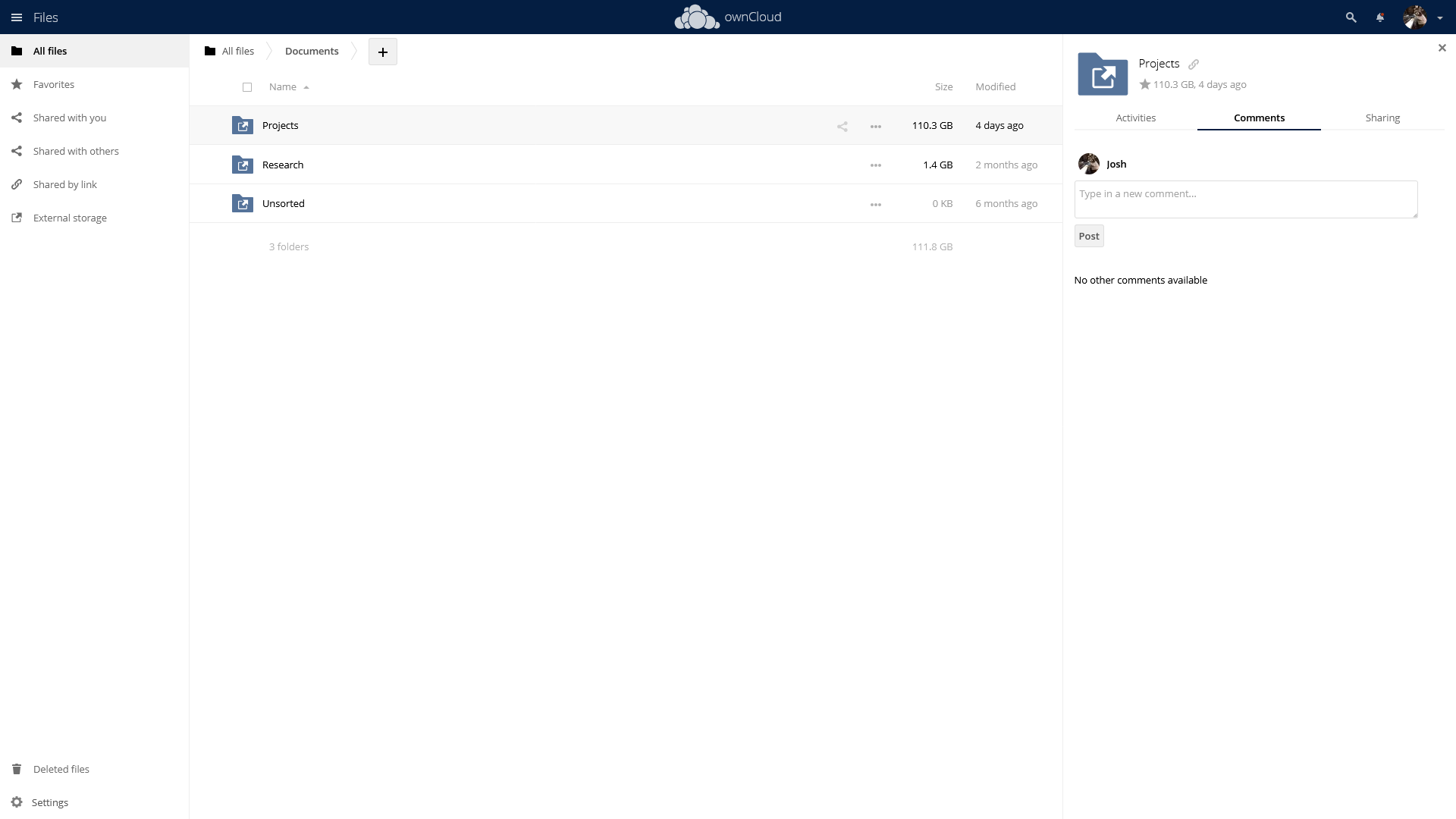
Host your own private cloud solution with OwnCloud to remotely access your files or securely share them with friends. Integrate Collabora to edit your documents right in your web browser.
Leverage OwnCloud apps to manage your own calendar, contacts, notes and even your music collection.
Smart Family
House
Includes: Grocy, Actual Budget, and Home Assistant
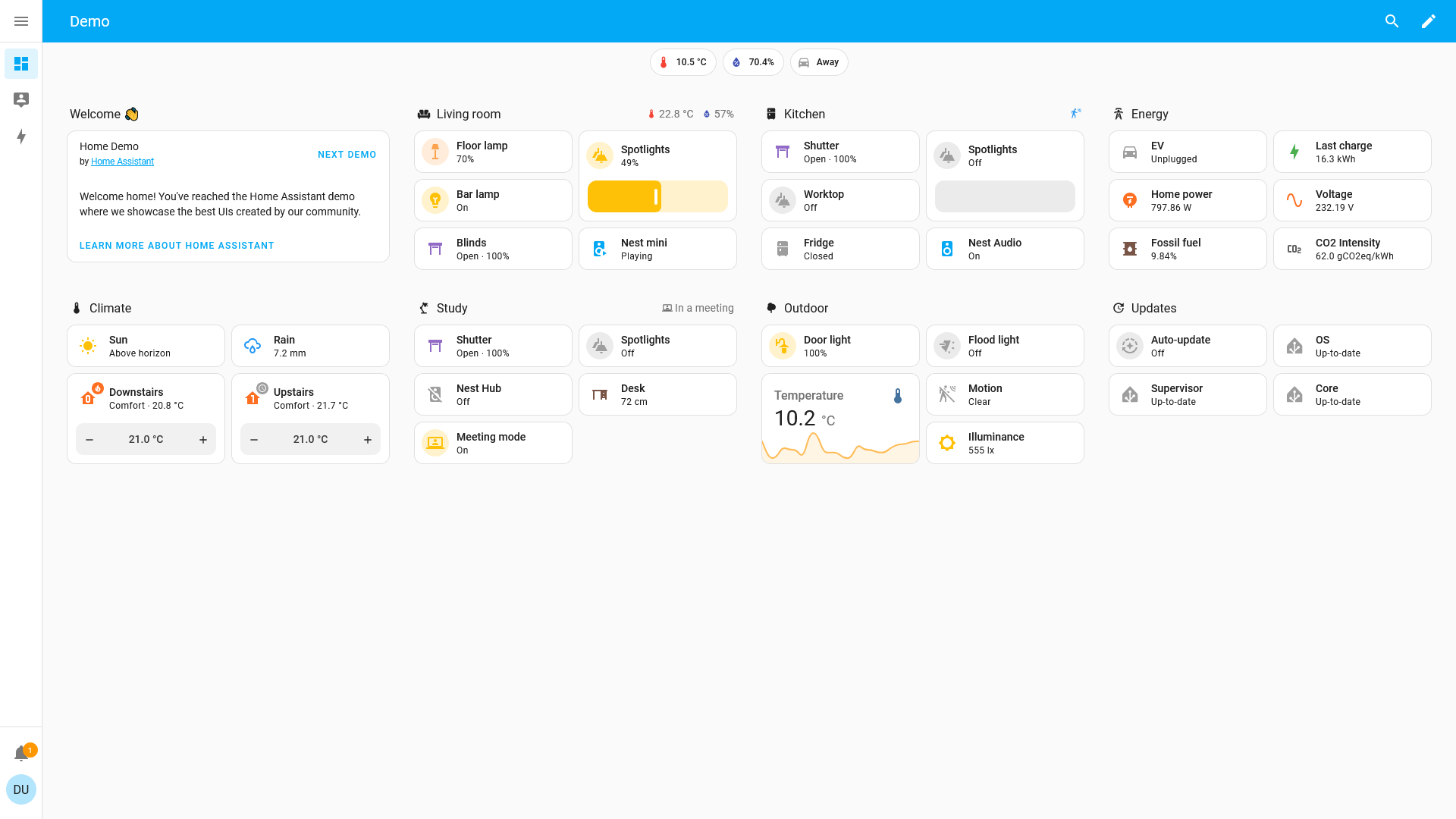
With Grocy you can manage your kitchen's inventenory, build a recipe book, organize weekly chores, and assign one-time tasks. Take control of your finances with Actual Budget and sync directly with your bank. Finally, add Home Assistant to control smart devices and design a family dashboard.
Security & Privacy
Encrypted
Includes: VaultWarden, Duplicati, and AdGuard Home

Take control of your family's password manager using BitWarden and keep your private data secure. Handle your own multifactor authentication and audit your passwords for security breaches. Bolster your internet privacy by using AdGuard Home to perform your own web lookups and stop snooping. Create a secure off-site backup solution using Duplicati and make sure you never risk losing important data.
Media Managers
Media_link
Includes: Radarr, Sonarr, Lidarr, Readarr and Bazarr

Curate your movie, television, music and book collections and make sure they have up-to-date metadata for your media servers.
Integrate Radarr, Sonarr, Lidarr and Readarr with a torrent download server to search for media automatically. Using Bazarr, find subtitles for your movie and television collection.
Torrent Server
Cloud_download
Includes: qBittorrent, Gluetun, Flood, and Prowlarr
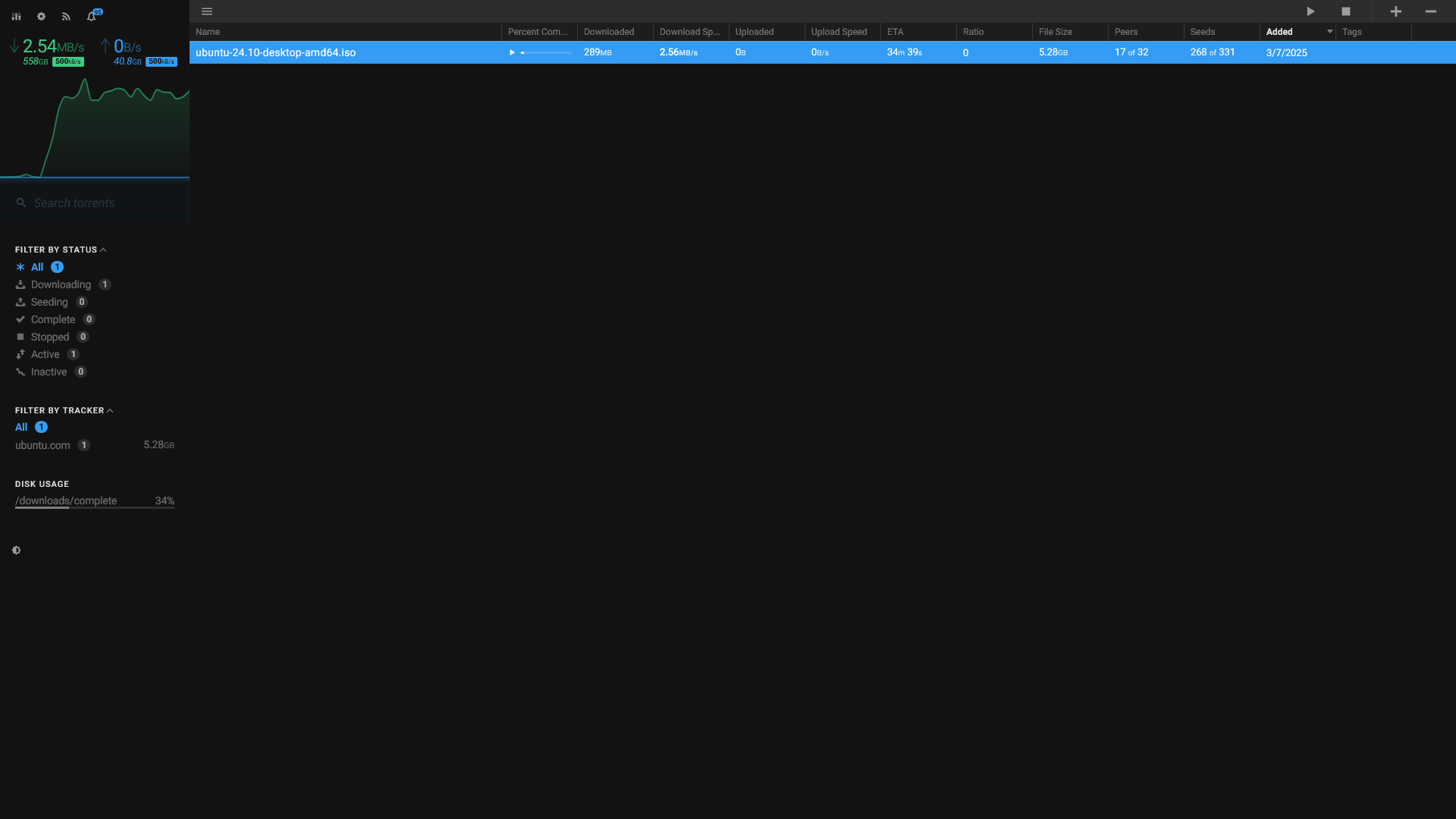
Securely access the popular peer-to-peer torrent network through a virtual private network. Prowlarr can search across multiple indexers at once and find the perfect torrent. Download it with a qBittorrent server, keep it private using Gluetun and manage your seeds with the modern Flood interface.
Professional
Work
Includes: WordPress and Reactive Resume
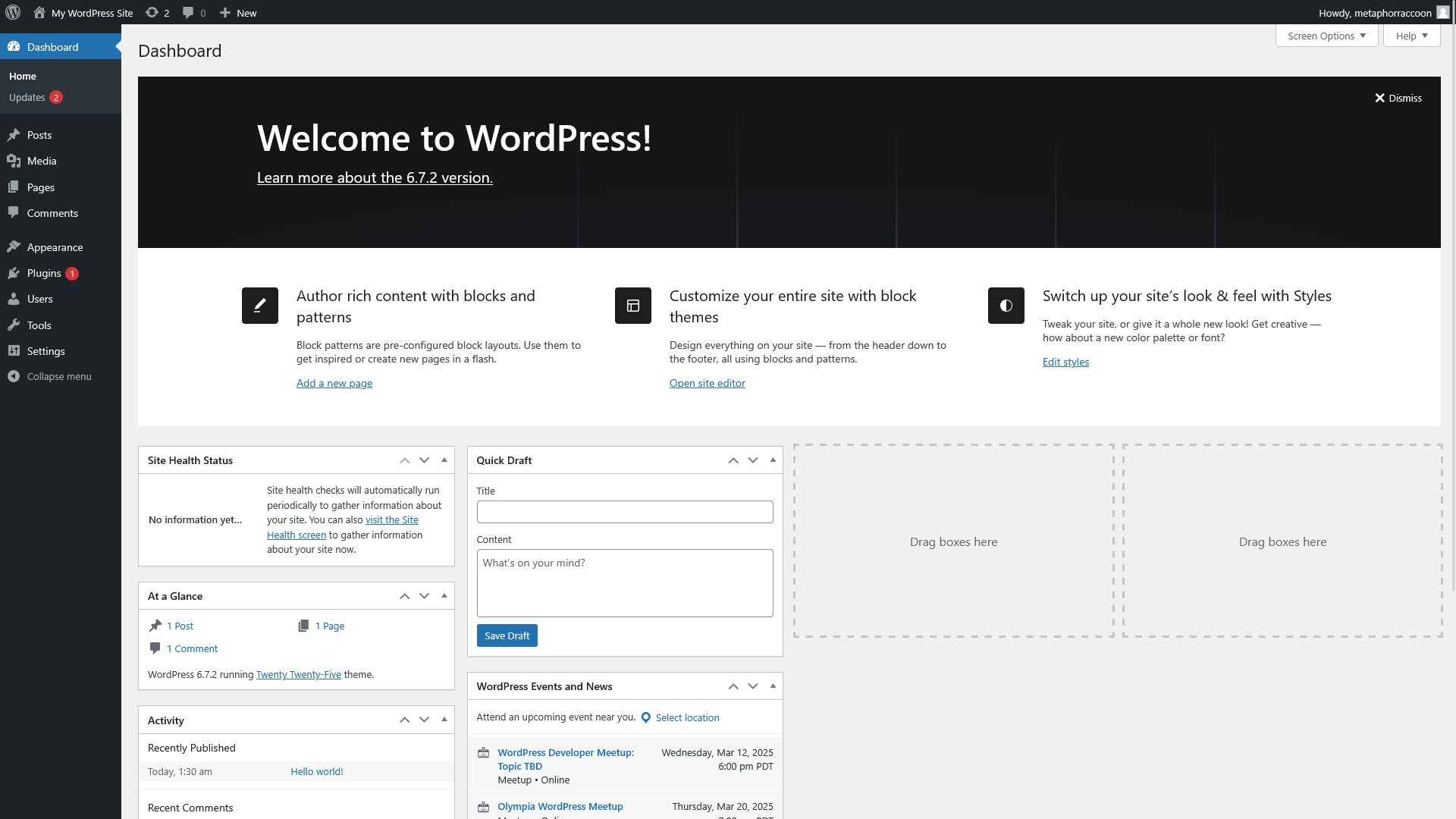
Create a professional website using WordPress and build yourself a Reactive Resume.
Streamer
Stream
Includes: OwnCast, WordPress, and Kill Bill

Create a blog for yourself using WordPress and host your own stream with OwnCast. Take control of your own subscription service using Kill Bill.
Online Community
Diversity_2
Includes: WordPress, Flarum, Fider, and Umami

Create a website using WordPress and engage an online community with a Flarum discussion forum. Navigate community decision making with Fider and track user engagement using Umami.
Personal Media
Automatically curate your digital media collection – including movies, television, music, books and comics – using metadata found in open online repositories. Search peer-to-peer clients and social networks for any media missing from your collection. Remotely stream all of your media over the internet for yourself, friends and family.
Media Servers
Connected_tv
Keep your digital media organized and remotely access it over the internet.
Jellyfin
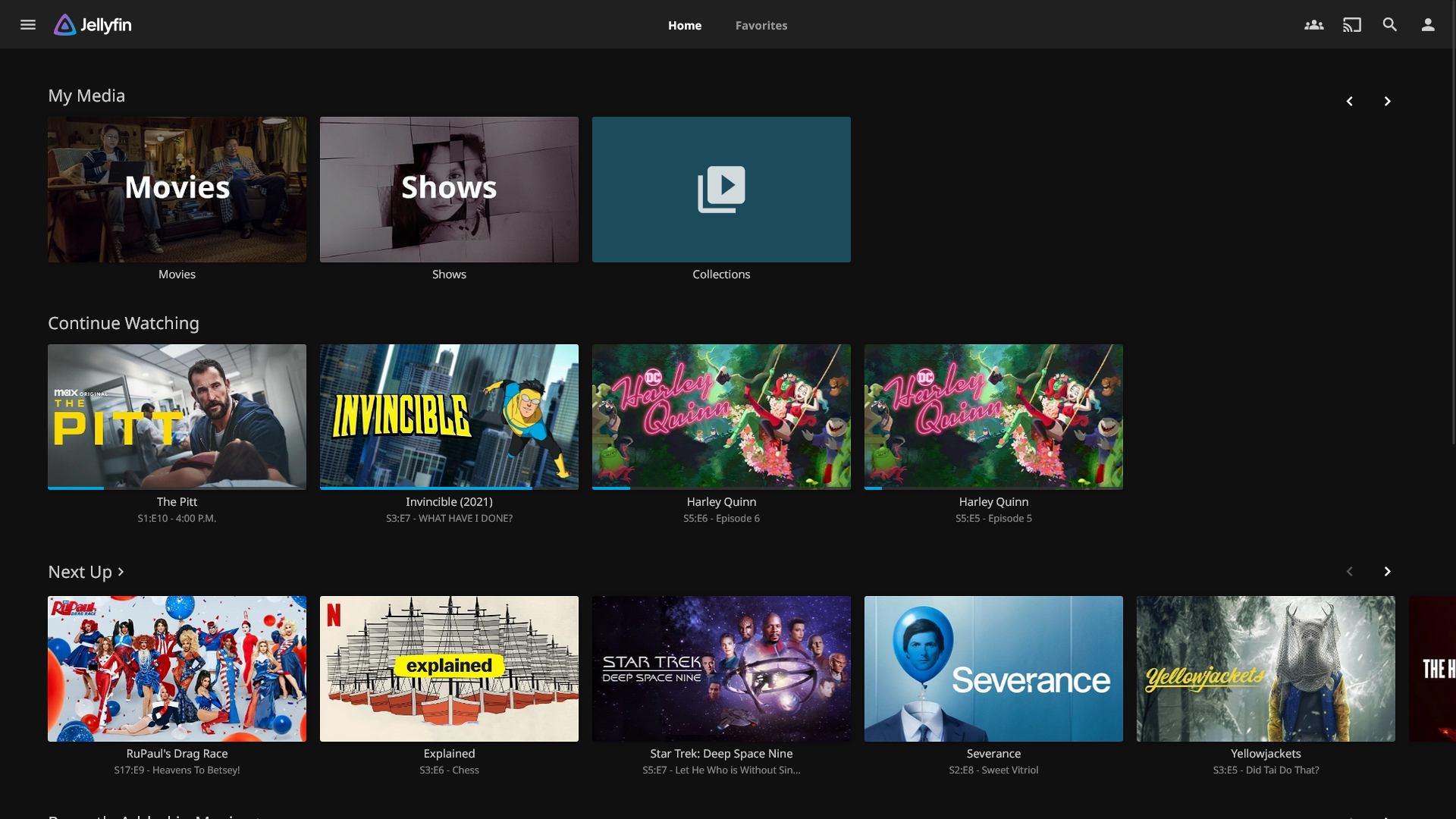
Jellyfin is community-built open-source media server that lets you stream your media to all of your devices.
Audiobookshelf

Audiobookshelf is an (audio)book and podcast media server with a dedicated Android apps and fully-functional web interface.
Kavita

Kavita is a book and comic server with a fully-functional web interface for enjoying your media.
Stash

Stash is a media server for streaming and organizing your private (and pornographic) media.
Media Managers
Media_link
Curate your digital media and ensure everything has the correct metadata, pulled directly from community-curated repositories. Combined with a peer-to-peer download client, media managers can find missing episodes or movies.
Radarr
Radarr is a movie collection manager that uses open repositories to keep your media organized.
Sonarr

Sonarr is a television collection manager that uses open repositories to keep your media organized.
Lidarr

Lidarr is a music collection manager that uses open repositories to keep your media organized.
Bazarr

Bazarr is a media manager for movies and television that uses open repositories to find subtitles and fix them.
Readarr

Readarr is an (audio)book collection manager that uses open repositories to keep your media organized.
Mylar

Mylar is a comic book collection manager that can download comic releases and keep them organized.
LazyLibrarian
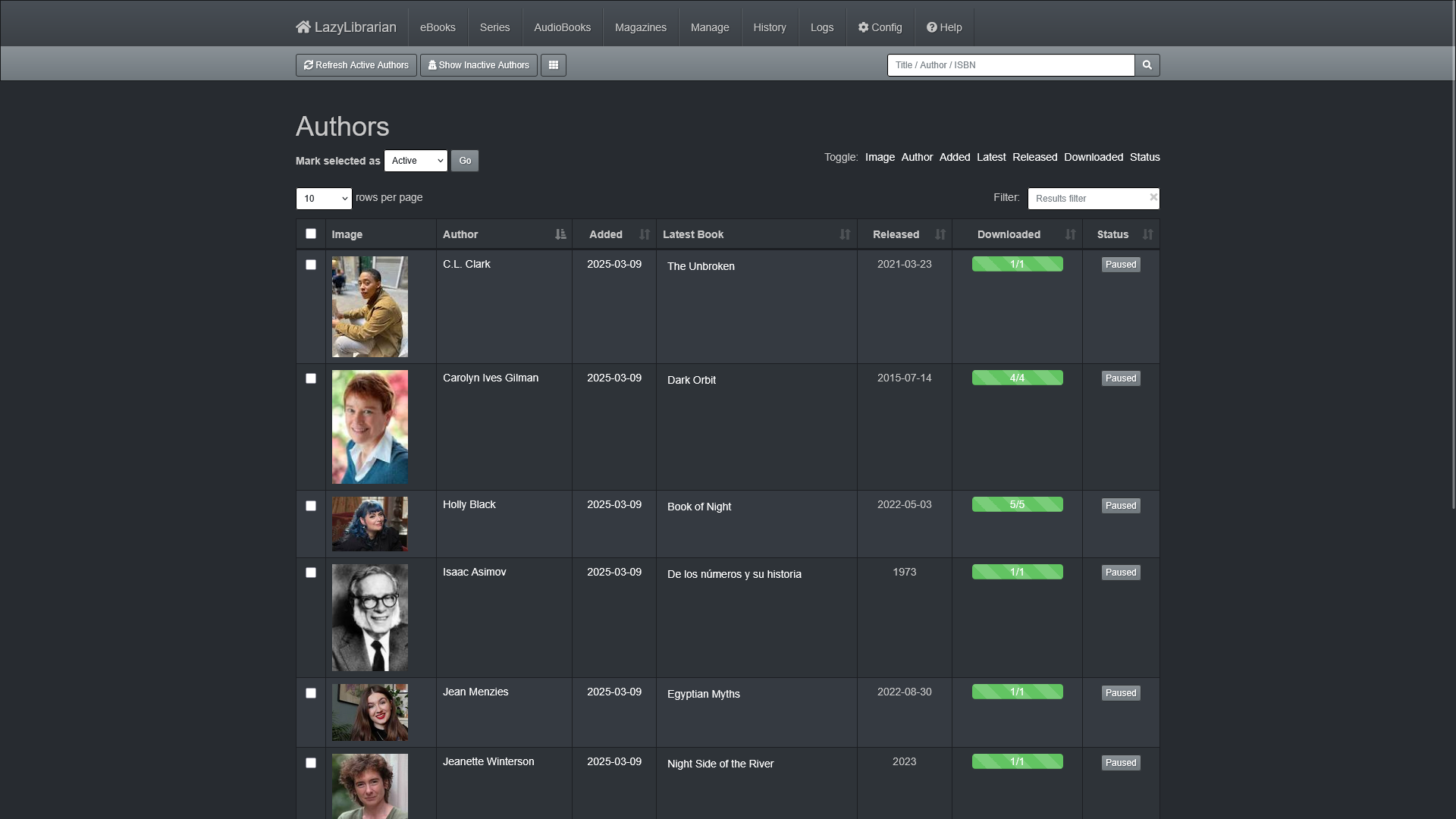
LazyLibrarian is an (audio)book and magazine collection manager that uses open repositories to keep your media organized.
Download Servers
Cloud_download
Download media from peer-to-peer and peer-based media services for your own personal archival purposes.
Prowlarr

Prowlarr is a torrent aggregator that searches multiple indexes at once to find digital resources.
aMule

aMule is a browser-based interface for the peer-to-peer ED2K media download service, commonly known as eDonkey.
Slskd

Slskd is a browser-based interface for the Soulseek peer-to-peer file sharing network.
Flood
Flood is a sleek and modern interface for most torrent services, including qBittorrent.
MeTube

MeTube is a web-based interface to archive content from peer-based media sites using ytdlp.
qBittorrent

qBittorrent is an open-source server for managing torrents on the peer-to-peer BitTorrent network.
Sabnzbd

Sabnzbd is an open-source download client for the peer-to-peer Usenet network.
Personal Cloud
Take control of your personal files and digital sphere by self-hosting your own personal cloud. Manage your family, finances and smart home without needing to compromise your security and privacy.
Productivity
Edit_document
Manage your calenders, track your to-do list, and organize your documents.
OwnCloud
OwnCloud is a personal cloud service for remotely accessing and editing files on your home server.
PhotoPrism

PhotoPrism is a personal cloud for your personal photos and videos.
CommaFeed

CommaFeed is an open-source news feed reader that uses Really Simple Syndication (RSS) and can sync between apps with Fever.
Vikunja

Vikunja is a collaborative project planner that can manage your to-dos and calendar.
Collabora
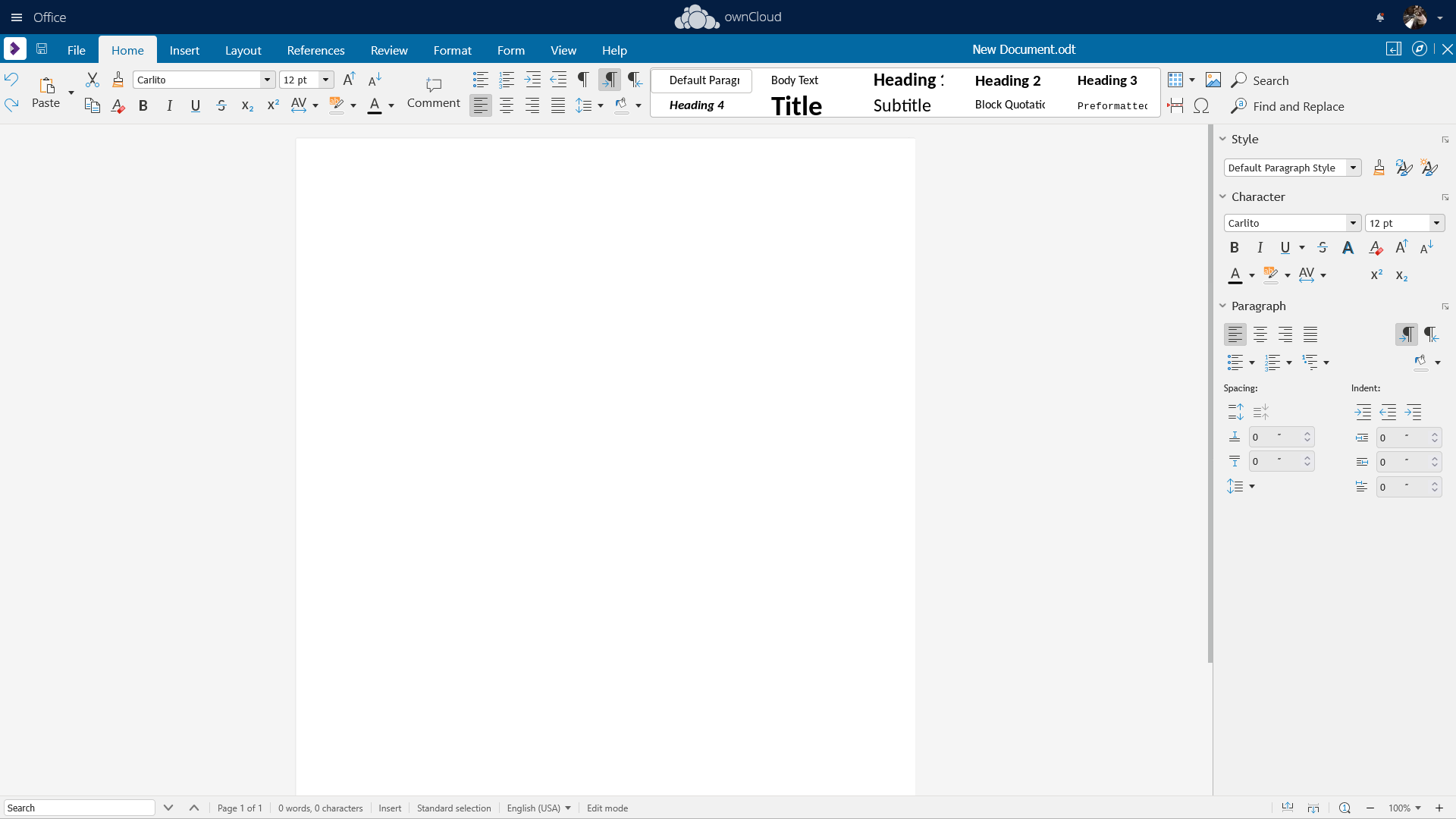
Collabora is a service that lets you create and edit your documents directly in your web browser.
Paperless-ngx

Paperless-ngx allows you to organize your document collection with a digital filing cabinet.
I, Librarian

I, Librarian lets you organize and search your academic research collection.
vscode

vscode lets you create and compile software code directly in your web browser.
Joplin

Joplin lets you jot down ideas and organize them into a collection of digital notebooks.
ArchiveBox

ArchiveBox helps you create your own archival backups of web pages and internet media.
Family & Home
House
Manage your family and smart home devices from your browser.
Grocy

Grocy lets you manage a digital inventory, organize a recipe book, keep track of recurring chores and create one-time tasks.
Actual Budget

Actual Budget helps manage your budget with financial information pulled directly from your bank.
Home Assistant
Home Assistant can create a dashboard for your connected smart home and all it's devices.
Recipe Buddy

Recipe Buddy can import recipes from the internet into your Grocy recipe books.
Home Page
Dashboard
Build yourself a landing page with quick access to all of your services.
Organizr

Organizr can build a landing page with smart plugins and access them all through a sleek tabbed interface.
World Wide Web
Create a presence on the open internet using self-hosted personal and professional services. Whether you're using a basic website or a content management system, you can get up and running quickly.
Basic Websites
Web
These no-frills options can create a basic website for personal or professional needs.
nginx
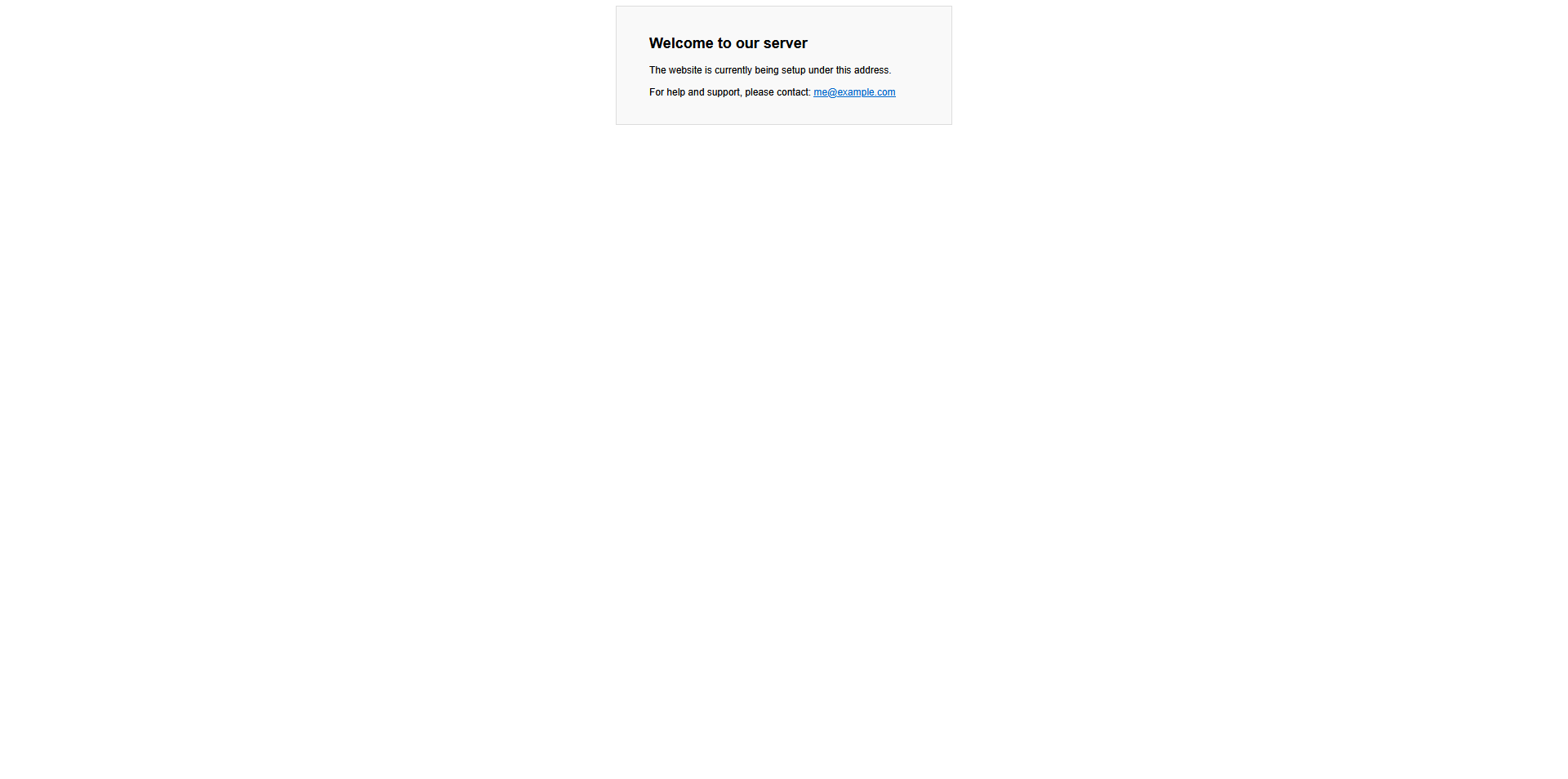
nginx is a multi-purpose web engine that functions as an HTTP web server, as well as a reverse proxy and load balancer.
Reactive Resume

Reactive Resume allows you to quickly build your own self-hosted customizable resume.
Database Storage
Database
Self-hosted applications often require access to a relational database server for long-term data storage, organization and recall.
MariaDB

MariaDB is an open-source fork of the MySQL relational database used by many applications.
PostgreSQL

PostgreSQL is a flexible, open-source relational database that can be leveraged by some software applications.
Adminer

Adminer is a full-featured database management tool compatible with popular database formats.
Content Management System
Wysiwyg
Create a website, incorporate plugins and manage resources using a unified backend interface that simplifies running a site.
MODx

MODx is an advanced web platform with powerful tools for developing intricate data systems.
Grav

Grav is a flat-file CMS with a simple, intuitive interface and a basic administrator panel.
WordPress
WordPress lets you manage your own websites and quickly create a publicly accessible blog.
Knowledge Management
Collections_bookmark
Powerful tools for producing and sharing information, allowing anyone to build personal and community knowledge.
BookStack
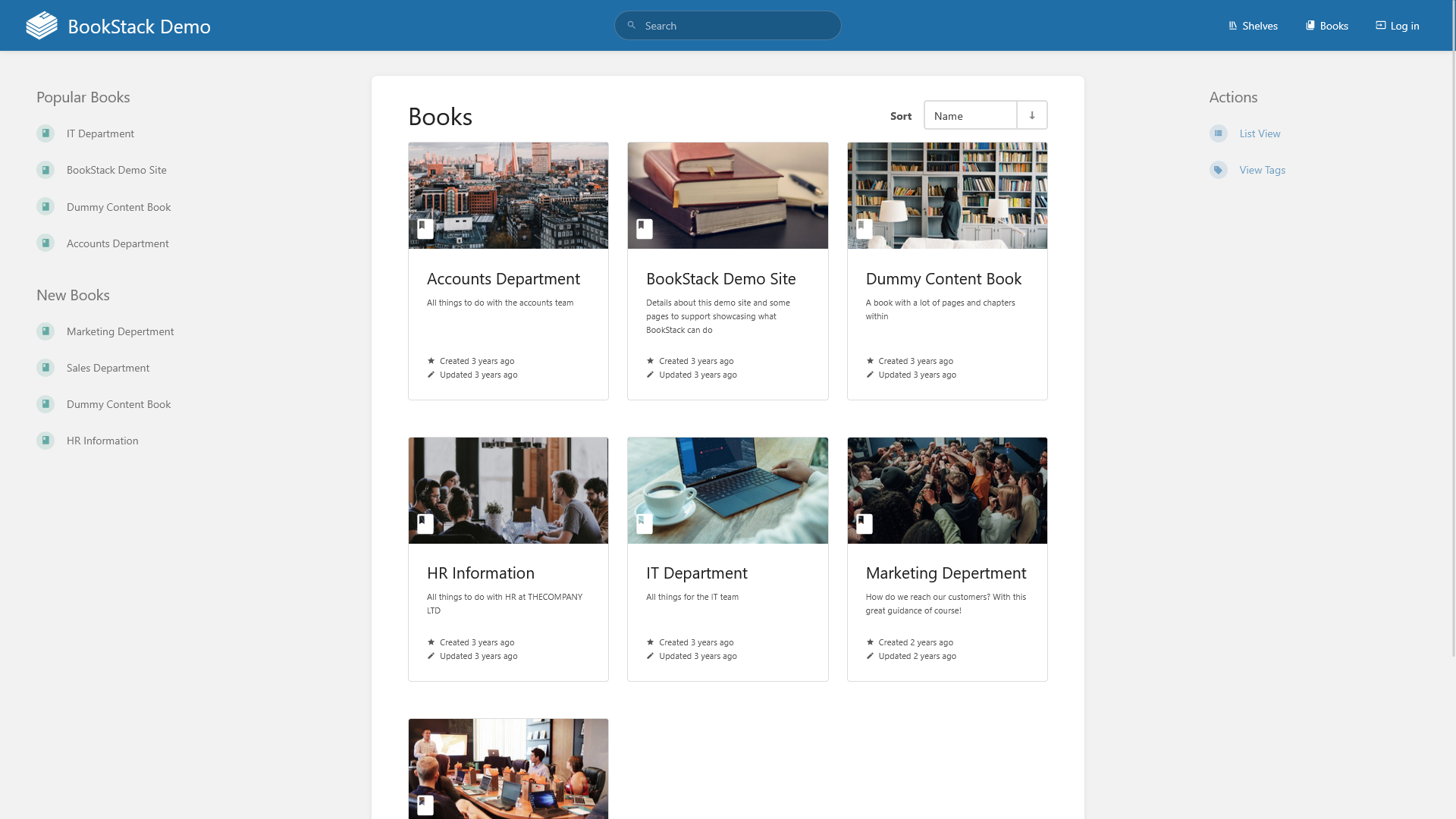
BookStack is a simplified wiki software that uses a bookshelf analogy for knowledge organization.
MediaWiki

MediaWiki lets you create an in-depth wiki using the same software that powers Wikipedia.
Communication & Community
Forum
Build a connection within your community through forums, feedback and public relations.
Flarum
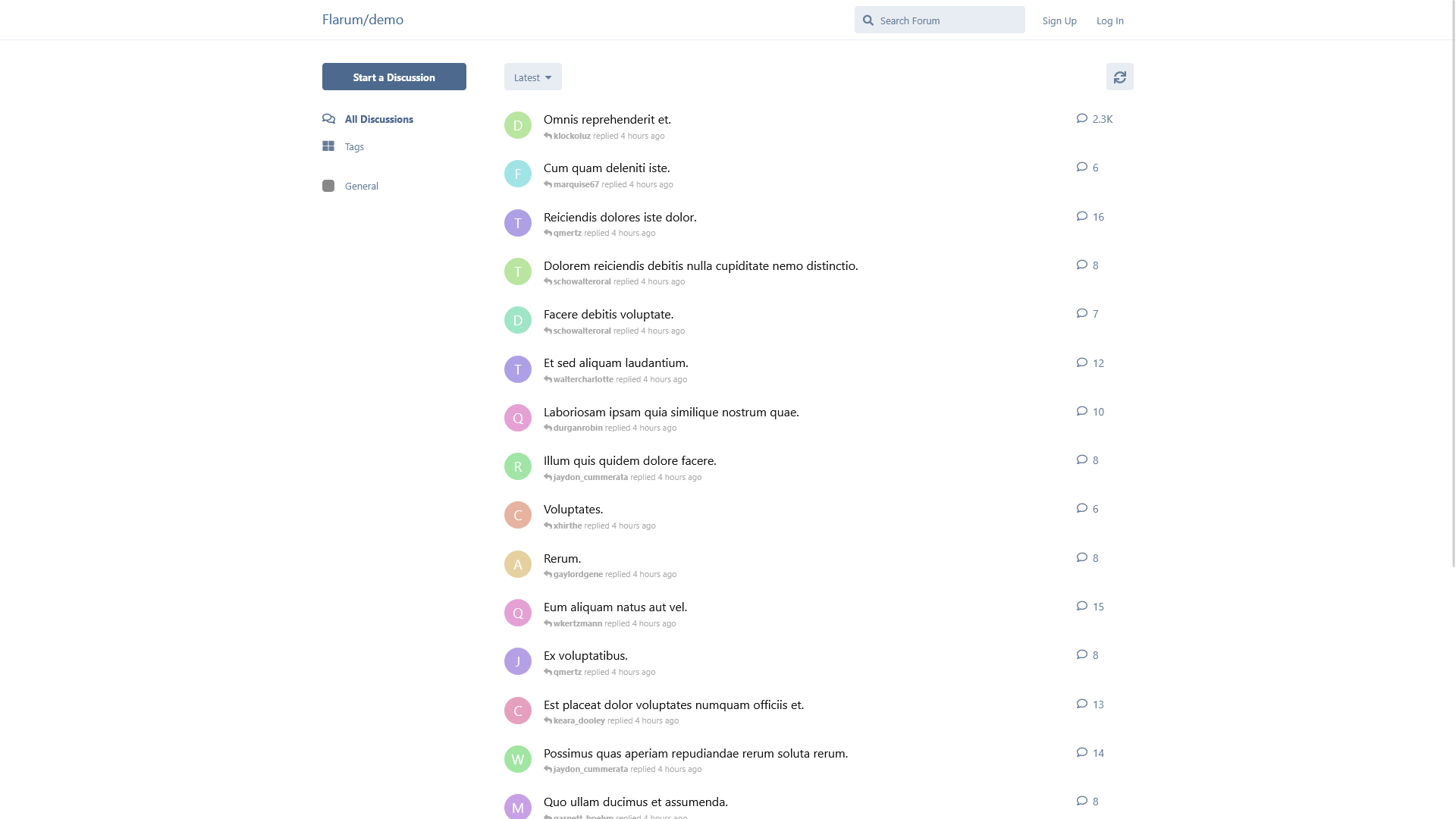
Flarum is a basic forum software to facilitate online discussion and knowledge creation.
Monica
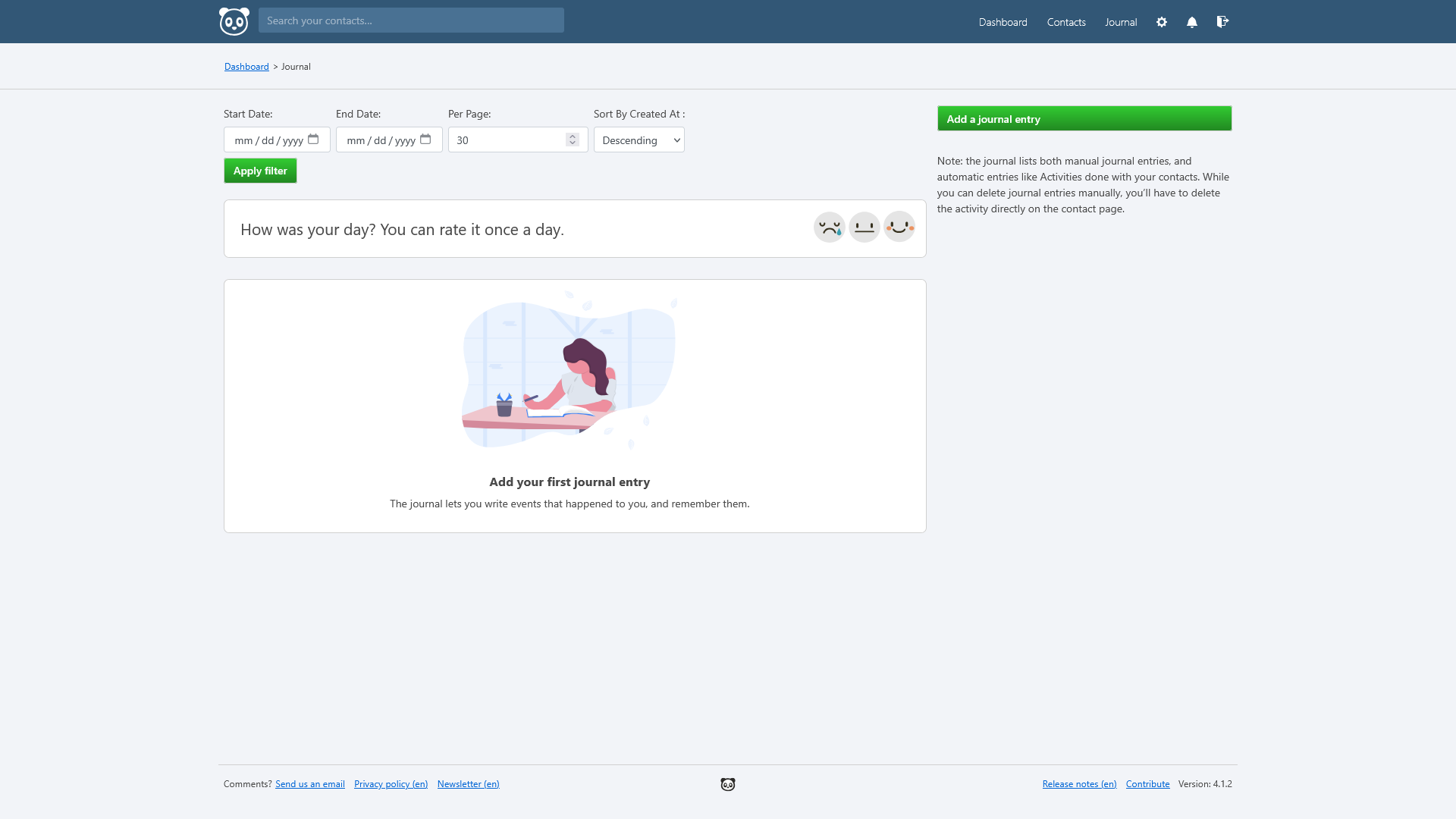
Monica is a personal relationship manager and journal software.
Rallly

Rallly is a digital polling service for scheduling collaborative events.
Fider

Fider can engage your project's community with this feedback and feature polling platform.
Matrix

Matrix lets you self-host your own personal, encrypted digital messaging server.
OwnCast
OwnCast can create a digital broadcast and live chat for all your web streaming needs.
Umami

Umami is a privacy-focused analytics platform providing insights about traffic to your websites.
Administration
Take control of your digital services by monitoring and administrating your server through the web.
Monitoring
Monitoring
Keep an eye on the availability of your server and individual services.
Uptime Kuma
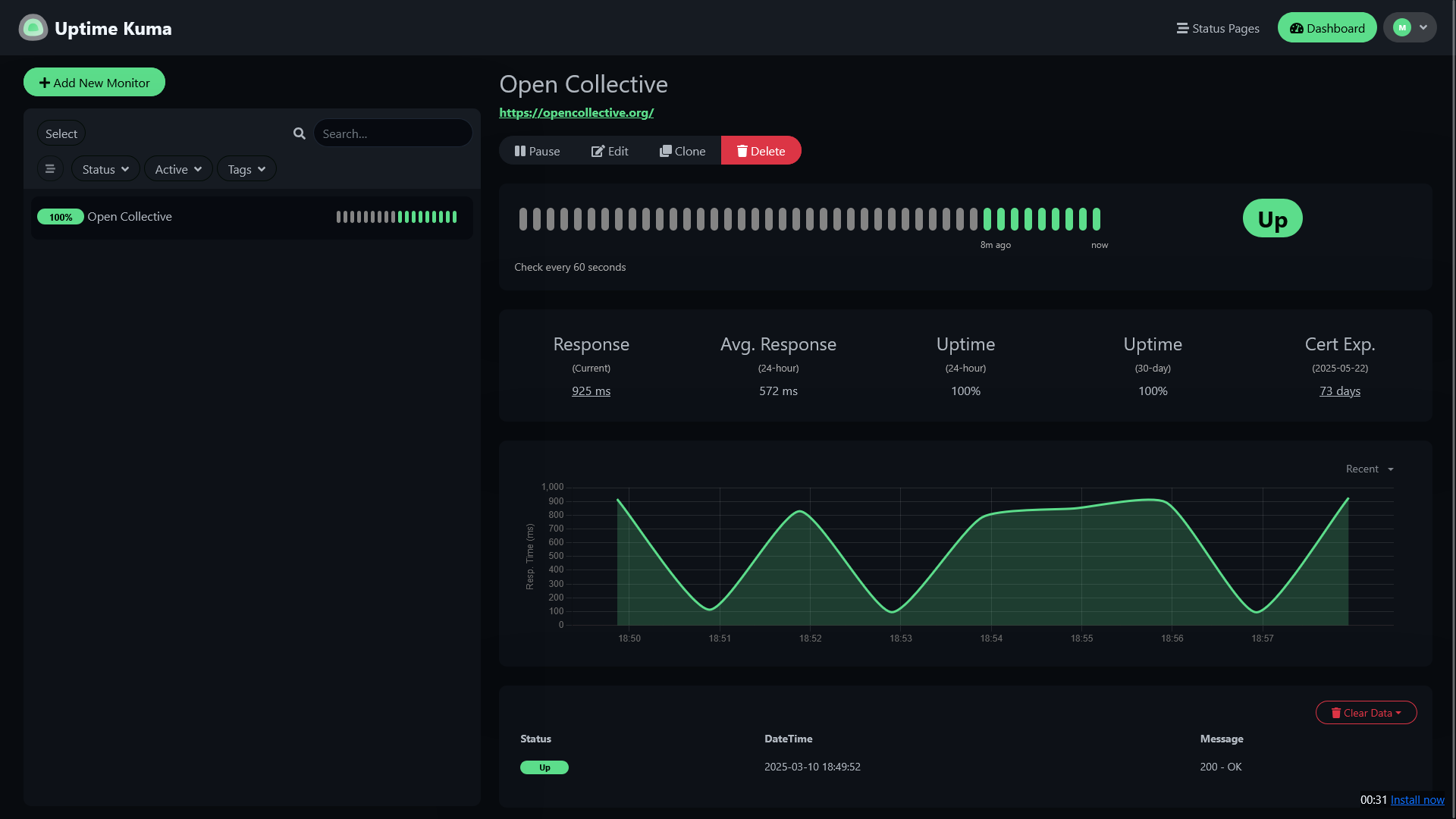
Uptime Kuma can ensure that all of your services are online through a unified dashboard interface.
SWAG Dashboard

SWAG Dashboard lets you verify your SWAG relay server configuration and monitor basic usage metrics.
Ward

Ward is a basic dashboard to monitor your server's hardware resource usage.
Control
Touchpad_mouse
Perform maintenance tasks and create canned scripts for controlling basic server needs.
OliveTin

OliveTin enables basic server maintenance tasks performed at the press of a button.
Cockpit

Cockpit is an advanced dashboard for the management of a Linux server.
Guacamole
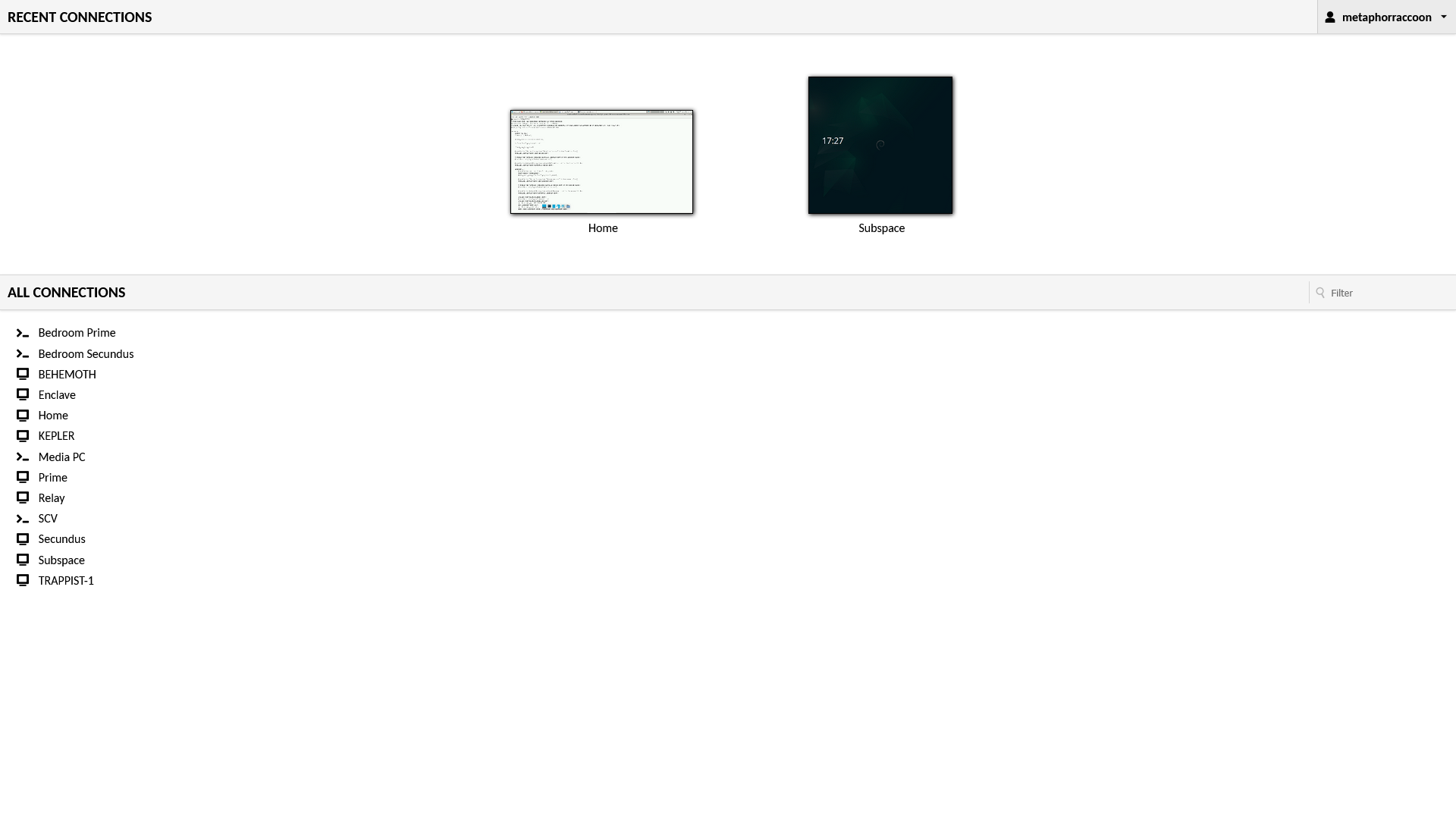
Guacamole lets you access computers on your local network remotely through your web browser.
Security
Encrypted
Protect yourself and your identity while self-hosting your own services on the internet.
VaultWarden
VaultWarden is a cross-platform password management and secure document storage.
AdGuard Home
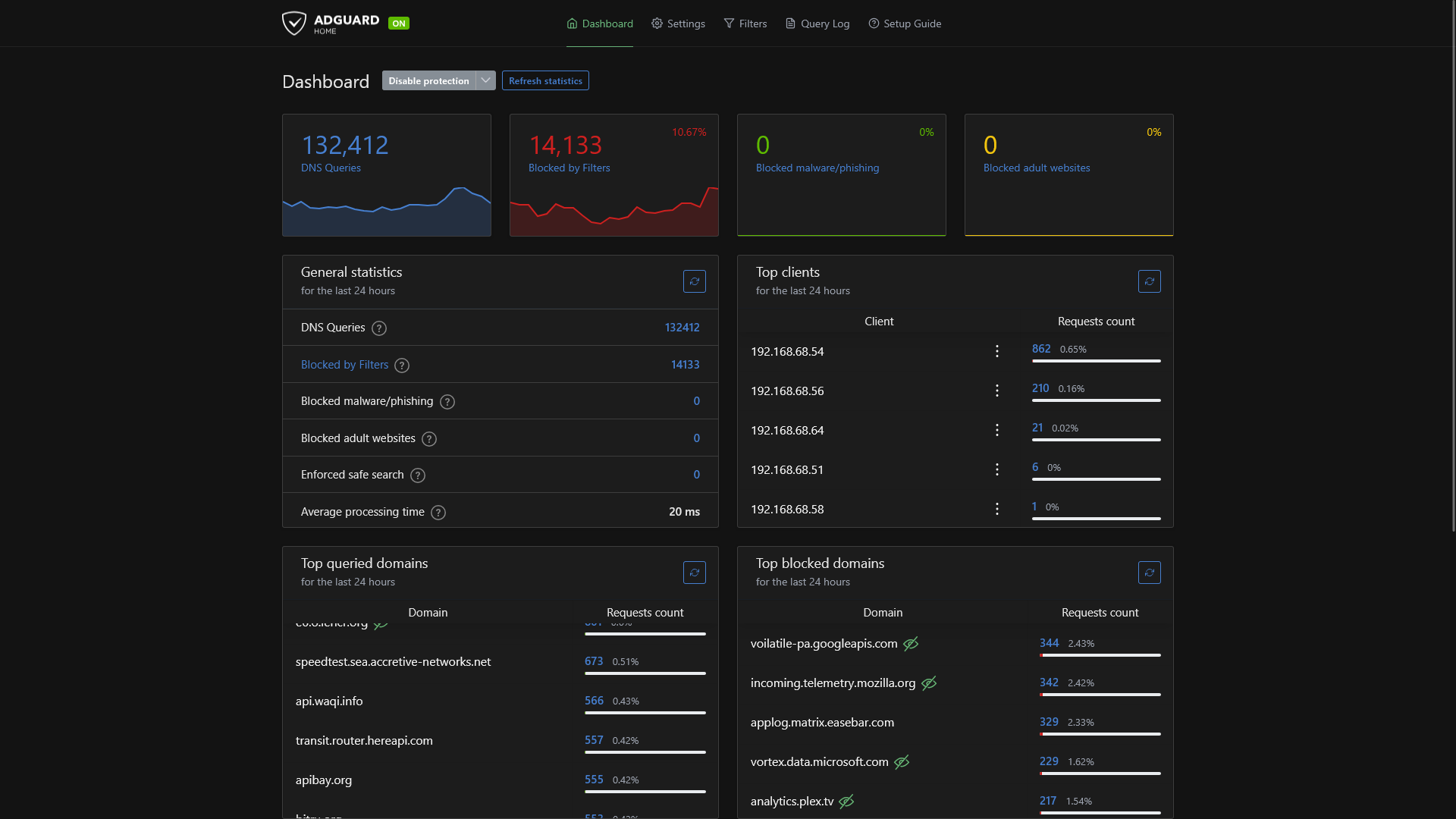
AdGuard Home can block ads network-wide and improve data privacy by performing your own DNS lookups.
Authelia

Authelia is an open-source single-sign on (SSO) and identity management for a small server.
Duplicati

Duplicati can encrypt and backup your important data to remote backup services to give you security and peace of mind.
Managing Services
Once you've decided which services you would like to have running on your server, you can use the supplied Docker Compose code to create the stack using Portainer.
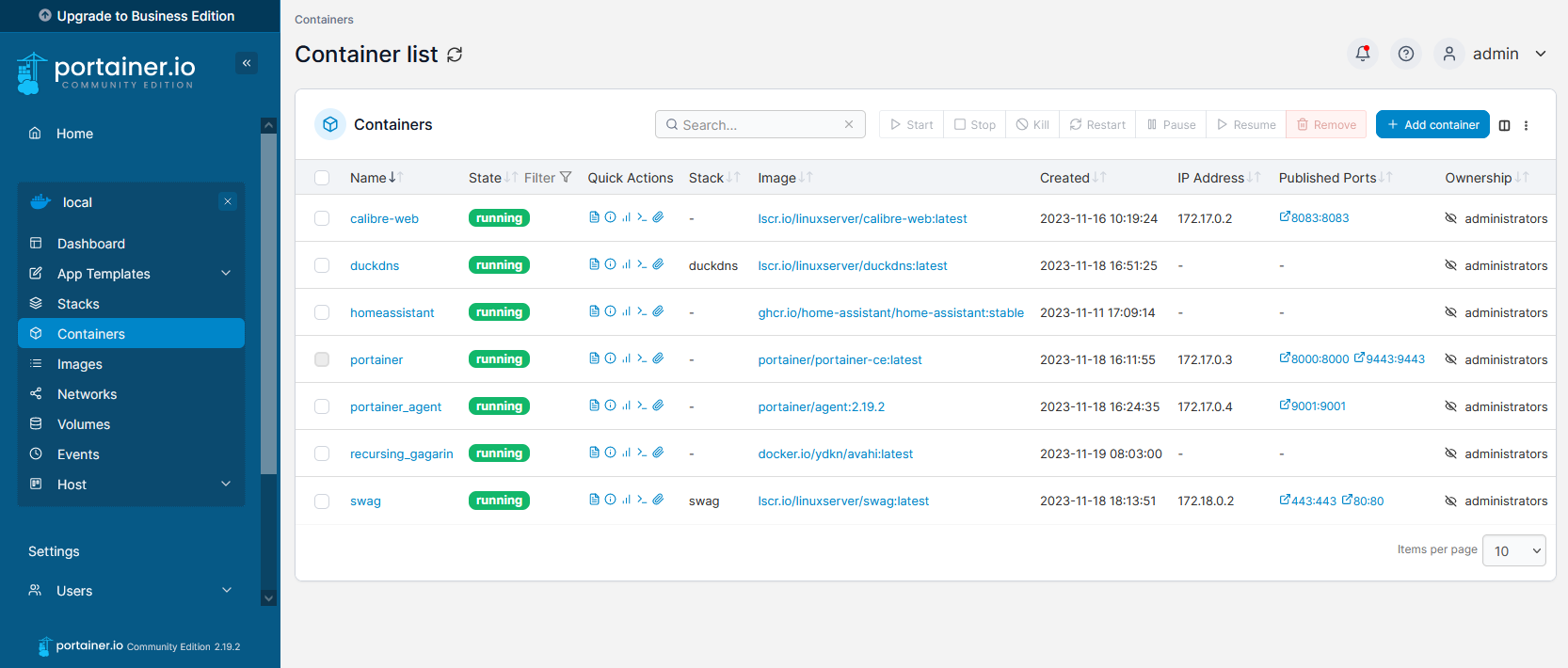
Installing Services
Each available service has preparation instructions to ensure you have all the information going into the stack creation process, such as randomly generated passwords or other required information.
This will include any volumes that need to be mounted within the containers like persistent storage, media files or download folders. Through Docker, we assign ports to each service that we want to have network access to.
These services may come with environmental variables which are used to configure the stack. Some are only used to get the stack set up the first time it starts while other are always required to ensure updates are applied correctly.
Updating Services
Each stack of services will have their own instructiona for updating. For many of the services provided through this library, you can update the service by simply re-deploying the stack through Portainer. This allows you to download a new Docker image that has the updated software
Home Page
Heimdall
Organizr
Homarr
Editing relay proxy to allow iframe embedding
Next Steps
Now that we have installed a service to see how it works, we need to keep an eye on our server and make sure we maintain it.