


# Software

We need to [install Debian Linux](https://hub.subspace.services/books/software/chapter/installing-an-operating-system "Debian") onto our computer to form a foundation. We will use [Docker](https://hub.subspace.services/books/software/chapter/installing-docker "Docker") to create secure, self-contained "virtual operating systems" that are easy to monitor and keep up-to-date. Importantly, we need to [create a backup](https://hub.subspace.services/books/monitoring-maintenance/chapter/backup-solutions "Backup Solutions") solution and [setup remote access](https://hub.subspace.services/books/monitoring-maintenance/chapter/network-access "Remote Access") for our server.

# What is Linux?

When you purchase a MacBook, it comes with [MacOS](https://en.m.wikipedia.org/wiki/MacOS) pre-installed on it. This [operating system](https://en.m.wikipedia.org/wiki/Operating_system) is where you browse the Internet, message friends and run your favorite applications. This closely guarded software uses proprietary code created by [Apple](https://en.m.wikipedia.org/wiki/Apple_Inc.) and each year they release a new version superseding the last. This cycle focuses on using software to leverage new features in updated hardware.

[![1000000358.png](https://hub.subspace.services/uploads/images/gallery/2025-05/scaled-1680-/1000000358.png)](https://hub.subspace.services/uploads/images/gallery/2025-05/1000000358.png)

When talking about "Linux", we are not explicitly referring to any one operating system – like MacOS or Windows. Linux is a collective effort of countless development communities from around the globe working together and releasing their source code for everyone. These projects create modular components that conglomerate into larger systems.

[![1000000350.png](https://hub.subspace.services/uploads/images/gallery/2025-05/scaled-1680-/1000000350.png)](https://hub.subspace.services/uploads/images/gallery/2025-05/1000000350.png)These systems revolve around the [Linux kernel](https://en.m.wikipedia.org/wiki/Linux_kernel) – a core piece of software that has complete control over all hardware and software within a computer. At 40-million lines of code, this monolithic software project has [contributions from over 13,000 developers and 1,300 companies](https://www.linuxfoundation.org/resources/open-source-guides/participating-in-open-source-communities) around the globe.

<table border="1" class="align-center" id="bkmrk--3" style="border-collapse: collapse; width: 100%; border-width: 0px;"><colgroup><col style="width: 33.3333%;"></col><col style="width: 33.3333%;"></col><col style="width: 33.3333%;"></col></colgroup><tbody><tr><td style="border-width: 0px;">![1000006866.png](https://hub.subspace.services/uploads/images/gallery/2025-03/scaled-1680-/1000006866.png)

</td><td style="border-width: 0px;">![1000006873.png](https://hub.subspace.services/uploads/images/gallery/2025-03/scaled-1680-/1000006873.png)</td><td style="border-width: 0px;">[![ring.png](https://hub.subspace.services/uploads/images/gallery/2025-05/scaled-1680-/ring.png)](https://hub.subspace.services/uploads/images/gallery/2025-05/ring.png)</td></tr></tbody></table>

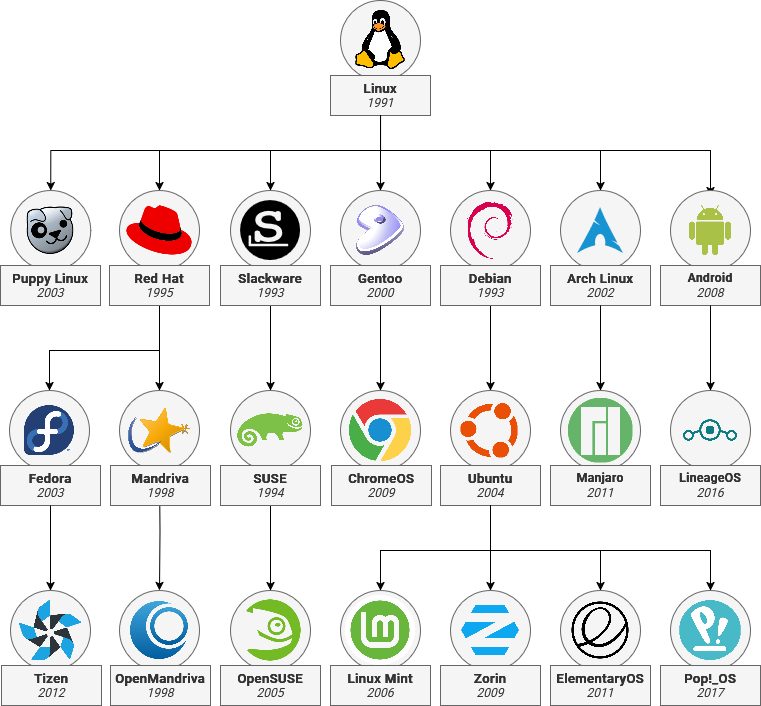
The Kernel is packaged alongside software created by other open-source developers into a 'distro' – or a [distribution](https://en.m.wikipedia.org/wiki/Linux_distribution). [Entire Linux branches](https://en.m.wikipedia.org/wiki/List_of_Linux_distributions) can derive from other distros by mixing and matching components to [create a family tree](https://distrowatch.com/dwres-mobile.php?resource=family-tree). [Debian](https://www.debian.org/) is the root of [Ubuntu](https://ubuntu.com/) which is used in turn for [Raspberry Pi OS](https://www.raspberrypi.com/software/), [ElementaryOS](https://elementary.io/), [Linux Mint](https://linuxmint.com/) and many others.

<div drawio-diagram="1141"><img src="https://hub.subspace.services/uploads/images/drawio/2025-05/drawing-3-1748310710.png" alt=""/></div>

Much of our modern world is powered through open-source software projects. Linux is an example of the immense scale of the open-source projects used to power the majority of the [cloud](https://www.cbtnuggets.com/blog/certifications/open-source/why-linux-runs-90-percent-of-the-public-cloud-workload) and [Internet servers](https://www.fortunebusinessinsights.com/server-operating-system-market-106601). [Openssl](https://www.openssl.org/), an open-source project which provides secure encryption to over two-thirds of the internet, illustrates their [dire importance](https://www.vice.com/en/article/the-internet-was-built-on-the-free-labor-of-open-source-developers-is-that-sustainable/).

Linux-based operating system require several core components in order to function. These parts works together to get the hardware initialized so that software can be loaded and made available for users. Owing to the open ethos behind Linux, there are often multiple software options to achieve the same outcome. This means you can make choices about how you use the hardware you own.

<div drawio-diagram="1146"><img src="https://hub.subspace.services/uploads/images/drawio/2025-05/drawing-3-1748315690.png" alt=""/></div>

## Bootstrapping

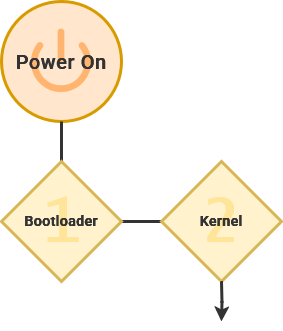
When a computer is first turned on, the bootloader loads the kernel into active memory and activates the first stages of the operating system.

[GRUB](https://en.m.wikipedia.org/wiki/GNU_GRUB) (or the GNU GRand Unified Boot) is the most common bootloader for Linux operating systems. This enables you to install multiple operating systems on the same hardware.

[![VirtualBox_Debian_14_02_2025_18_00_28.png](https://hub.subspace.services/uploads/images/gallery/2025-02/scaled-1680-/virtualbox-debian-14-02-2025-18-00-28.png)](https://hub.subspace.services/uploads/images/gallery/2025-02/virtualbox-debian-14-02-2025-18-00-28.png)

## Core Systems

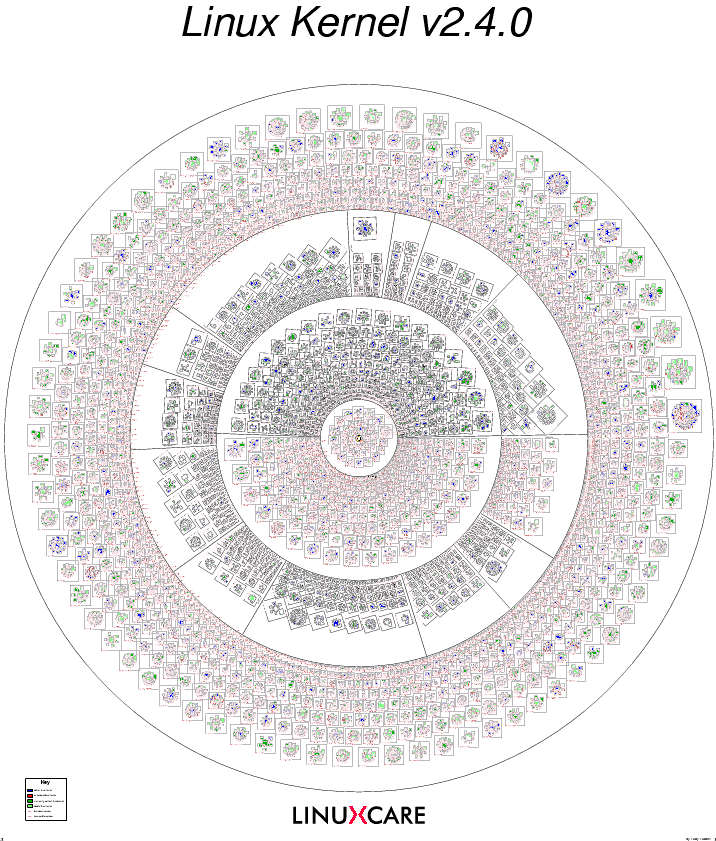
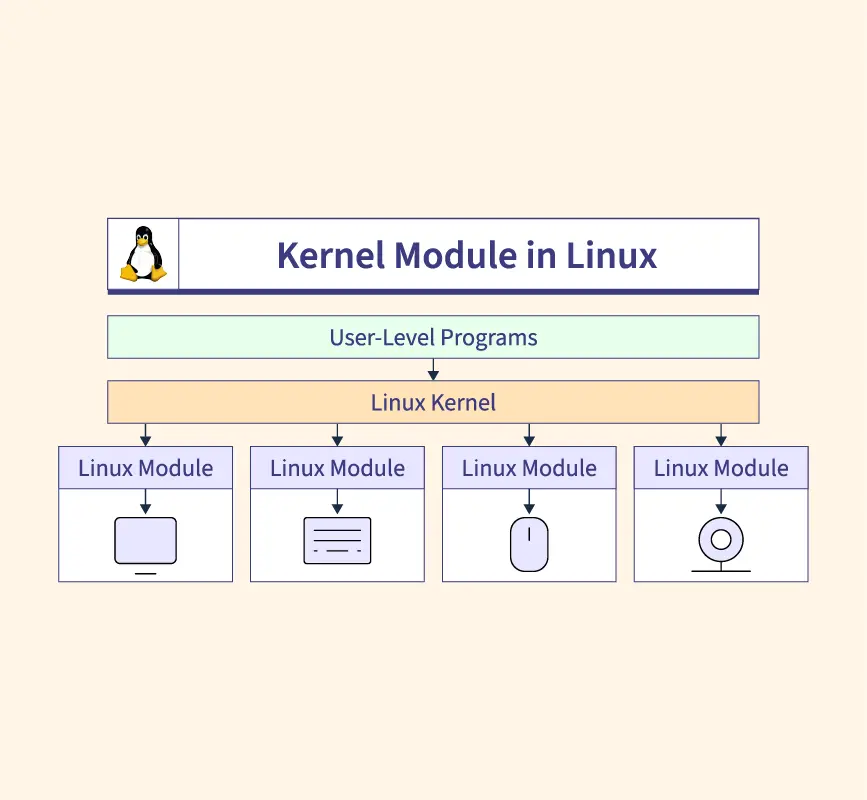
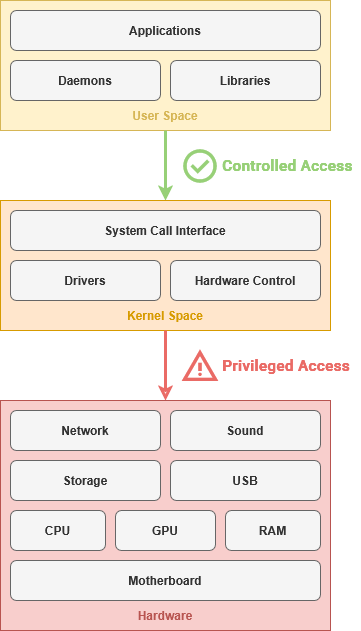
The kernel is always loaded into memory and facilitating communication between components – like your processor, graphics card, and storage drives. The kernel uses installed [device drivers](https://en.m.wikipedia.org/wiki/Device_driver) to control hardware inside the computer.

<p class="callout info">A kernel is the most essential and core part of something greater.</p>

[![1000000352.png](https://hub.subspace.services/uploads/images/gallery/2025-05/scaled-1680-/1000000352.png)](https://hub.subspace.services/uploads/images/gallery/2025-05/1000000352.png)[Visualization of Open-Source Projects in the Linux Kernel](https://fcgp.sourceforge.net/)

While the [Linux kernel](https://en.m.wikipedia.org/wiki/Linux_kernel) is perhaps the most well-known open-source kernel, it is [far from the only option](https://en.m.wikipedia.org/wiki/Comparison_of_operating_system_kernels). Notable examples being [FreeBSD](https://en.m.wikipedia.org/wiki/FreeBSD), [OpenBSD](https://en.m.wikipedia.org/wiki/OpenBSD) and [NetBSD](https://en.m.wikipedia.org/wiki/NetBSD), as well as specialized kernels like GNU [Hurd](https://en.m.wikipedia.org/wiki/GNU_Hurd) and [Mach](https://en.m.wikipedia.org/wiki/Mach_(kernel)). Microsoft [Windows](https://en.m.wikipedia.org/wiki/Architecture_of_Windows_NT) and [MacOS](https://en.m.wikipedia.org/wiki/Darwin_(operating_system)) also use their own proprietary "[closed-source](https://en.m.wikipedia.org/wiki/Proprietary_software)" kernel for their operating systems.

### Drivers

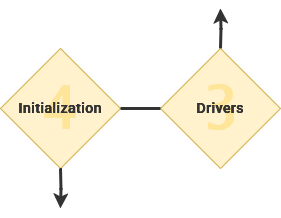
The Kernel uses modular software known as [drivers](https://en.m.wikipedia.org/wiki/Device_driver) to control hardware components. There are a wide range of drivers available for a diverse range of devices – from proprietary drivers from corporations to open-source drivers that provide basic features.

[![1000000347.webp](https://hub.subspace.services/uploads/images/gallery/2025-05/scaled-1680-/1000000347.webp)](https://hub.subspace.services/uploads/images/gallery/2025-05/1000000347.webp)
<div drawio-diagram="1147"><img src="https://hub.subspace.services/uploads/images/drawio/2025-05/drawing-3-1748315775.png" alt=""/></div>

## Initialize Subsystems   


Once GRUB has loaded the kernel, the first program started by the operating system is called an [*init*](https://en.m.wikipedia.org/wiki/Init) – or *initialization* – service. This integral program is responsible for all other processes operating on the computer. This is the first program that operates within the '[user space](https://en.m.wikipedia.org/wiki/User_space_and_kernel_space)' – or software that exists outside of the kernel.

<div drawio-diagram="1154"><img src="https://hub.subspace.services/uploads/images/drawio/2025-05/drawing-3-1748319008.png" alt=""/></div>

[Systemd](https://en.m.wikipedia.org/wiki/Systemd) has become standard for many Linux-based distributions. This software manages all of the software that runs behind-the-scenes in an operating system. A crucial aspect is making sure that everything starts in the right order – such as only starting network-dependent services after an internet connection is established.

### Daemons

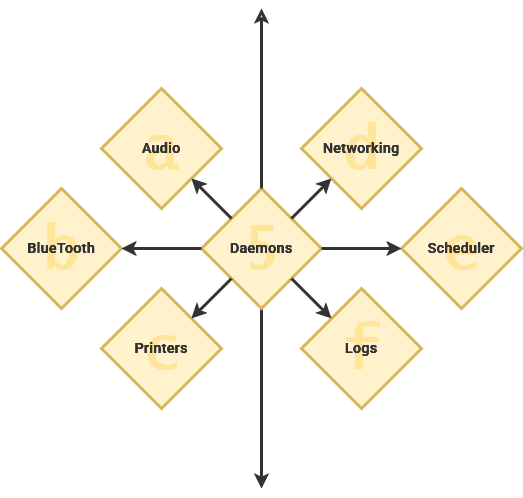
Once the init program – often systemd – has loaded itself, it can start the other necessary processes. A [daemon](https://en.m.wikipedia.org/wiki/Daemon_(computing)) is a specific type of software program that controls system functions and are not something that are interacted with directly. Generally, these programs start during the boot process and continue running until the computer is shut down.

<div drawio-diagram="1148"><img src="https://hub.subspace.services/uploads/images/drawio/2025-05/drawing-3-1748316372.png" alt=""/></div>

> Many people equate the word "daemon" with the word "demon", implying some kind of satanic connection between UNIX and the underworld. This is an egregious misunderstanding. "Daemon" is actually a much older form of "demon"; daemons have no particular bias towards good or evil, but rather serve to help define a person's character or personality. The ancient Greeks' concept of a "personal daemon" was similar to the modern concept of a "guardian angel"—eudaemonia is the state of being helped or protected by a kindly spirit. As a rule, UNIX systems seem to be infested with both daemons and demons.
> 
> — Unix System Administration Handbook

These daemon services fill a range of roles and niche operations. Traditionally, they have a 'd' at the end of their name or denote that it's a daemon.

<table border="1" class="align-center" id="bkmrk-daemon-description%C2%A0-" style="border-collapse: collapse; width: 100%; border-width: 1px;"><colgroup><col style="width: 50.1326%;"></col><col style="width: 50.1326%;"></col></colgroup><thead><tr><td>Daemon</td><td class="align-left">Description   
</td></tr></thead><tbody><tr><td>[syslogd](https://en.m.wikipedia.org/wiki/Syslogd)</td><td class="align-left">Handles error logs</td></tr><tr><td>[sshd](https://en.m.wikipedia.org/wiki/Secure_Shell#Use)</td><td class="align-left">Handles SSH connections</td></tr><tr><td>[PulseAudio-d](https://en.m.wikipedia.org/wiki/PulseAudio)</td><td class="align-left">Handles system audio</td></tr><tr><td>[D-Bus-Daemon](https://en.m.wikipedia.org/wiki/D-Bus)</td><td class="align-left">Handles communication between applications</td></tr><tr><td>[cups-daemon](https://en.m.wikipedia.org/wiki/CUPS)</td><td class="align-left">Handles printer integration</td></tr></tbody></table>

## Granular Security

There are fundamental differences between how Windows and Linux-based operating systems function. Windows is functionally a *single user* environment which means that important system services run alongside user applications under a user's personal account. This makes it difficult to contain security vulnerabilities because the same account is in control of important system processes.

Linux, on the other hand, has been a *multi-user* environment since it's inception. Under this operating system, important system functions are run as the *root* user. This is a [superuser](https://en.m.wikipedia.org/wiki/Superuser) account that has administrative access to control everything about the hardware and software of the computer system. Within Windows, the first user account created on the computer acts as the superuser.

Diagram showing windows and Linux users. Windows has user account and admin account together. Linux has them separately.

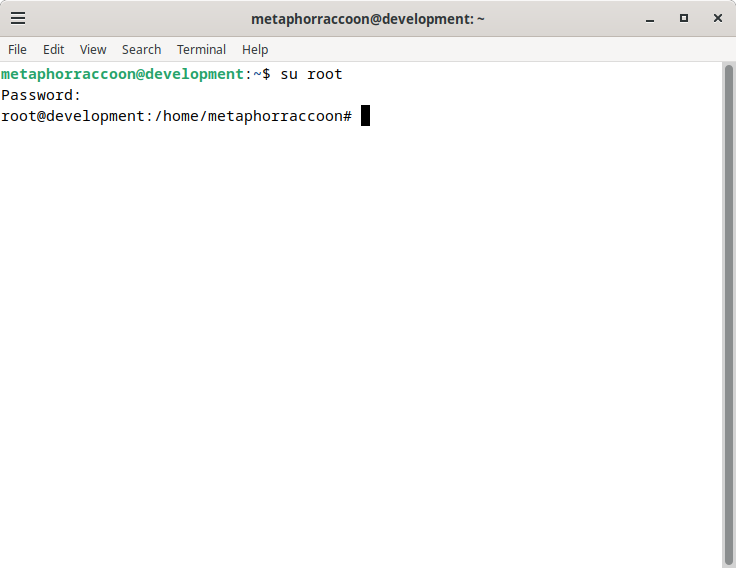
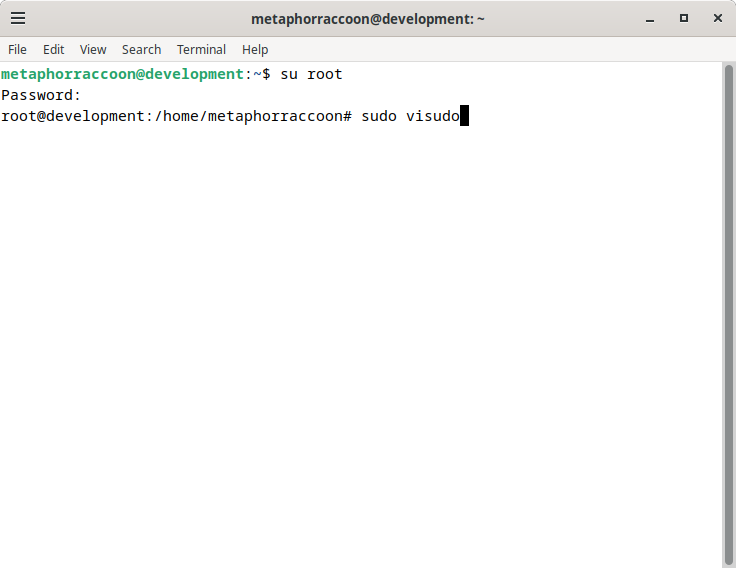
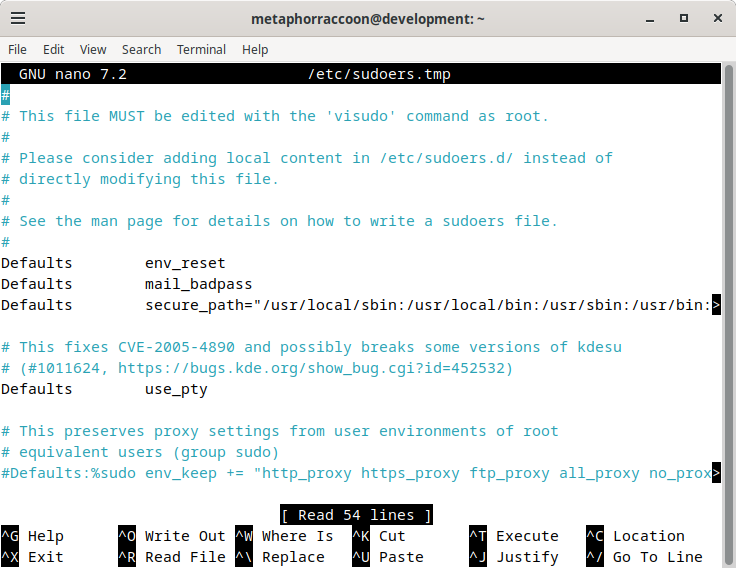
User accounts can be provided with secure access to run programs using superuser privileges. This is accomplished through utilities like [sudo](https://en.m.wikipedia.org/wiki/Sudo) that will temporarily provide administrative control to a program. By keeping processes separated, Linux has a better operational security – if a process on one account is compromised, it still cannot access core systems. Partitioned user accounts also mean that files on your storage drives can have strict file [access controls](https://en.m.wikipedia.org/wiki/Access-control_list).

[![1000000430.png](https://hub.subspace.services/uploads/images/gallery/2025-05/scaled-1680-/1000000430.png)](https://hub.subspace.services/uploads/images/gallery/2025-05/1000000430.png)

This provides the ability to fine-tune who can access files and folders on the local computer – or over the network. Operating system files are owned by the root user and cannot be modified by non-privileged accounts. Personal files, on the other hand, are under the control of each individual user. This means the administrator is in charge of who can access a computer's digital resources.

## Interacting with a Computer   


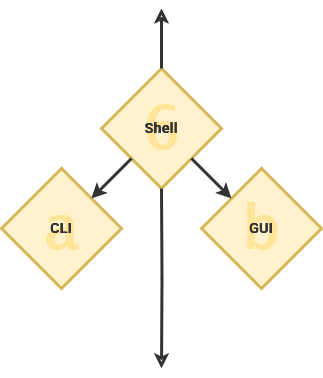
As part of the initialization program, the system loads the [Shell](https://en.m.wikipedia.org/wiki/Shell_(computing)) – or [user interface](https://en.m.wikipedia.org/wiki/User_interface). This is the interactive element that evokes what we commonly consider to be the "operating system". The shell can be a command line or a graphical user interface.

<p class="callout info">It is named the "shell" because it is [outermost layer surrounding the operating system](http://www.catb.org/jargon/html/S/shell.html). </p>
<div drawio-diagram="1149"><img src="https://hub.subspace.services/uploads/images/drawio/2025-05/drawing-3-1748316639.png" alt=""/></div>

### Command Line

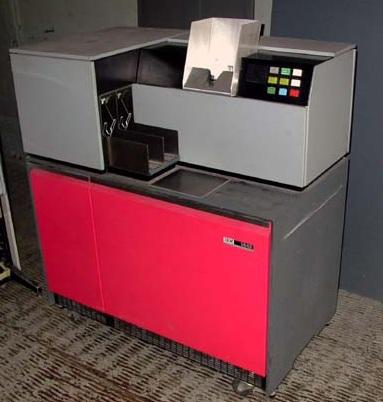
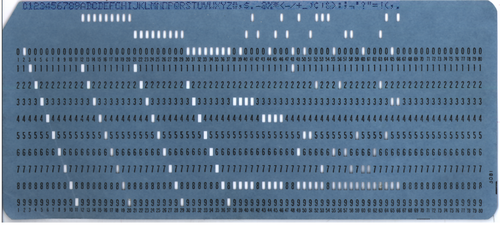
Before we had digital computers and operating systems, we had mechanical "analog" computers. These machines used a [punch-card system](https://en.m.wikipedia.org/wiki/Punched_cards) that read data and operational programs from a physical paper card with holes punched out.

<table border="1" class="align-center" id="bkmrk--17" style="border-collapse: collapse; width: 100%; border-width: 1px;"><colgroup><col style="width: 100%;"></col></colgroup><tbody><tr><td>[![1000000379.jpg](https://hub.subspace.services/uploads/images/gallery/2025-05/scaled-1680-/1000000379.jpg)](https://hub.subspace.services/uploads/images/gallery/2025-05/1000000379.jpg)</td></tr><tr><td>[![1000000380.png](https://hub.subspace.services/uploads/images/gallery/2025-05/scaled-1680-/1000000380.png)](https://hub.subspace.services/uploads/images/gallery/2025-05/1000000380.png)</td></tr></tbody></table>

Along with the rise of digital computers, we crafted the now ubiquitous keyboard from our experience with the typewriter. With this tool, [command line interfaces](https://en.m.wikipedia.org/wiki/Command-line_interface) first emerged in the 1970s as the primary means of interacting with a computer.

[![VirtualBox_Debian - GNOME_26_05_2025_20_00_57.png](https://hub.subspace.services/uploads/images/gallery/2025-05/scaled-1680-/virtualbox-debian-gnome-26-05-2025-20-00-57.png)](https://hub.subspace.services/uploads/images/gallery/2025-05/virtualbox-debian-gnome-26-05-2025-20-00-57.png)

They provide powerful direct access to computer hardware and software. You accomplish this using the terminal to run programs that accept text-based [parameters](https://en.m.wikipedia.org/wiki/Parameter_(computer_programming)) – or instructions on how to operate. Terminal command use a specific syntax that must be interpreted in order to run programs with the necessary variables – one such interpreter is [bash](https://en.m.wikipedia.org/wiki/Bash_(Unix_shell)).

```bash
#!/bin/bash

echo "Please enter a number: "
read num

if [ $num -gt 0 ]; then
  echo "$num is positive"
elif [ $num -lt 0 ]; then
  echo "$num is negative"
else
  echo "$num is zero"
fi

```

The command line makes it easy to automate procedural tasks by writing [shell scripts](https://en.m.wikipedia.org/wiki/Shell_script). Many command line interpreters support basic conditional statements – such as "[if-this-then-do-that](https://en.m.wikipedia.org/wiki/Conditional_(computer_programming))" logic that enables output to be dependent on input.

### Graphical User Interface

[Graphical user interfaces](https://en.m.wikipedia.org/wiki/Graphical_user_interface) offer a visual desktop environment to interact with the operating system and installed applications. These interfaces use a display to view the "[desktop](https://en.m.wikipedia.org/wiki/Desktop_metaphor)" as well as a mouse, keyboard or other input device that enables people to interact. GUIs – pronounced "gooey" – come with a [terminal emulator](https://en.m.wikipedia.org/wiki/Terminal_emulator) pre-installed, providing direct access to the command-line from your desktop.

[![VirtualBox_Debian - GNOME_02_04_2025_12_03_25.png](https://hub.subspace.services/uploads/images/gallery/2025-04/scaled-1680-/virtualbox-debian-gnome-02-04-2025-12-03-25.png)](https://hub.subspace.services/uploads/images/gallery/2025-04/virtualbox-debian-gnome-02-04-2025-12-03-25.png)

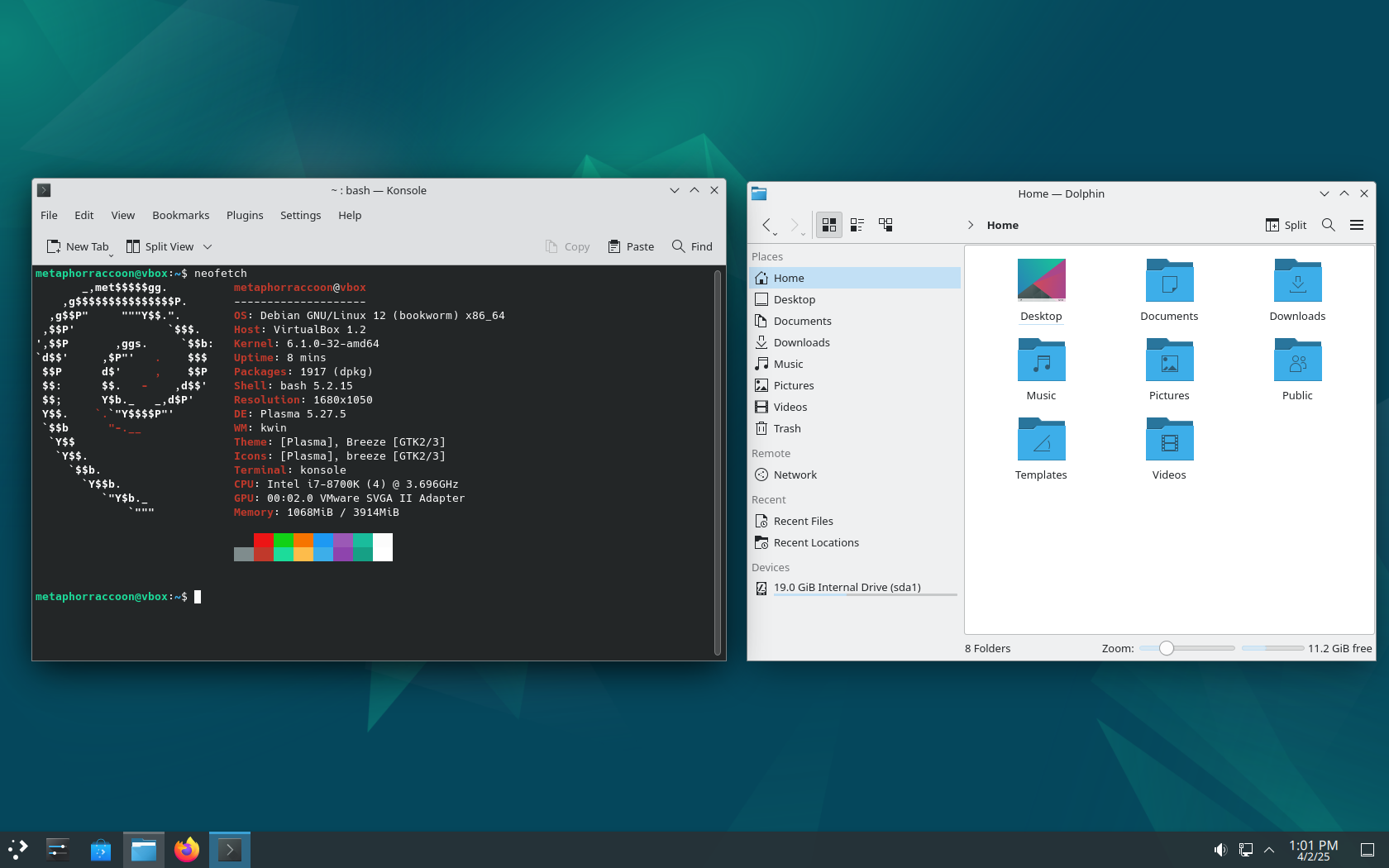
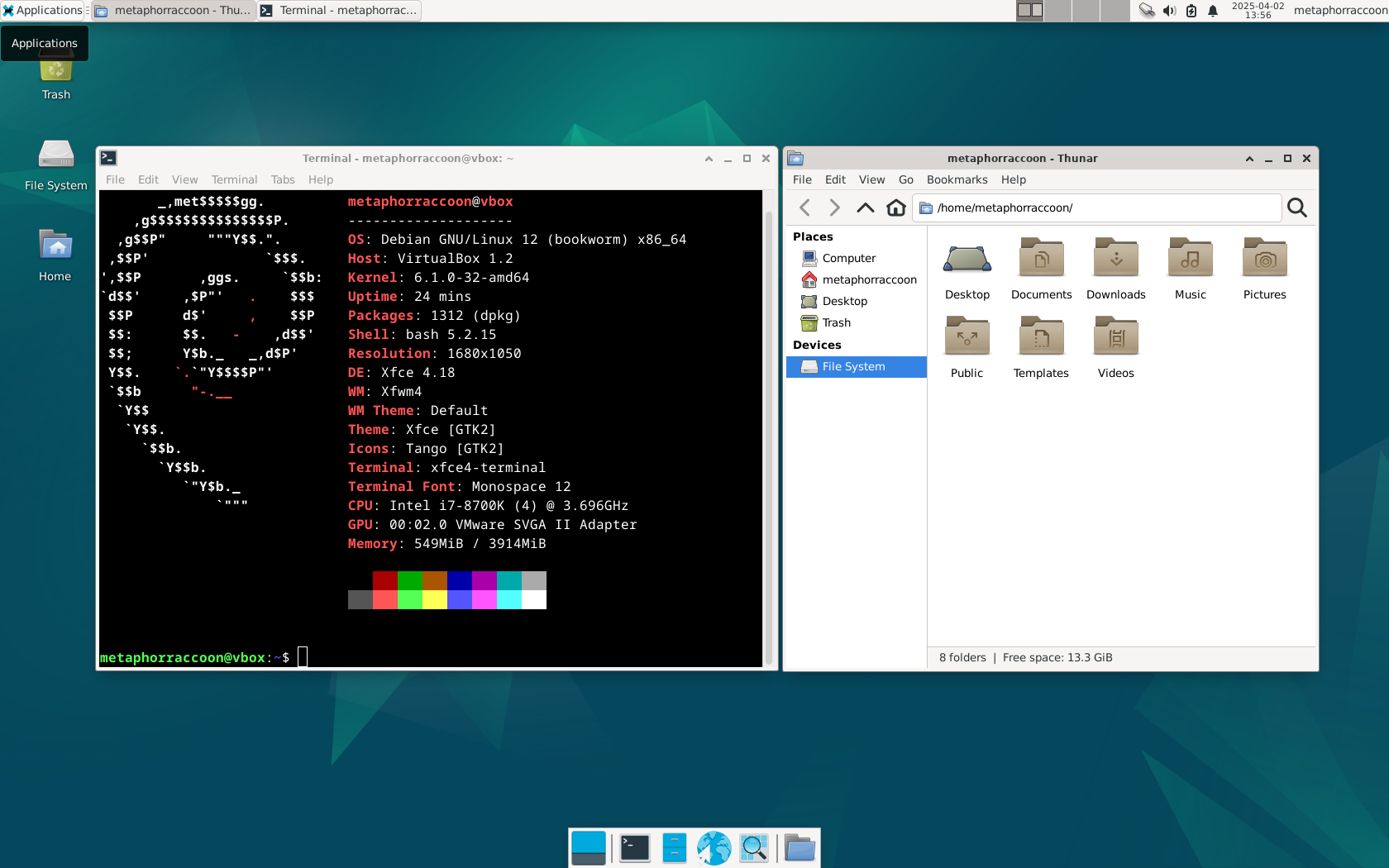
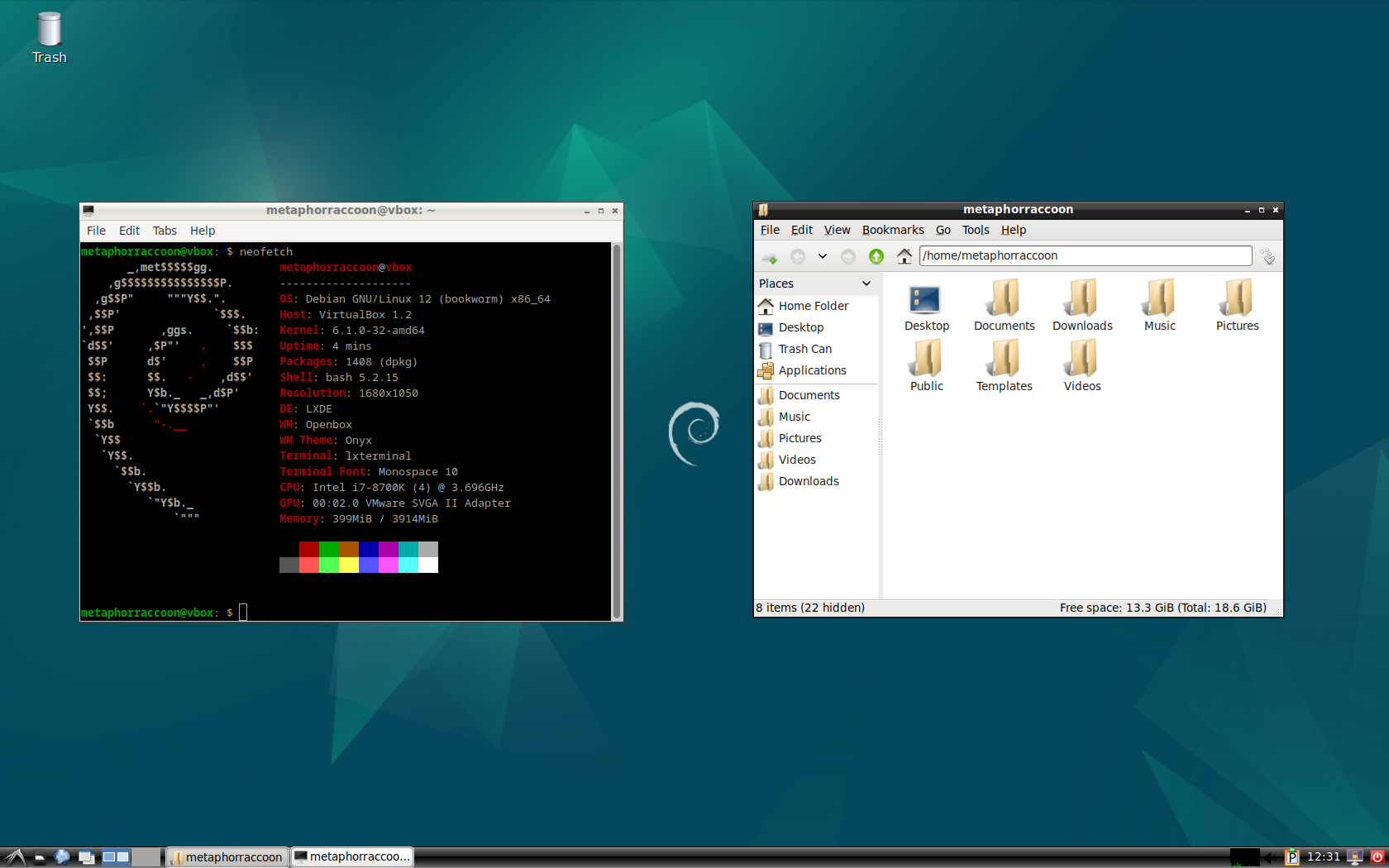
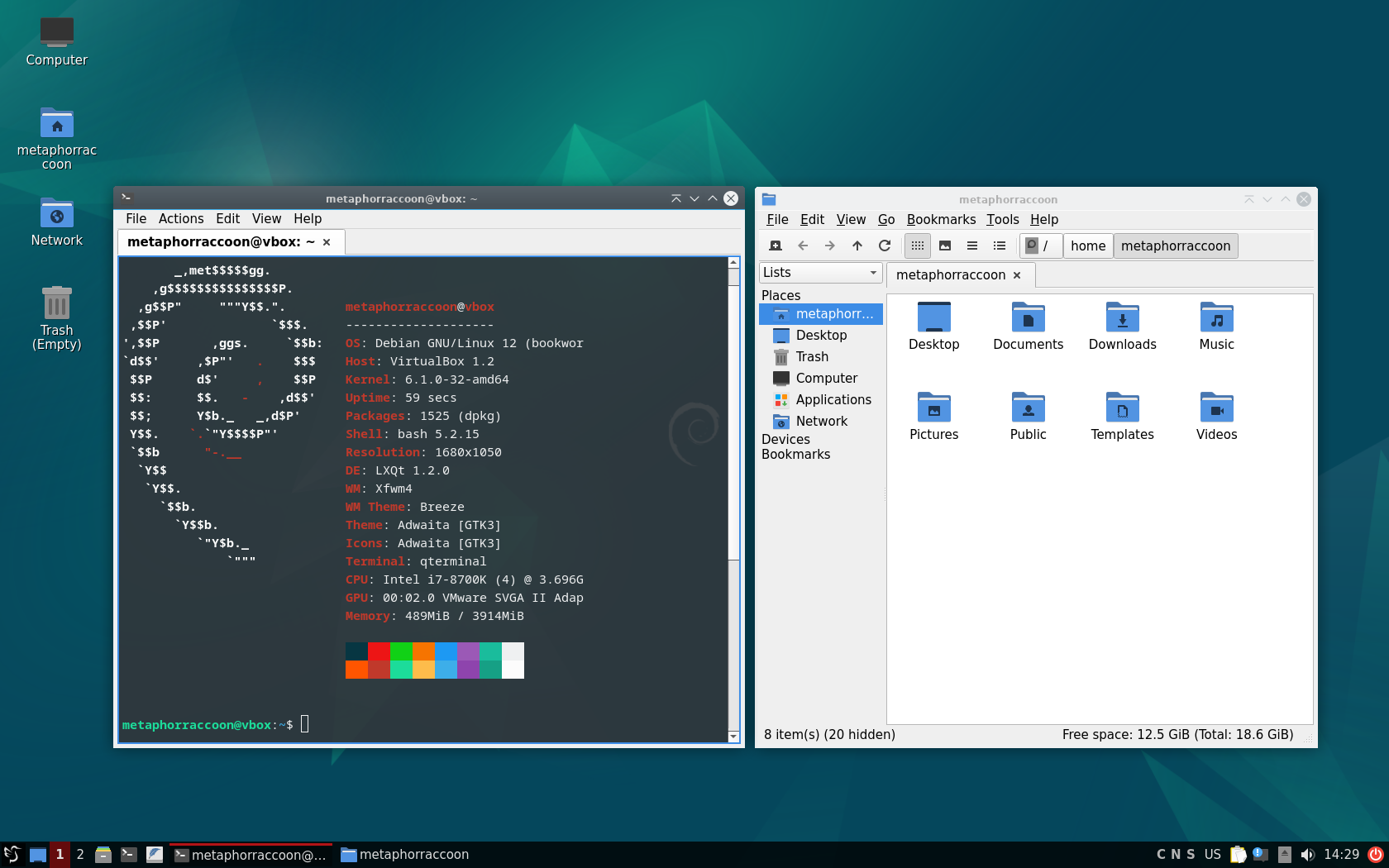
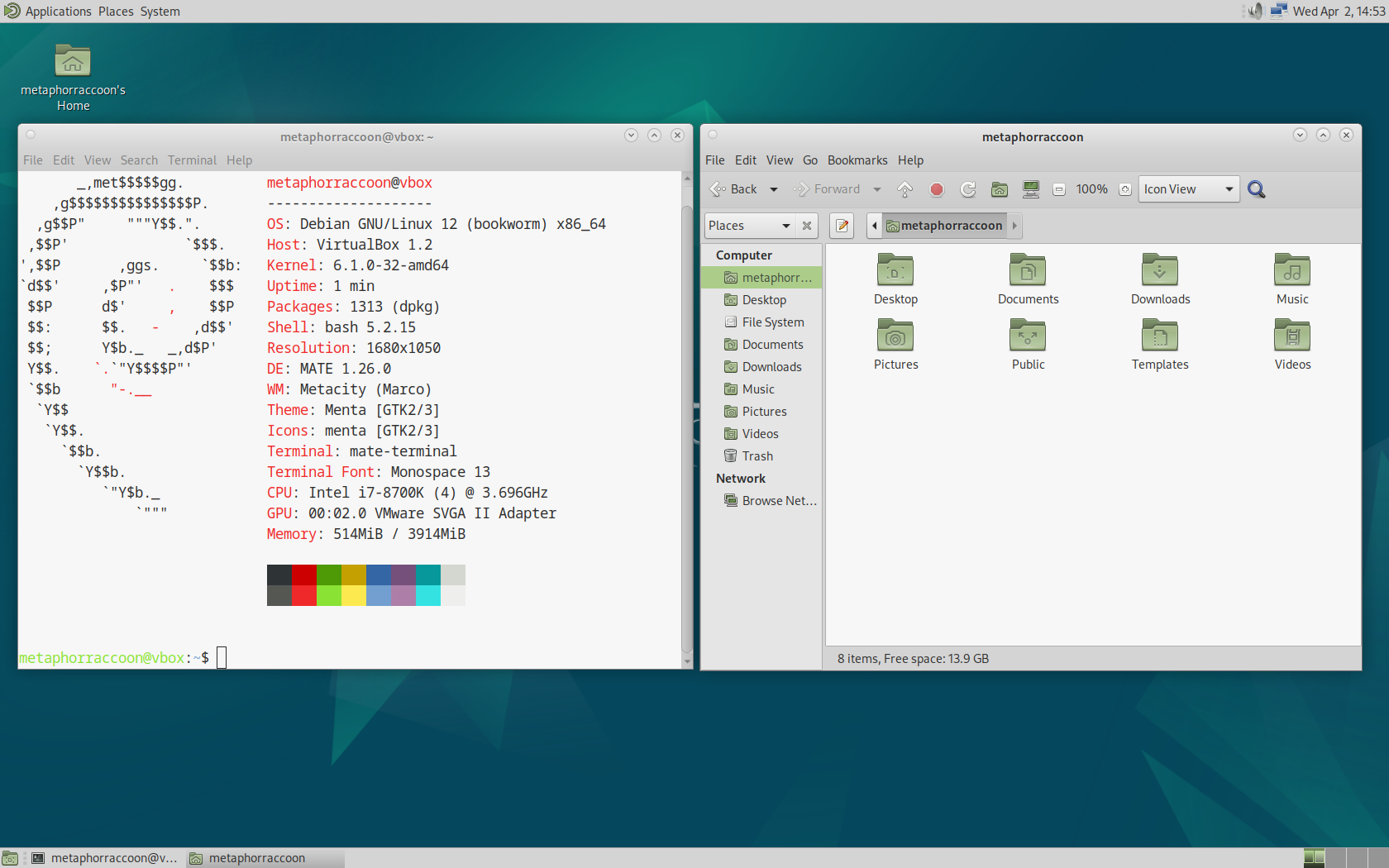
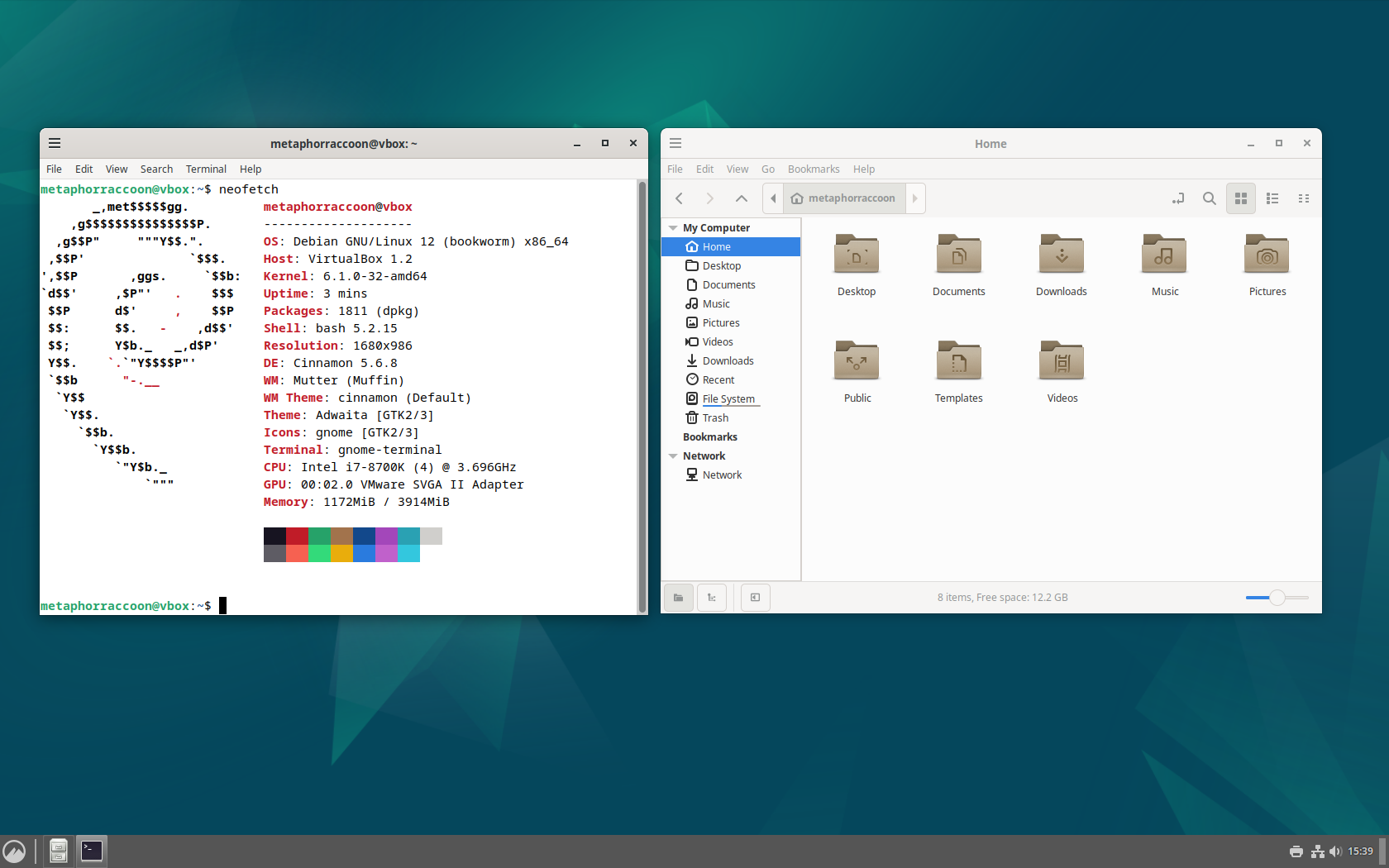
Debian uses [GNOME](https://www.gnome.org/) as it's desktop environment by default, but other common options include:

<table border="1" class="align-center" id="bkmrk-kde-plasma-xfce-lxde" style="border-collapse: collapse; width: 100%; border-width: 0px;"><colgroup><col style="width: 33.1378%;"></col><col style="width: 33.1378%;"></col><col style="width: 33.1378%;"></col></colgroup><tbody><tr><td style="border-width: 0px;">[![VirtualBox_Plasma_02_04_2025_13_01_16.png](https://hub.subspace.services/uploads/images/gallery/2025-04/scaled-1680-/virtualbox-plasma-02-04-2025-13-01-16.png)](https://hub.subspace.services/uploads/images/gallery/2025-04/virtualbox-plasma-02-04-2025-13-01-16.png)

[KDE Plasma](https://kde.org/plasma-desktop/)

</td><td style="border-width: 0px;">[![VirtualBox_Xfce_02_04_2025_13_56_51.png](https://hub.subspace.services/uploads/images/gallery/2025-04/scaled-1680-/virtualbox-xfce-02-04-2025-13-56-51.png)](https://hub.subspace.services/uploads/images/gallery/2025-04/virtualbox-xfce-02-04-2025-13-56-51.png)

[Xfce](https://www.xfce.org/)

</td><td style="border-width: 0px;">[![VirtualBox_LXDE_02_04_2025_12_31_42.png](https://hub.subspace.services/uploads/images/gallery/2025-04/scaled-1680-/virtualbox-lxde-02-04-2025-12-31-42.png)](https://hub.subspace.services/uploads/images/gallery/2025-04/virtualbox-lxde-02-04-2025-12-31-42.png)

[LXDE](https://www.lxde.org/)

</td></tr><tr><td style="border-width: 0px;">[![VirtualBox_LXQt_02_04_2025_14_29_44.png](https://hub.subspace.services/uploads/images/gallery/2025-04/scaled-1680-/virtualbox-lxqt-02-04-2025-14-29-44.png)](https://hub.subspace.services/uploads/images/gallery/2025-04/virtualbox-lxqt-02-04-2025-14-29-44.png)

[LXQt](https://lxqt-project.org/)

</td><td style="border-width: 0px;">[![VirtualBox_MATE_02_04_2025_14_52_59.png](https://hub.subspace.services/uploads/images/gallery/2025-04/scaled-1680-/virtualbox-mate-02-04-2025-14-52-59.png)](https://hub.subspace.services/uploads/images/gallery/2025-04/virtualbox-mate-02-04-2025-14-52-59.png)

[MATE](https://mate-desktop.org/)

</td><td style="border-width: 0px;">[![VirtualBox_Cinnamon_02_04_2025_15_39_08.png](https://hub.subspace.services/uploads/images/gallery/2025-04/scaled-1680-/virtualbox-cinnamon-02-04-2025-15-39-08.png)](https://hub.subspace.services/uploads/images/gallery/2025-04/virtualbox-cinnamon-02-04-2025-15-39-08.png)

[Cinnamon](https://projects.linuxmint.com/cinnamon/)

</td></tr></tbody></table>

The [Desktop Environment](https://en.m.wikipedia.org/wiki/Desktop_environment) is largely a personal preference and defines the overall feel of your user experience. This choice affects what applications are installed by default, but you are free to install any compatible applications. While installing Debian, you can choose your preference or even include more than one to switch on-the-fly.

## Wrangling Data

The Shell allows users to interact with the data on storage drives through a command line or graphic user interface. This is accomplished using a [file system](https://en.m.wikipedia.org/wiki/File_system) written onto storage drives that govern functional organizational structure and file access.

<div drawio-diagram="1152"><img src="https://hub.subspace.services/uploads/images/drawio/2025-05/drawing-3-1748317121.png" alt=""/></div>

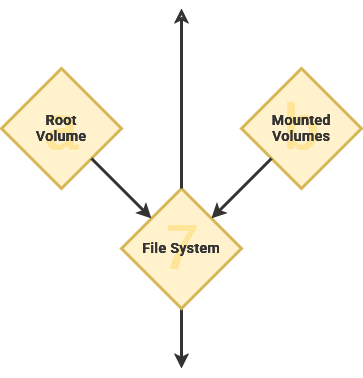
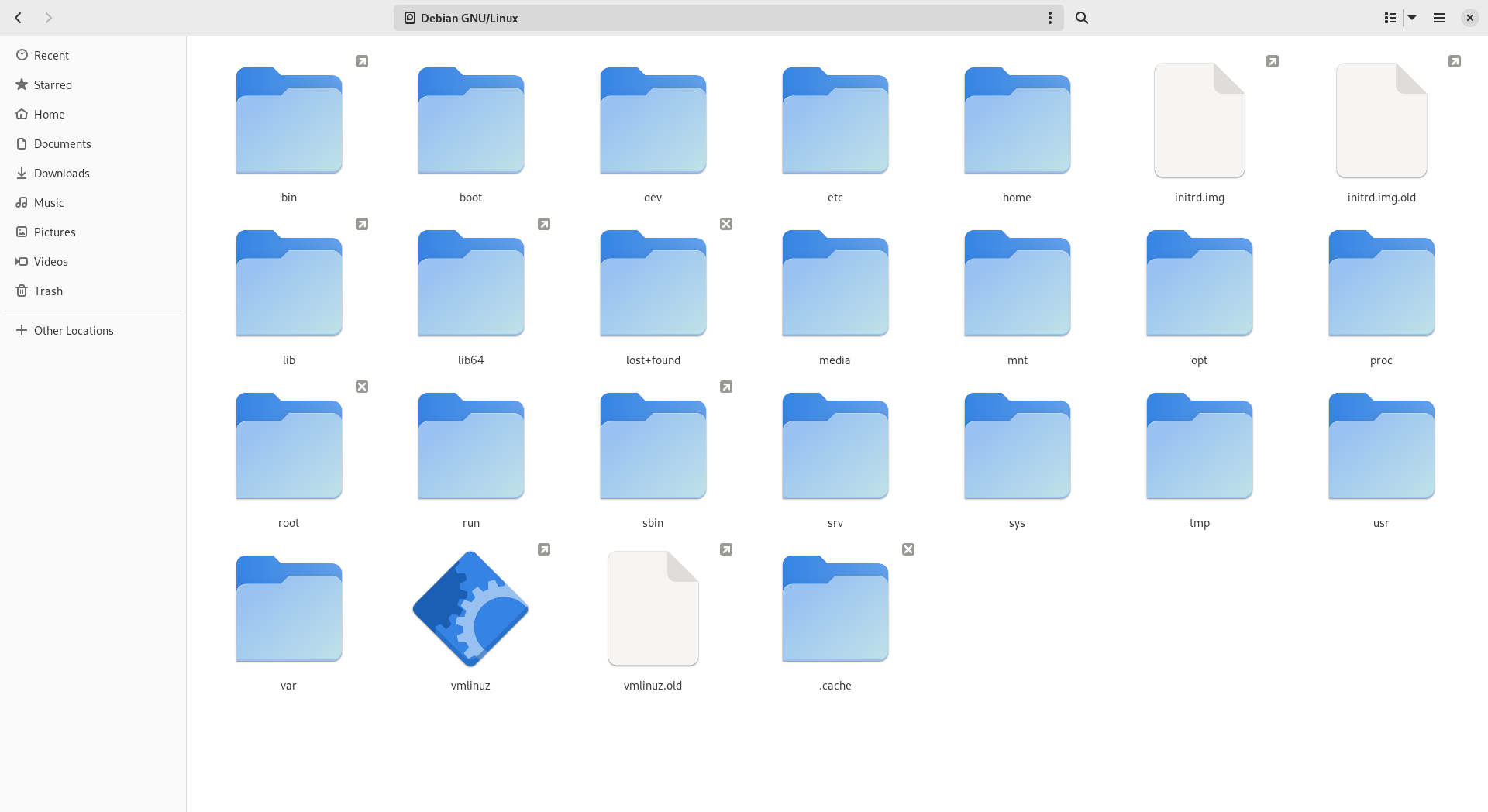
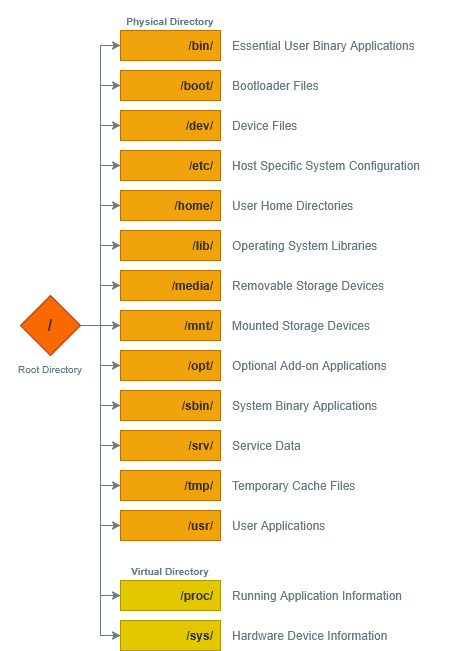
Files are expressed by their folder hierarchy – as a [file path](https://en.m.wikipedia.org/wiki/Path_(computing)) – starting with the root directory ("*/*"). As an example, personal user account data is stored within the *home* directory, or "*/home*".

<p class="callout info">Windows path use a backslash ("\\") while Linux uses a forward slash ("/").</p>

[![image.png](https://hub.subspace.services/uploads/images/gallery/2025-03/scaled-1680-/AkCimage.png)](https://hub.subspace.services/uploads/images/gallery/2025-03/AkCimage.png)

When a computer system has multiple storage drives, they are located as a subdirectory within "*/mnt*". This enables all of our storage drives to be accessible from the root "/" folder. As an example, we could mount an external USB hard disk drive to "*/mnt/flashdrive*".

<p class="callout info">The Windows operating system assigns a letter designation to each drive, effectively creating multiple root folders – such as "*C:\\*" and "*D:\\*". </p>

Linux follows an "[everything is a file](https://en.m.wikipedia.org/wiki/Everything_is_a_file)" design philosophy. This functionally means that information about hardware and software appear within the root folder as a file. As an example, the directory "*/proc*" doesn't exist on your storage drive. It is instead a [virtual filesystem showing real-time data](https://en.m.wikipedia.org/wiki/Procfs) about the kernel and other running software.
<div id="bkmrk--24"></div><div drawio-diagram="636"><img src="https://hub.subspace.services/uploads/images/drawio/2025-03/drawing-3-1742187159.png" alt=""/></div>

Add virtual docker socket

Show mounted hard drives

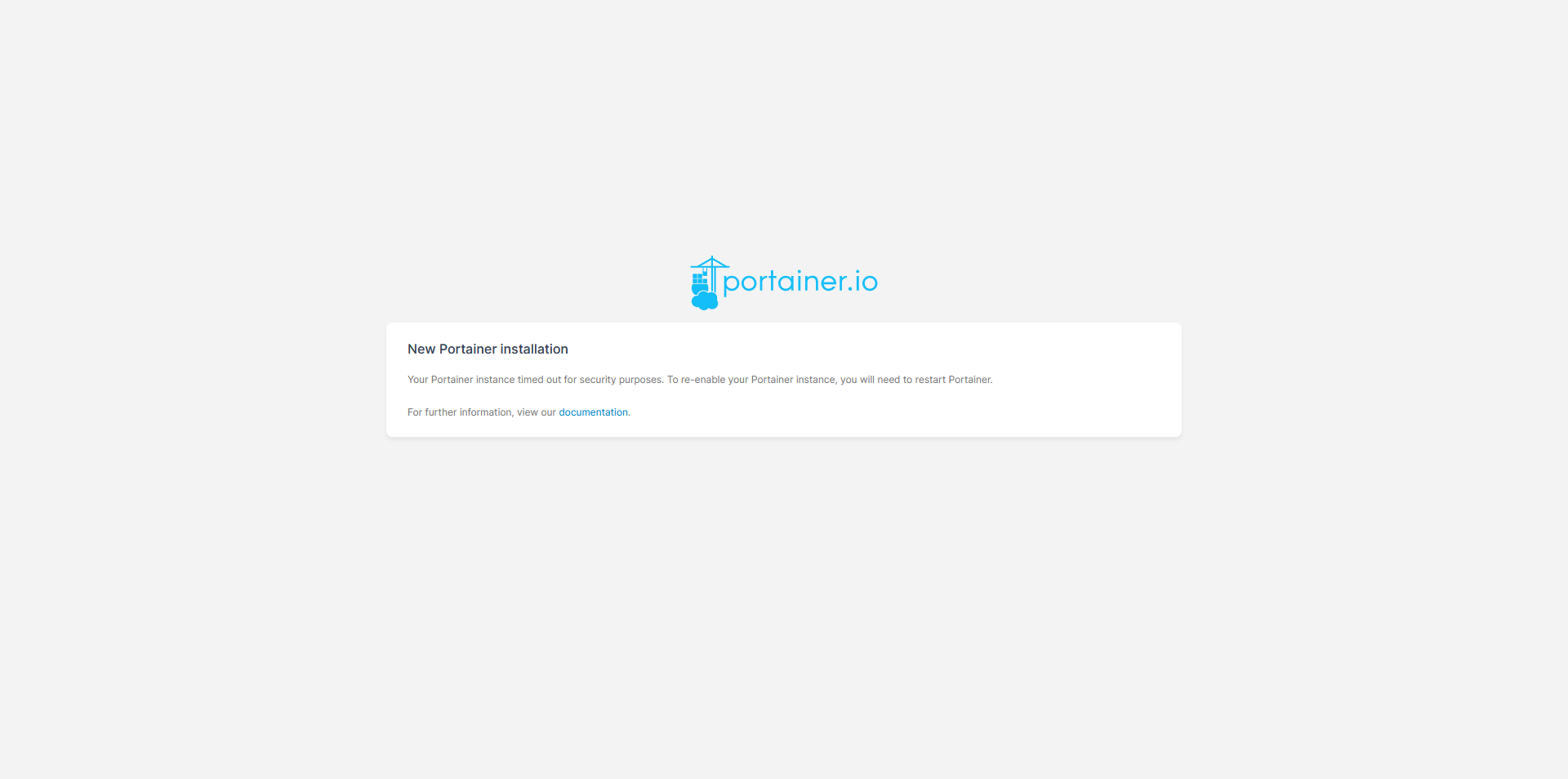
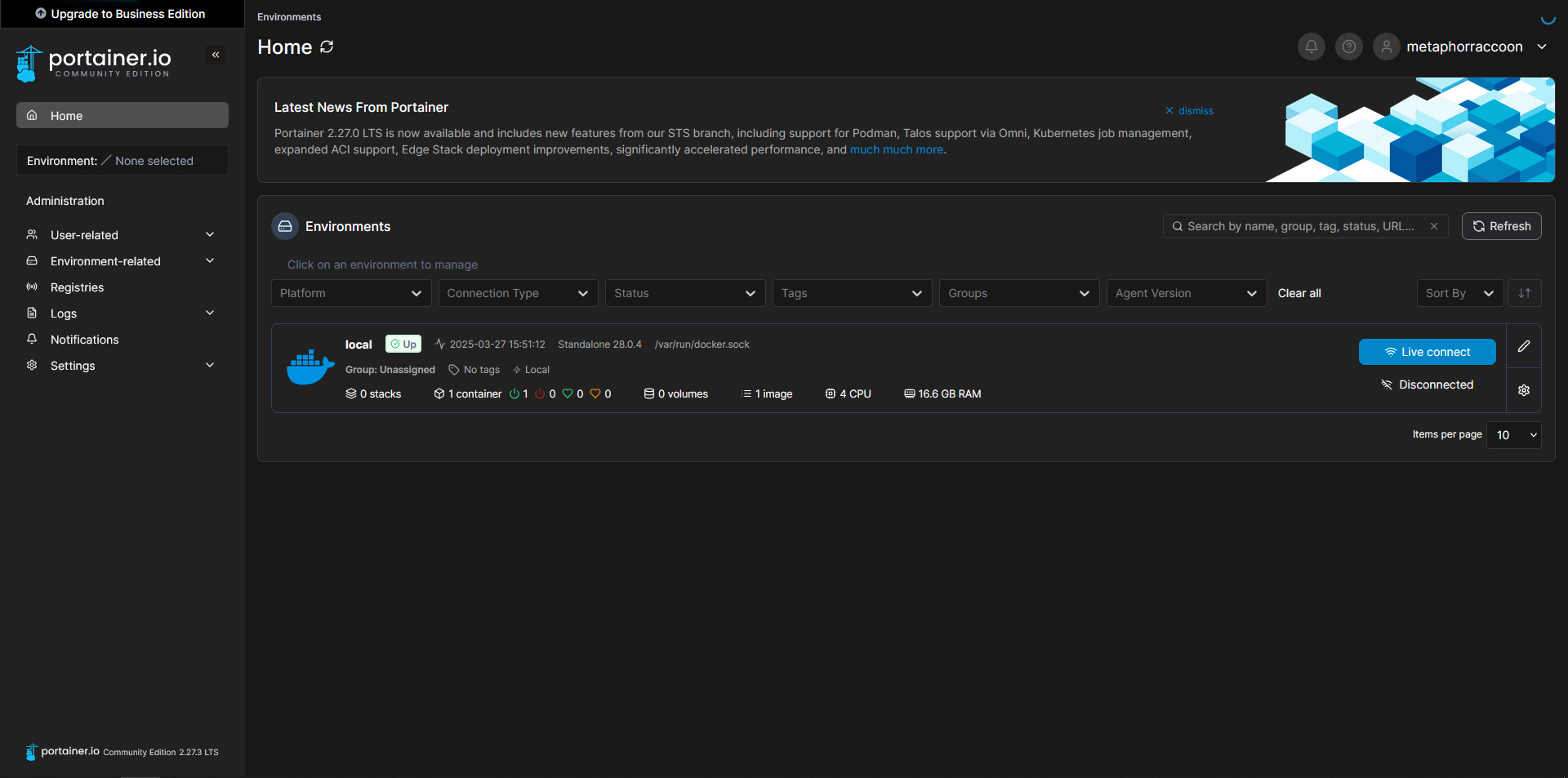
Similarly, [Docker](https://hub.subspace.services/books/software/page/what-is-docker "What is Docker?") creates a virtual file named *"/var/run/docker.sock"* that acts as a "[socket](https://en.m.wikipedia.org/wiki/Unix_domain_socket)" for [communication between services](https://en.m.wikipedia.org/wiki/Inter-process_communication). By creating an intermediary file, processes can read what that process is doing as well as write any requests. This is how [Portainer](https://hub.subspace.services/books/portainer "Portainer") can access and manage existing Docker containers, as well as create new ones.

[![1000000431.png](https://hub.subspace.services/uploads/images/gallery/2025-05/scaled-1680-/1000000431.png)](https://hub.subspace.services/uploads/images/gallery/2025-05/1000000431.png)

## Systematic Functions

Software – like a computer program – instructs a computer how to complete a task. While an operating system offers the general foundation and optional productivity tools, applications are what leverage computers for specific operations.

```fortran
program hello
  ! This is a comment line; it is ignored by the compiler
  print *, 'Hello, World!'
end program hello
```

[Programming languages](https://en.m.wikipedia.org/wiki/Programming_language) are how human developers convey instructions to the underlying machine hardware – [there are over 8000](https://hopl.info/). This is a very basic snippet of the Fortan programming language created in 1957. When run through the command line, it returns the response "Hello, World!" before exiting.

<p class="callout info">The 1978 book "The C Programming Language" introduced the now traditional "[Hello, World!](https://en.m.wikipedia.org/wiki/%22Hello,_World!%22_program)" code example employed by many programming languages.</p>

[High-level programming languages](https://en.m.wikipedia.org/wiki/High-level_programming_language) like Fortran are highly abstracted from the underlying 1s and 0s needed to control hardware. These focus on creating human-readable computer instructions and are [primarily based on the English language](https://en.m.wikipedia.org/wiki/English_in_computing). This made coding more intuitive while also allowing software to be portable across computers. Completed software code written using a program language can be run on compatible hardware.

Compiled languages like Fortran are broken down into easy-to-use "binary" applications for a specific architecture – such as MacOS, Windows or Debian. These languages take the human-readable logic and convert it directly into machine code.

[![1000000438.png](https://hub.subspace.services/uploads/images/gallery/2025-05/scaled-1680-/1000000438.png)](https://hub.subspace.services/uploads/images/gallery/2025-05/1000000438.png)
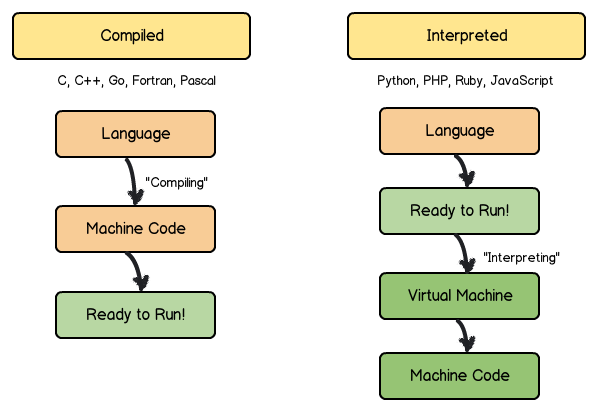
Interpreted languages like JavaScript are run line-by-line from their written form – commonly known as a script. The computer executes the code in the same way a human would read it. By contrast, these languages interpret the human-readable logic into machine code on-the-fly as needed to complete tasks.

### A Common Language

The [System Call Interface](https://en.m.wikipedia.org/wiki/System_call) allows the applications to access computer hardware without needing to communicate with specific hardware components. This way, an application doesn't need to know how to communicate with your exact hard drive model – instead, it can just use the System Call Interface to ask the operating system to write data to the hard drive on its behalf. This abstracts a great deal of underlying information, much like the delineation between hardware and software.

[![1000000435.png](https://hub.subspace.services/uploads/images/gallery/2025-05/scaled-1680-/1000000435.png)](https://hub.subspace.services/uploads/images/gallery/2025-05/1000000435.png)
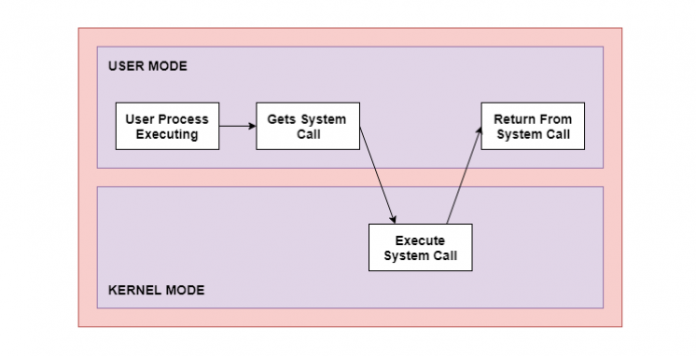
This is an example of an [Application Programming Interface](https://en.m.wikipedia.org/wiki/API) – or API – that allows software to communicate through a mutually agreed upon language. This is how your web browser can access a web camera connected to your computer though a USB cable, or a word processor can edit a document file on your external hard drive.

### User Applications   


These programs are intended for end-users to perform tasks that are not related to the general operation or administration of the computer. These may be installed by an administrator for everyone, or installed by a specific user for their own needs.

Program, application, software – and even script – are often used interchangeably to refer to this type of code. This category includes – but is [not limited to](https://en.m.wikipedia.org/wiki/Application_software) – office productivity suites, media players, web browsers and photo editors. Many modern operating systems provide digital storefronts to download and install open-source and proprietary software to your local computer system.

### Server Applications

While user applications are geared towards a person sitting in a chair in front of that computer, server software is intended for use by other computers and the people who use them. When you visit most websites and web apps – such as [diagrams.net](https://app.diagrams.net/) – you are using your personal computer to remotely load a server application.

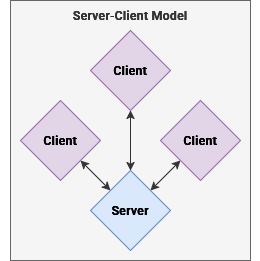
The [client—server model](https://en.m.wikipedia.org/wiki/Client%E2%80%93server_model) structures applications so that individual people or computers – known as [clients](https://en.m.wikipedia.org/wiki/Client_(computing)) – can retrieve information from a centralized location – known as a [server](https://en.m.wikipedia.org/wiki/Server_(computing)). Instead of installing and managing user applications on a personal computer, administrators can create a server application accessible by people over our local network. When a server shares it's resources, it is providing a *service*.
<div drawio-diagram="1015"><img src="https://hub.subspace.services/uploads/images/drawio/2025-04/drawing-3-1745177280.png" alt=""/></div>

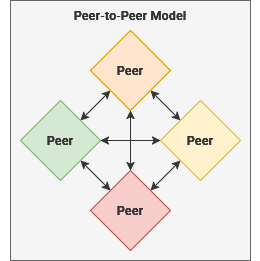
Similarly, the [peer-to-peer model](https://en.m.wikipedia.org/wiki/Peer-to-peer) describes a mutualistic relationship where each computer acts as a peer – or as both a server and a client. This means that each [peer node](https://en.m.wikipedia.org/wiki/Node_(networking)) is considered equally privileged and trustworthy in exchange for the local resources they share with other peer computers.

<div drawio-diagram="1014"><img src="https://hub.subspace.services/uploads/images/drawio/2025-04/drawing-3-1745177269.png" alt=""/></div>

Traditionally, server applications were only available over a Local Area Network within a physical distinct region – or by people remotely connected to one through a Virtual Private Network. The rise of cloud computing has led to server applications being provided to end-users over the World Wide Web.

These have become known as [Software as a Service](https://en.m.wikipedia.org/wiki/Software_as_a_service) – such as Google Workspace or Microsoft Office Online. By leveraging monolithic days centers distributed around the globe, corporations provide unified access to a server application they host. Generally these are accessed through a web browser, but many cloud services also provide platform-specific apps – like Microsoft Word for Windows.

# An Open Ecosystem

Linux is an open-source community that focuses on sharing power and responsibility among people instead of centralizing within a select group. The Linux kernel – which acts as the foundation for many Linux-based distributions – is built on an even older framework that matured alongside computers.

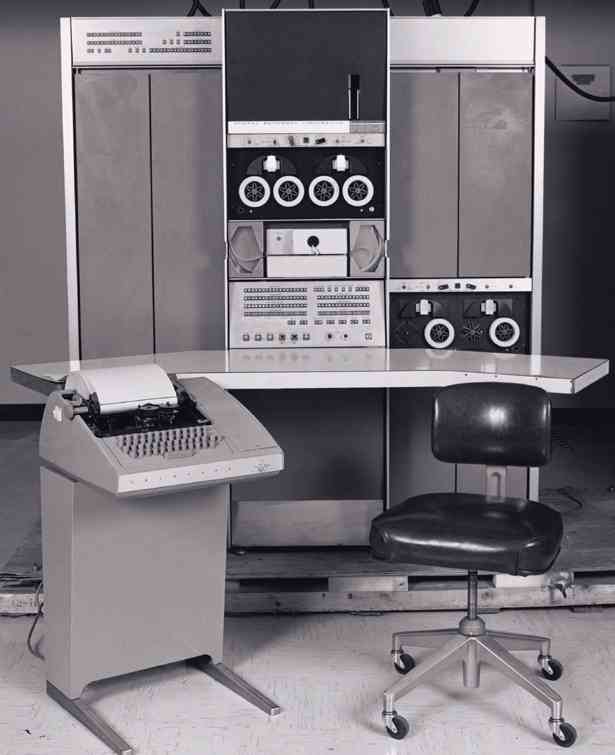
<p class="callout info">The [PDP-7](https://en.m.wikipedia.org/wiki/PDP-7) ran the first Unix code – used for creating the demo video game [Space Travel](https://en.m.wikipedia.org/wiki/Space_Travel_(video_game)).</p>

<table border="1" id="bkmrk-" style="border-collapse: collapse; width: 100%; border-width: 1px;"><colgroup><col style="width: 50.1326%;"></col><col style="width: 50.1326%;"></col></colgroup><tbody><tr><td>[![1000000479.jpg](https://hub.subspace.services/uploads/images/gallery/2025-05/scaled-1680-/1000000479.jpg)](https://hub.subspace.services/uploads/images/gallery/2025-05/1000000479.jpg)</td><td>[![1000000480.png](https://hub.subspace.services/uploads/images/gallery/2025-05/scaled-1680-/1000000480.png)](https://hub.subspace.services/uploads/images/gallery/2025-05/1000000480.png)</td></tr></tbody></table>

## An Accidental Movement

Unix was a general-purpose operating system that began to take shape in the mid-1960s. This was a collaborative project between the [Massachusetts Institute of Technology](https://en.m.wikipedia.org/wiki/Massachusetts_Institute_of_Technology "Massachusetts Institute of Technology"), [Bell Labs](https://en.m.wikipedia.org/wiki/Bell_Labs "Bell Labs"), and [General Electric](https://en.m.wikipedia.org/wiki/General_Electric "General Electric"). Academic researchers within the burgeoning computer science field experimented with the potential for [time-sharing](https://en.m.wikipedia.org/wiki/Time-sharing) to innovate what was possible with these new digital machines.

[![1000000452.png](https://hub.subspace.services/uploads/images/gallery/2025-05/scaled-1680-/1000000452.png)](https://hub.subspace.services/uploads/images/gallery/2025-05/1000000452.png)

[Unix](https://en.m.wikipedia.org/wiki/Research_Unix) itself was based on an even older exploration in computers – an operating system called [Multics](https://en.m.wikipedia.org/wiki/Multics "Multics"). Pronounced as "[eunuchs](https://en.m.wikipedia.org/wiki/Eunuch "Eunuch")", the name itself was intended as a pun on it's predecessor. Multics had yielded truly innovative ideas, but it's exploratory nature wasn't immediately profitable and the project was eventually

shuttered.

[![1000000461.png](https://hub.subspace.services/uploads/images/gallery/2025-05/scaled-1680-/1000000461.png)](https://hub.subspace.services/uploads/images/gallery/2025-05/1000000461.png)

> What we wanted to preserve was not just a good environment in which to do [programming](https://en.m.wikipedia.org/wiki/Computer_programming "Computer programming"), but a system around which a fellowship could form. We knew from experience that the essence of communal computing, as supplied by remote-access, [time-shared](https://en.m.wikipedia.org/wiki/Time-sharing "Time-sharing") machines, is not just to type programs into a [terminal](https://en.m.wikipedia.org/wiki/Computer_terminal "Computer terminal") instead of a [keypunch](https://en.m.wikipedia.org/wiki/Keypunch "Keypunch"), but to encourage close communication.
> 
> — [Dennis Richie](https://en.m.wikipedia.org/wiki/Dennis_Ritchie), UNIX pioneer

The original [AT&amp;T](https://en.m.wikipedia.org/wiki/AT%26T_Corporation "AT&T Corporation") Unix – created in 1969 – was a proprietary and closed-source operating system first investigated by [Bell Labs](https://en.m.wikipedia.org/wiki/Bell_Labs). As the result of a result of a 1958 ruling by the US Department of Justice, [AT&amp;T was forbidden from entering into the computer business](https://historyofcomputercommunications.info/section/2.13/Antitrust,-Computer-Inquiry-II-and-the-Break-up-of-AT&amp;T-1973-1984/) under consent decree. This was a part of the larger [breakup of the Bell systems](https://en.m.wikipedia.org/wiki/Breakup_of_the_Bell_System) that continued through the 1980s.

[![1000000462.jpg](https://hub.subspace.services/uploads/images/gallery/2025-05/scaled-1680-/1000000462.jpg)](https://hub.subspace.services/uploads/images/gallery/2025-05/1000000462.jpg)

This meant that AT&amp;T was required to license it's non-telephone technology to anyone that asked. While Unix was intended for use within their labs, they began licensing it to colleges and corporations for a modest fee. This lenient licensing scheme played an important part in the widespread adoption of Unix and the eventual open-source movement.

### Cathedral and the Bazaar

During the early days of computers, programmers and researchers were one and the same. While developing programming languages like [C](https://en.m.wikipedia.org/wiki/C_(programming_language)) – the backbone of Unix – we were also exploring what computers could accomplish for the first time. To that end, it was common to share software and learn from each other while studying computing.

<p class="callout info">[Cathedral and the Bazaar](https://en.m.wikipedia.org/wiki/The_Cathedral_and_the_Bazaar) was a foundational book by [Eric S. Raymond](https://en.m.wikipedia.org/wiki/Eric_S._Raymond "Eric S. Raymond") about opposing software project management styles.</p>

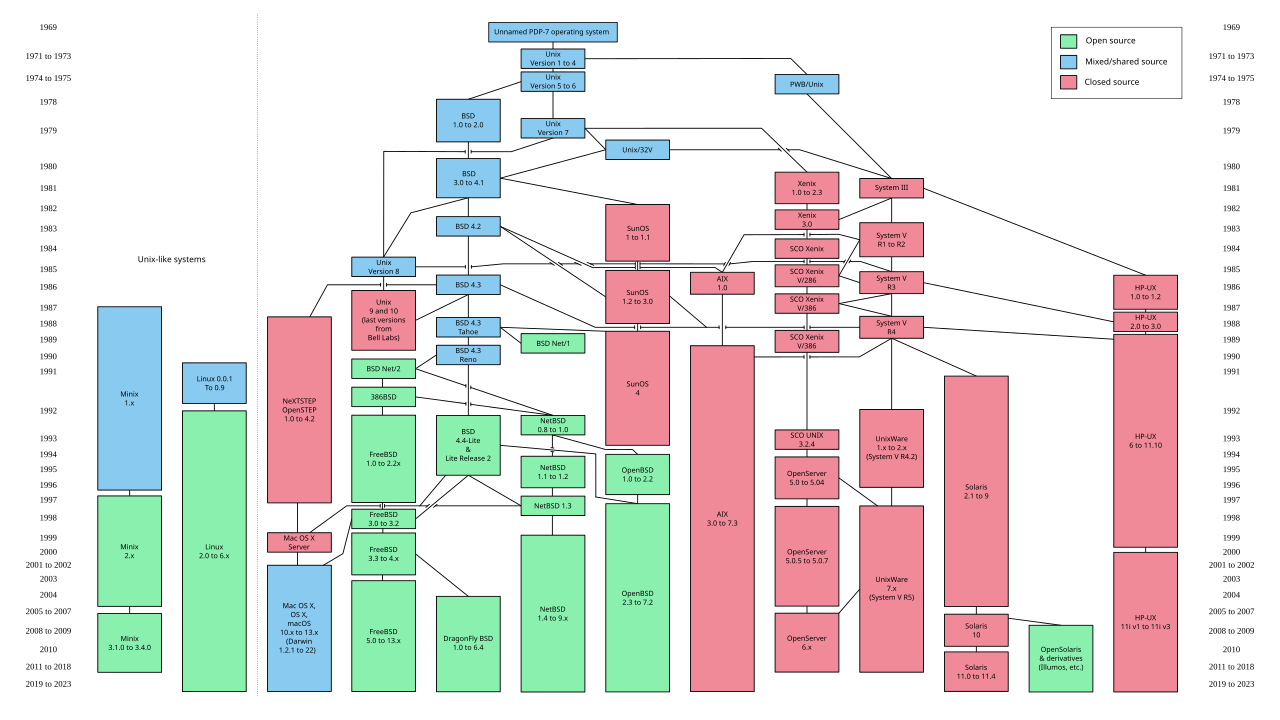
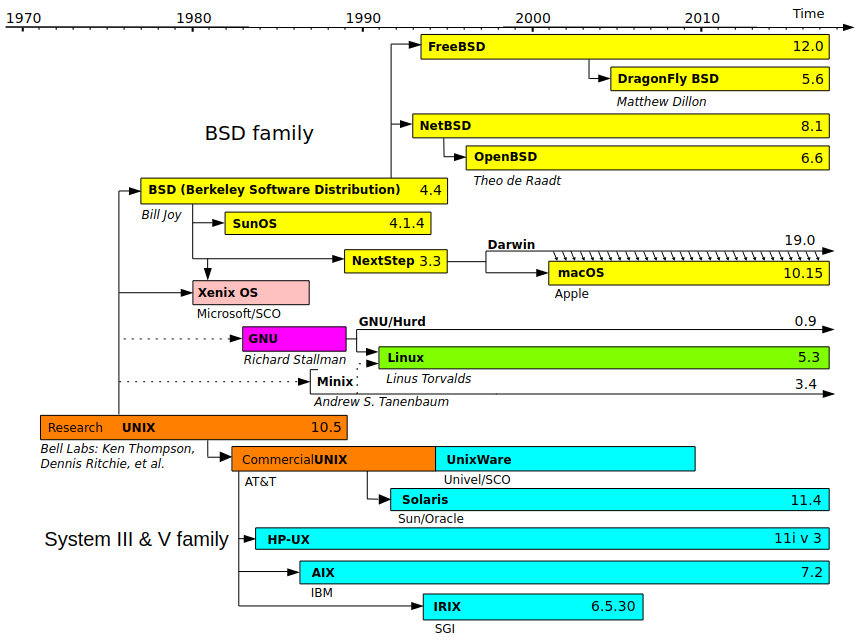
Unix was revolutionary not only as an operating system, but because it came bundled with a complete copy of the source code used to build it. This allowed researchers to modify the code to fulfill their needs while also enabling corporations to create their own custom Unix distributions – for use in-house or as a marketable product. This led to a proliferation of Unix operating systems, each with exciting new features.

Windows vs Mac vs Linux vs Unix timeline graphic

[![1000000439.png](https://hub.subspace.services/uploads/images/gallery/2025-05/scaled-1680-/1000000439.png)](https://hub.subspace.services/uploads/images/gallery/2025-05/1000000439.png)
[![1000000440.png](https://hub.subspace.services/uploads/images/gallery/2025-05/scaled-1680-/1000000440.png)](https://hub.subspace.services/uploads/images/gallery/2025-05/1000000440.png)
[![1000000443.webp](https://hub.subspace.services/uploads/images/gallery/2025-05/scaled-1680-/1000000443.webp)](https://hub.subspace.services/uploads/images/gallery/2025-05/1000000443.webp)
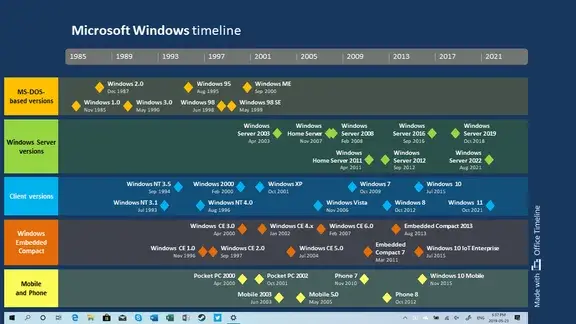
Software – like hardware – became increasingly commercialized throughout the 1970s. Corporations sought to mold hardware into compact personal devices while simultaneously fashioning software into the [killer application](https://en.m.wikipedia.org/wiki/Killer_application) that would draw consumers to their products. The [Unix Wars](https://en.m.wikipedia.org/wiki/Unix_wars) throughout the 1980s exacerbated the friction between vendors as the operating system became fragmented between multiple competing standards.

As corporations navigated this space, many preferred to follow the proprietary development model. These release cycles are often measured in years – meaning that software was released as polished product with meticulous planning put into [final 'gold' release](https://en.m.wikipedia.org/wiki/Software_release_life_cycle#RTM). On the flip side, bug fixes and feature requests could take years to manifest in the publicly available product. Important software updates may never emerge – or may even be released as part of the product's successor.

This 'release late—release rarely' philosophy arises when the software developers [regard their project as a consumer product.](https://dsbscience.com/freepubs/linuxoverwindows/node3.html) While the product is marketed towards consumers, their role in the creative process is rather limited. Their feedback is often collected reactively during formative beta testing – or even after the product is released to the public.

[Proprietary software](https://en.m.wikipedia.org/wiki/Proprietary_software) is often "closed-source", meaning that the code to create it is private and legally protected – or even a [trade secret](https://en.m.wikipedia.org/wiki/Trade_secret). The code is compiled into a [binary file](https://en.m.wikipedia.org/wiki/Binary_file) containing the raw binary data – ones and zeros – used to control a computer system. This data it is not human-readable and only works on a specific platform – such as Windows, MacOS or Debian Linux.

This makes it relatively difficult to [reverse engineer](https://en.m.wikipedia.org/wiki/Reverse_engineering), but it also means that the code wasn't compiled to run efficiently on your specific computer system. Instead, it is compiled to meet 'minimum system requirements' and more advanced hardware is rarely leveraged to your advantage.

### Software Freedoms

During the 1970s, the original computer [hacker culture](https://en.m.wikipedia.org/wiki/Hacker_culture) – who enjoyed the creative challenge of overcoming hardware and software limitations – formed within academic institutions.

It was around this time that the [Free Software Movement](https://en.m.wikipedia.org/wiki/Free_software_movement) began to take shape. Researchers continued to develop software collaboratively by sharing their discoveries and the source code that powered them. This was foundational to the continued growth of the [Unix experiment](https://en.m.wikipedia.org/wiki/Research_Unix).

[![1000000506.jpg](https://hub.subspace.services/uploads/images/gallery/2025-05/scaled-1680-/1000000506.jpg)](https://hub.subspace.services/uploads/images/gallery/2025-05/1000000506.jpg)
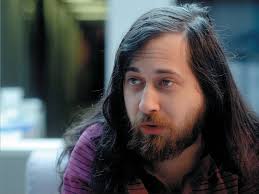
In 1984, [Richard Stallman](https://en.m.wikipedia.org/wiki/Richard_Stallman) resigned from his position at MIT citing that proprietary software stifled collaboration by limiting his labs ability to share source code. He began work on the GNU Project – which stands for *GNU's Not Unix* – and represented an idealized ,"free" operating system. It behaved almost exactly like Unix to attract developers, but the source code would be available for anyone to modify.

[![1000000463.png](https://hub.subspace.services/uploads/images/gallery/2025-05/scaled-1680-/1000000463.png)](https://hub.subspace.services/uploads/images/gallery/2025-05/1000000463.png)

> The word "free" in our name does not refer to price; it refers to freedom. First, the freedom to copy a program and redistribute it to your neighbors, so that they can use it as well as you. Second, the freedom to change a program, so that you can control it instead of it controlling you; for this, the source code must be made available to you.
> 
> — [GNU's Bulletin, Volume 1](https://www.gnu.org/bulletins/bull1.txt)

The [Free Software Foundation](https://en.m.wikipedia.org/wiki/Free_Software_Foundation) he sparked – through his call-to-action known as the [GNU Manifesto](https://en.m.wikipedia.org/wiki/GNU_Manifesto) – initially caused some confusion. He often had to explain that he meant "free" as in "freedom" not as in "beer". This led to the foundation of the movement: [the four software freedoms](https://en.m.wikipedia.org/wiki/The_Free_Software_Definition).

<table border="1" class="align-center" id="bkmrk-stylus_laser_pointer" style="border-collapse: collapse; width: 600px; border-width: 0px; height: 261.6px; border-spacing: 5px;"><colgroup><col style="width: 7.02367%;"></col><col style="width: 92.9744%;"></col></colgroup><tbody><tr style="height: 43.6px;"><td class="align-center" style="height: 43.6px; border-width: 0px; padding: 5px;"><span class="material-symbols-outlined">Counter\_1</span>

</td><td class="align-left" style="height: 43.6px; border-width: 0px; padding: 5px;">**Freedom 1**

The freedom to run the program as you wish, for any purpose.

</td></tr><tr style="height: 43.6px;"><td class="align-center" style="height: 43.6px; border-width: 0px; padding: 5px;"><span class="material-symbols-outlined">Counter\_2</span></td><td class="align-left" style="height: 43.6px; border-width: 0px; padding: 5px;">**Freedom 2**

The freedom to study how the program works, and change it so it does your computing as you wish.

</td></tr><tr style="height: 43.6px;"><td class="align-center" style="height: 43.6px; border-width: 0px; padding: 5px;"><span class="material-symbols-outlined">Counter\_3</span></td><td class="align-left" style="height: 43.6px; border-width: 0px; padding: 5px;">**Freedom 3**

The freedom to redistribute copies so you can help your neighbor.

</td></tr><tr style="height: 43.6px;"><td class="align-center" style="height: 43.6px; border-width: 0px; padding: 5px;"><span class="material-symbols-outlined">Counter\_4</span></td><td class="align-left" style="height: 43.6px; border-width: 0px; padding: 5px;">**Freedom 4**

The freedom to distribute copies of your modified versions to others. By doing this you can give the whole community a chance to benefit from your changes.

</td></tr></tbody></table>

Fulfilling these freedoms required unrestricted access to the underlying source code. Through GNU, a new [decentralized model of development](https://ieeexplore.ieee.org/document/9233046) emerged that enabled everyone to contribute bug fixes, code suggestions and feature requests. Communication took place primarily on internet [newsgroups](https://en.m.wikipedia.org/wiki/Newsgroup) like [Usenet](https://en.m.wikipedia.org/wiki/Usenet) – one of the first examples of a public-facing [digital bulletin board](https://en.m.wikipedia.org/wiki/Bulletin_board_system).

[![1000000508.png](https://hub.subspace.services/uploads/images/gallery/2025-06/scaled-1680-/1000000508.png)](https://hub.subspace.services/uploads/images/gallery/2025-06/1000000508.png)

GNU developed in sharp contrast to proprietary software with many open-source projects following the 'release early—release often' development philosophy. These software programs are not generally viewed as a consumer product, but as a tool to reach an end.

While these projects may feel less polished, users have the power to add their voice throughout the entire development process. This means the potential for bugs to be fixed promptly and – depending on community feedback – features can be quickly integrated into the ongoing evolution.

The [GNU Project](https://en.m.wikipedia.org/wiki/GNU_Project) is an umbrella for the hundreds of smaller projects that are necessary to build an operating system from the ground up. While developed through collaboration, these constituent projects are produced independently of the others.

## Modular by Design

While lying the foundations for Unix, computer scientists were careful to consider it's [design philosophy](https://en.m.wikipedia.org/wiki/Unix_philosophy). They decided that Unix should provide a simple set of tools – each able to perform a [limited function with well-defined parameters](http://www.catb.org/~esr/writings/taoup/html/). This facilitated a [modular](https://en.m.wikipedia.org/wiki/Modular_design) and decentralized approach to developing the new operating system.

This philosophy disconnected the lifecycle of applications from each other – as well as from the operating system. This led to a [rolling release model](https://en.m.wikipedia.org/wiki/Rolling_release) where individual software packages were updated frequently and released quickly. These modular programs could be maintained independently and development teams only needed to coordinate how their modules would communicate – such as a mutually-defined [API](https://en.m.wikipedia.org/wiki/API) or the [system call interface](https://en.m.wikipedia.org/wiki/System_call).

Software was specifically crafted to fill an empty technological niche and fulfill a desired goal. Communities formed to compare and contrast methods for reaching the same end. Developers held the autonomy to make their own decisions about how the project would progress.

After using a [high-level programming language](https://en.m.wikipedia.org/wiki/Programming_language) to code a software program, it needs to be translated into [machine code](https://en.m.wikipedia.org/wiki/Machine_code). This creates the [executable program](https://en.m.wikipedia.org/wiki/Executable) to can communicate with your underlying hardware through your operating system. This process happens in multiple stages – some well in advance, while others happen [just-in-time](https://en.m.wikipedia.org/wiki/Just-in-time_compilation).

((Diagram showing compilation happening in stages, including object code, machine code and just in time))

The Windows operating system revolves around compiled programs that are easy-to-use and operate. Similarly, Linux provides access to compiled software out of the box, but also provides the source code for anyone to compile software from the ground up for their specific hardware. In practice, this can bring new life into even the oldest computer systems.

### Licensing

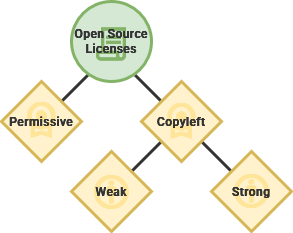
[Copyright](https://en.m.wikipedia.org/wiki/Copyright) grants exclusive legal rights to the originator of a creative and intellectual work – like a book, movie or software code. Relatedly, [copyleft](https://en.m.wikipedia.org/wiki/Copyleft) is a philosophy that leverages the legal protections of copyright to prioritizing sharing and collaboration.

<div drawio-diagram="1181"><img src="https://hub.subspace.services/uploads/images/drawio/2025-06/drawing-3-1749158648.png" alt=""/></div>

Starting in 1985, [GNU Software](https://en.m.wikipedia.org/wiki/GNU) was released under the [GNU General Public License](https://en.m.wikipedia.org/wiki/GNU_General_Public_License) and enabled full use by anyone – with specific restrictions. This was the first copyleft license mandating that all derivative works maintain reciprocity.

<details id="bkmrk-%C2%A0-5"><summary>Copyleft Licenses</summary>

There are a spectrum of requirements for fulfilling the developer's intended spirit of reciprocity – from maintaining a similar software license to simply attributing through a file.

[![1000000534.png](https://hub.subspace.services/uploads/images/gallery/2025-06/scaled-1680-/1000000534.png)](https://hub.subspace.services/uploads/images/gallery/2025-06/1000000534.png)

While modern "weak" copyleft licenses allow embedding within proprietary projects, the original "strong" GPL license required that the derivative project retain the same license.

<table border="1" class="align-center" id="bkmrk-copyleft-licenses-co" style="border-collapse: collapse; width: 600px; border-width: 0px; height: 261.6px; border-spacing: 5px;"><colgroup><col style="width: 7.02367%;"></col><col style="width: 92.9744%;"></col></colgroup><thead><tr><td style="border-width: 0px; padding: 5px;"><span class="material-symbols-outlined">  
</span>

</td><td style="border-width: 0px; padding: 5px;">**Copyleft Licenses**

</td></tr></thead><tbody><tr style="height: 43.6px;"><td class="align-center" style="height: 43.6px; border-width: 0px; padding: 5px;"><span class="material-symbols-outlined">License</span>

</td><td class="align-left" style="height: 43.6px; border-width: 0px; padding: 5px;">[**GPL**](https://choosealicense.com/licenses/gpl-3.0/)

*1989*

A [strong copyleft license](https://www.gnu.org/licenses/licenses.html) that comes with many conditions for usage within derivative software while providing express consent to use related patents.

</td></tr><tr style="height: 43.6px;"><td class="align-center" style="height: 43.6px; border-width: 0px; padding: 5px;"><span class="material-symbols-outlined">License</span></td><td class="align-left" style="height: 43.6px; border-width: 0px; padding: 5px;">[**The Unlicense**](https://choosealicense.com/licenses/unlicense/)

*2010*

This license foregoes intellectual copyright and [attributes all work to the public domain](https://www.gnu.org/licenses/license-list.en.html#Unlicense). While not technically copyleft, this [anti-copyright](https://en.m.wikipedia.org/wiki/Anti-copyright) license is [compatible with the GNU GPL](https://www.gnu.org/licenses/gpl-faq.html#WhatDoesCompatMean).

</td></tr><tr style="height: 43.6px;"><td class="align-center" style="height: 43.6px; border-width: 0px; padding: 5px;"><span class="material-symbols-outlined">License</span></td><td class="align-left" style="height: 43.6px; border-width: 0px; padding: 5px;">[**Mozilla Public License 2.0**](https://choosealicense.com/licenses/mpl-2.0/)

*2012*

This license balances the concerns of free software proponents and proprietary software developers.

</td></tr></tbody></table>

</details>By 1989, [University of California, Berkeley](https://en.m.wikipedia.org/wiki/University_of_California,_Berkeley "University of California, Berkeley") introduced [BSD](https://en.m.wikipedia.org/wiki/Berkeley_Software_Distribution "Berkeley Software Distribution") – or the Berkeley Software Distribution – and created the first publicly accessible Unix operating system. By rewriting proprietary AT&amp;T Unix code from the ground up, they released BSD to facilitate open collaboration.

They created their own [permissive software license](https://en.m.wikipedia.org/wiki/BSD_licenses) that placed barely any restrictions on how you could use the software. This also provided no warranty about the continues maintenance of the project and removed the developers from all liability. This even explicitly allowed proprietization – meaning it could be used within private, "closed-source" programs.

<details id="bkmrk-%C2%A0-6"><summary>Permissive Licenses</summary>

One of the primary differences between a copyleft license and a permissive license is the concept of "[share-alike](https://en.m.wikipedia.org/wiki/Share-alike)" – which relates to the [Creative Commons](https://en.m.wikipedia.org/wiki/Creative_Commons).

[![1000000533.png](https://hub.subspace.services/uploads/images/gallery/2025-06/scaled-1680-/1000000533.png)](https://hub.subspace.services/uploads/images/gallery/2025-06/1000000533.png)

Copyleft licenses require that information about the original work is available, often creating a web of interconnected projects. Permissive licenses, on the other hand, have few stipulations on how they can be used.

<table border="1" class="align-center" id="bkmrk-permissive-licenses-" style="border-collapse: collapse; width: 600px; border-width: 0px; height: 261.6px; border-spacing: 5px;"><colgroup><col style="width: 7.02367%;"></col><col style="width: 92.9744%;"></col></colgroup><thead><tr><td style="border-width: 0px; padding: 5px;"><span class="material-symbols-outlined">  
</span>

</td><td style="border-width: 0px; padding: 5px;">**Permissive Licenses**

</td></tr></thead><tbody><tr style="height: 43.6px;"><td class="align-center" style="height: 43.6px; border-width: 0px; padding: 5px;"><span class="material-symbols-outlined">License</span>

</td><td class="align-left" style="height: 43.6px; border-width: 0px; padding: 5px;">[**Apache**](https://choosealicense.com/licenses/apache-2.0/)

*2004*

A permissive license that allows that this software can be incorporated into larger projects that themselves are released under a different license.

</td></tr><tr style="height: 43.6px;"><td class="align-center" style="height: 43.6px; border-width: 0px; padding: 5px;"><span class="material-symbols-outlined">License</span></td><td class="align-left" style="height: 43.6px; border-width: 0px; padding: 5px;">[**MIT**](https://choosealicense.com/licenses/mit/)

*1987*

This straightforward license only requires that the licensing information is shown, otherwise the software can be used freely for any reason.

</td></tr><tr style="height: 43.6px;"><td class="align-center" style="height: 43.6px; border-width: 0px; padding: 5px;"><span class="material-symbols-outlined">License</span></td><td class="align-left" style="height: 43.6px; border-width: 0px; padding: 5px;">**[BSD 4-Clause](https://choosealicense.com/licenses/bsd-4-clause/)**

*1990*

The first in a [family of permissive licenses](https://en.m.wikipedia.org/wiki/BSD_licenses) with the original requiring acknowledgement in the advertisement of all derivative works.

</td></tr></tbody></table>

</details><div drawio-diagram="1182"><img src="https://hub.subspace.services/uploads/images/drawio/2025-06/drawing-3-1749160190.png" alt=""/></div>

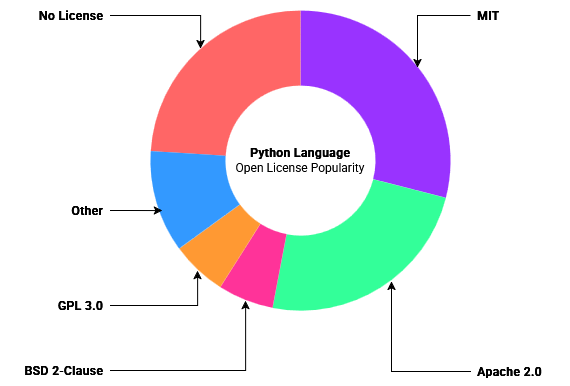
[Source](https://opensource.org/blog/the-most-popular-licenses-for-each-language-2023)

### Free – or Open?

During the early 1990s, the GNU Project proceeded until it neared completion – the only thing it was missing was a kernel. This integral system handles all interactions between software and hardware within a computer system. Without it, the operating system wouldn't even be able to operate. Their free kernel – known as [GNU Hurd](https://en.m.wikipedia.org/wiki/GNU_Hurd) – was still incomplete.

[Linus Torvalds](https://en.m.wikipedia.org/wiki/Linus_Torvalds), operating independently of the GNU Project, created the first version of the [Linux kernel](https://en.m.wikipedia.org/wiki/Linux_kernel) during his time as a computer science student. He released the software under the General Public License. This meant the software could be shared freely and modified by anyone.

GNU adopted the new Linux kernel as its own – which was now rapidly evolving into a global community. The resulting operating system is now known most commonly as [Linux](https://en.m.wikipedia.org/wiki/Linux) – even though there is a movement to change this to [GNU/Linux](https://en.m.wikipedia.org/wiki/GNU/Linux_naming_controversy). Many Linux Distributions use the Linux Kernel by default.

At a conference, a collective of software developers concluded that the Free Software Movement's social activism was [not appealing to companies](https://pld.cs.luc.edu/courses/412/mnotes/books/poss.pdf). The group – later known as the [Open Source Initiative](https://en.m.wikipedia.org/wiki/Open_Source_Initiative) – felt that more emphasis was needed the business potential of open-source software. Linux was quickly adopted as the flag-ship project of the newly forming [Open-Source Movement](https://en.m.wikipedia.org/wiki/Open-source_software_movement).

Compared to the earlier Free Software Movement, this new initiative took less of a focus on social, moral and ethical issues – like software freedom and social responsibility. Instead, the open-source movement chose to highlight the quality, flexibility and innovation that could be accomplished by sharing access to source code. In practice, this meant focusing on creating "[something more amenable to commercial business use](https://web.archive.org/web/20110717100415/http://net.educause.edu/ir/library/pdf/eqm0233.pdf)".

## Social Contract

By creating mechanisms to decentralize software development and focus on discrete modules, Linux began to produce viable operating systems. The process was not always easy or direct because difficulty often arose while navigating the divide – both geographical and interpersonal. From the start, the computing experiments have produced [notably strong personalities](https://www.fastcompany.com/90237651/linux-creator-linus-torvalds-apologizes-for-being-a-dick-all-these-years).

By 1992, [over a million computers were connecting](https://www.computerhistory.org/internethistory/1990s/) to the World Wide Web. The Linux project quickly [ballooned to encompass many developers](https://spectrum.ieee.org/linux-at-25-why-it-flourished-while-others-fizzled) over the Internet. Combined with software from the GNU Project and other developers, complete Linux operating systems started taking shape.

[![Sls-linux_1.05.png](https://hub.subspace.services/uploads/images/gallery/2025-06/scaled-1680-/sls-linux-1-05.png)](https://hub.subspace.services/uploads/images/gallery/2025-06/sls-linux-1-05.png)

By 1994, the World Wide Web had attracted [over 25 million subscribers](https://www.internetlivestats.com/internet-users/) through services like [America Online](https://en.m.wikipedia.org/wiki/AOL). [SLS](https://en.wikipedia.org/wiki/Softlanding_Linux_System) – or Softlanding Linux System – was one of the first virally adopted distributions. Roughly patched together with a rudimentary interface, it was riddled with bugs and was notoriously difficult to use, but it gave a glimmer of the future.

### Defining Simplicity

Slackware was created as a personal project to address the perceived problems with SLS, developed by [Patrick Volkerding](https://en.m.wikipedia.org/wiki/Patrick_Volkerding). This new release was intended to streamline the experience while keeping every part true to the original developer's design.

[![1000000535.png](https://hub.subspace.services/uploads/images/gallery/2025-06/scaled-1680-/1000000535.png)](https://hub.subspace.services/uploads/images/gallery/2025-06/1000000535.png)

He had no original intention to release Slackware, but it has become the oldest maintained distribution – used as the base for other operating systems. The continued development of Slackware rest fully on the project's reluctant [benevolent-dictator-for-life](https://en.m.wikipedia.org/wiki/Benevolent_dictator_for_life).

[![Slackware_1.01_screenshot.png](https://hub.subspace.services/uploads/images/gallery/2025-06/scaled-1680-/slackware-1-01-screenshot.png)](https://hub.subspace.services/uploads/images/gallery/2025-06/slackware-1-01-screenshot.png)

Slackware aimed to create the most "[Unix-like](https://en.wikipedia.org/wiki/Unix-like "Unix-like")" distribution and created a versatile "[vanilla](https://en.m.wikipedia.org/wiki/Vanilla_software)" Linux experience that could be completely customized from scratch. Volkerding sought to create the simplest experience – in referrence to how the system operated and not how it was used.

Slackware has a steep learning curve and the distro is by no means intended for people new to the Linux ecosystem. By default, minimal software is installed and only the command line interface is available. The operating system also makes no attempt to install the specific software required by programs, instead relying on oversight by an administrator.

### Universal Operating System

Released around the same time as Slackware, another Linux distribution emerged that sought to define simple a little differently. Their focus was to create a simple and accessible system that could function on the widest range of hardware.

[![1000000537.png](https://hub.subspace.services/uploads/images/gallery/2025-06/scaled-1680-/1000000537.png)](https://hub.subspace.services/uploads/images/gallery/2025-06/1000000537.png)

Similarly frustrated with SLS, [Ian Murdock](https://en.wikipedia.org/wiki/Ian_Murdock) created [Debian](https://en.wikipedia.org/wiki/Debian) as a conscious response to perceived flaws. By contrast, this project took an [almost humanist approach](https://humanists.international/policy/iheu-minimum-statement-on-humanism/) that guaranteed a free operating system for everyone, forever.

<p class="callout info">Debian codenames come from the *[Toy Story](https://en.wikipedia.org/wiki/Toy_Story_(franchise) "Toy Story (franchise)")* film universe.</p>

[![Debian-bo.png](https://hub.subspace.services/uploads/images/gallery/2025-06/scaled-1680-/debian-bo.png)](https://hub.subspace.services/uploads/images/gallery/2025-06/debian-bo.png)

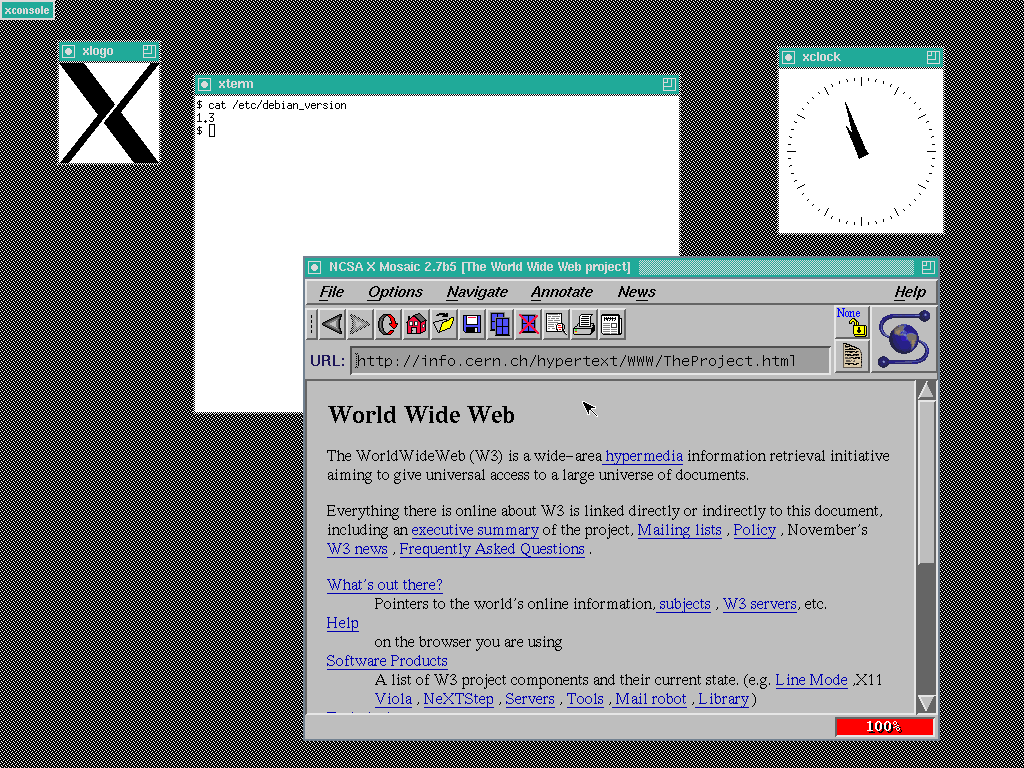
*Debian v1.3 "Bo"*

Debian is a volunteer-operated software project and [accompanying non-profit organization](https://en.m.wikipedia.org/wiki/Software_in_the_Public_Interest) that operate entirely over the internet. Guided by an annually [elected leader](https://en.wikipedia.org/wiki/List_of_Debian_project_leaders), their operation is governed by three foundational documents that outline the mission and vision for their software:

<table border="1" class="align-center" id="bkmrk-counter_1-social-con" style="border-collapse: collapse; width: 600px; border-width: 0px; height: 261.6px; border-spacing: 5px;"><colgroup><col style="width: 7.02367%;"></col><col style="width: 92.9744%;"></col></colgroup><tbody><tr style="height: 43.6px;"><td class="align-center" style="height: 43.6px; border-width: 0px; padding: 5px;"><span class="material-symbols-outlined">Counter\_1</span>

</td><td class="align-left" style="height: 43.6px; border-width: 0px; padding: 5px;">[**Social Contract**](https://lists.debian.org/debian-announce/1997/msg00017.html)

This [document](https://en.wikipedia.org/wiki/Debian_Social_Contract) outlines core principles of the project, as well as the expectations and requirements of developers who create on its behalf.

</td></tr><tr style="height: 43.6px;"><td class="align-center" style="height: 43.6px; border-width: 0px; padding: 5px;"><span class="material-symbols-outlined">Counter\_2</span></td><td class="align-left" style="height: 43.6px; border-width: 0px; padding: 5px;">[**Free Software Guidelines**](http://lists.debian.org/debian-announce/debian-announce-1997/msg00017.html)

This [document](https://en.wikipedia.org/wiki/Debian_Free_Software_Guidelines) defines "free software" and sets the requirement for software that can be used to build the operating system. While similar to the GNU Manifesto, these guidelines specifically lay out avenues for a relationship with commercial "[non-free](https://en.m.wikipedia.org/wiki/Proprietary_software)" software.

</td></tr><tr style="height: 43.6px;"><td class="align-center" style="height: 43.6px; border-width: 0px; padding: 5px;"><span class="material-symbols-outlined">Counter\_3</span></td><td class="align-left" style="height: 43.6px; border-width: 0px; padding: 5px;">[**Constitution**](http://www.debian.org/devel/constitution)

This document explores formal power structures, lying out the responsibilities of the Debian project leader and other organizational roles.

</td></tr></tbody></table>

Debian has been developed according to principles similar to the GNU Project. In fact, they even had a [short-lived partnership](https://web.archive.org/web/20231103150337/https://www.debian.org/doc/manuals/project-history/project-history.en.txt). In contrast to the Free Software Movement, [Debian proactively included important proprietary "non-free" software](https://www.gnu.org/distros/common-distros.html) – such as firmware or drivers. Fundamentally, Debian wanted to remain open to commercial clients and the potential relationships that may follow.

At the same time, Debian was conscious of the corporate Linux distributions forming, like [SUSE](https://en.m.wikipedia.org/wiki/OpenSUSE) and [Red Hat](https://en.wikipedia.org/wiki/Red_Hat). Concerned with the potential effects that profit could have on the project's future, the Social Contract was written to ensure the operating system remained open and free.

<p class="callout info">The Four Software Freedoms were not known to the Debian project at the time. </p>

From their perspective, the modular nature of Linux allowed people to work together despite differences in project philosophy and organization. They defined open-source software licenses that supported the spirit of the project while explicitly opening the door to commercial "non-free" software. They placed their bet on the contributions of both corporations and communities to propel mutual growth.

## Crowdsourcing Security   


[Security](https://en.m.wikipedia.org/wiki/Security) can be slippery defintion that encompasses so many different things. It manifests as a [noun](https://en.m.wiktionary.org/wiki/security): in the moment, when we are safe from harm in our beds at the end of the day. It also takes shape as a [verb](https://en.m.wiktionary.org/wiki/secure): occurring over time through our proactive measures to ensure our safety. Security is [both a feeling and a reality](https://www.wired.com/2008/04/securitymatters-0403/).

We contribute to our own feeling of safety by locking the door and enacting this simple layer of security. While the locked door may be technically easy to overcome, an ongoing relationship with our neighbors and communities lends weight to this assurance. Our society frowns on the theft of property and our laws create consequences for a trespasser's actions.

Security is a mindset and an ongoing relationship, not a task or a checklist that can be completed. Protective measures shouldn't occur in isolation, but within a holistic system that values and respects security overall. We build ourselves communities who impart onto us the feeling of safety.

### Decentralized Defenses

[Cybersecurity](https://en.m.wikipedia.org/wiki/Computer_security) carries this vigilance into the digital systems we create to connect us. By using proprietary software, people must often tacitly accept the security [provided by the developers](https://www.researchgate.net/publication/3437446_Software_security_for_open-source_systems). The open-source Linux operating system approaches security in a fundamentally different way than "closed-source" ones – like Windows and MacOS.

Proprietary software rely on the concept of [security by obscurity](https://en.m.wikipedia.org/wiki/Security_through_obscurity) – the idea that it is difficult to exploit what you cannot see. This has been [proven untrue time and time again](https://csrc.nist.gov/pubs/sp/800/123/final). Without the source code available, hackers can still exploit a system but the community cannot always respond.

By contrast, the code powering Linux is openly available on the internet for review. At first thought, this may seem insecure and ill-advised – to advertise potential exploits to would-be hackers. However, a system that relies solely on obscuring vulnerability is not truly secure.

[Linus's Law](https://en.m.wikipedia.org/wiki/Linus's_law) – named after the creator of the Linux kernel – asserts that "[given enough eyeballs, all bugs are shallow](http://www.catb.org/~esr/writings/cathedral-bazaar/cathedral-bazaar/ar01s04.html)". The philosophy claims that the more independent people are working on a project, the greater the chances of uncovering bugs early. With regards to emergent "[zero-day](https://en.m.wikipedia.org/wiki/Zero-day_vulnerability)" exploits, there are numerous communities searching for the same fix.

While there have been no large-scale experiments or peer reviewed studies, [empirical evidence can offer some clues](https://arxiv.org/abs/2007.10912). Popular open-source software had a higher ratio of big fixes than less popular projects by the same company. Relatedly, [open-source GNU programs have demonstrated](https://ftp.cs.wisc.edu/pub/paradyn/technical_papers/fuzz-revisited.ps) they're [more reliable than their proprietary Unix counterparts](https://pages.cs.wisc.edu/~blbowers/fuzz-2001.pdf).

We shouldn't allow ourselves to be [lulled into false sense of security around open-source software](https://www.researchgate.net/publication/222983408_The_Open_Source_approach_-_opportunities_and_limitations_with_respect_to_security_and_privacy). Simply making source code available to a broader community does not guarantee that vulnerabilities will immediately be found and fixed. While a large community of people may use the software, [there is no promise that they are engaging](https://www.researchgate.net/publication/2955595_Open_source_security_Opportunity_or_oxymoron).

A potent illustration of this debate has been the [Heartbleed](https://en.m.wikipedia.org/wiki/Heartbleed) security bug persisting in a popular project for two years. An accidental vulnerability within [openssl](https://en.m.wikipedia.org/wiki/OpenSSL) – software that securely encrypts Internet connections – was [maintained entirely by fifteen unpaid volunteer developers](https://www.vox.com/2014/6/19/18076318/heartbleed).

> [In these cases, the eyeballs weren't really looking.](http://www.esecurityplanet.com/open-source-security/why-all-linux-security-bugs-arent-shallow.html)
> 
> — [Linux Foundation](https://en.m.wikipedia.org/wiki/Linux_Foundation) Director, Jim Zemlin

### Intentional Design

Linux employs a [secure by design](https://en.m.wikipedia.org/wiki/Secure_by_design) philosophy that develops a robust architecture from the ground up with conscious planning put into design at every layer. The [Open Source Initiative](https://en.m.wikipedia.org/wiki/Open_Source_Initiative) works toward a vendor-neutral ecosystem welcoming contribution from all sectors.

Corporations and communities can lend their voices to the future of open-source software. This offers healthy competition, enabling people with choices about how to use their electronics. The Linux ecosystem has built-in support from a diversity of distributions – such as the community-supported Debian, the corporate-focused Fedora, or a hybrid-approach like Ubuntu.

[Crowdsourcing](https://en.m.wikipedia.org/wiki/Crowdsourcing) volunteers from open communities requires developers to consider how their software might be exploited from the start. By presenting source code, open communities can engage with [software review](https://en.m.wikipedia.org/wiki/Software_review) – which had been repeatedly shown to [address security issues](https://books.google.com/books?id=O3VB-zspJo4C&amp;pg=PA154).

Despite every precaution, exploits are bound to arise within a software program – especially as the code base grows larger, including code written and maintained by other developers. By the [security company Synopsys' estimates](https://www.synopsys.com/software-integrity/resources/analyst-reports/open-source-security-risk-analysis.html?intcmp=sig-blog-ossra1), over 80% of codebases have at least one known vulnerability – on average, a codebase may have upwards of 150 vulnerailities with documented solutions available for at least two years.

[![1000000530.png](https://hub.subspace.services/uploads/images/gallery/2025-06/scaled-1680-/1000000530.png)](https://hub.subspace.services/uploads/images/gallery/2025-06/1000000530.png)

The [Open-Source Security Foundation](https://en.m.wikipedia.org/wiki/Open_Source_Security_Foundation) (known as OpenSSF) is dedicated to offering security testing. Through [Security Score Cards](https://securityscorecards.dev/), developers can quickly test their software for vulnerabilities. By extension, they can advertise their rating to help build community trust with the project.

### Coordinated Response

Debian has created systems for [crowdsourcing and responding to emergent threats](https://www.debian.org/security/). They employ a [public bug tracking service](https://www.debian.org/Bugs/) that enables anyone to report inconsistencies with the operating system. Developers, researchers and [white hat hackers](https://en.m.wikipedia.org/wiki/White_hat_(computer_security)) can identify eminent threats, separating them from relatively minor programming errors.

<table border="1" class="align-center" id="bkmrk-bug_report-bug-this-" style="border-collapse: collapse; width: 600px; border-width: 0px; height: 261.6px; border-spacing: 5px;"><colgroup><col style="width: 7.02367%;"></col><col style="width: 92.9744%;"></col></colgroup><tbody><tr style="height: 43.6px;"><td class="align-center" style="height: 43.6px; border-width: 0px; padding: 5px;"><span class="material-symbols-outlined">Bug\_report</span>

</td><td class="align-left" style="height: 43.6px; border-width: 0px; padding: 5px;">[**Bug**](https://en.m.wikipedia.org/wiki/Bug_(engineering))

This is a design or coding defect within a program that can lead to undesired effects – such as a crash.

</td></tr><tr style="height: 43.6px;"><td class="align-center" style="height: 43.6px; border-width: 0px; padding: 5px;"><span class="material-symbols-outlined">Skull</span></td><td class="align-left" style="height: 43.6px; border-width: 0px; padding: 5px;">[**Vulnerability** ](https://en.m.wikipedia.org/wiki/Vulnerability_(computer_security))

This is a weakness in a system – sometimes the result of a bug or design flaw – that can be leveraged to compromise the security of a system.

</td></tr><tr style="height: 43.6px;"><td class="align-center" style="height: 43.6px; border-width: 0px; padding: 5px;"><span class="material-symbols-outlined">Crisis\_alert</span></td><td class="align-left" style="height: 43.6px; border-width: 0px; padding: 5px;">[**Exploit** ](https://en.m.wikipedia.org/wiki/Exploit_(computer_security))

This is a procedure or program that take advantage of vulnerabilities within a system and allows a malicious actor to use it to their advantage.

</td></tr></tbody></table>

Once threats are identified, they are assessed for severity based on technical factors – including ease-of-use and potential impact. This rating, known as the [Common Vulnerability Scoring System](https://en.wikipedia.org/wiki/Common_Vulnerabilities_and_Exposures), offers a simple 1-to-10 metric for exploit severity. Once assessed, an advisory is promptly made public with information about the exploit and any enactable defenses until the exploit is formally fixed.

[![1000000531.png](https://hub.subspace.services/uploads/images/gallery/2025-06/scaled-1680-/1000000531.png)](https://hub.subspace.services/uploads/images/gallery/2025-06/1000000531.png)

While an [entirely volunteer-operated organization](https://www.debian.org/intro/people), Debian hosts a [security team](https://security-team.debian.org/) who proactively ensure the security of the operating system while working with development teams to resolve critical vulnerabilities. They maintain the [documentation](http://www.debian.org/doc/user-manuals#securing) for further [hardening](https://en.wikipedia.org/wiki/Hardening_(computing)) Debian to make it even more difficult to exploit while limiting collateral.

Debian is now one of the most popular Linux distributions and many others have been created from it. As of 2025, there are [almost 140 Linux-based operating systems that rely on Debian](http://distrowatch.com/search.php?ostype=All&category=All&origin=All&basedon=Debian&notbasedon=None&desktop=All&architecture=All&status=Active). It is [leveraged almost everywhere](https://www.debian.org/users/) – by governments, schools, corporations, non-profit organizations and even laptops in space aboard the [ISS](https://en.wikipedia.org/wiki/International_Space_Station).

# Installing an Operating System

Using the graphical installer and a few terminal commands, we can get an operating system installed and up-to-date. This process is different depending on the type of computer you are using.

# Traditional Computer

Installing Debian on a traditional desktop computer requires us creating a USB flash drive we can boot into during computer startup.

[![1000006830.webp](https://hub.subspace.services/uploads/images/gallery/2025-03/scaled-1680-/1000006830.webp)](https://hub.subspace.services/uploads/images/gallery/2025-03/1000006830.webp)

## Preparing a USB Boot Disk

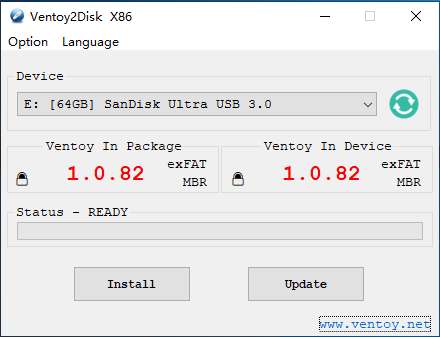
We need to create a USB flash drive that has everything required to boot into an operating system installation. You will need to obtain a USB flash drive that is at least 4GB. We will use [Ventoy](https://ventoy.net/en/index.html), an open-source utility that makes it easy to create a bootable USB flash drive.  
  
[![VirtualBox_Debian_24_02_2025_15_01_45.png](https://hub.subspace.services/uploads/images/gallery/2025-02/scaled-1680-/virtualbox-debian-24-02-2025-15-01-45.png)](https://hub.subspace.services/uploads/images/gallery/2025-02/virtualbox-debian-24-02-2025-15-01-45.png)  
First, we will need to download the latest version from their [downloads page](https://ventoy.net/en/download.html). We need to download the Windows ZIP and extract it with the Windows compression utility. Using the Ventoy application, we can install it onto our flash drive.

<p class="callout info">They [provide more in-depth installation procedures](https://www.ventoy.net/en/doc_start.html) should you need them.</p>

[![image.png](https://hub.subspace.services/uploads/images/gallery/2025-02/scaled-1680-/image.png)](https://hub.subspace.services/uploads/images/gallery/2025-02/image.png)

## Downloading Debian

Next, we need to get an installation disk image for our desires Linux distribution. For the broadest compatibility we'll be using [Debian, the "universal operating system"](https://www.debian.org/).

Before we can install Debian on our computer, we must first download the appropriate installation image.

<p class="callout info">The [AMD64 DVD installer](https://cdimage.debian.org/debian-cd/current/amd64/iso-dvd/) will work for most cases. </p>

Download the appropriate ISO file using your web browser.

## Finalizing the USB Boot Disk

Once downloaded, it needs to be copied to the USB flash drive. This can be accomplished by opening Windows Explorer and navigating to the USB drive named Ventoy. Copy the downloaded ISO file to this mounted drive.

[![image.png](https://hub.subspace.services/uploads/images/gallery/2025-02/scaled-1680-/iWVimage.png)](https://hub.subspace.services/uploads/images/gallery/2025-02/iWVimage.png)
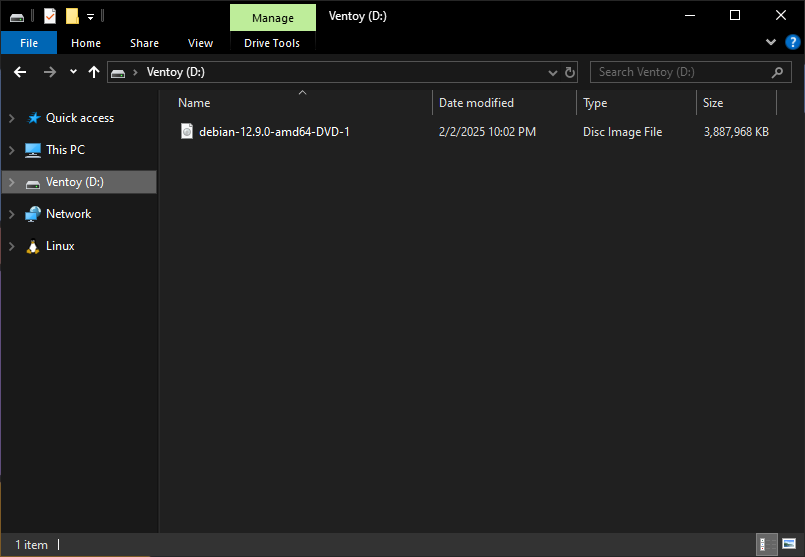
You now have a USB flash drive that can be used to install Debian Linux on most traditional computer systems.

<p class="callout info">This USB flash drive can be used to install other user-friendly distributions</p>

## Starting the Installer

In order to install Debian Linux, we need to boot into our [newly created Ventoy flash drive](https://hub.subspace.services/books/software/chapter/creating-a-bootable-usb "Creating a Bootable USB"). Due to a lack of standardization, different hardware will go about this differently.

<p class="callout danger">**Disable or unplug any hard drives that will not be used for the operating system.**  
This includes media, documents, and other data storage.</p>

Most commonly, the boot device can be selected by hitting a specific key while the computer is starting up.

[![1000006167.jpg](https://hub.subspace.services/uploads/images/gallery/2025-02/scaled-1680-/1000006167.jpg)](https://hub.subspace.services/uploads/images/gallery/2025-02/1000006167.jpg)
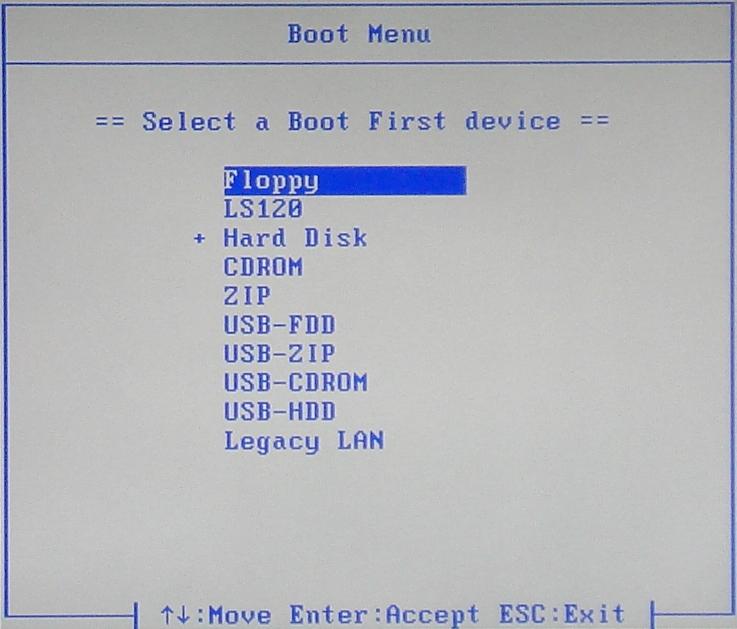
<p class="callout warning">Refer to your computer or motherboard manual for more information.</p>

These are some common keyboard commands to enter the boot menu by manufacturer:

<table border="1" id="bkmrk-asrock-f11-asus-f8-a" style="border-collapse: collapse; width: 100%; border-width: 1px;"><colgroup><col style="width: 49.8534%;"></col><col style="width: 49.8534%;"></col></colgroup><tbody><tr><td class="align-right">**ASRock**</td><td>F11</td></tr><tr><td class="align-right">**Asus**</td><td>F8</td></tr><tr><td class="align-right">**Acer**</td><td>Esc, F9 or F12</td></tr><tr><td class="align-right">**Dell**</td><td>F12</td></tr><tr><td class="align-right">**Gigabyte**</td><td>F12</td></tr><tr><td class="align-right">**HP**</td><td>Esc or F9</td></tr><tr><td class="align-right">**Intel**</td><td>F10</td></tr><tr><td class="align-right">**Lenovo**</td><td>F8 or F12</td></tr><tr><td class="align-right">**MSI**</td><td>F11</td></tr><tr><td class="align-right">**Samsung**</td><td>Esc or F2</td></tr><tr><td class="align-right">**Toshiba**</td><td>F12</td></tr></tbody></table>

<p class="callout info">Some media keyboards require that you press an FN key located along the bottom row in order to activate the function keys.</p>

Through the Boot Menu, we use the keyboard to navigate down to your USB flash drive. Depending on your system's manufacturer, the boot menu could list your USB flash drive as:

- "USB-HDD"
- Model Number (i.e. KingstonDT)
- Partition Name (i.e. Ventoy)

<p class="callout info">Make sure to boot in UEFI mode if this is presented as an option.</p>

## Installing Debian Linux

Once your computer has been booted using the USB flash drive, we should be presented with the Ventoy boot screen.

We should only have one option available "debian-12.9.0-AMD64-1" or similar, depending on the current Debian version.

Select this option by hitting Enter, then select "Boot in Normal Mode" to begin loading the Debian installer program.

<p class="callout danger">**Connect a hardwired Ethernet cable to your server directly from the router.**  
This is required for automatic updates and driver installation, including your wireless internet card.</p>

The Debian Installer will now ask us the preferred installation method and we will opt to use the "Graphical install."

[![VirtualBox_Debian_14_02_2025_17_11_45.png](https://hub.subspace.services/uploads/images/gallery/2025-02/scaled-1680-/virtualbox-debian-14-02-2025-17-11-45.png)](https://hub.subspace.services/uploads/images/gallery/2025-02/virtualbox-debian-14-02-2025-17-11-45.png)
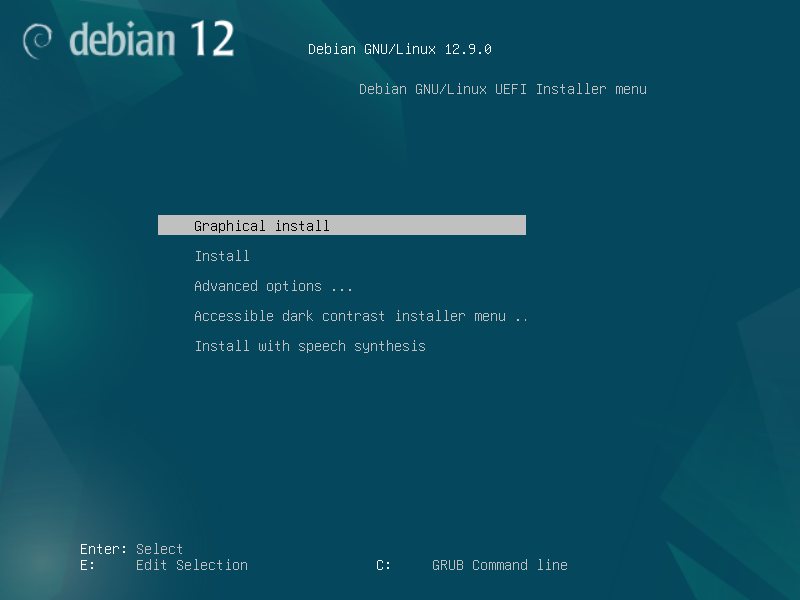
We can then select our preferred language, our geographic location, and which keyboard language we want to use.

<p class="callout info">If you are unsure, "Generic 104-key PC" is a good default setting for any keyboard with a Windows key.</p>

After we input this information, the installer will detect your computer's hardware and begin loading the required files for installation.

[![VirtualBox_Debian_14_02_2025_17_13_13.png](https://hub.subspace.services/uploads/images/gallery/2025-02/scaled-1680-/virtualbox-debian-14-02-2025-17-13-13.png)](https://hub.subspace.services/uploads/images/gallery/2025-02/virtualbox-debian-14-02-2025-17-13-13.png)
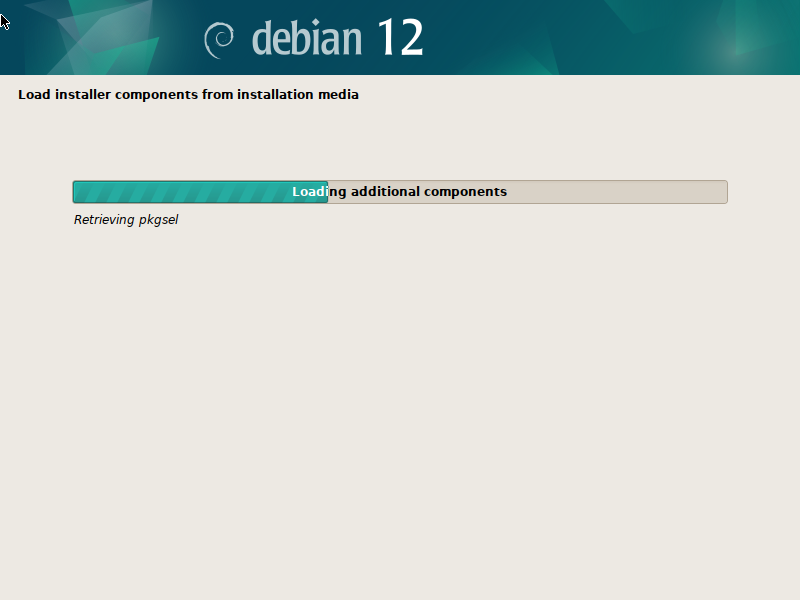
Once this is finished, we'll be asked to configure our network connection. We will be using LAN which requires your computer to be hardwired to your router with an Ethernet cable. The Debian installer should automatically get an IP address and connect to the internet.

[![VirtualBox_Debian_14_02_2025_17_17_00.png](https://hub.subspace.services/uploads/images/gallery/2025-02/scaled-1680-/virtualbox-debian-14-02-2025-17-17-00.png)](https://hub.subspace.services/uploads/images/gallery/2025-02/virtualbox-debian-14-02-2025-17-17-00.png)
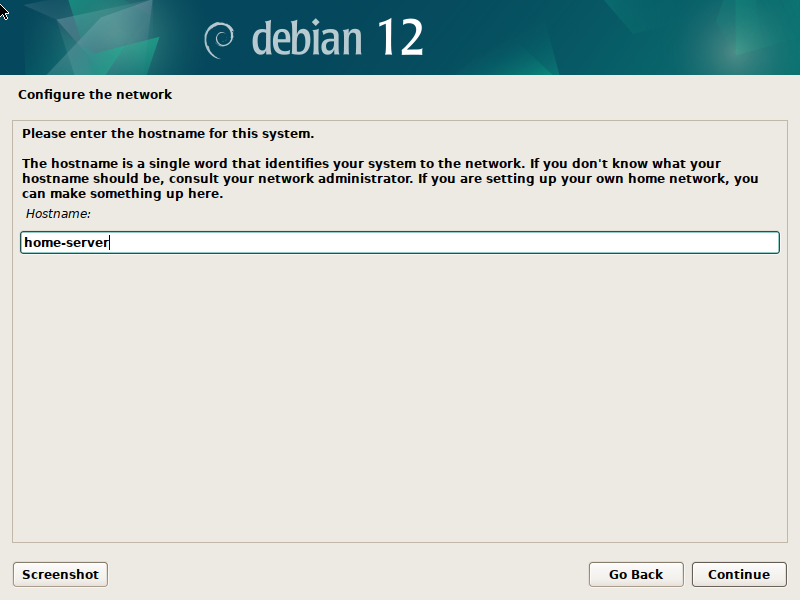
We can set the **Host Name** for our server, which affects how it is identified on the local network. Choose a name that is meaningful to you, or simply name it "home-server". Additionally, we can leave the **Domain Name** blank.

[![VirtualBox_Debian_14_02_2025_17_17_33.png](https://hub.subspace.services/uploads/images/gallery/2025-02/scaled-1680-/virtualbox-debian-14-02-2025-17-17-33.png)](https://hub.subspace.services/uploads/images/gallery/2025-02/virtualbox-debian-14-02-2025-17-17-33.png)
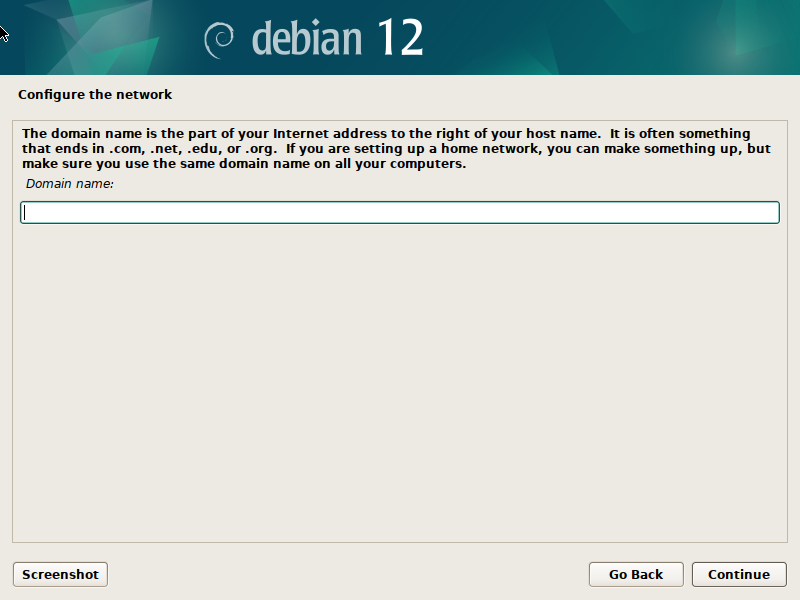
Next, we will set a password for the Root account, which is the most powerful account on the server that has direct access to and control over all system functions.

[![VirtualBox_Debian_14_02_2025_17_18_02.png](https://hub.subspace.services/uploads/images/gallery/2025-02/scaled-1680-/virtualbox-debian-14-02-2025-17-18-02.png)](https://hub.subspace.services/uploads/images/gallery/2025-02/virtualbox-debian-14-02-2025-17-18-02.png)
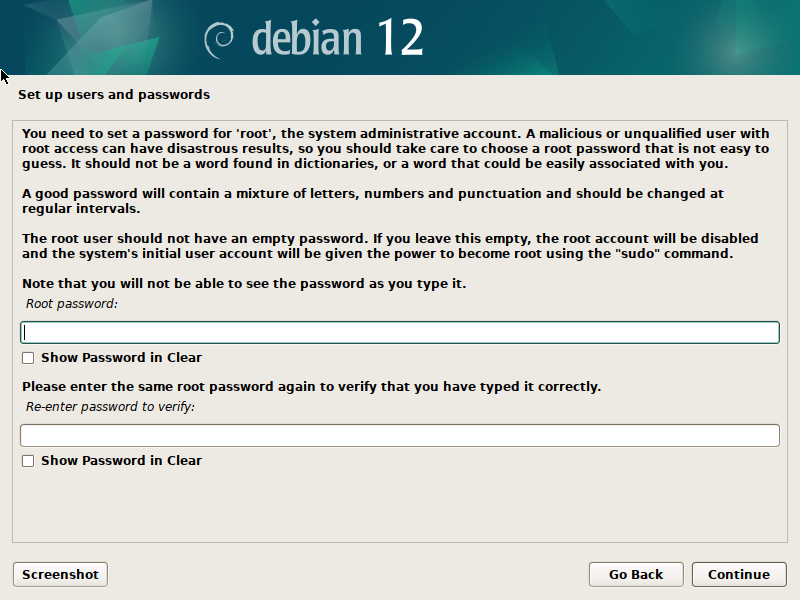
<p class="callout danger">We recommend using a password you've never used before that contains letters, numbers and special characters. Store this password in a secure place.</p>

After the **Root** account is secured, we can make our user account. This profile will have fewer access privileges by default to increase server security. As needed, we can log in as Root to do server administrative tasks. Enter your full name, or the friendly name displayed during login, as well as an account user name. On the next page, we can choose and verify this user account's password.

<p class="callout warning">We recommend using a different password for your user and root accounts for increased security.</p>

[![VirtualBox_Debian_14_02_2025_17_20_46.png](https://hub.subspace.services/uploads/images/gallery/2025-02/scaled-1680-/virtualbox-debian-14-02-2025-17-20-46.png)](https://hub.subspace.services/uploads/images/gallery/2025-02/virtualbox-debian-14-02-2025-17-20-46.png)

Once our accounts are finalized, we can choose our server's time zone.

[![VirtualBox_Debian_14_02_2025_17_22_24.png](https://hub.subspace.services/uploads/images/gallery/2025-02/scaled-1680-/virtualbox-debian-14-02-2025-17-22-24.png)](https://hub.subspace.services/uploads/images/gallery/2025-02/virtualbox-debian-14-02-2025-17-22-24.png)
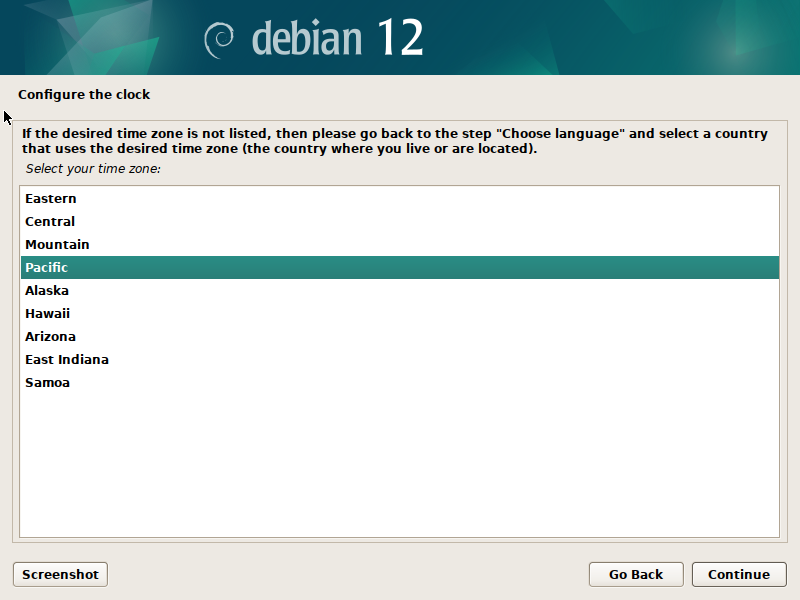
<p class="callout danger">**Ensure all non-system hard drives are physically disconnected.**  
This includes media, documents, and other data storage.</p>

Next, we will need to begin setting up our storage drives for an operating system. The Debian installer will detect any hard drives available in your system.

[![VirtualBox_Debian_14_02_2025_17_23_01.png](https://hub.subspace.services/uploads/images/gallery/2025-02/scaled-1680-/virtualbox-debian-14-02-2025-17-23-01.png)](https://hub.subspace.services/uploads/images/gallery/2025-02/virtualbox-debian-14-02-2025-17-23-01.png)
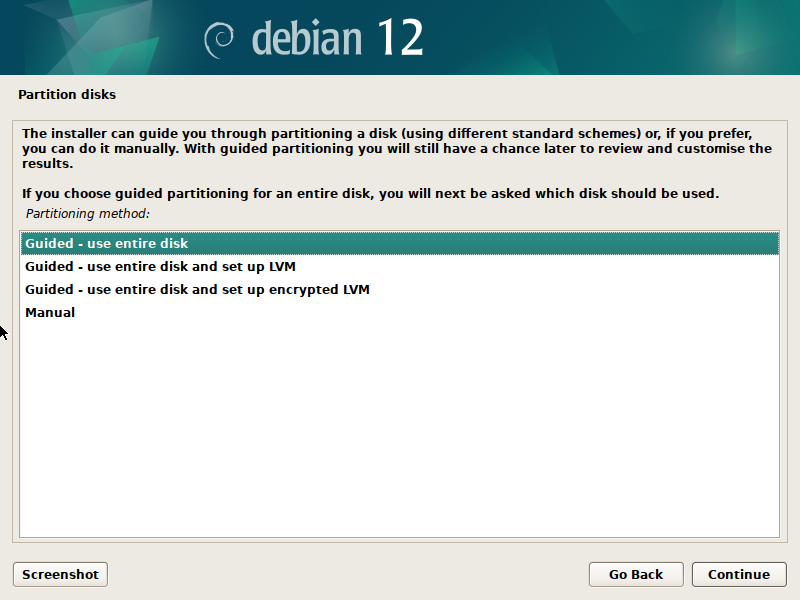
We will be choosing "Guided - Entire disk" which will reformat the entire drive for use by the Linux operating system. There should only be one disk available because we disconnected the others.

<p class="callout danger">**We are erasing the selected disk.**  
Always make sure you have backed up all important files from this drive.  
</p>

[![VirtualBox_Debian_14_02_2025_17_24_24.png](https://hub.subspace.services/uploads/images/gallery/2025-02/scaled-1680-/virtualbox-debian-14-02-2025-17-24-24.png)](https://hub.subspace.services/uploads/images/gallery/2025-02/virtualbox-debian-14-02-2025-17-24-24.png)

Once we confirm we will installing Debian on this disk drive, we will be asked how we want to partition the drive. We will select "Contiguous - all files in one partition" for simplicity. This is what Debian recommends for users who are new to Linux-based operating systems.

[![VirtualBox_Debian_14_02_2025_17_26_29.png](https://hub.subspace.services/uploads/images/gallery/2025-02/scaled-1680-/virtualbox-debian-14-02-2025-17-26-29.png)](https://hub.subspace.services/uploads/images/gallery/2025-02/virtualbox-debian-14-02-2025-17-26-29.png)
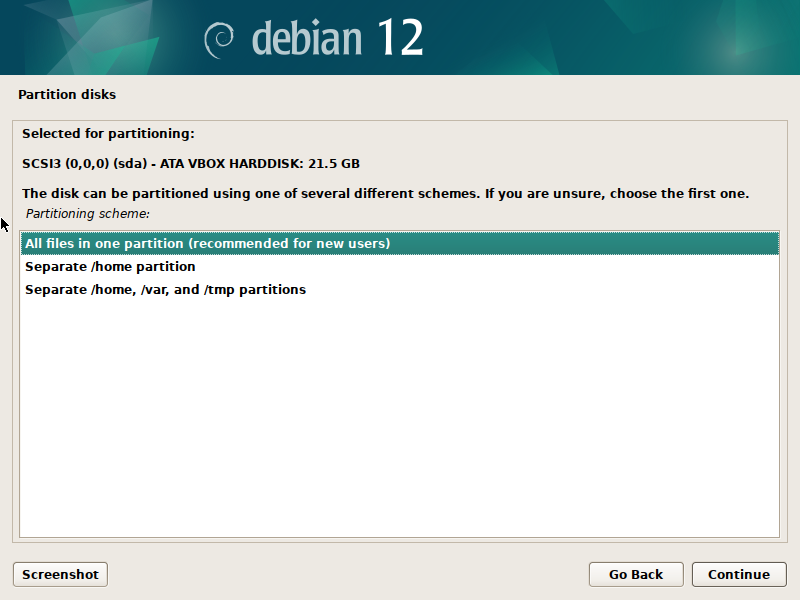
Once we hit Continue, we will be given a quick overview of the changes being made. We should have three partitions being created on the hard disk.

[![VirtualBox_Debian_14_02_2025_17_28_33.png](https://hub.subspace.services/uploads/images/gallery/2025-02/scaled-1680-/virtualbox-debian-14-02-2025-17-28-33.png)](https://hub.subspace.services/uploads/images/gallery/2025-02/virtualbox-debian-14-02-2025-17-28-33.png)
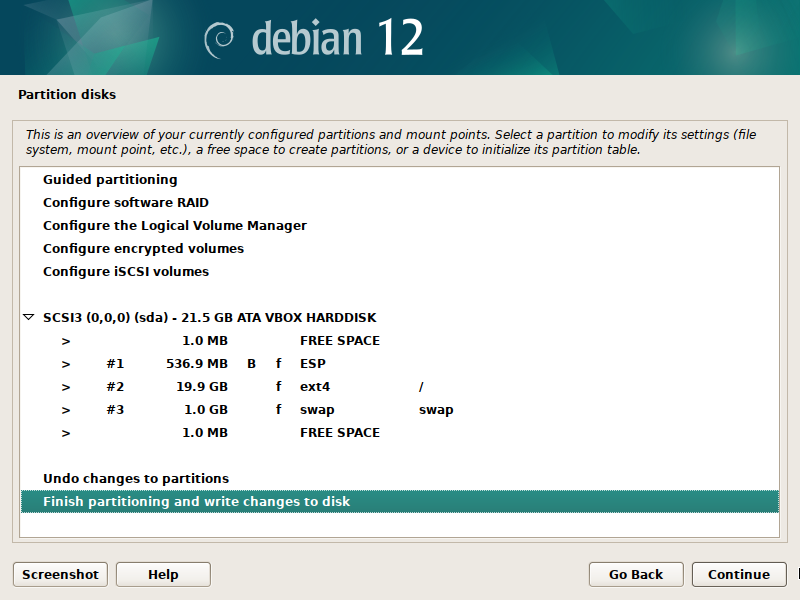
After we select Continue, we will be given one final warning about the changes being written to our disk. You will need to select 'yes' before you can move on to the next step.

[![VirtualBox_Debian_14_02_2025_17_29_57.png](https://hub.subspace.services/uploads/images/gallery/2025-02/scaled-1680-/virtualbox-debian-14-02-2025-17-29-57.png)](https://hub.subspace.services/uploads/images/gallery/2025-02/virtualbox-debian-14-02-2025-17-29-57.png)
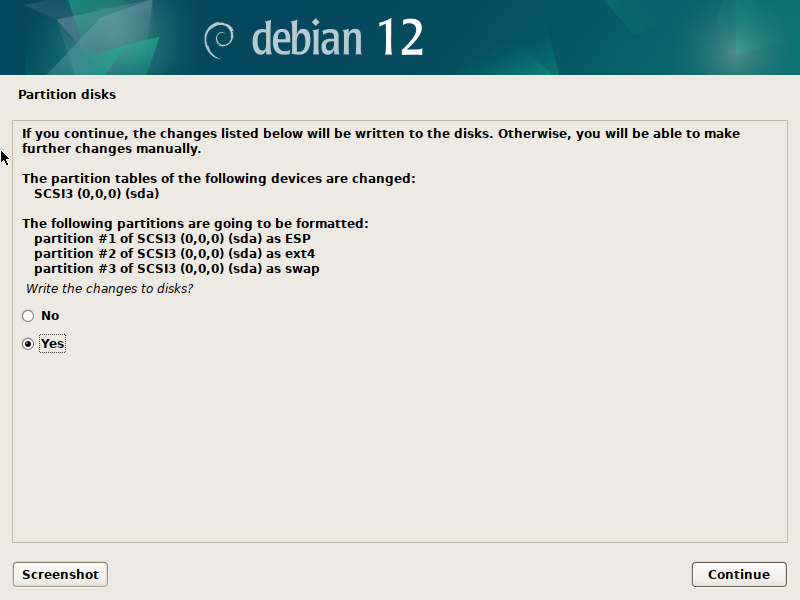
<p class="callout danger">**Final Warning**  
Hitting Continue will erase your drive.</p>

Debian will format your hard drive and begin to install the base operating system on it.

[![VirtualBox_Debian_14_02_2025_17_30_40.png](https://hub.subspace.services/uploads/images/gallery/2025-02/scaled-1680-/virtualbox-debian-14-02-2025-17-30-40.png)](https://hub.subspace.services/uploads/images/gallery/2025-02/virtualbox-debian-14-02-2025-17-30-40.png)
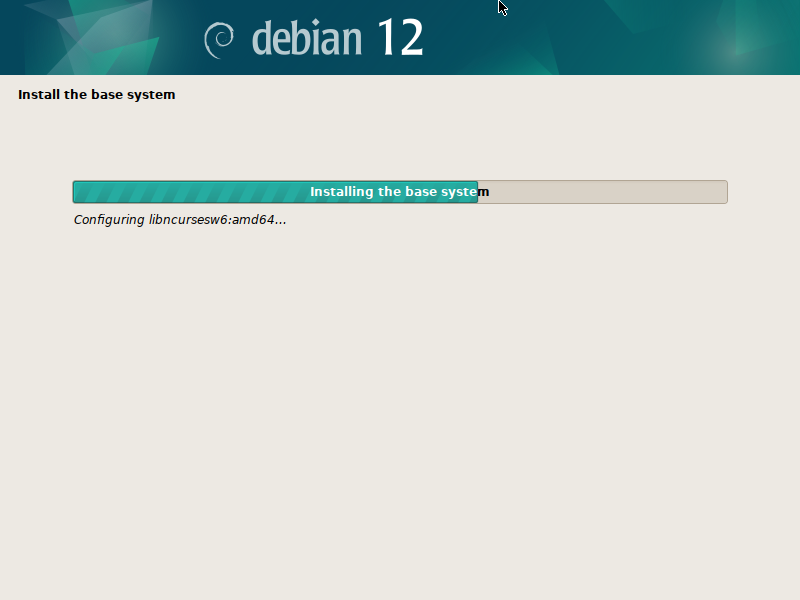
You will receive a prompt about configuring the package manager. This is because we are installing from a USB flash drive and we have the option to load additional installation files from another disk. We will select 'no' and continue.

[![VirtualBox_Debian_14_02_2025_17_34_17.png](https://hub.subspace.services/uploads/images/gallery/2025-02/scaled-1680-/virtualbox-debian-14-02-2025-17-34-17.png)](https://hub.subspace.services/uploads/images/gallery/2025-02/virtualbox-debian-14-02-2025-17-34-17.png)
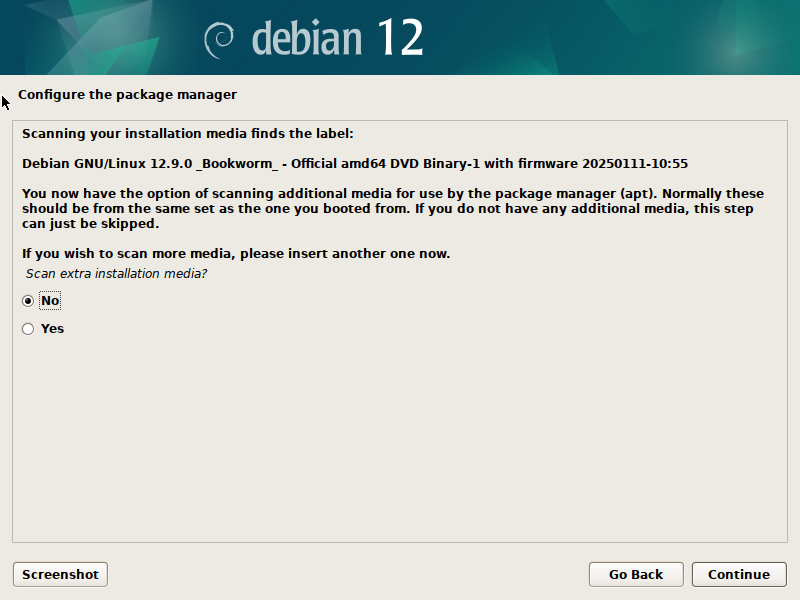
On the next page, we can choose to use a network mirror.

[![VirtualBox_Debian_14_02_2025_17_34_50.png](https://hub.subspace.services/uploads/images/gallery/2025-02/scaled-1680-/virtualbox-debian-14-02-2025-17-34-50.png)](https://hub.subspace.services/uploads/images/gallery/2025-02/virtualbox-debian-14-02-2025-17-34-50.png)
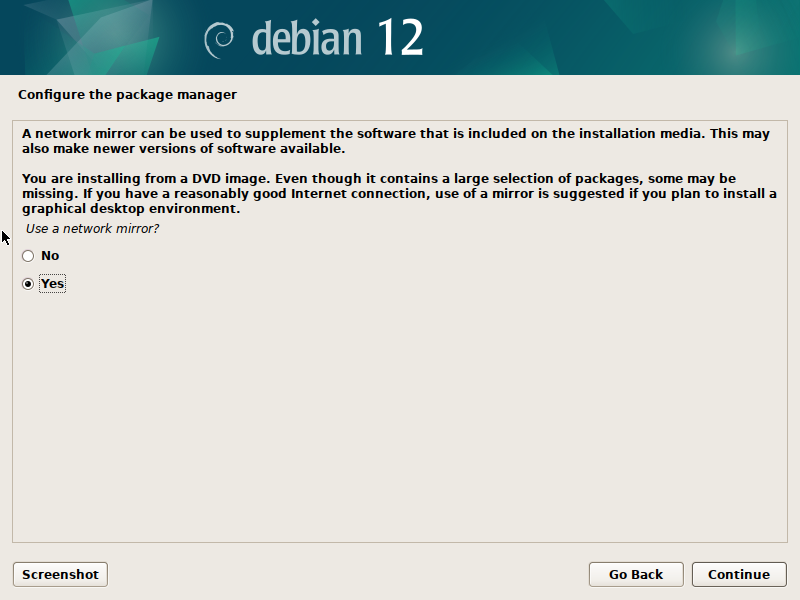
It can improve update download speeds by retrieving them from a server closer to your location. This mirror will also be used to download software updates during the install process. Select 'Yes'.

[![VirtualBox_Debian_14_02_2025_17_38_35.png](https://hub.subspace.services/uploads/images/gallery/2025-02/scaled-1680-/virtualbox-debian-14-02-2025-17-38-35.png)](https://hub.subspace.services/uploads/images/gallery/2025-02/virtualbox-debian-14-02-2025-17-38-35.png)
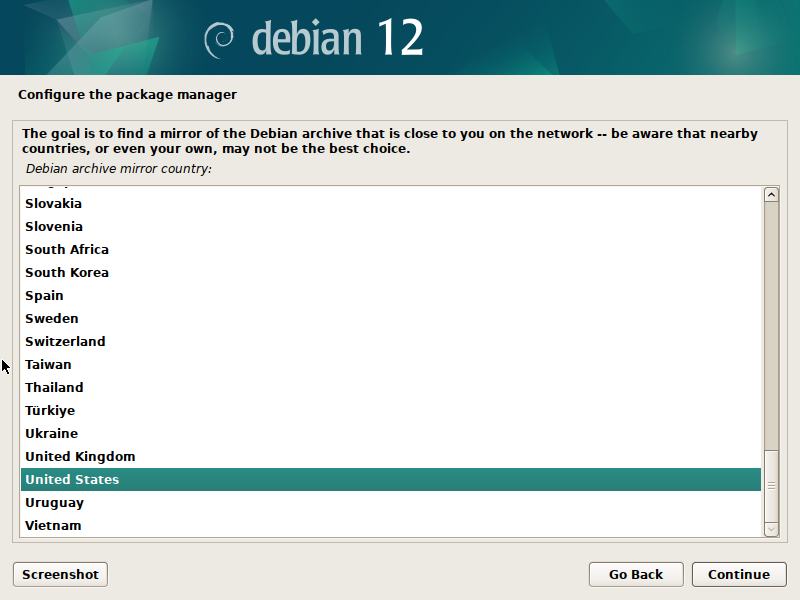
Select your country and hit 'next'. From here, we can safely choose the network mirror listed at the top.

[![VirtualBox_Debian_14_02_2025_17_43_13.png](https://hub.subspace.services/uploads/images/gallery/2025-02/scaled-1680-/virtualbox-debian-14-02-2025-17-43-13.png)](https://hub.subspace.services/uploads/images/gallery/2025-02/virtualbox-debian-14-02-2025-17-43-13.png)
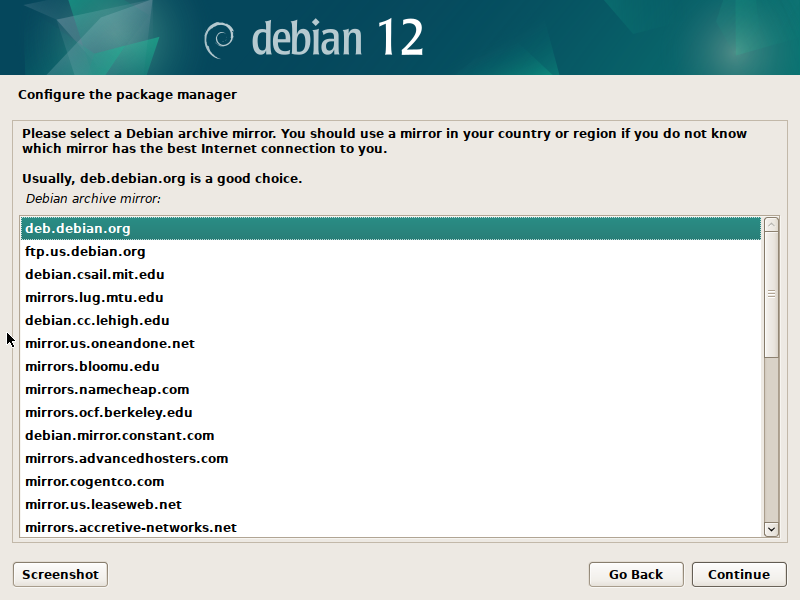
Hit 'continue' and you will be asked about an HTTP proxy. We can leave this empty and hit 'continue' again.

[![VirtualBox_Debian_14_02_2025_17_44_17.png](https://hub.subspace.services/uploads/images/gallery/2025-02/scaled-1680-/virtualbox-debian-14-02-2025-17-44-17.png)](https://hub.subspace.services/uploads/images/gallery/2025-02/virtualbox-debian-14-02-2025-17-44-17.png)
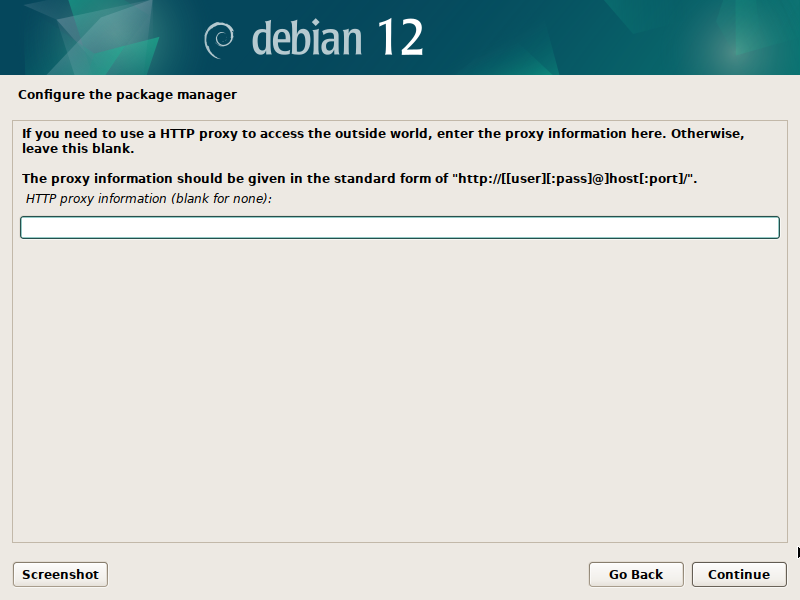
The Debian Installer will select software to install and being the process of retrieving updates from the internet as required.

[![VirtualBox_Debian_14_02_2025_17_49_13.png](https://hub.subspace.services/uploads/images/gallery/2025-02/scaled-1680-/virtualbox-debian-14-02-2025-17-49-13.png)](https://hub.subspace.services/uploads/images/gallery/2025-02/virtualbox-debian-14-02-2025-17-49-13.png)
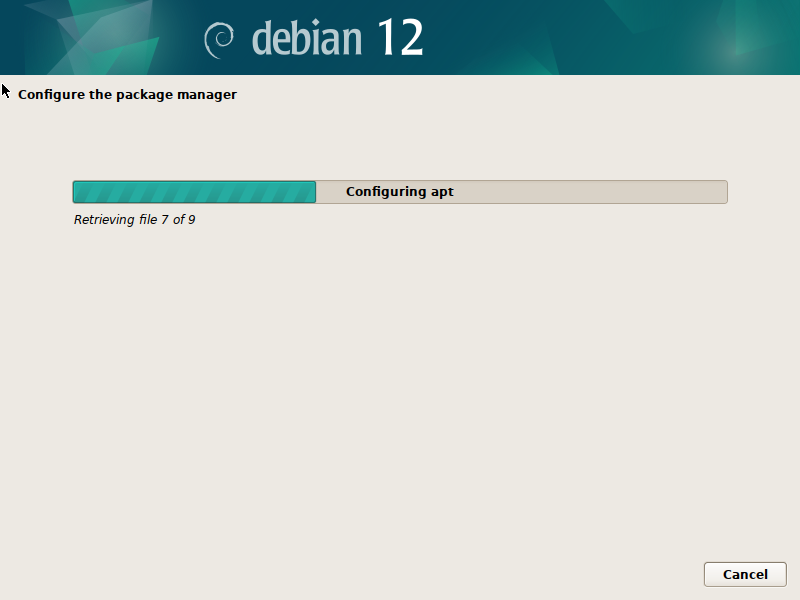
Next, we can choose to opt-in to the "[popularity contest](https://popcon.debian.org/)" which periodically returns anonymized software install and usage metrics to Debian for use by developers.

[![VirtualBox_Debian_14_02_2025_17_50_42.png](https://hub.subspace.services/uploads/images/gallery/2025-02/scaled-1680-/virtualbox-debian-14-02-2025-17-50-42.png)](https://hub.subspace.services/uploads/images/gallery/2025-02/virtualbox-debian-14-02-2025-17-50-42.png)  
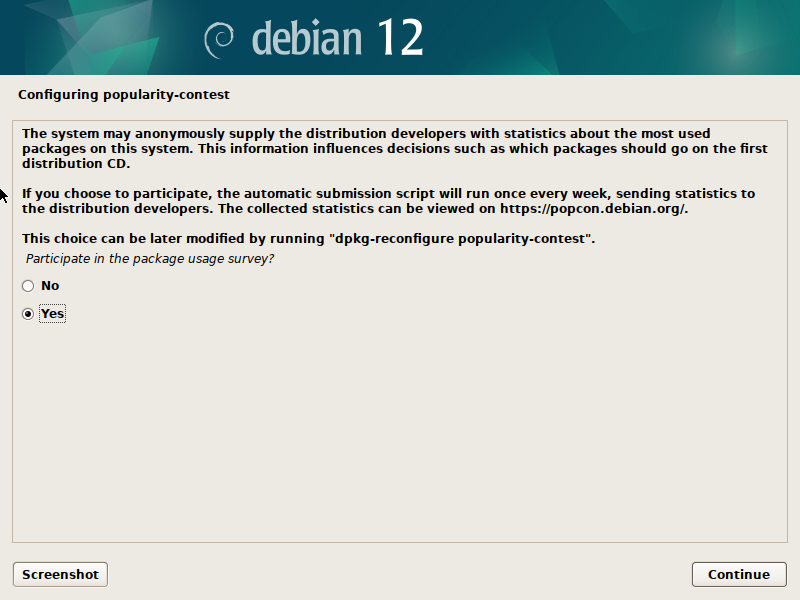
  
Finally, we will be choosing our Desktop Environment. This operating system can act as the foundation for many different Desktop Environments which control the user interface and experience. This is a matter of personal preference that can affect which software is installed by default.

For simplicity sake, we will use the default Desktop Environment and select Gnome.

On this last screen, we can also choose to install SSH to allow for remote access. We will chose to install it and save a step later.

[![VirtualBox_Debian_14_02_2025_17_51_45.png](https://hub.subspace.services/uploads/images/gallery/2025-02/scaled-1680-/virtualbox-debian-14-02-2025-17-51-45.png)](https://hub.subspace.services/uploads/images/gallery/2025-02/virtualbox-debian-14-02-2025-17-51-45.png)
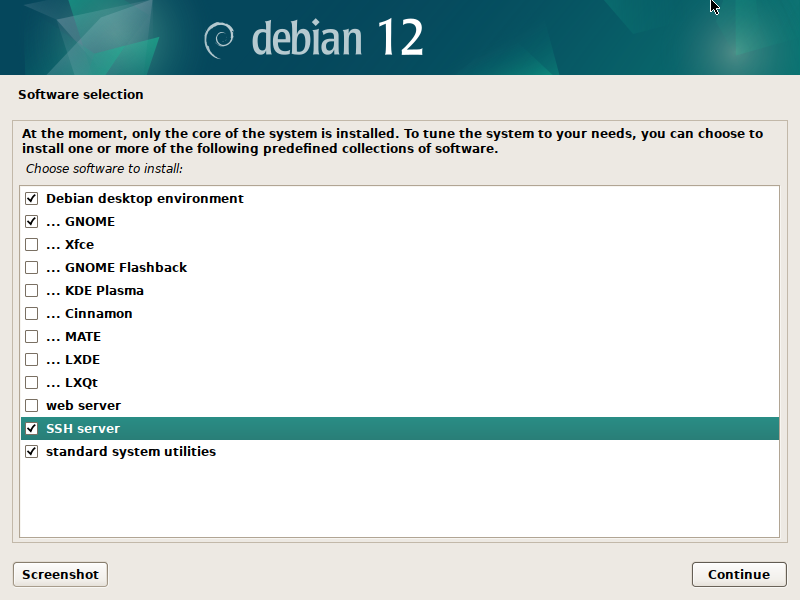
We can hit 'Continue' one final time now that everything is configured.

<p class="callout warning">Debian will begin the installation process.</p>

[![VirtualBox_Debian_14_02_2025_17_52_45.png](https://hub.subspace.services/uploads/images/gallery/2025-02/scaled-1680-/virtualbox-debian-14-02-2025-17-52-45.png)](https://hub.subspace.services/uploads/images/gallery/2025-02/virtualbox-debian-14-02-2025-17-52-45.png)

If you are using a BIOS motherboard that doesn't support UEFI, you may have an additional step asking where to install the GRUB bootloader. Select 'Yes'.

[![VirtualBox_Plasma_02_04_2025_12_45_31.png](https://hub.subspace.services/uploads/images/gallery/2025-04/scaled-1680-/virtualbox-plasma-02-04-2025-12-45-31.png)](https://hub.subspace.services/uploads/images/gallery/2025-04/virtualbox-plasma-02-04-2025-12-45-31.png)
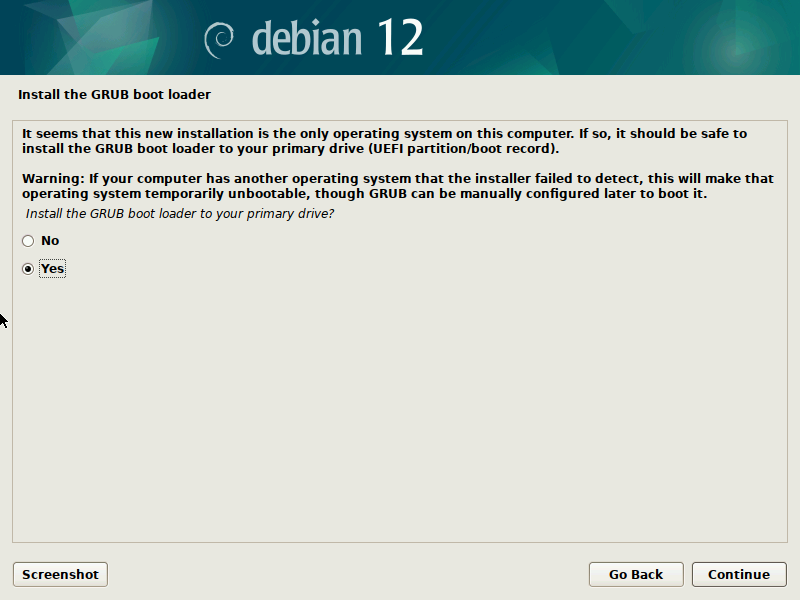
You should select the same storage drive as you installed Debian. This should be the only storage drive listed.

[![VirtualBox_Plasma_02_04_2025_12_46_22.png](https://hub.subspace.services/uploads/images/gallery/2025-04/scaled-1680-/virtualbox-plasma-02-04-2025-12-46-22.png)](https://hub.subspace.services/uploads/images/gallery/2025-04/virtualbox-plasma-02-04-2025-12-46-22.png)
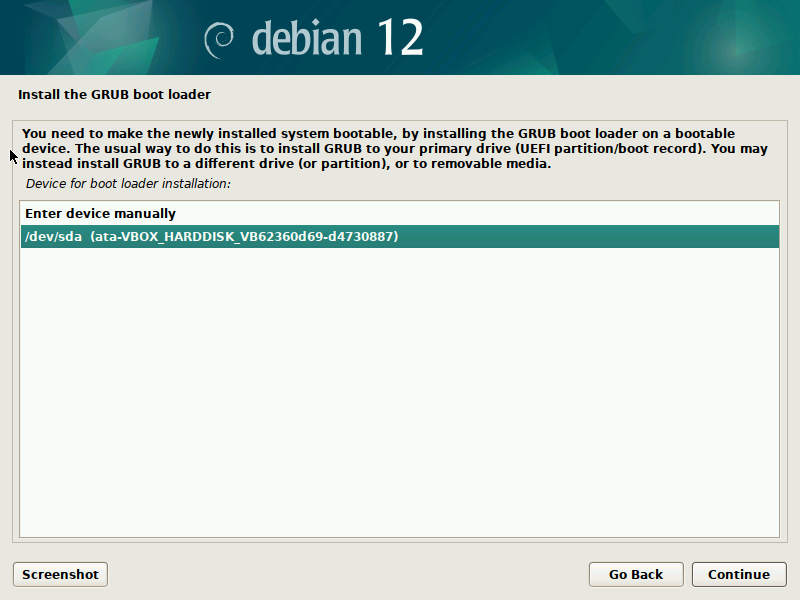
Once the files are copied, the installer will tell us to remove the USB flash drive before restarting the computer to finish the installation.

[![VirtualBox_Debian_14_02_2025_17_59_33.png](https://hub.subspace.services/uploads/images/gallery/2025-02/scaled-1680-/virtualbox-debian-14-02-2025-17-59-33.png)](https://hub.subspace.services/uploads/images/gallery/2025-02/virtualbox-debian-14-02-2025-17-59-33.png)
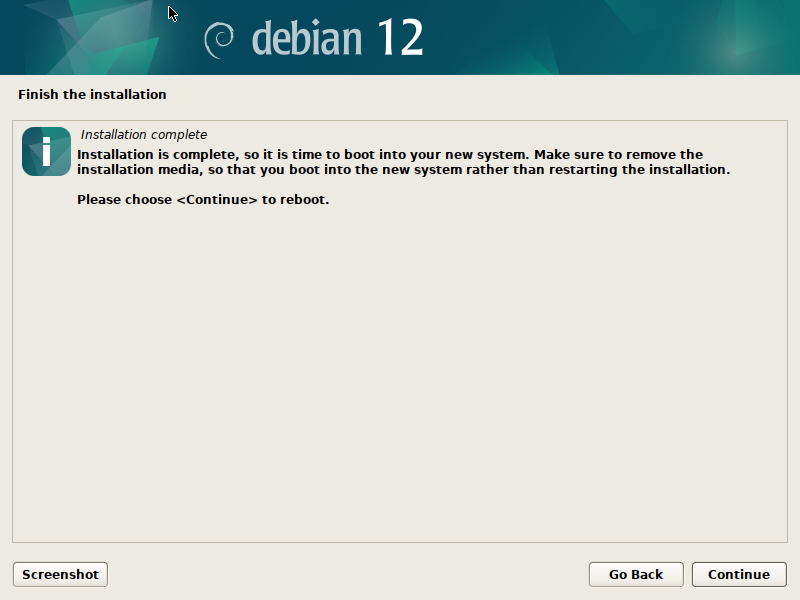
## Finalizing Installation

Once the computer has started, we should be able to see the GRUB boot loader. After five seconds, it will automatically boot into the Debian operating system.

[![VirtualBox_Debian_14_02_2025_18_00_28.png](https://hub.subspace.services/uploads/images/gallery/2025-02/scaled-1680-/virtualbox-debian-14-02-2025-18-00-28.png)](https://hub.subspace.services/uploads/images/gallery/2025-02/virtualbox-debian-14-02-2025-18-00-28.png)
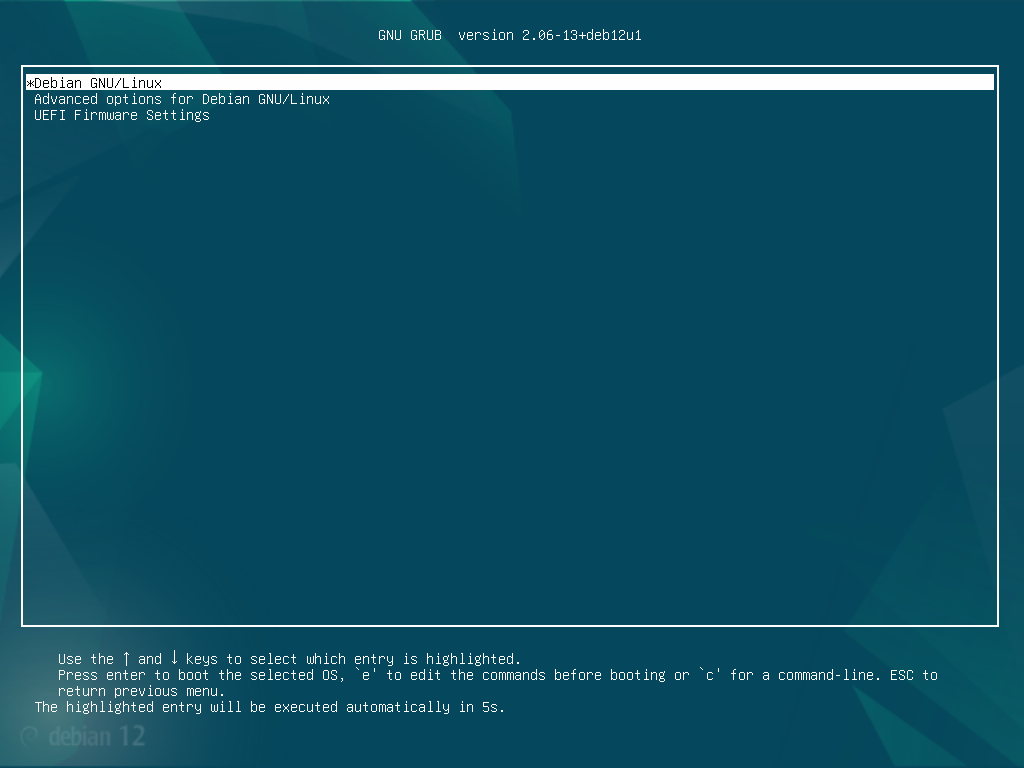
Now, we need to login with the user account and password we set up during the installation.

[![VirtualBox_Debian_14_02_2025_18_01_46.png](https://hub.subspace.services/uploads/images/gallery/2025-02/scaled-1680-/virtualbox-debian-14-02-2025-18-01-46.png)](https://hub.subspace.services/uploads/images/gallery/2025-02/virtualbox-debian-14-02-2025-18-01-46.png)
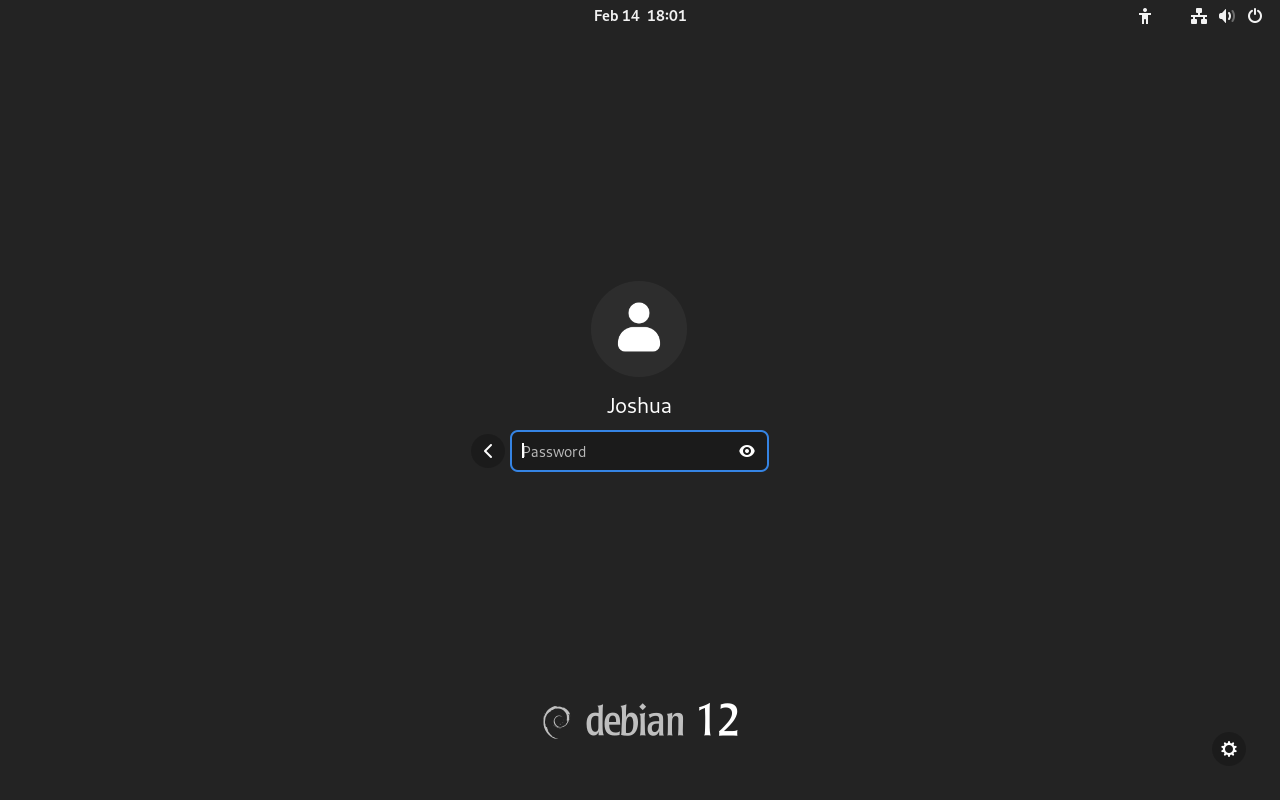
<p class="callout warning">You cannot access the root account through this login screen.</p>

After logging in, we will be greeted with the welcome screen for our user account setup process.

[![VirtualBox_Debian_14_02_2025_18_02_23.png](https://hub.subspace.services/uploads/images/gallery/2025-02/scaled-1680-/virtualbox-debian-14-02-2025-18-02-23.png)](https://hub.subspace.services/uploads/images/gallery/2025-02/virtualbox-debian-14-02-2025-18-02-23.png)
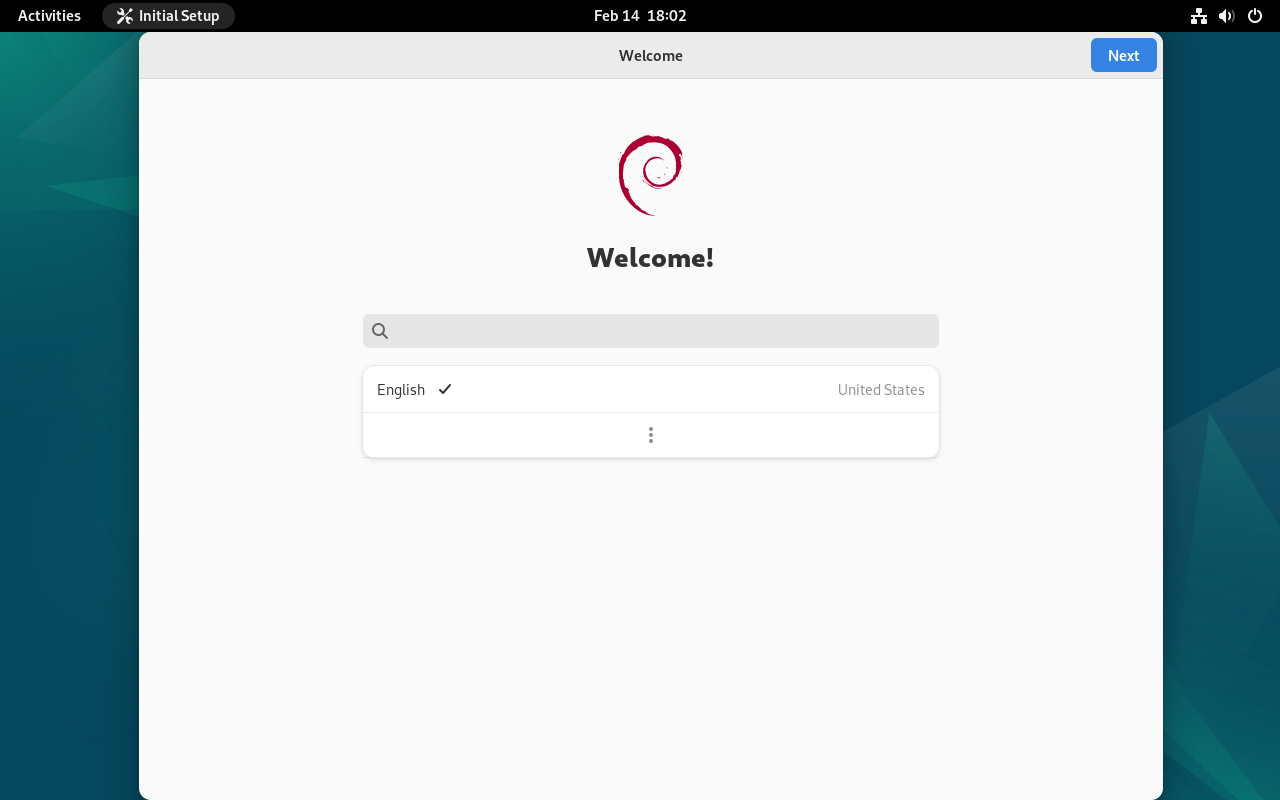
We can select our keyboard language settings.

[![VirtualBox_Debian_14_02_2025_18_03_10.png](https://hub.subspace.services/uploads/images/gallery/2025-02/scaled-1680-/virtualbox-debian-14-02-2025-18-03-10.png)](https://hub.subspace.services/uploads/images/gallery/2025-02/virtualbox-debian-14-02-2025-18-03-10.png)
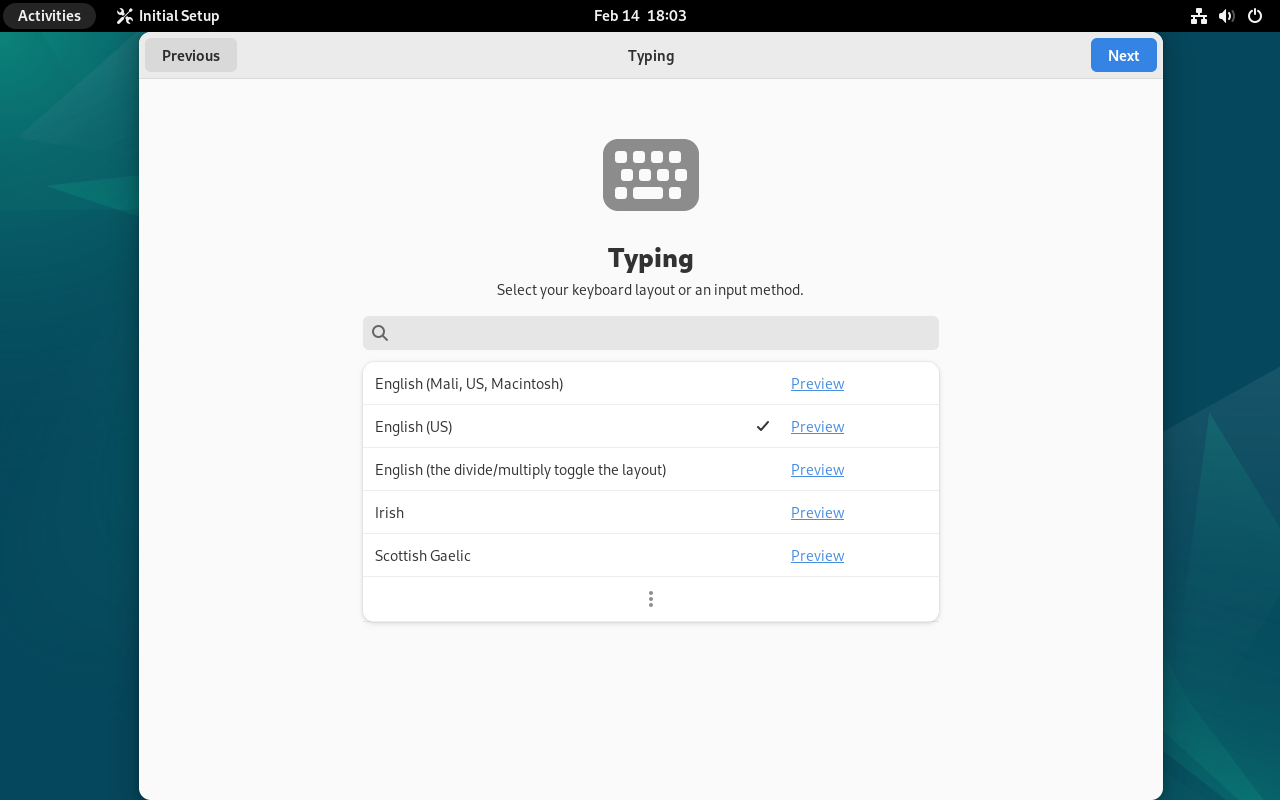
We can also choose to leave "Location Services" enabled, or disable it for increase privacy.

[![VirtualBox_Debian_14_02_2025_18_03_47.png](https://hub.subspace.services/uploads/images/gallery/2025-02/scaled-1680-/virtualbox-debian-14-02-2025-18-03-47.png)](https://hub.subspace.services/uploads/images/gallery/2025-02/virtualbox-debian-14-02-2025-18-03-47.png)
We will be asked to login to our online accounts, but we can skip this.

[![VirtualBox_Debian_14_02_2025_18_04_57.png](https://hub.subspace.services/uploads/images/gallery/2025-02/scaled-1680-/virtualbox-debian-14-02-2025-18-04-57.png)](https://hub.subspace.services/uploads/images/gallery/2025-02/virtualbox-debian-14-02-2025-18-04-57.png)
We can now start using Debian and installing the software necessary to host a home server.

[![VirtualBox_Debian_14_02_2025_18_05_23.png](https://hub.subspace.services/uploads/images/gallery/2025-02/scaled-1680-/virtualbox-debian-14-02-2025-18-05-23.png)](https://hub.subspace.services/uploads/images/gallery/2025-02/virtualbox-debian-14-02-2025-18-05-23.png)
[<button class="nav-button" type="button">Configure the Operating System</button>](https://hub.subspace.services/books/software/chapter/configuring-debian "Next Steps")

# Single-Board Computers

Raspberry Pi computers use an SD card that needs to be "flashed" with an operating system. This process writes files to the SD card while it's connected to a Windows, MacOS or Linux machine through a USB connection.

[![1000000274.jpg](https://hub.subspace.services/uploads/images/gallery/2025-05/scaled-1680-/1000000274.jpg)](https://hub.subspace.services/uploads/images/gallery/2025-05/1000000274.jpg)
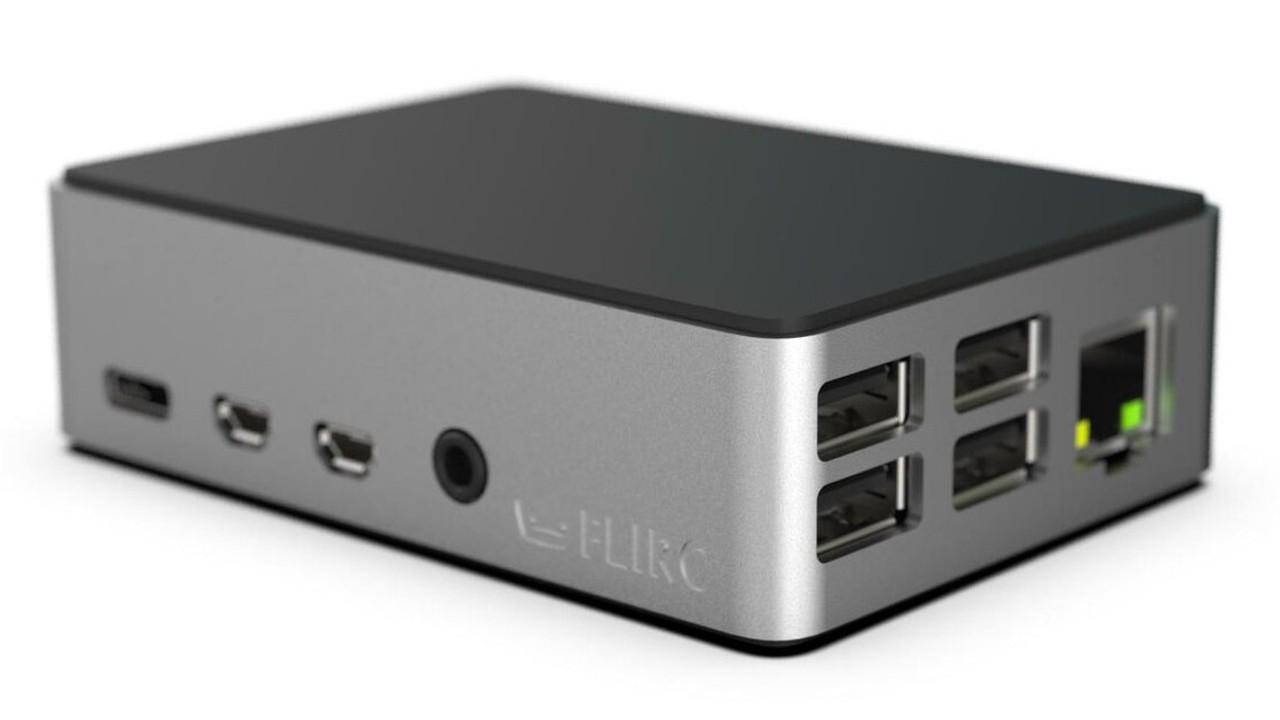
## <span class="mw-headline" id="bkmrk-raspberry-pi-imager-1">Raspberry Pi Imager</span>

This is the official Raspberry Pi solution for flashing image files to the SD card, which is an integral part of the microcomputer ecosystem. This also allows you to quickly configure Raspberry Pi OS, such as configuring Wi-Fi, changing the computer's host name, and enabling SSH for remote access. By default, Wi-Fi and Bluetooth are enabled.

<p class="callout info">You can download [Raspberry Pi Imager](https://www.raspberrypi.com/software/) from their website.</p>

First, you will need to install the Raspberry Pi Imager.

[![image.png](https://hub.subspace.services/uploads/images/gallery/2025-02/scaled-1680-/y9dimage.png)](https://hub.subspace.services/uploads/images/gallery/2025-02/y9dimage.png)
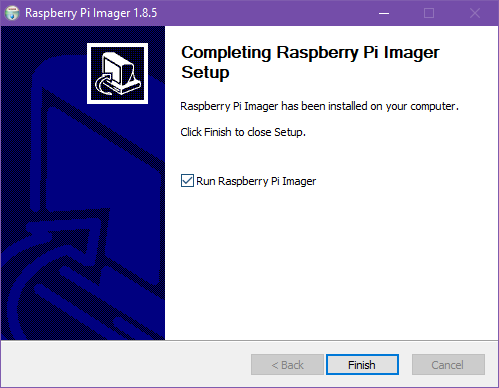
Once the install process is completed, you can open the Raspberry Pi Imager software.

<p class="callout warning">You will be prompted for administrator access to the computer.</p>

[![image.png](https://hub.subspace.services/uploads/images/gallery/2025-02/scaled-1680-/w8gimage.png)](https://hub.subspace.services/uploads/images/gallery/2025-02/w8gimage.png)

Now we can attach our MicroSD card to the computer using a USB to MicroSD card adapter. Once we have connected the drive, we can click "Choose Device" to model of Raspberry Pi we are using.

[![raspberry-pi-5-isolated-on-600nw-2389181747.webp](https://hub.subspace.services/uploads/images/gallery/2025-02/scaled-1680-/raspberry-pi-5-isolated-on-600nw-2389181747.webp)](https://hub.subspace.services/uploads/images/gallery/2025-02/raspberry-pi-5-isolated-on-600nw-2389181747.webp)
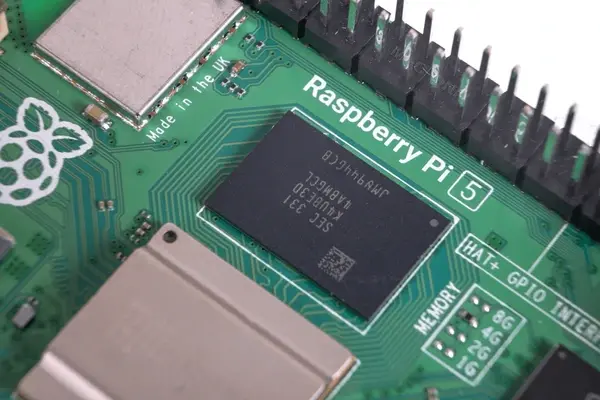
Be sure to select your correct model for best performance. If you are unsure, the model number is printed on the board itself below the GPIO pins.

<p class="callout info">[Raspberry Pi Official installation video](https://www.youtube.com/watch?v=ntaXWS8Lk34)</p>

[![image.png](https://hub.subspace.services/uploads/images/gallery/2025-02/scaled-1680-/q60image.png)](https://hub.subspace.services/uploads/images/gallery/2025-02/q60image.png)

With our model selected, we can move on to selecting our operating system.

[![image.png](https://hub.subspace.services/uploads/images/gallery/2025-02/scaled-1680-/9Ojimage.png)](https://hub.subspace.services/uploads/images/gallery/2025-02/9Ojimage.png)
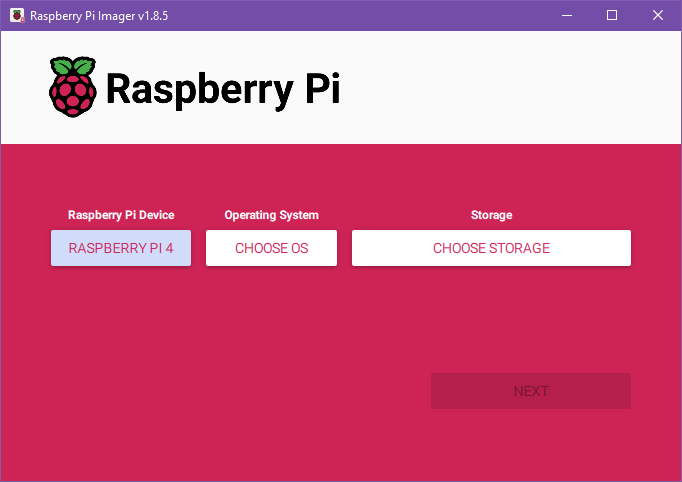
We will be using the recommended Raspberry Pi OS (64-bit). Some services do not work on the Raspberry Pi using a 64-bit operating system and this will require using the 32-bit edition, but this should be avoided if not required.

[![image.png](https://hub.subspace.services/uploads/images/gallery/2025-02/scaled-1680-/2Bximage.png)](https://hub.subspace.services/uploads/images/gallery/2025-02/2Bximage.png)
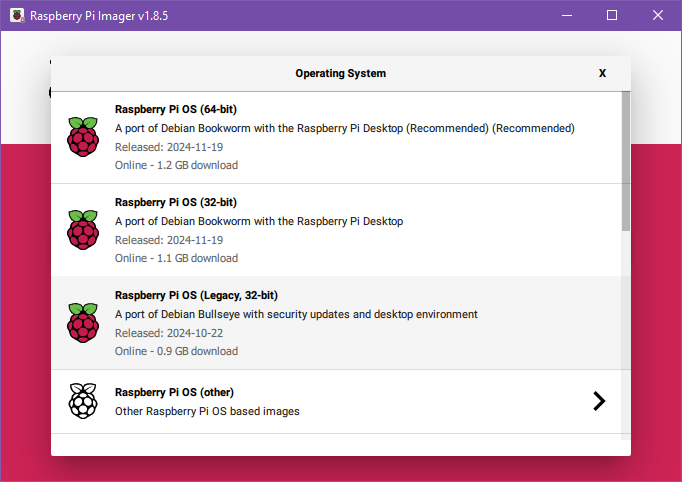
Finally, we can select the storage device we want to install our operating system. This is the USB to MicroSD card adapter we plugged in. The Raspberry Pi Imager will hide system and internal hard drives. We will select our USB drive.

[![image.png](https://hub.subspace.services/uploads/images/gallery/2025-02/scaled-1680-/5KGimage.png)](https://hub.subspace.services/uploads/images/gallery/2025-02/5KGimage.png)
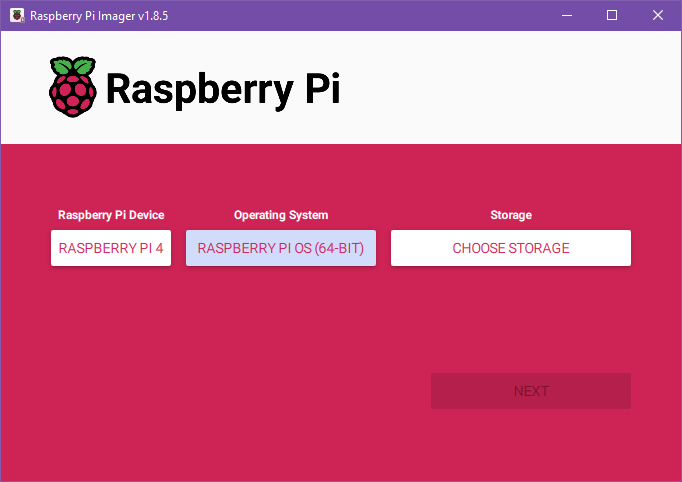
Depending on how your MicroSD card is formatted and how many devices you have plugged in, this screen may look different. Verify that you are selecting the correct drive.

[![image.png](https://hub.subspace.services/uploads/images/gallery/2025-02/scaled-1680-/wloimage.png)](https://hub.subspace.services/uploads/images/gallery/2025-02/wloimage.png)
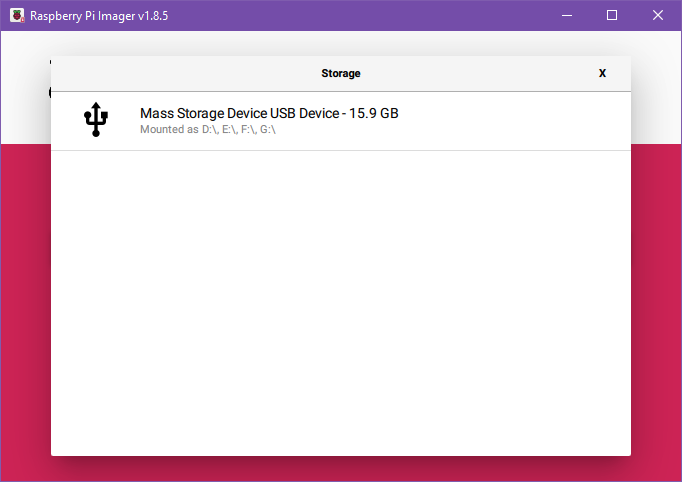
<p class="callout danger">This process will irrevocably erase the data on this SD card. Ensure all important data has been backed up first.</p>

Once our SD card is selected, we can hit "Next" to begin the configuration process. We will be presenting with a pop-up asking us if we want to apply OS customization settings. Select "Edit Settings".

[![image.png](https://hub.subspace.services/uploads/images/gallery/2025-02/scaled-1680-/VxWimage.png)](https://hub.subspace.services/uploads/images/gallery/2025-02/VxWimage.png)
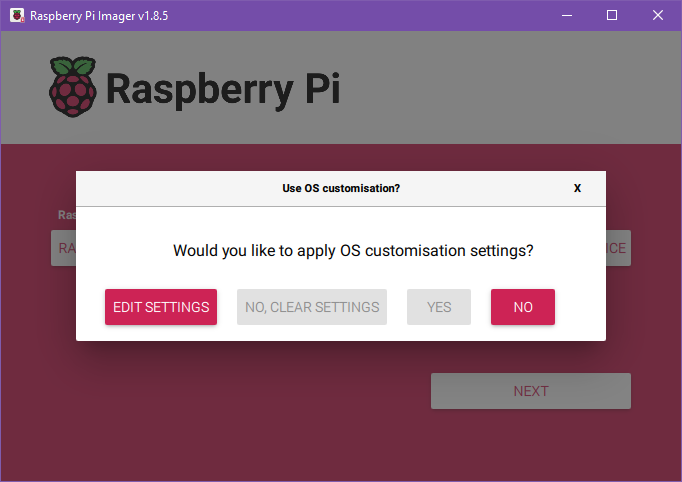
First, we will need to configure general settings. Our "hostname" signifies how our server will report itself to the local network. Next, we will need to set our username and password. We will not be using Wi-Fi for our server, so we can leave this section blank. Optionally, we can also set the time zone and keyboard layout to use.

[![image.png](https://hub.subspace.services/uploads/images/gallery/2025-02/scaled-1680-/ZR9image.png)](https://hub.subspace.services/uploads/images/gallery/2025-02/ZR9image.png)
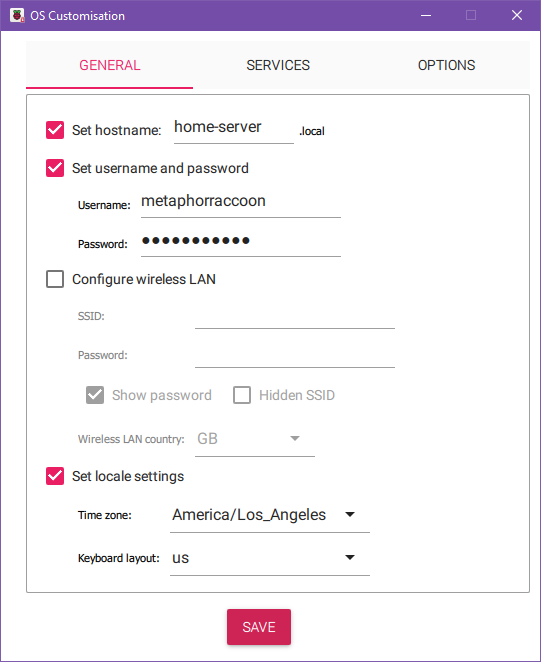
Under the Services tab, we will be enabling SSH. We can leave this with the default setting to "Use password authentication".

[![image.png](https://hub.subspace.services/uploads/images/gallery/2025-02/scaled-1680-/wY9image.png)](https://hub.subspace.services/uploads/images/gallery/2025-02/wY9image.png)
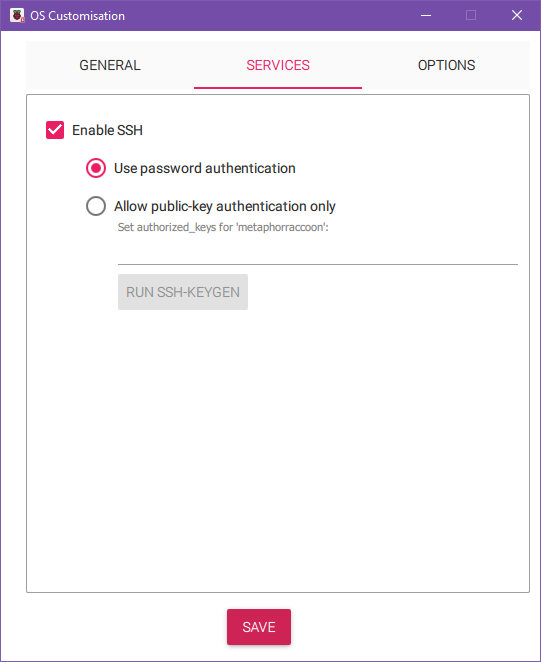
Now, we can hit save to commit these settings. Now, we can hit 'Yes' to proceed with the installation process.

[![image.png](https://hub.subspace.services/uploads/images/gallery/2025-02/scaled-1680-/EN2image.png)](https://hub.subspace.services/uploads/images/gallery/2025-02/EN2image.png)
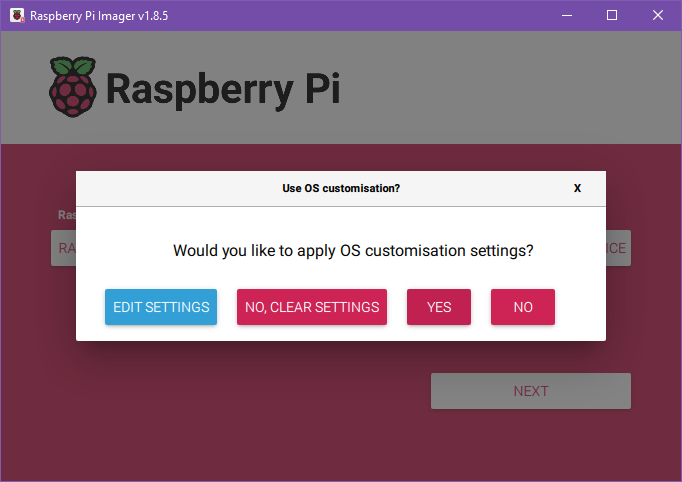
The Raspberry Pi Imager will warn us that all existing data will be erased. If you are sure that this drive can safely be erased, press 'yes' to continue.

[![image.png](https://hub.subspace.services/uploads/images/gallery/2025-02/scaled-1680-/v38image.png)](https://hub.subspace.services/uploads/images/gallery/2025-02/v38image.png)
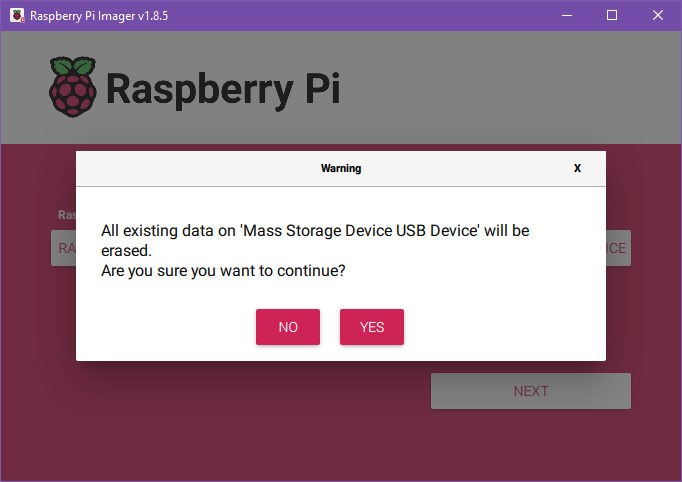
This will begin the installation process where the drive is formatted and the appropriate files are copied to the MicroSD card.

[![image.png](https://hub.subspace.services/uploads/images/gallery/2025-02/scaled-1680-/zsKimage.png)](https://hub.subspace.services/uploads/images/gallery/2025-02/zsKimage.png)
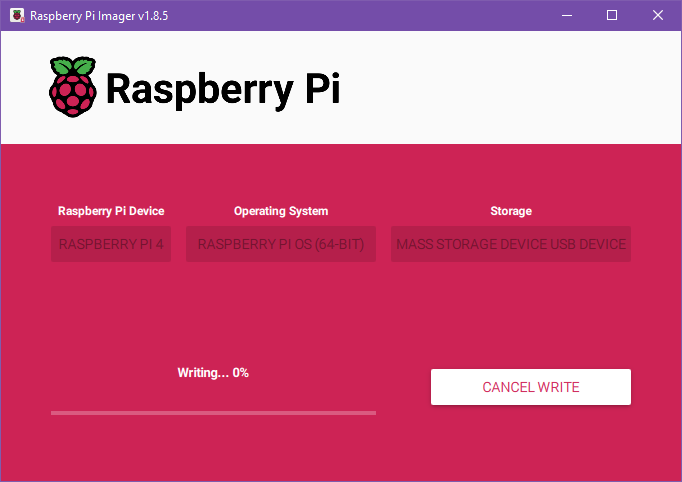
After the files are copied, the Imager will verify that the files were copied correctly and they were not corrupted.

[![image.png](https://hub.subspace.services/uploads/images/gallery/2025-02/scaled-1680-/HRuimage.png)](https://hub.subspace.services/uploads/images/gallery/2025-02/HRuimage.png)
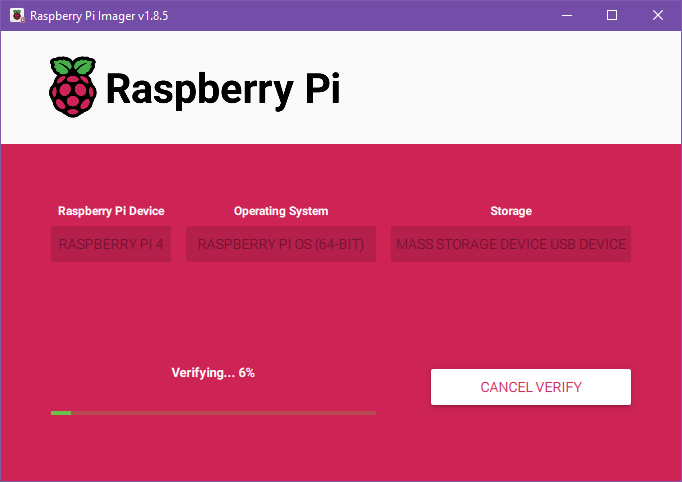
Once it is finished verifying, we will be alerted that we can remove the MicroSD card by disconnecting the USB adapter.

[![image.png](https://hub.subspace.services/uploads/images/gallery/2025-02/scaled-1680-/8PQimage.png)](https://hub.subspace.services/uploads/images/gallery/2025-02/8PQimage.png)
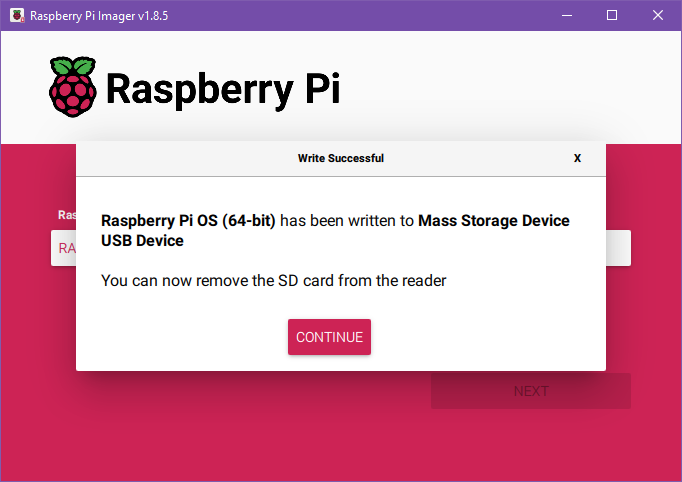
Now, we can put the MicroSD card into the Raspberry Pi and power it on to begin configuring our operating system.

[![newdesk.jpg](https://hub.subspace.services/uploads/images/gallery/2025-02/scaled-1680-/newdesk.jpg)](https://hub.subspace.services/uploads/images/gallery/2025-02/newdesk.jpg)
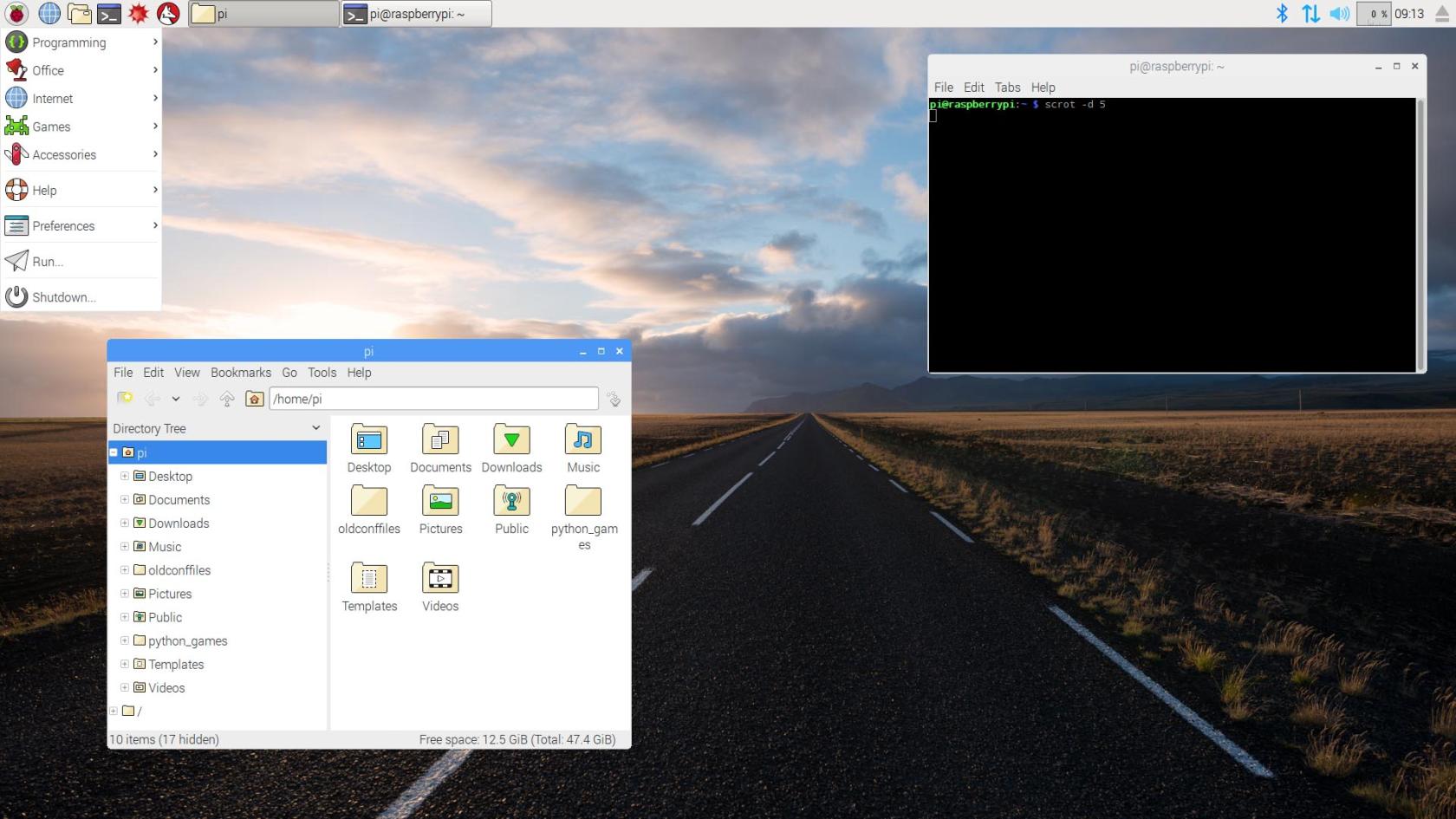
[<button class="nav-button" type="button">Configure the Operating System</button>](https://hub.subspace.services/books/software/chapter/configuring-debian "Next Steps")

# Configuring Debian

We need to make some adjustments to the underlying operating system.

# Repositories

<span style="white-space: pre-wrap;">If you have the </span>[USB flash drive we created to install Debian](https://hub.subspace.services/books/software/page/traditional-computer "Traditional Computer")<span style="white-space: pre-wrap;"> plugged into the USB port, Debian may default to installing software from this local repository. </span>

<p class="callout info">A "[repository](https://en.m.wikipedia.org/wiki/Software_repository)<span style="white-space: pre-wrap;">" is the location that your software manager searches for available software. </span></p>

<span style="white-space: pre-wrap;">Using the repository on your USB flash drive as the default may cause errors when trying to install software that is not locally available. </span>

<span style="white-space: pre-wrap;">In order to disable it, we need to open the </span>[Synaptic Package Manager](https://en.m.wikipedia.org/wiki/Synaptic_(software))<span style="white-space: pre-wrap;">. This program is a visual interface for installing software and managing repositories that is available by default on Debian. </span>

When we open it from the Start Menu in the bottom right and navigate to "Administration", and then the program "Synaptic Package Manager".

[![Screenshot from 2025-04-14 22-17-39.png](https://hub.subspace.services/uploads/images/gallery/2025-04/scaled-1680-/screenshot-from-2025-04-14-22-17-39.png)](https://hub.subspace.services/uploads/images/gallery/2025-04/screenshot-from-2025-04-14-22-17-39.png)
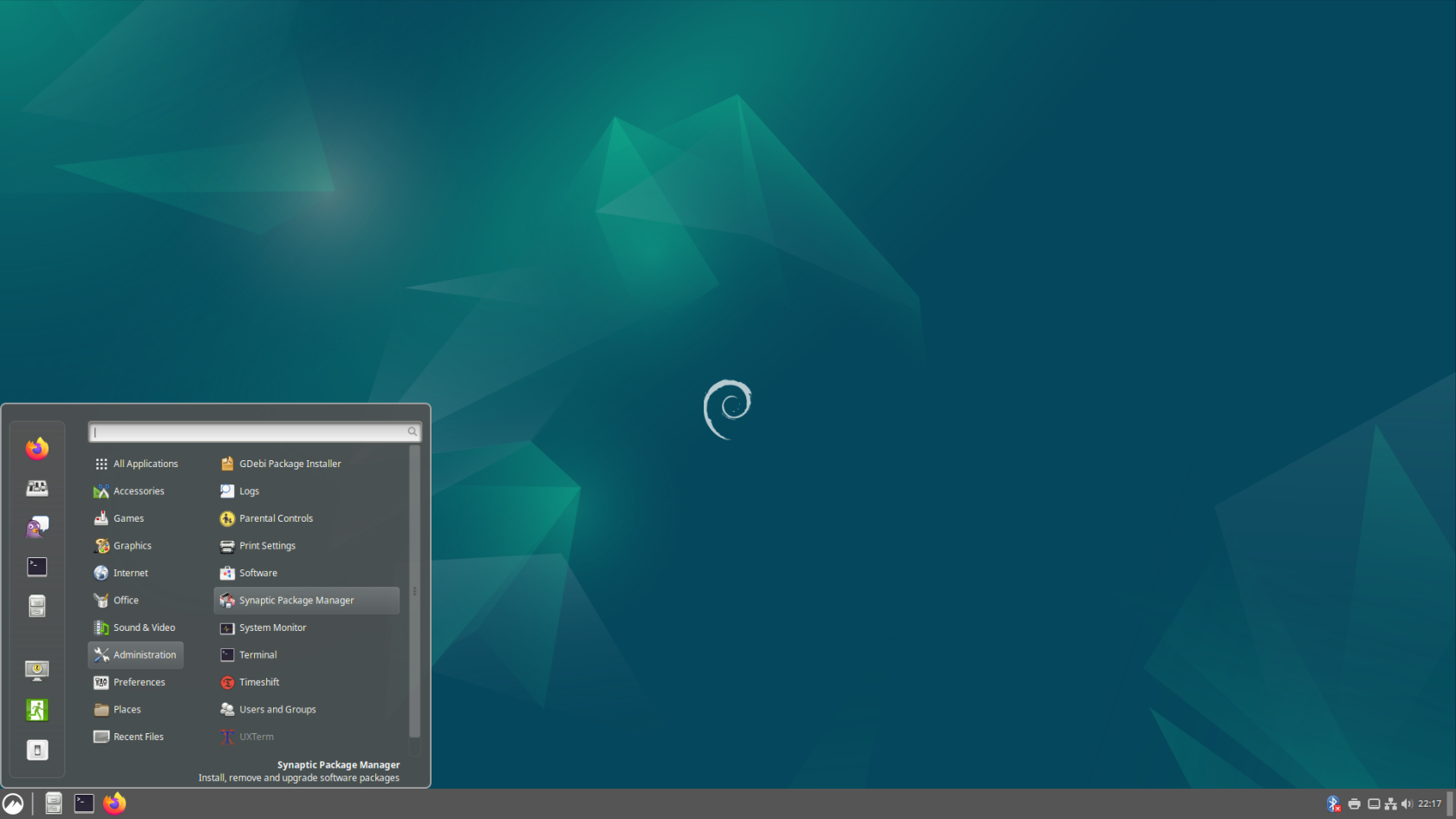
<p class="callout warning"><span style="white-space: pre-wrap;">You will need to enter your account password. </span></p>

<span style="white-space: pre-wrap;">Opening this program will ask us to end the password for the root user account that we created during the </span>[Debian installation process](https://hub.subspace.services/books/software/chapter/installing-an-operating-system "Installing an Operating System").

[![image.png](https://hub.subspace.services/uploads/images/gallery/2025-04/scaled-1680-/aXKimage.png)](https://hub.subspace.services/uploads/images/gallery/2025-04/aXKimage.png)
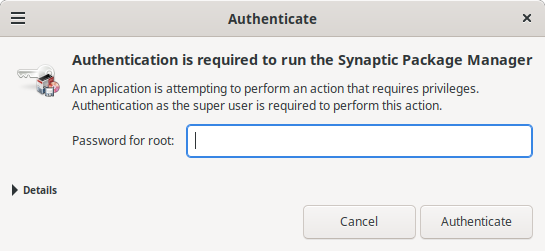
After we enter the password and open the program, we will be prompted with a help prompt that we can close. Now, we are presented the Synaptic Package Manager that is used to install software.

[![image.png](https://hub.subspace.services/uploads/images/gallery/2025-04/scaled-1680-/YeEimage.png)](https://hub.subspace.services/uploads/images/gallery/2025-04/YeEimage.png)
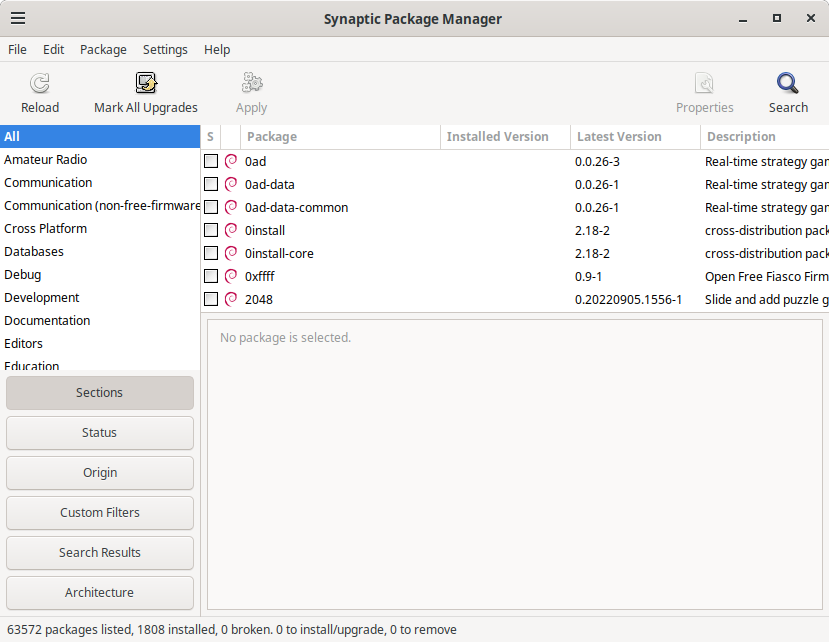
We are using Synaptic to change the Repositories used by this computer. Under the "Settings" menu, select "Repositories". This will open the "Software &amp; Updates" window. We need to go to the "Other Software" tab and deselect the "**cdrom:**" entry.

[![image.png](https://hub.subspace.services/uploads/images/gallery/2025-04/scaled-1680-/4Msimage.png)](https://hub.subspace.services/uploads/images/gallery/2025-04/4Msimage.png)
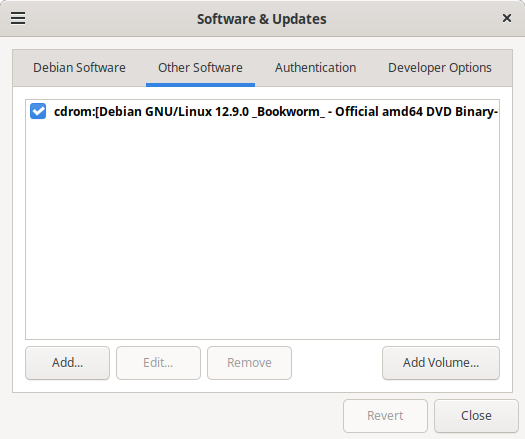
Once the option is deselected, it will prompt you to reload repository information so it knows what programs are available for download.

[![image.png](https://hub.subspace.services/uploads/images/gallery/2025-04/scaled-1680-/9NKimage.png)](https://hub.subspace.services/uploads/images/gallery/2025-04/9NKimage.png)
Once you do that, the system may request to update your repository because it is out of date. This will ensure that you are installing the most up-to-date software.

# Administrator Permissions

On Debian, our user account cannot run commands as Root through the terminal. We will be changing this for simplicity sake, allowing us to prefix commands with 'sudo' to run them as if they were run by root.

<p class="callout warning">Skip this step when using a Raspberry Pi.</p>

We need to open the Terminal application from the side bar of the start menu.

[![Screenshot from 2025-04-14 23-01-20.png](https://hub.subspace.services/uploads/images/gallery/2025-04/scaled-1680-/screenshot-from-2025-04-14-23-01-20.png)](https://hub.subspace.services/uploads/images/gallery/2025-04/screenshot-from-2025-04-14-23-01-20.png)
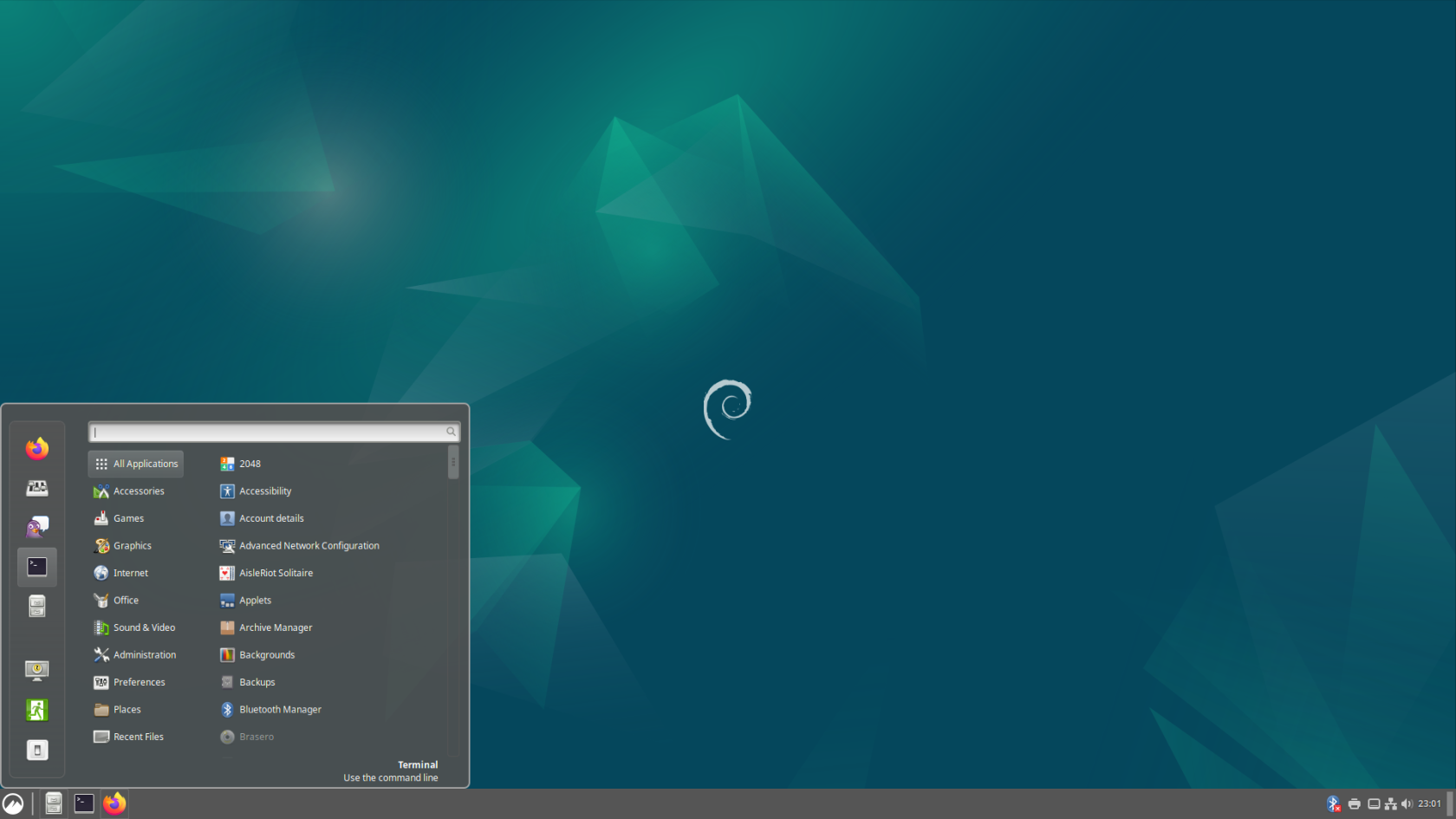
By default, we need temporarily "[substitute users](https://en.m.wikipedia.org/wiki/Su_(Unix))" to perform commands as root.

Enter the command:

```bash
su root
```

<table border="1" id="bkmrk--1" style="border-collapse: collapse; width: 100%; border-width: 1px;"><colgroup><col style="width: 50.1466%;"></col><col style="width: 50.1466%;"></col></colgroup><tbody><tr><td>[![image.png](https://hub.subspace.services/uploads/images/gallery/2025-04/scaled-1680-/MEGimage.png)](https://hub.subspace.services/uploads/images/gallery/2025-04/MEGimage.png)</td><td>[![image.png](https://hub.subspace.services/uploads/images/gallery/2025-04/scaled-1680-/Ihpimage.png)](https://hub.subspace.services/uploads/images/gallery/2025-04/Ihpimage.png)</td></tr></tbody></table>

We will need to enter the password we chose for our root account during the installation process.

<p class="callout warning">When you are typing a password through the terminal, it will not display that you have typed any characters.</p>

Now that we are acting as the root account, we can configure our user account to have the permissions to run all these same commands.

We will be using an application called "visudo" This command ensures we cannot break permissions on our computer.

<p class="callout info">Learn more about [visudo and the sudoers file](https://www.digitalocean.com/community/tutorials/how-to-edit-the-sudoers-file).</p>

Enter the command:

```bash
sudo visudo
```

<table border="1" id="bkmrk--2" style="border-collapse: collapse; width: 100%; border-width: 1px;"><colgroup><col style="width: 50.1466%;"></col><col style="width: 50.1466%;"></col></colgroup><tbody><tr><td>[![image.png](https://hub.subspace.services/uploads/images/gallery/2025-04/scaled-1680-/CA2image.png)](https://hub.subspace.services/uploads/images/gallery/2025-04/CA2image.png)</td><td>[![image.png](https://hub.subspace.services/uploads/images/gallery/2025-04/scaled-1680-/Nsoimage.png)](https://hub.subspace.services/uploads/images/gallery/2025-04/Nsoimage.png)</td></tr></tbody></table>

Navigate to the "user privilege specification" section using the arrow keys on your keyboard.

Underneath this section, we will be adding our user account that we just created. Change 'username' to the user name you selected for your account while installing Debian.

```bash
username    ALL=(ALL:ALL) ALL
```

[![image.png](https://hub.subspace.services/uploads/images/gallery/2025-04/scaled-1680-/XV5image.png)](https://hub.subspace.services/uploads/images/gallery/2025-04/XV5image.png)

Once you are completed, hit Ctrl-X to save and Enter to confirm. Finally, we will hit Ctrl-O to quit visudo.

Your user account can now run commands using sudo. You can exit root by entering the command:

```bash
exit
```

[![image.png](https://hub.subspace.services/uploads/images/gallery/2025-04/scaled-1680-/94Iimage.png)](https://hub.subspace.services/uploads/images/gallery/2025-04/94Iimage.png)

This will return you to the terminal for your user account.

# Power Management

This server will always be powered on so that it can respond to requests from the internet.

We will need to disable sleep, suspension and hibernation so that the computer won't turn off when idle.

Open your terminal and enter the command:

```bash
sudo systemctl mask sleep.target suspend.target hibernate.target hybrid-sleep.target
```

<table border="1" id="bkmrk-" style="border-collapse: collapse; width: 100%; border-width: 1px;"><colgroup><col style="width: 50.1466%;"></col><col style="width: 50.1466%;"></col></colgroup><tbody><tr><td>[![image.png](https://hub.subspace.services/uploads/images/gallery/2025-04/scaled-1680-/0Ttimage.png)](https://hub.subspace.services/uploads/images/gallery/2025-04/0Ttimage.png)</td><td>[![image.png](https://hub.subspace.services/uploads/images/gallery/2025-04/scaled-1680-/R43image.png)](https://hub.subspace.services/uploads/images/gallery/2025-04/R43image.png)</td></tr></tbody></table>

# Storage Drives

We installed Debian onto an internal drive, but it's pretty common to need to install additional storage drives for media and documents.

## Formatting Drives

If you are coming from the Windows ecosystem, your hard drives may be formatted for Windows using the FAT, ExFAT or NTFS file system.

For the best performance and stability, we recommend re-formatting these storage disks using the Linux ext4 file system.

<p class="callout warning">**Re-install all disk drives.**  
Make sure to shut down your computer and re-connect any disk drives that were unplugged during the Debian installation.</p>

While Debian can support writing to NTFS disks using the [ntfs-3g](https://www.tuxera.com/company/open-source/) software, it can [decrease overall performance and access speeds](https://en.wikipedia.org/wiki/NTFS-3G). FAT and ExFAT file systems have native support within Debian, but are not an ideal server file system [due to technical limitations](https://support-in.wd.com/app/answers/detailweb/a_id/51807/~/pros-and-cons-of-file-systems-used-with-memory-cards%2C-usb-flash%2C-internal-and). If possible, important data should be copied to an alternate disk so that it can be reformatted as ext4.

<p class="callout danger">**Reformatting will erase the disk drive.**  
You will irrecoverably lose data stored on this drive.</p>

[![Screenshot from 2025-04-14 23-46-56.png](https://hub.subspace.services/uploads/images/gallery/2025-04/scaled-1680-/screenshot-from-2025-04-14-23-46-56.png)](https://hub.subspace.services/uploads/images/gallery/2025-04/screenshot-from-2025-04-14-23-46-56.png)

We will be opening the "Disks" application from the Start Menu, under the "Accessories" category.

[![image.png](https://hub.subspace.services/uploads/images/gallery/2025-02/scaled-1680-/invimage.png)](https://hub.subspace.services/uploads/images/gallery/2025-02/invimage.png)
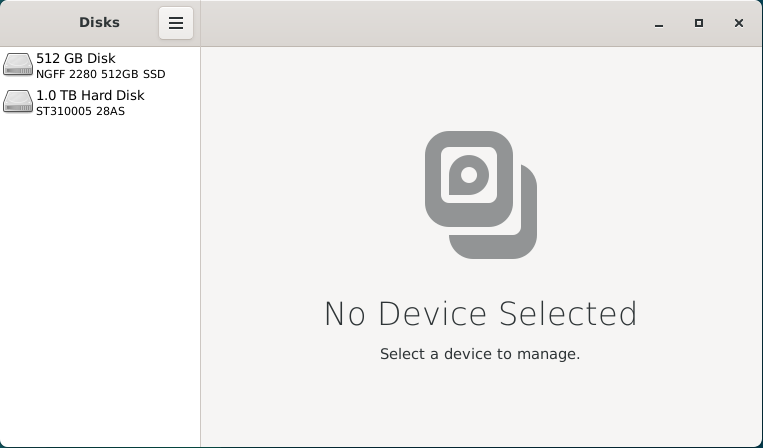
This application can be used to verify that the disk is formatted using the FAT, ExFAT or NTFS file system. Once we've done that, we can format the disk drive using the Linux ext4 file system for improved performance and reliability.

When we select on the 1.0TB hard drive listed, we will see an overview of the partitions on this disk. There is a small 210MB EFI partition used for system files and a 1000GB partition that takes up the rest of the space. We can also see that the "Storage" partition is formatted using the NTFS file system.

[![image.png](https://hub.subspace.services/uploads/images/gallery/2025-02/scaled-1680-/JqKimage.png)](https://hub.subspace.services/uploads/images/gallery/2025-02/JqKimage.png)
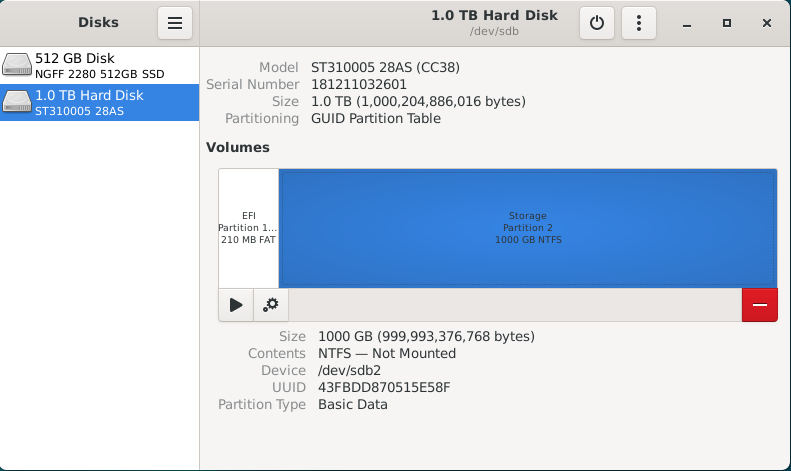
With the Storage partition selected, we select the red 'minus' icon to 'Delete selected partition'. We will receive a warning that all data on the partition will be erased. Once you are certain there is no important data on that partition, you can hit 'Delete'.

[![image.png](https://hub.subspace.services/uploads/images/gallery/2025-02/scaled-1680-/Iuzimage.png)](https://hub.subspace.services/uploads/images/gallery/2025-02/Iuzimage.png)
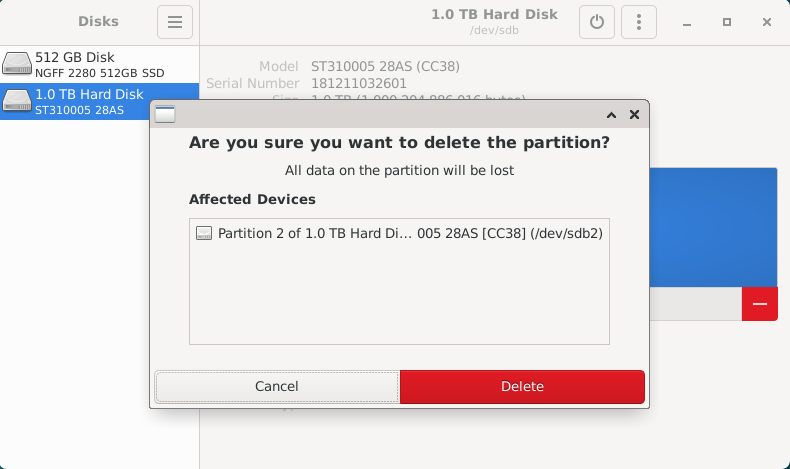
If there are other data partitions, aside from the EFI partition, we will need to follow this process to remove them. After all the partitions have been removed from the disk, you will be presented with 1000GB of "Free Space" for us to create a new partition.

[![image.png](https://hub.subspace.services/uploads/images/gallery/2025-02/scaled-1680-/iJ9image.png)](https://hub.subspace.services/uploads/images/gallery/2025-02/iJ9image.png)
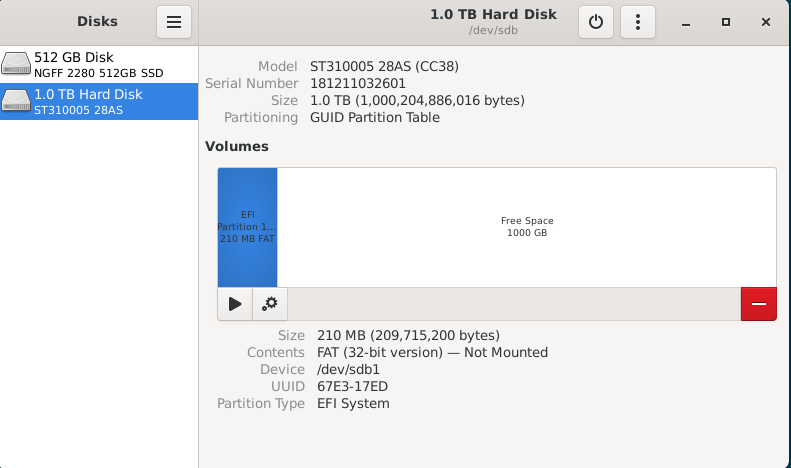
By selecting "Free Space", we are presented with a 'plus' icon that allows us to "Create partition in unallocated space".

[![image.png](https://hub.subspace.services/uploads/images/gallery/2025-02/scaled-1680-/lBDimage.png)](https://hub.subspace.services/uploads/images/gallery/2025-02/lBDimage.png)
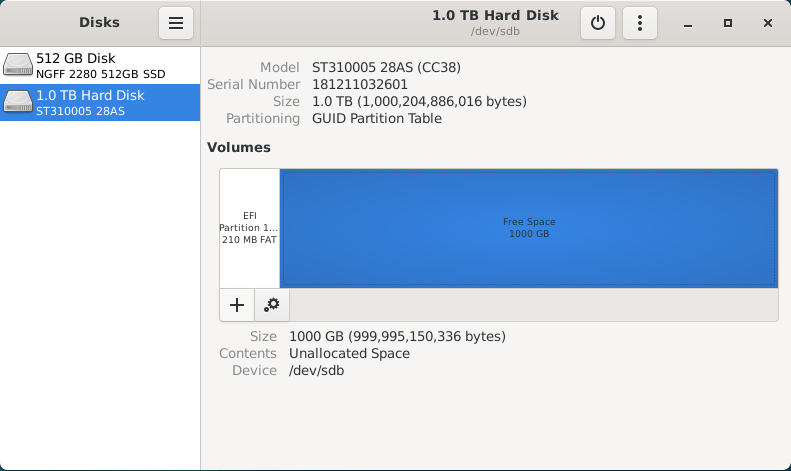
Clicking this button will open a partition creation wizard. First, we need to select how much space the partition will occupy. For this disk, we want the partition to fill the entire space so we will leave it at the default setting. Hit 'Next'.

[![image.png](https://hub.subspace.services/uploads/images/gallery/2025-02/scaled-1680-/MV5image.png)](https://hub.subspace.services/uploads/images/gallery/2025-02/MV5image.png)
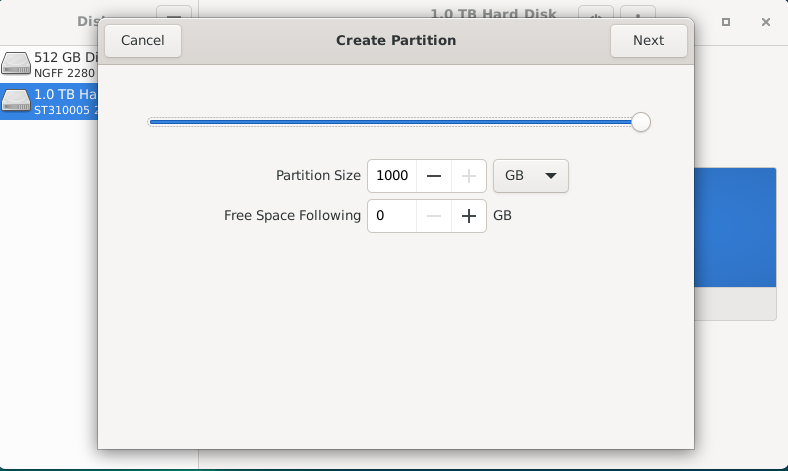
Now, we will need to give a name to the partition and choose the file system type. This name can be anything you want, but simple descriptive language is usually best. We will name the partition "Storage" and choose the Type "Internal disk for use with Linux systems only (Ext4)".

Optionally, you can choose to securely write over all the data that was stored on the drive. We do not want to encrypt our volume with LUKS.

[![image.png](https://hub.subspace.services/uploads/images/gallery/2025-02/scaled-1680-/zfFimage.png)](https://hub.subspace.services/uploads/images/gallery/2025-02/zfFimage.png)
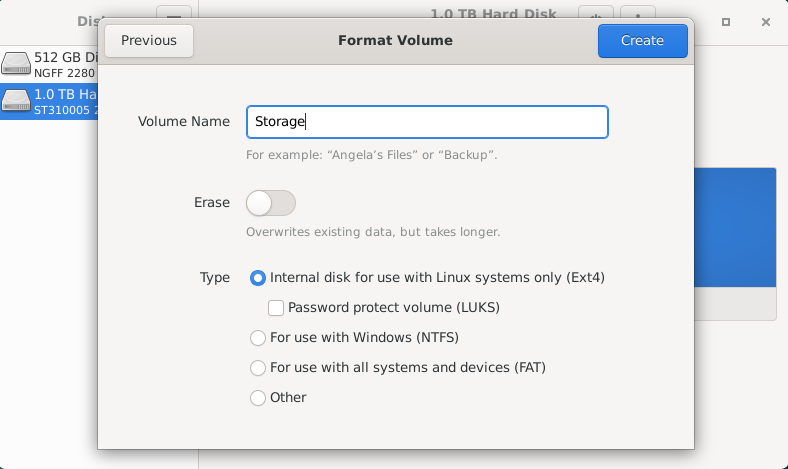
Once we hit 'Create', it will begin to format the disk with the new partition.

[![image.png](https://hub.subspace.services/uploads/images/gallery/2025-02/scaled-1680-/K6Pimage.png)](https://hub.subspace.services/uploads/images/gallery/2025-02/K6Pimage.png)
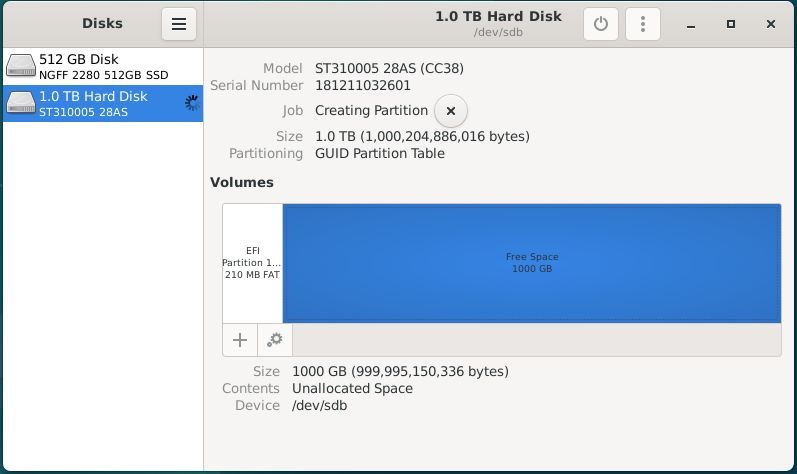
Once it's completed the format process, you will have a new 'Storage' partition using the Ext4 file system.

[![image.png](https://hub.subspace.services/uploads/images/gallery/2025-02/scaled-1680-/ns4image.png)](https://hub.subspace.services/uploads/images/gallery/2025-02/ns4image.png)
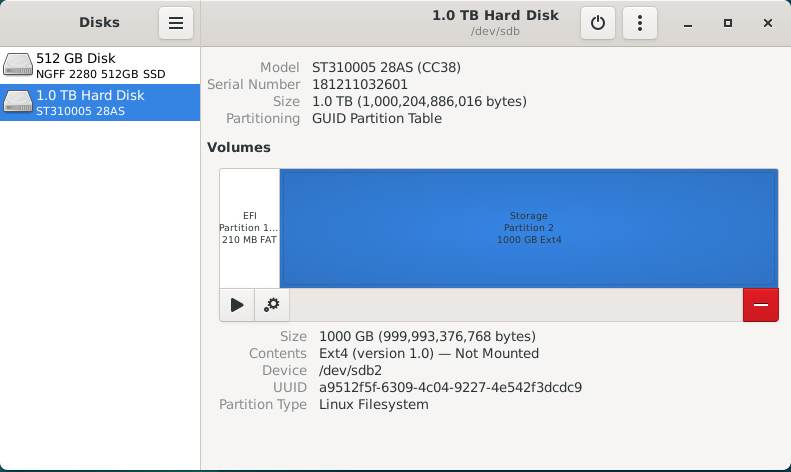
Now, we can move on to mounting these storage disks at a permanent and centralized location.

## Mounting Drives

While running a personal cloud or media server, you may need additional hard drives to store movies, television or documents. Whether you are using a USB hard drive or installed a new NVME SSD, they will need a fixed location for accessing their files.

By default, internal drives are mounted within the /mnt folder while external hard drives are mounted inside a user folder within /mnt.

We need to explicitly mount these disks so that they don't change unexpectedly between system reboots. For simplicity, we want to ensure all of our storage disks is permanently mounted within the /mnt folder.

[![Screenshot from 2025-04-14 23-46-56.png](https://hub.subspace.services/uploads/images/gallery/2025-04/scaled-1680-/screenshot-from-2025-04-14-23-46-56.png)](https://hub.subspace.services/uploads/images/gallery/2025-04/screenshot-from-2025-04-14-23-46-56.png)
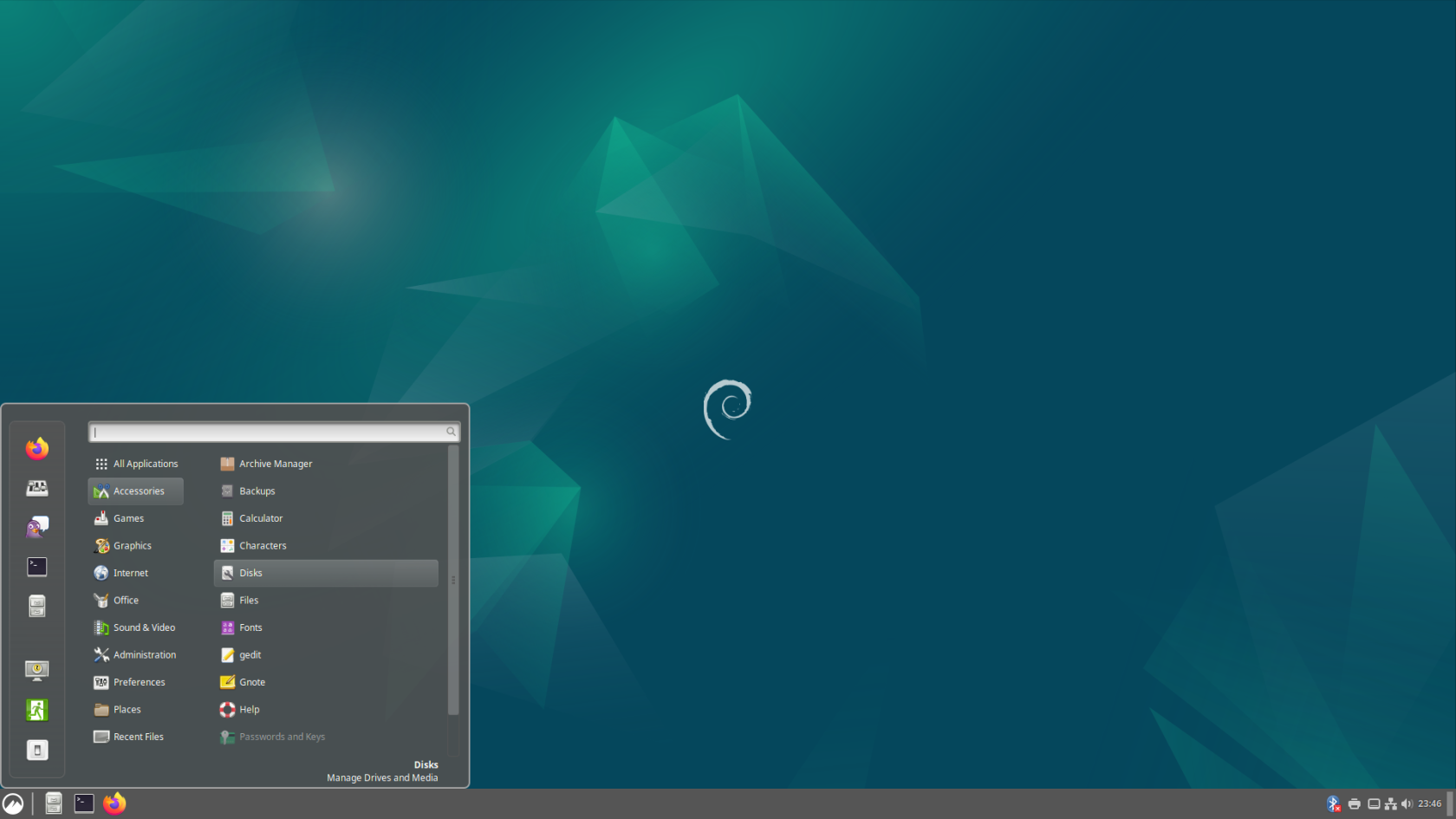
We will be opening the "Disks" application from the Start Menu, under the "Accessories" category.

[![image.png](https://hub.subspace.services/uploads/images/gallery/2025-02/scaled-1680-/invimage.png)](https://hub.subspace.services/uploads/images/gallery/2025-02/invimage.png)

This application can be used to configure the file path used to mount the hard drive, as well as ensure that it will automatically be mounted each time the computer is started.

<p class="callout danger">This application is being run as Root and has the potential to break your Debian install if you aren't careful.</p>

There are currently two disk drives installed into this computer; an SSD for the operating system, as well as an external hard drive for media storage. For this example, we will be changing the mount location for an external USB hard drive to the /mnt folder. We can select the drive from the sidebar and we will be able to inspect all of the partitions on this drive.

[![image.png](https://hub.subspace.services/uploads/images/gallery/2025-02/scaled-1680-/EYmimage.png)](https://hub.subspace.services/uploads/images/gallery/2025-02/EYmimage.png)
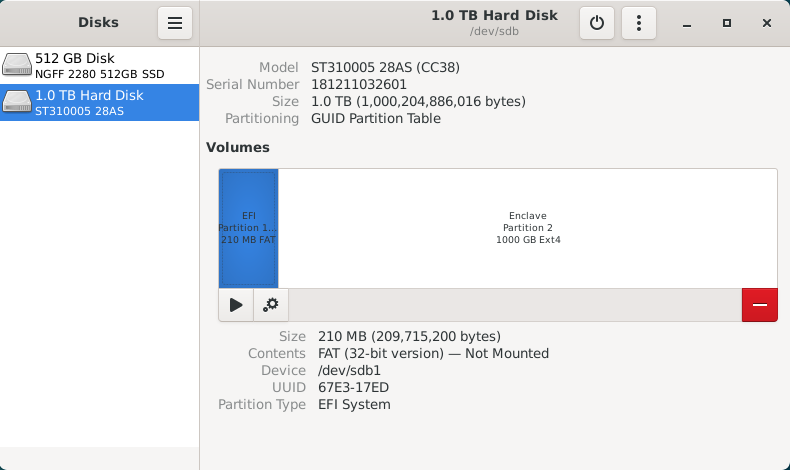
This drive has a small 210MB EFI partition, which stores system information, as well as a primary 1000GB data partition named "Enclave". We will ignore the EFI partition because it should not be mounted. For continuity, we will be mounting the Enclave partition at "/mnt/enclave". First, we need to select the Enclave partition, then click the gear icon to bring up the "Additional partition options" menu.

[![image.png](https://hub.subspace.services/uploads/images/gallery/2025-02/scaled-1680-/VIrimage.png)](https://hub.subspace.services/uploads/images/gallery/2025-02/VIrimage.png)
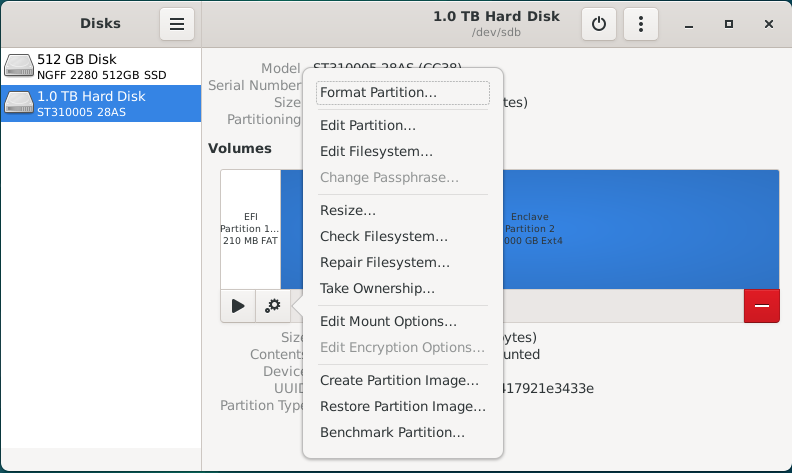
Once this menu is open, select "Edit Mount Options..." to bring up a screen that will let us configure how the operating system will handle mounting this disk drive. As you can see, the operating system has opted to use the "User Session Defaults" which will mount the USB hard drive within /mnt using a name based on the hard drives model number.

[![image.png](https://hub.subspace.services/uploads/images/gallery/2025-02/scaled-1680-/3RHimage.png)](https://hub.subspace.services/uploads/images/gallery/2025-02/3RHimage.png)
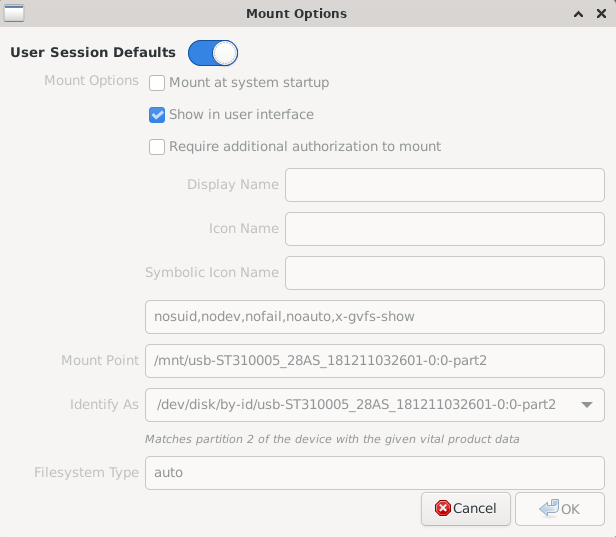
Deselect the "User Session Defaults" option and you will be able to change these settings. We want to ensure that the "Mount at system startup" and "Show in user interface" option are selected. Next, we will be changing the Mount Point to '/mnt/enclave'.

Finally, we will be changing "Identify As" to the option that begins with "/dev/disk/by-uuid/\*". Each hard drive has a [Universally Unique Identifier](https://en.wikipedia.org/wiki/Universally_unique_identifier) that does not change and will ensure that the correct drive is always mounted at the correct location.

[![image.png](https://hub.subspace.services/uploads/images/gallery/2025-02/scaled-1680-/8Nximage.png)](https://hub.subspace.services/uploads/images/gallery/2025-02/8Nximage.png)
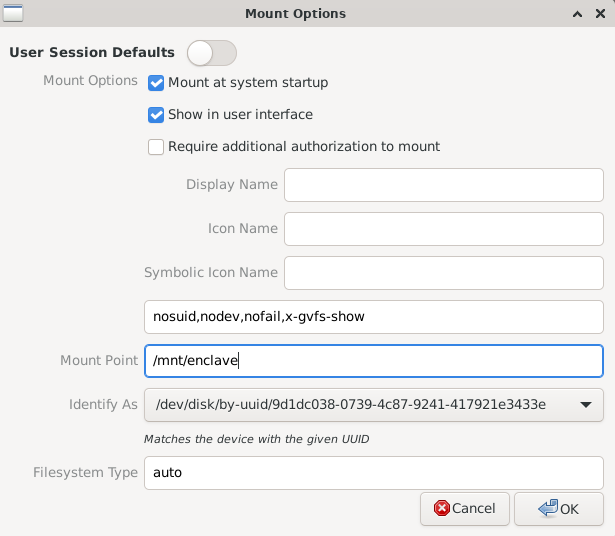
Once we hit OK, the software will commit these changes to the /etc/fstab – or [File Systems Table](https://en.wikipedia.org/wiki/Fstab) – file. This is a core operating system file that handles the mounting of both local and network drives during the boot process. As we can see, the hard drive we've just finished configuring hasn't been mounted for use yet.

[![image.png](https://hub.subspace.services/uploads/images/gallery/2025-02/scaled-1680-/1P3image.png)](https://hub.subspace.services/uploads/images/gallery/2025-02/1P3image.png)
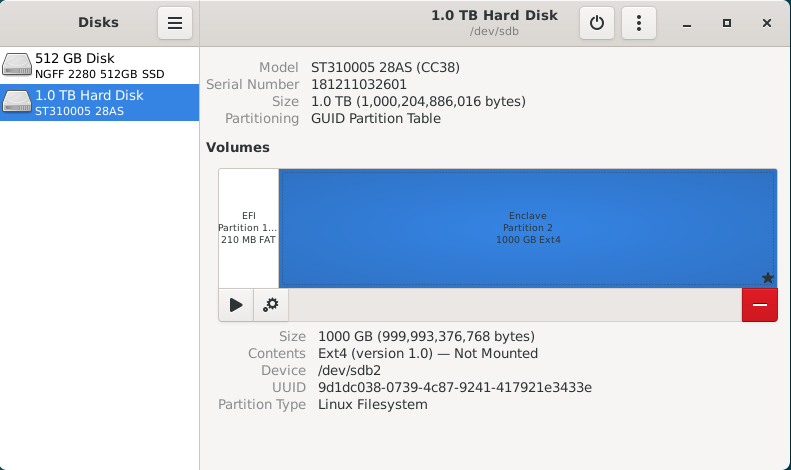
Now we need to hit the "Play" icon labeled as "Mount selected partition" to make it available for use. This will mount the hard drive on your desktop, within the file browser, and the configured "/mnt/enclave" path.

[![image.png](https://hub.subspace.services/uploads/images/gallery/2025-02/scaled-1680-/L0Timage.png)](https://hub.subspace.services/uploads/images/gallery/2025-02/L0Timage.png)
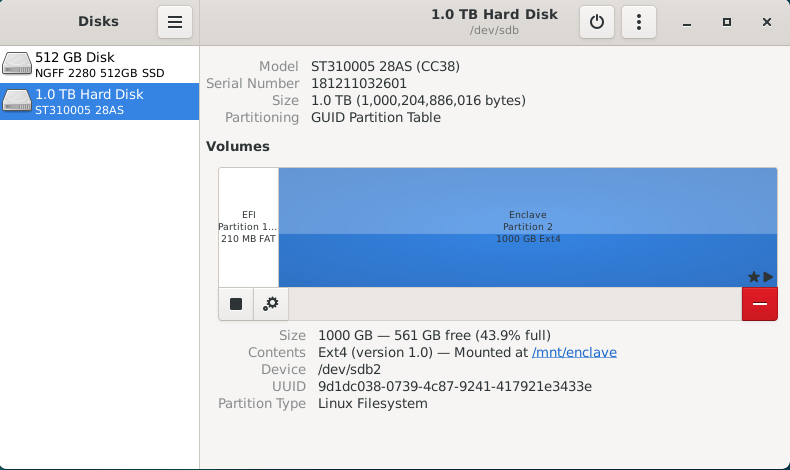
Next, we can close the Disk Manager. This should bring our terminal window back up. We can run the following command to ensure the data stored on it is accessible to everyone on the local computer:

```bash
sudo chmod -R 777 /mnt/enclave
```

You can now navigate to "/mnt/enclave" in the file manager to verify that the directory is accessible. You may want to attempt creating a new folder through the File menu or by right-clicking on the empty space and selecting "New folder".

[![image.png](https://hub.subspace.services/uploads/images/gallery/2025-02/scaled-1680-/ZP1image.png)](https://hub.subspace.services/uploads/images/gallery/2025-02/ZP1image.png)
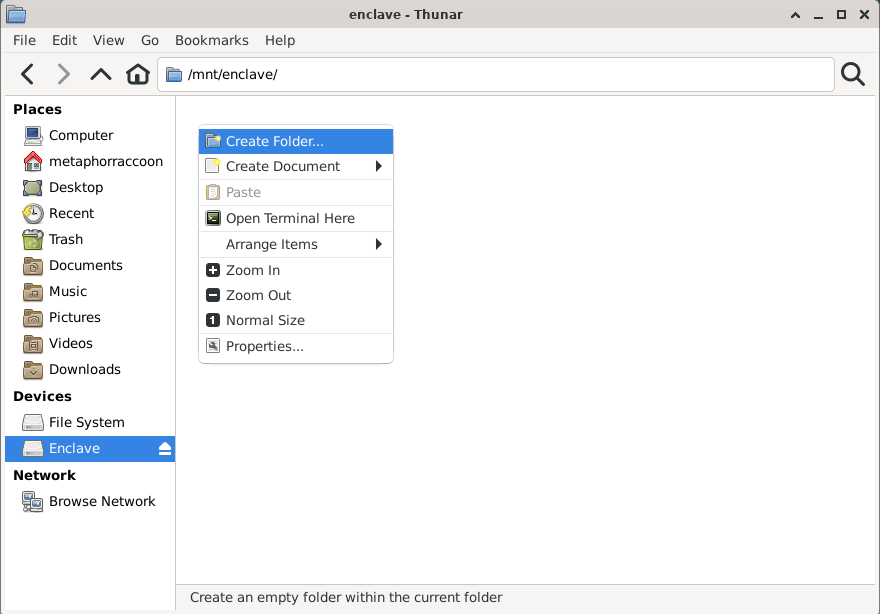
If you are able to create a new folder, then your new hard drive is setup and ready for use. You can now delete this folder.

[![image.png](https://hub.subspace.services/uploads/images/gallery/2025-02/scaled-1680-/03yimage.png)](https://hub.subspace.services/uploads/images/gallery/2025-02/03yimage.png)
# Graphics Card

The Debian operating system comes with innate support for many AMD, Nvidia and Intel graphics hardware. Depending on the manufacturer, the open-source driver's hardware integration and functionality can be limited until proprietary drivers are installed.

<p class="callout warning">Skip this step when using a Raspberry Pi.</p>

## AMD/ATI

[![1000006175.jpg](https://hub.subspace.services/uploads/images/gallery/2025-02/scaled-1680-/1000006175.jpg)](https://hub.subspace.services/uploads/images/gallery/2025-02/1000006175.jpg)

Modern AMD graphics (2015 or later) are fully supported and run stable out-of-the-box using the [open-source AMDGPU software maintained by Debian](https://wiki.debian.org/AtiHowTo).

AMD provide their own proprietary drivers, but they can [cause system instability](https://wiki.debian.org/GraphicsCard) and should be avoided.

## Intel

[![1000006177.jpg](https://hub.subspace.services/uploads/images/gallery/2025-02/scaled-1680-/1000006177.jpg)](https://hub.subspace.services/uploads/images/gallery/2025-02/1000006177.jpg)
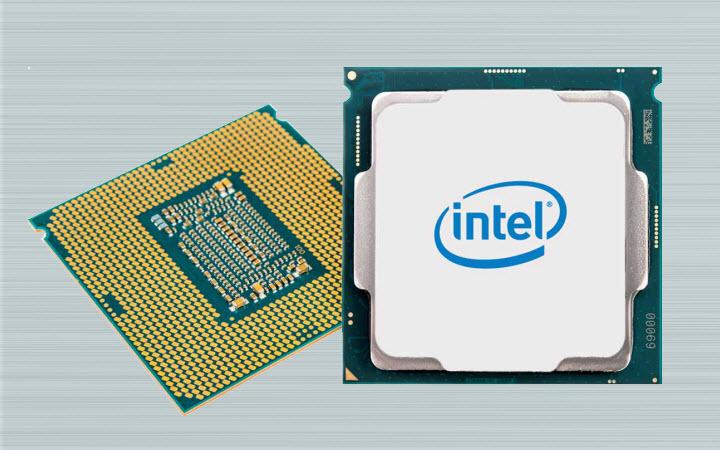
Integrated graphics, like those found in Intel processors since 1999, are fully supported and run stable out-of-the-box using [X.org's Intel Graphics Driver](https://www.x.org/wiki/IntelGraphicsDriver/). While [older models require a different driver](https://wiki.debian.org/GraphicsCard#Intel), they are still fully supported.

## Nvidia

[![1000006178.jpg](https://hub.subspace.services/uploads/images/gallery/2025-02/scaled-1680-/1000006178.jpg)](https://hub.subspace.services/uploads/images/gallery/2025-02/1000006178.jpg)
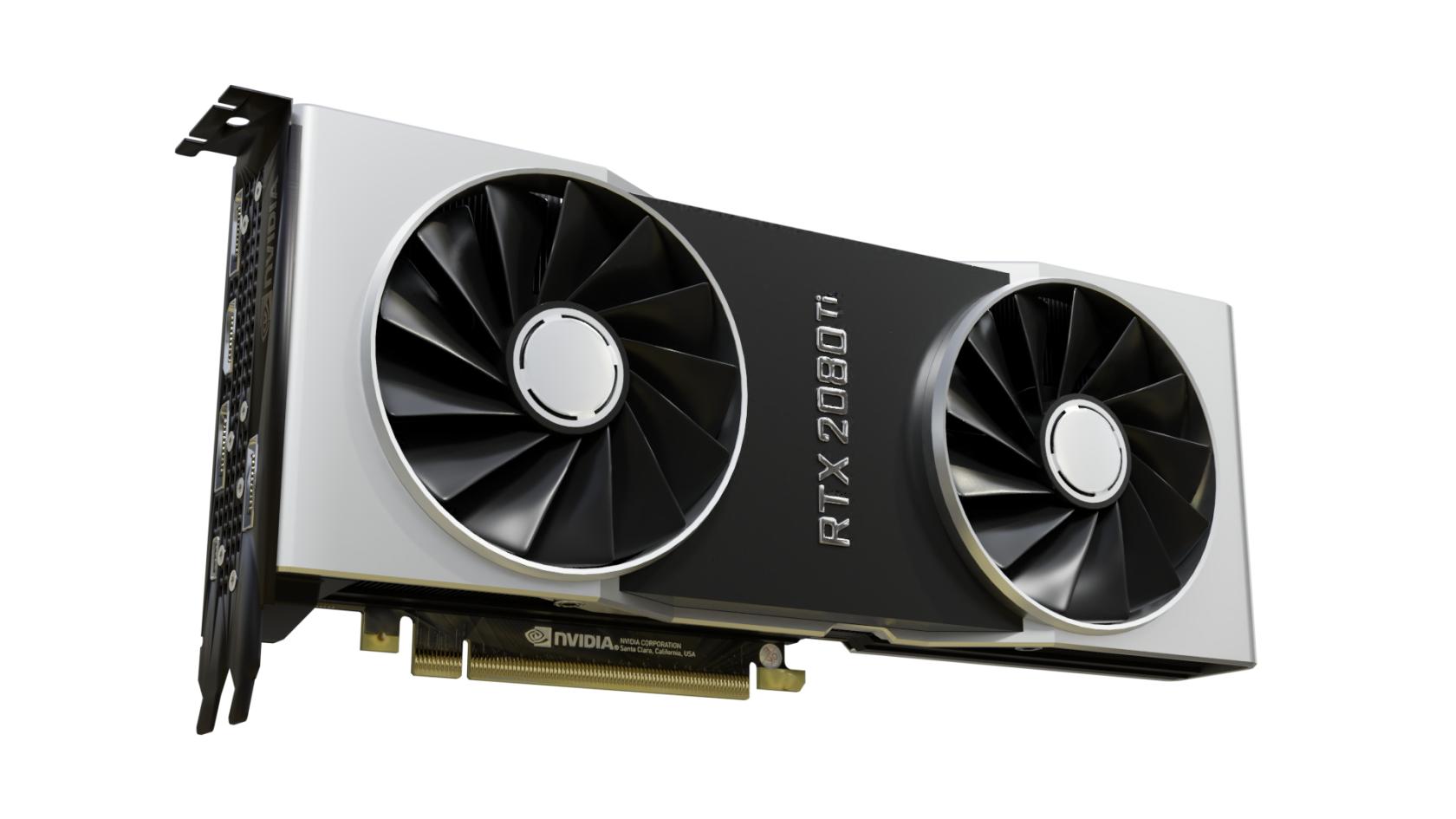
<p class="callout warning">Nvidia graphic drivers are partly closed-source and privately owned by Nvidia. </p>

Debian can support basic features with most Nvidia graphics card using the open-source [Nouveau Driver](https://nouveau.freedesktop.org/) maintained by freedesktop. This driver has limitations though and may not perform optimally under some conditions.

Media applications like [Plex](https://hub.subspace.services/books/media-servers/chapter/plex "Plex") or [Jellyfin](https://hub.subspace.services/books/media-servers/chapter/jellyfin "Jellyfin") require the proprietary Nvidia drivers to be installed on your system. They are also required for [connecting your graphics card to the Docker engine](https://hub.subspace.services/books/software/page/graphic-card-integration "Graphic Card Integration") for use by services.

Before you can install the proprietary Nvidia drivers, you need to ensure which graphics card you have and [which driver versions are supported](https://us.download.nvidia.com/XFree86/Linux-x86_64/535.183.01/README/supportedchips.html) for your card. Newer cards work with the unified driver, while legacy cards are supported through specific driver release versions. This can be a finicky process.

Debian [provides instructions ](https://wiki.debian.org/NvidiaGraphicsDrivers#Debian_12_.22Bookworm.22)for how to install the Nvidia graphics card drivers. Alternatively, you can use the [nvidia-detect script](https://wiki.debian.org/NvidiaGraphicsDrivers#nvidia-detect) to identify and install the correct drivers.

# Networking

We need to set a static IP for our server so that we can always access it from the same address.

<p class="callout warning">Your server should be plugged in directly to the router with a Cat6 Ethernet cable.</p>

Before we do this, we should verify our current internet connection settings and write down some important details for later. We need to know the computer's current local network IP address and the address for our internet gateway.

## Collecting Information   


First, we need to install a utility that can quickly output this information for us:

```bash
sudo apt install -y net-tools
```

### Default Network Device

Once this completes, we will need to run a command to find out what our default network device is:

```bash
ip -o route show | grep default | perl -nle 'if ( /dev\s+(\S+)/ ) {print $1}'
```

This will return the device name about our default network interface which should be our wired connection.

<p class="callout warning">You may want a piece of paper to write down notes.</p>

[![image.png](https://hub.subspace.services/uploads/images/gallery/2025-02/scaled-1680-/CmOimage.png)](https://hub.subspace.services/uploads/images/gallery/2025-02/CmOimage.png)

This shows that our default network interface is named **enp1s0**. Write this down for later.

<table border="1" class="align-center" id="bkmrk-network-device-enp1s" style="border-collapse: collapse; width: 31.7857%; border-width: 1px;"><colgroup><col style="width: 46.8629%;"></col><col style="width: 53.1371%;"></col></colgroup><tbody><tr><td>**Network Device**</td><td class="align-center">enp1s0</td></tr></tbody></table>

### Gateway Address

Next, we will retrieve our network gateway address using a similar command:

```bash
ip -o route show | grep default | perl -nle 'if ( /via\s+(\S+)/ ) {print $1}'
```

[![image.png](https://hub.subspace.services/uploads/images/gallery/2025-02/scaled-1680-/LgIimage.png)](https://hub.subspace.services/uploads/images/gallery/2025-02/LgIimage.png)

This shows that our current network gateway is '192.168.68.1'. Write this down for later.

<table border="1" class="align-center" id="bkmrk-network-device-enp1s-1" style="border-collapse: collapse; width: 31.7857%; border-width: 1px;"><colgroup><col style="width: 46.8629%;"></col><col style="width: 53.1371%;"></col></colgroup><tbody><tr><td>**Network Device**</td><td class="align-center">enp1s0</td></tr><tr><td>**Gateway**</td><td>192.168.68.1</td></tr></tbody></table>

### IP Address

Now, we will run a command that can tell us other required information about our current connection. Run the command using the device identifier we retrieved earlier:

```bash
sudo ifconfig enp0s1
```

This output provides the rest of the information we need to configure our IP address.

[![image.png](https://hub.subspace.services/uploads/images/gallery/2025-02/scaled-1680-/WLFimage.png)](https://hub.subspace.services/uploads/images/gallery/2025-02/WLFimage.png)

This shows our netmask, as well as our current IP address under 'inet'. We need to write these down for later.

<table border="1" class="align-center" id="bkmrk-network-device-enp1s-2" style="border-collapse: collapse; width: 31.7857%; border-width: 1px;"><colgroup><col style="width: 47.0161%;"></col><col style="width: 53.0341%;"></col></colgroup><tbody><tr><td>**Network Device**</td><td class="align-center">enp1s0</td></tr><tr><td>**Gateway**</td><td class="align-center">192.168.68.1</td></tr><tr><td>**IP Address**</td><td>192.168.68.100</td></tr><tr><td>**Netmask**</td><td>255.255.252.0</td></tr></tbody></table>

When connecting to the World Wide Web, our router acts as a gateway for all other devices on our local network. The Gateway address is the IP address of our router and can be used by other devices to request their own IP address. Most often, this happens automatically through a process called [DHCP](https://www.geeksforgeeks.org/dynamic-host-configuration-protocol-dhcp/) where an available IP address is automatically assigned. We will be changing this so that our computer always requests the same IP address when connecting to the internet.

## Configuring Connection

Now that we have this information, we can return to the terminal. Run the command:

```bash
sudo nm-connection-editor 
```

This opened the Debian Network Connections Manager as the root administrator account so that we can change the internet settings.

[![image.png](https://hub.subspace.services/uploads/images/gallery/2025-02/scaled-1680-/9otimage.png)](https://hub.subspace.services/uploads/images/gallery/2025-02/9otimage.png)

From the Network Connections manager, we can see that we have three network connections. One is an Ethernet connection, which is our direct connection to our router and the outside internet. The other two connections are Bridge connections, which are used by Docker to share internet with containers while controlling their ability to communicate directly with each other.

We will select "Wired connection 1" and the 'gear' icon to edit the settings.

[![image.png](https://hub.subspace.services/uploads/images/gallery/2025-02/scaled-1680-/BXmimage.png)](https://hub.subspace.services/uploads/images/gallery/2025-02/BXmimage.png)

This pulls up all configuration options for our wired internet connection in one place. We will be navigating to the 'IPv4 Settings' tab to manually configure our IP.

[![image.png](https://hub.subspace.services/uploads/images/gallery/2025-02/scaled-1680-/goZimage.png)](https://hub.subspace.services/uploads/images/gallery/2025-02/goZimage.png)

Currently, we are set to automatically get an available IP address from the router through DHCP. We will be changing the Method to 'Manual'. This will allow us to set a static IP address that will stay the same between computer and router power cycles. We will hit the 'Add' button to add a new field we can edit.

<table border="1" class="align-center" id="bkmrk-network-device-enp1s-3" style="border-collapse: collapse; width: 37.7381%; border-width: 1px;"><colgroup><col style="width: 46.8165%;"></col><col style="width: 53.1835%;"></col></colgroup><tbody><tr><td>**Network Device**</td><td class="align-center">enp1s0</td></tr><tr><td>**Gateway**</td><td class="align-center">192.168.68.1</td></tr><tr><td>**IP Address**</td><td>192.168.68.100</td></tr><tr><td>**Netmask**</td><td>255.255.252.0</td></tr><tr><td>**DNS servers**</td><td>1.1.1.1, 1.0.0.1</td></tr></tbody></table>

Finally, we can enter all of the information we've been collecting. DNS servers are used to translate domain names, like adafruit.com, into their public IP address so we can access their server. We will be using the [Cloudflare DNS](https://www.cloudflare.com/application-services/products/dns/), but other recommendations include [Quad9](https://quad9.net/) or [OpenDNS](https://www.opendns.com/).

[![image.png](https://hub.subspace.services/uploads/images/gallery/2025-02/scaled-1680-/vE5image.png)](https://hub.subspace.services/uploads/images/gallery/2025-02/vE5image.png)

Now, we can hit 'Save' to commit the settings.

<p class="callout warning">Reboot the computer to ensure everything is working as intended.</p>

### Verify Connection

After restarting your computer, open up the terminal. We will now run two commands to ensure the internet is working and we have the correct local IP address.

```bash
ping -c 5 1.1.1.1
```

This will ensure that our computer has access to the Cloudflare DNS server. We will consider the test has passed if the command reports '0% packet loss'.

[![image.png](https://hub.subspace.services/uploads/images/gallery/2025-02/scaled-1680-/XdRimage.png)](https://hub.subspace.services/uploads/images/gallery/2025-02/XdRimage.png)
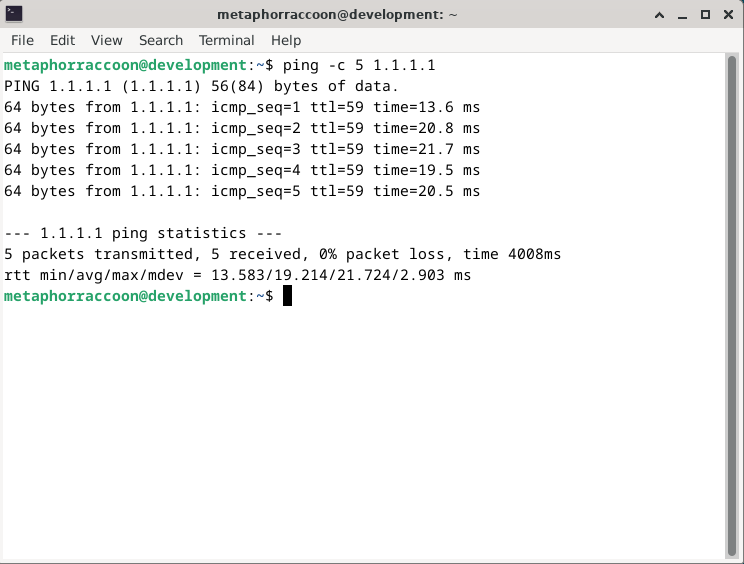
We can now run one final command to verify our computer is using the static IP address we configured:

```bash
ip -o route show | grep default
```

This will show an overview our default internet connection and we can see that it is now labeled as a 'static' connection.

[![image.png](https://hub.subspace.services/uploads/images/gallery/2025-02/scaled-1680-/rzDimage.png)](https://hub.subspace.services/uploads/images/gallery/2025-02/rzDimage.png)
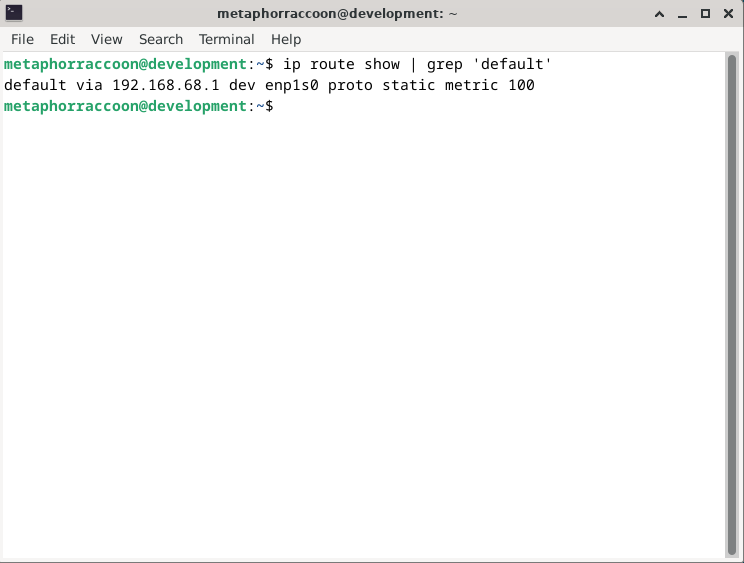
You now have a computer with a static IP address that will always stay the same.

# Building Community

The [free and open software community](https://en.m.wikipedia.org/wiki/Free_and_open-source_software) is the culmination of the [free software movement](https://en.m.wikipedia.org/wiki/Free_software_movement), the [open source movement](https://en.m.wikipedia.org/wiki/Open-source_software_movement) and numerous other independent developers who support software freedom. The GNU and Linux projects are the most extensive examples of free and open-source collaboration.

<table border="1" class="align-center" id="bkmrk-" style="border-collapse: collapse; border-width: 1px;"><colgroup><col style="width: 50.1326%;"></col><col style="width: 50.1326%;"></col></colgroup><tbody><tr><td>[![1000000463.png](https://hub.subspace.services/uploads/images/gallery/2025-05/scaled-1680-/1000000463.png)](https://hub.subspace.services/uploads/images/gallery/2025-05/1000000463.png)</td><td>[![1000000350.png](https://hub.subspace.services/uploads/images/gallery/2025-05/scaled-1680-/1000000350.png)](https://hub.subspace.services/uploads/images/gallery/2025-05/1000000350.png)</td></tr></tbody></table>

Through the collaborative creation of open software modules that fulfill precisely defined roles and tasks, Linux can be pieced together in many ways. This creates an expansive ecosystem where you are free to use the software that you choose. These large-scale experiments were not only technical, but social: how do you revolutionize the communication systems that go into decentralizing development?

[Eric S. Raymond](https://en.m.wikipedia.org/wiki/Eric_S._Raymond) – a founder of the open-source movement – attributes Linux's success not to any particular technical innovation, but it's cooperative social systems and distributed power structure. Linux wasn't painstakingly handcrafted by a small group of privileged developers like other operating systems of the early digital age.

> Linux evolved in a completely different way. From nearly the beginning, it was rather casually hacked on by huge numbers of volunteers coordinating only through the Internet. Quality was maintained not by rigid standards or autocracy but by the naively simple strategy of releasing every week and getting feedback from hundreds of users within days, creating a sort of rapid Darwinian selection on the mutations introduced by developers.
> 
> — [Eric S. Raymond](https://en.m.wikipedia.org/wiki/Eric_S._Raymond), [Cathedral and the Bazaar](https://en.m.wikipedia.org/wiki/The_Cathedral_and_the_Bazaar)

<span class="cite-bracket">[Melvin Conway](https://en.m.wikipedia.org/wiki/Melvin_Conway) – an early computer scientist and hacker – expressed a formative principle that is still relevant today: the structure of software will mirror the structure of the collective that built it. By embracing a new development model that relied on volunteers from around the world, a radical new form of asynchronous communication was necessary.</span>

## Open Collaboration

The Internet's capacity to build digital connections between two computers – and the people who used them – fundamentally changed the ways we can collaborate as Humans. We now had the power to communicate with little delay across vast distances and decisions could be made in near real-time.

This enabled people to work together directly, forming communities around mutual interests and shared goals. For the mutual benefit of the [digital commons](https://en.m.wikipedia.org/wiki/Digital_commons_(economics)), [communities produced valuable shared resources](https://en.m.wikipedia.org/wiki/Commons-based_peer_production) through processes that weren't primarily focused on generating profit.

<table border="1" class="align-center" id="bkmrk--1" style="border-collapse: collapse; width: 99.9779%; border-width: 1px;"><colgroup><col style="width: 100%;"></col></colgroup><tbody><tr><td>[![1000000614.png](https://hub.subspace.services/uploads/images/gallery/2025-06/scaled-1680-/1000000614.png)](https://hub.subspace.services/uploads/images/gallery/2025-06/1000000614.png)</td></tr></tbody></table>

Particularly notable examples include [Wikipedia](https://en.m.wikipedia.org/wiki/Wikipedia), [open-source software](https://en.m.wikipedia.org/wiki/Free_and_open-source_software) and [open hardware](https://en.m.wikipedia.org/wiki/Open-source_hardware). These communities and the projects that coalesce from within them are not owned by any one party. Each project has its own philosophy about their approach to design and development.

[The Cathedral and the Bazaar](https://en.m.wikipedia.org/wiki/The_Cathedral_and_the_Bazaar), a [living document](http://www.catb.org/~esr/writings/cathedral-bazaar/cathedral-bazaar/) by Eric S. Raymond, details his observations from within the early teams creating the Linux ecosystem. He examines the tension between [bottom-up and top-down](https://en.m.wikipedia.org/wiki/Top-down_and_bottom-up_design) approaches to design within software. He likens these styles to the ways that knowledge arises within a cathedral versus the bazaar.

<details id="bkmrk-%C2%A0-2"><summary>Essay Excerpt</summary>

> But I also believed there was a certain critical complexity above which a more centralized, a priori approach was required. I believed that the most important software (operating systems and really large tools like the Emacs programming editor) needed to be built like **cathedrals**, carefully crafted by individual wizards or small bands of mages working in splendid isolation, with no beta to be released before its time.
> 
> Linus Torvalds’s style of development—release early and often, delegate everything you can, be open to the point of promiscuity—came as a surprise. No quiet, reverent cathedral-building here—rather, the Linux community seemed to resemble a great babbling **bazaar** of differing agendas and approaches ... out of which a coherent and stable system could seemingly emerge only by a succession of miracles.
> 
> – The Cathedral and The Bazaar

</details><table border="1" class="align-center" id="bkmrk-counter_1-social-con" style="border-collapse: collapse; width: 600px; border-width: 0px; height: 261.6px; border-spacing: 5px;"><colgroup><col style="width: 7.02367%;"></col><col style="width: 92.9744%;"></col></colgroup><tbody><tr style="height: 43.6px;"><td class="align-center" style="height: 43.6px; border-width: 0px; padding: 5px;"><span class="material-symbols-outlined">Church</span>

</td><td class="align-left" style="height: 43.6px; border-width: 0px; padding: 5px;">**The Cathedral**

These open-source projects release their source code once it has been finalized, but it is not available to the general public while in active development. This restricts who has the privilege to make changes to the underlying source code to an exclusive group.

<p class="callout info">The GNU project often uses this philosophy.</p>

</td></tr><tr style="height: 43.6px;"><td class="align-center" style="height: 43.6px; border-width: 0px; padding: 5px;"><span class="material-symbols-outlined">Storefront</span></td><td class="align-left" style="height: 43.6px; border-width: 0px; padding: 5px;">**The Bazaar**

These open-source projects make their source code completely available on the Internet throughout the entire development process. Everyone has access to the source code, but making modifications to it requires oversight by the project.

<p class="callout info">The Linux kernel uses this philosophy.</p>

  
</td></tr></tbody></table>

A Linux distribution is primarily powered by its community – which can take many different forms. [Debian](https://en.m.wikipedia.org/wiki/Debian) is a well-known example supported by the public on a volunteer basis by global developers. Some distributions like [Fedora](https://en.m.wikipedia.org/wiki/Fedora_Linux) are community-maintained operating systems that were split off from corporate-focused Linux builds.

While Linux is generally free-of-charge, [technology companies contribute](https://www.linuxfoundation.org/resources/publications) to the continued development of the ecosystem. An estimated 85% of the modern Linux kernel was written by developers who were [paid for their work](https://www.linuxfoundation.org/resources/publications).

There is an array of digital communities that support Linux users and developers, each with a specific purpose or mission. [Linux Questions](https://en.m.wikipedia.org/wiki/Stack_Exchange) and [Stack Exchange](https://en.m.wikipedia.org/wiki/Stack_Exchange) are [online discussion forums](https://en.m.wikipedia.org/wiki/Internet_forum) that can provide general Linux support. Many open-source projects have their own forum as well as [IRC chatrooms](https://en.m.wikipedia.org/wiki/Internet_Relay_Chat), [mailing list](https://en.m.wikipedia.org/wiki/Mailing_list) and [newsgroup](https://en.m.wikipedia.org/wiki/Newsgroup).

## Decentralized Development   


Rather than concentrating power within a single location or team, [decentralization](https://en.m.wikipedia.org/wiki/Decentralization) distributes tasks and decision-making across multiple contributing members. This is a flexible and efficient option for collaborating, but requires constant communication and robust planning if it's going to succeed.

[![1000000251.jpg](https://hub.subspace.services/uploads/images/gallery/2025-05/scaled-1680-/1000000251.jpg)](https://hub.subspace.services/uploads/images/gallery/2025-05/1000000251.jpg)

The concept of [version control](https://en.m.wikipedia.org/wiki/Version_control) is heavily leveraged by open-source software projects. This has led to powerful tools that can keep track of changes in the source code made by hundreds of potential contributors. This creates a [central repository](https://en.m.wikipedia.org/wiki/Repository_(version_control)) for critical project files with strict processes in place for modifying them.

[![1000000620.png](https://hub.subspace.services/uploads/images/gallery/2025-06/scaled-1680-/1000000620.png)](https://hub.subspace.services/uploads/images/gallery/2025-06/1000000620.png)

[Git](https://en.m.wikipedia.org/wiki/Git) is a program originally created by [Linus Torvalds](https://en.m.wikipedia.org/wiki/Linus_Torvalds) in 2005 as version control for the [Linux kernel](https://en.m.wikipedia.org/wiki/Linux_kernel). It is now the [official standard](https://en.m.wikipedia.org/wiki/De_facto_standard) over 90% of developers consider it to be [their primary tool for the job](https://survey.stackoverflow.co/2022/#section-version-control-version-control-systems). In essence, Git downloads an exact replica of the central repository to your computer.

With the source code on your hard drive, you can compile the program for yourself from scratch. As a developer, you can make alterations and upload them back to the central server. This helps ensure that a developer can work on one section of the program without getting in anyone else's way – while also leaving a trail of the changes.

<table border="1" class="align-center" id="bkmrk--4" style="border-collapse: collapse; width: 100%; border-width: 1px;"><colgroup><col style="width: 50%;"></col><col style="width: 50%;"></col></colgroup><tbody><tr><td>[![1000000624.png](https://hub.subspace.services/uploads/images/gallery/2025-06/scaled-1680-/1000000624.png)](https://hub.subspace.services/uploads/images/gallery/2025-06/1000000624.png)</td><td>[![1000000623.png](https://hub.subspace.services/uploads/images/gallery/2025-06/scaled-1680-/1000000623.png)](https://hub.subspace.services/uploads/images/gallery/2025-06/1000000623.png)</td></tr></tbody></table>

While Git is primarily a command-line utility, there are many online repositories that work with Git – but the most popular is by far [GitHub](https://en.m.wikipedia.org/wiki/GitHub). Owned by Microsoft, it is the largest online repository of open source-code with millions of developers and projects. [GitLab](https://en.m.wikipedia.org/wiki/GitLab) is an open-source and decentralized alternative that can be self-hosted.

[![1000000247.jpg](https://hub.subspace.services/uploads/images/gallery/2025-05/scaled-1680-/1000000247.jpg)](https://hub.subspace.services/uploads/images/gallery/2025-05/1000000247.jpg)

In addition to acting as a shared Git repository, these platforms provide community development tools. This includes bug tracking, feature requests, task management, a forum and a wiki for documentation. Developers can configure "[continuous integration and continuous delivery](https://en.m.wikipedia.org/wiki/CI/CD)" where pre-programmed tests are performed on source code before it is automatically compiled.

[![1000000253.png](https://hub.subspace.services/uploads/images/gallery/2025-05/scaled-1680-/1000000253.png)](https://hub.subspace.services/uploads/images/gallery/2025-05/1000000253.png)

When using a public software repository platform, there are roles that get fulfilled within each project. While there can only be one formal owner of the project, they are free to create granular permissions for who can edit what. Most projects hosted on a public source code repository maintain these general conventions when it comes to collaboration.

<table border="1" class="align-center" id="bkmrk-person-user-%C2%A0-this-p" style="border-collapse: collapse; border-width: 0px; height: 261.6px; border-spacing: 5px;"><colgroup><col style="width: 42px;"></col><col style="width: 558px;"></col></colgroup><tbody><tr><td style="border-width: 0px; padding: 5px;"><span class="material-symbols-outlined">Domino\_mask</span>

</td><td style="border-width: 0px; padding: 5px;">**Anonymous**

Unless a software project has been intentionally marked as private, the source code is freely available for download by anyone who accesses the repository even if they haven't logged in.

</td></tr><tr style="height: 43.6px;"><td class="align-center" style="height: 43.6px; border-width: 0px; padding: 5px;"><span class="material-symbols-outlined">person</span>

</td><td class="align-left" style="height: 43.6px; border-width: 0px; padding: 5px;">**User**

This is any person who has an account on the platform with a verified email. Each project can configure how unaffiliated users are allowed to interact with the source code. Open-source software debelopers often value diverse perspectives from every day users and explicitly request feedback.

</td></tr><tr><td style="border-width: 0px; padding: 5px;"><span class="material-symbols-outlined">deployed\_code\_account</span>

</td><td style="border-width: 0px; padding: 5px;">**Collaborator**

This is any person that a software project has explicitly chosen to give affiliation status. This can offer fine tuned control to specific developers and provide blanket access to all collaborators. In the case of a private project, this can be used to offer exclusive access to source code.

</td></tr><tr style="height: 43.6px;"><td class="align-center" style="height: 43.6px; border-width: 0px; padding: 5px;"><span class="material-symbols-outlined">Person\_edit</span></td><td class="align-left" style="height: 43.6px; border-width: 0px; padding: 5px;">**Contributor**

Once a verified user has submitted a change and it's accepted, they are considered a contributor within that project. Before proposing changes, each user must follow the rules and integrate themselves into the community. These contributions are not limited to source code, but also include stewardship responsibilities – such as bug reports, feature requests and documentation writing.

</td></tr><tr><td style="border-width: 0px; padding: 5px;"><span class="material-symbols-outlined">how\_to\_reg</span></td><td class="align-left" style="border-width: 0px; padding: 5px;">**Trusted Member**

This role can vary widely between projects and is often defined more by their responsibilities than their privileges. While an average contributor can suggest changes, these project members are often the ones in charge of actuating them. These tasks often have a greater degree of risk involved and require earning the respect of the community.

</td></tr><tr><td style="border-width: 0px; padding: 5px;"><span class="material-symbols-outlined">engineering</span></td><td class="align-left" style="border-width: 0px; padding: 5px;">**Maintainer**

This entity has the significant responsibility of overseeing the project and it's community. While there can only be one primary maintainer, this can represent a collective or organization. They perform technical tasks as well as maintain the project's direction.

</td></tr></tbody></table>

Project members work together to complete work within the main repository containing all the project's source files. This software development process is likened to a tree – with the collective source code called the main [trunk](https://en.m.wikipedia.org/wiki/Branching_(version_control)#Trunk).

[![1000000633.png](https://hub.subspace.services/uploads/images/gallery/2025-06/scaled-1680-/1000000633.png)](https://hub.subspace.services/uploads/images/gallery/2025-06/1000000633.png)

[![1000000625.png](https://hub.subspace.services/uploads/images/gallery/2025-06/scaled-1680-/1000000625.png)](https://hub.subspace.services/uploads/images/gallery/2025-06/1000000625.png)

[![image.png](https://hub.subspace.services/uploads/images/gallery/2025-05/scaled-1680-/image.png)](https://hub.subspace.services/uploads/images/gallery/2025-05/image.png)

As existing bugs or new features are explored, new [branches](https://en.m.wikipedia.org/wiki/Branching_(revision_control)) in the tree can be split from the source code – essentially creating two isolated versions of the same software. This is often done when developing new versions of a program to make it easier to keep track of differences over time.

<table border="1" class="align-center" id="bkmrk-commit-branch-branch" style="border-collapse: collapse; border-width: 0px; height: 261.6px; border-spacing: 5px;"><colgroup><col style="width: 42px;"></col><col style="width: 558px;"></col></colgroup><tbody><tr style="height: 43.6px;"><td class="align-center" style="height: 43.6px; border-width: 0px; padding: 5px;"><span class="material-symbols-outlined">call\_split</span>

</td><td class="align-left" style="height: 43.6px; border-width: 0px; padding: 5px;">[**Branch**](https://en.m.wikipedia.org/wiki/Branching_(revision_control))

This is an isolated copy of the source code that makes it easier for developers to collaborate on changes without risking damage to the trunk. These help to keep track of what was changed, by who, and for what reason. These exist within a project to facilitate collaboration and coordinate development.

</td></tr><tr style="height: 43.6px;"><td class="align-center" style="height: 43.6px; border-width: 0px; padding: 5px;"><span class="material-symbols-outlined">call\_merge</span></td><td class="align-left" style="height: 43.6px; border-width: 0px; padding: 5px;">[**Merge**](https://en.m.wikipedia.org/wiki/Merge_(revision_control))

Once changes within a branch are finalized and tested to ensure stability, then can be merged back into the main trunk. This allows all software development loose ends to be addressed before creating a final release of the software trunk.

</td></tr><tr><td style="border-width: 0px; padding: 5px;"><span class="material-symbols-outlined">Flowchart</span></td><td style="border-width: 0px; padding: 5px;">[**Fork**](https://en.m.wikipedia.org/wiki/Fork_(software_development))

This is a completely new repository – under new ownership – that is a complete replica of another existing repository. This can happen for a variety of reasons ranging from personal modifications to differing decisions among the development team. Repository forks allow anyone to modify software to their needs and propose changes back to a project they are not a developer on.

</td></tr></tbody></table>

Developers can [commit](https://en.m.wikipedia.org/wiki/Commit_(version_control)) changes to files within each [branch](https://en.m.wikipedia.org/wiki/Branching_(revision_control)) to test put features and make sure everything works as expected. Large software projects – like an operating system – can go many branches deep to explore specific topics.

The community can discuss development at many granular levels. When changes are complete, these branches can be consolidated and [merged](https://en.m.wikipedia.org/wiki/Merge_(revision_control)) back into the main trunk. This can include resolving any conflicting changes in the source code. When changes are finalized, the software can be released for general [production](https://en.m.wikipedia.org/wiki/Deployment_environment#Production) usage.

<table border="1" class="align-center" id="bkmrk-publish-commit-a-com" style="border-collapse: collapse; border-width: 0px; height: 261.6px; border-spacing: 5px;"><colgroup><col style="width: 42px;"></col><col style="width: 558px;"></col></colgroup><tbody><tr style="height: 43.6px;"><td class="align-center" style="height: 43.6px; border-width: 0px; padding: 5px;"><span class="material-symbols-outlined">Commit</span>

</td><td class="align-left" style="height: 43.6px; border-width: 0px; padding: 5px;">[**Commit**](https://en.m.wikipedia.org/wiki/Commit_(version_control))

This is a formal change to source code files on your local repository that are given a unique identification number and maintain a narrative about its history. This builds a foundation of accountability by tracking who made what changes to files when. Traditionally, these contain a message from the developer about their changes and the reasoning behind it.

</td></tr><tr style="height: 43.6px;"><td class="align-center" style="height: 43.6px; border-width: 0px; padding: 5px;"><span class="material-symbols-outlined">cloud\_upload</span></td><td class="align-left" style="height: 43.6px; border-width: 0px; padding: 5px;">[**Push**](https://en.wikipedia.org/wiki/Version_control#Pull,_push)

Once you have finalized your commit, the changes can be pushed [upstream](https://en.m.wikipedia.org/wiki/Upstream_(software_development)) to the central repository so they can be accessed by everyone.

</td></tr><tr><td style="border-width: 0px; padding: 5px;"><span class="material-symbols-outlined">Cloud\_download</span></td><td style="border-width: 0px; padding: 5px;">[**Pull**](https://en.wikipedia.org/wiki/Version_control#Pull,_push)

When first acquiring the source files from a project's repository, Git on your computer will *pull* the code from the repository. This allows you to modify the files and compile the program yourself from scratch.

As a part of the project, you can often commit and push the files directly back to the repository. When you are not affiliated with the project, you can create your own fork and communicate with the parent project about your proposed changes. From there, they can perform a *pull request* to merge the new code created in your personal fork.

</td></tr></tbody></table>

This enables every developer to quickly create their own environment to experiment with code, compile the program and test for any bugs. By providing redundant layers of communication, a diverse collective of developers can keep in communication about emerging changes to the software.

[![1000000255.jpg](https://hub.subspace.services/uploads/images/gallery/2025-05/scaled-1680-/1000000255.jpg)](https://hub.subspace.services/uploads/images/gallery/2025-05/1000000255.jpg)

[![1000000256.png](https://hub.subspace.services/uploads/images/gallery/2025-05/scaled-1680-/1000000256.png)](https://hub.subspace.services/uploads/images/gallery/2025-05/1000000256.png)

## Documentation   


Git is a fantastic tool for facilitating collaboration among a diverse development team on complex coding problems. However, it doesn't do much to help out someone looking to use the software for the first time – or a developer looking to get involved.

> Contributing to open source is not only a technical challenge but equally a social challenge. Documentation is needed to enable remote asynchronous collaboration, which is how communities work.
> 
> If everything is stuck inside of people's heads, that's going to create an atmosphere of confusion, frustration, and inefficiency. Documentation isn't just essential for code; it's also a guide to understanding each project's cultural and communication norms.
> 
> — Nuritzi Sanchez, [senior manager](https://guidebook.theopensourceway.org/attracting-users/building-diverse-open-source-communities-by-making-them-includive-first)

What we can independently learn about an open-source project greatly informs our ability to use it. In the long term, it affects our ability to become a part of the community surrounding it. While Git manages how the software is created, [documentation](https://en.m.wikipedia.org/wiki/Documentation) ventures to cover just about everything else – like what it does, how it works and why you would use it.

[Software documentation](https://en.m.wikipedia.org/wiki/Software_documentation), as the name implies, relates specifically to software projects. These are foundational resources that enumerate, extrapolate, explain and educate about each part, procedure or platform that keep it functional – like it's assembly, installation, setup, use and maintenance. Since it's coverage is expansive, documentation is often split into self-contained – but intertwined – parts.

<table border="1" class="align-center" id="bkmrk-support-user-documen" style="border-collapse: collapse; border-width: 0px; height: 261.6px; border-spacing: 5px;"><colgroup><col style="width: 42px;"></col><col style="width: 558px;"></col></colgroup><tbody><tr><td style="border-width: 0px; padding: 5px;"><span class="material-symbols-outlined">Support</span>

</td><td style="border-width: 0px; padding: 5px;">**User Documentation**

While intended for a general audience, this resource can explore the software from multiple distinct perspectives – such as users, systems administrator and support staff.

This describes the features of a program and explores how users can fully leverage them. Consider it the contract detailing what the software does. Documentation can fulfill using guides, tutorials, troubleshooting and frequently asked questions.

While they are not inherently designed in a specific way, the overall goal to create a resource that is intuitive and accessible – clearing more confusion than it creates. Most incorporate an index for exploring defined concepts or sections.

</td></tr><tr style="height: 43.6px;"><td class="align-center" style="height: 43.6px; border-width: 0px; padding: 5px;"><span class="material-symbols-outlined">Engineering</span>

</td><td class="align-left" style="height: 43.6px; border-width: 0px; padding: 5px;">**Technical Documentation**

Intended primarily for developers, this resource helps to grasp how the programs works internally. This covers the logic behind algorithms, explains how to leverage their API, and details emergent software systems that power the program. Technical documentation may be available on its own wiki or integrated directly into the source code.

</td></tr><tr><td style="border-width: 0px; padding: 5px;"><span class="material-symbols-outlined">Volunteer\_activism</span></td><td style="border-width: 0px; padding: 5px;">**Contribution Guidelines**

Open-source software projects often come with information about how you can help contribute to the project. This generally explores the process and guidelines for becoming a contributor, such as how to submit bug reports and feature requests as well as rules and etiquette for communication.

</td></tr></tbody></table>

Documentation is an essential resource for fully leveraging software. When well-executed, it lowers the barrier to entry and offers entrance into a more connected community. Comprehensive coverage can improve the overall experience with a safety net for troubleshooting problems and finding answers. When possible, it is details how we can give back to the free and open-source community.

# Collectives and Identity

The free and open-source movements are a massive experiment in decentralizing the creation of software among a diverse collective of unique perspectives. This offers a potential glimpse for communities to form radical new ideas that upend the status quo.

> There is a conversation in the room that only this people at this moment can have. Find it.
> 
> — [Taj James](https://adasina.com/team/taj-james/)

On paper, this may appear as the utopian [egalitarian](https://en.m.wikipedia.org/wiki/Egalitarianism) ideal capable of giving both equal voice and access throughout the development process. We bring our entire selves to these creation-oriented ecosystems and that can bring as much synergy as friction.

Indeed, many people get involved with free and open-source software seeking to contribute back to the community. However, prejudice – already an existential problem within computing – have only further distilled within these communities.

We must actively work towards equitable and accessible systems that value our perspectives yet hold us accountable to biases. This may require radical new ideas and implementations, but we can still learn the value of our voice within the crowd.

## Who Contributes?

There are limitless reasons why people contribute to free and open communities, spreading the gamut from altruistic to narcissistic – and just looking to get a paycheck. The people who become integrated into these spaces are just as varied as the software projects themselves.

> Organizations which design systems (in the broad sense used here) are constrained to produce designs which are copies of the communication structures of these organizations.
> 
> — [Melvin Conway](https://en.m.wikipedia.org/wiki/Melvin_Conway), "[Conway's Law](https://en.m.wikipedia.org/wiki/Conway%27s_law)"

The ways in which a free and open-source project is organized can greatly impact their software. The inverse may also hold true – the software itself can play a role in the community that forms around it. These tensions are a dynamic process and every project responds to them differently.

[Debian](https://en.m.wikipedia.org/wiki/Debian) – the most popular community-supported Linux distributions – maintains a [social contract](https://en.m.wikipedia.org/wiki/Debian_Social_Contract) that defines the expectations for affiliated volunteer developers. Each applicant must [undergo a vetting process](https://nm.debian.org/public/stats/) to better understand their technical skills, as well as their motivation and identity. With [each influx of interest](https://web.archive.org/web/20140725092941/https://lists.debian.org/debian-devel-announce/2003/03/msg00007.html), the process has [become more stringent](https://www.debian.org/devel/join/newmaint). There are many reasons behind their contributions.

<table border="1" class="align-center" id="bkmrk-diversity_3-communit" style="border-collapse: collapse; border-width: 0px; height: 261.6px; border-spacing: 5px;"><colgroup><col style="width: 42px;"></col><col style="width: 558px;"></col></colgroup><tbody><tr><td style="border-width: 0px; padding: 5px;"><span class="material-symbols-outlined">Diversity\_3</span>

</td><td style="border-width: 0px; padding: 5px;">**Community Involvement**

Many volunteers are looking to give back to the community and find fulfillment through simply being involved with others. They may use the software everyday and want to support it.

This can take many forms: participating in hackathons; undertaking code reviews; updating documentation; or simply sharing the word.

</td></tr><tr style="height: 43.6px;"><td class="align-center" style="height: 43.6px; border-width: 0px; padding: 5px;"><span class="material-symbols-outlined">School</span>

</td><td class="align-left" style="height: 43.6px; border-width: 0px; padding: 5px;">**Continuing Education**

Some volunteers are seeking to learn a new skill or further develop one they already have. Established open-source projects often excel at onboarding new community members, providing valuable structure and mentorship.

</td></tr><tr><td style="border-width: 0px; padding: 5px;"><span class="material-symbols-outlined">Paid</span></td><td style="border-width: 0px; padding: 5px;">**Paid Work**

Not all people who [contribute to open-source projects are by necessity unpaid volunteers](https://opensourcesurvey.org/2017/). The largest contributions to projects like the Linux kernel are by paid employees working for the companies like IBM and Intel.

Similarly, corporate Linux distributions like Red Hat provide paid hours to developing the Kernel for their own software. It is [not uncommon for contracted work](https://opensourcesurvey.org/2017/) to be incorporated into open source software.

</td></tr><tr><td style="border-width: 0px; padding: 5px;"><span class="material-symbols-outlined">Interests</span></td><td style="border-width: 0px; padding: 5px;">**Side Projects**

Some developers create their own software to solve a problem and end up sharing their solution freely, while others may seek fulfillment by creating something people like to use.

Solving puzzles with a community or fixing an irritating bug can scratch an itch. At the end of the day, it's about personal enrichment.

</td></tr><tr><td style="border-width: 0px; padding: 5px;"><span class="material-symbols-outlined">Cognition</span></td><td style="border-width: 0px; padding: 5px;">**Personal Motivations**

Developers may be motivated by personal reasons stemming from emotional, political, social, interpersonal, economic or professional reasons.

Contributing to open-source projects can fulfill political agendas, [build up a developer's portfolio](https://www.wired.com/2017/06/diversity-open-source-even-worse-tech-overall/), or create a reputation within the community.

</td></tr></tbody></table>

People are multifaceted and each volunteer may approach the project with overlapping motivations. [Volunteers are free to resign](http://www.debian.org/devel/constitution) at any time, for any reason – even without prior warning – through a simple public statement.

### Diverse Perspectives 

The free and open-source movements have grown steadily since the 1990s by offering solutions to everyday problems. A diverse community has emerged within people using the software, but the developers have remained rather homogenous: [primarily young White men](https://link.springer.com/chapter/10.1007/978-3-642-33442-9_6). This has become more concentrated within open-source communities.

Toxic behaviors have left underrepresented communities feeling unwanted and they are forced to leave instead of engage. While there is [more visibility](https://opensourcediversity.org/) on the [critical lack of diversity](https://opensource.com/resources/diversity-open-source), more needs to be done to [create inclusive spaces](https://www.linuxfoundation.org/wp-content/uploads/LFResearch_DEISurvey_Report_121321_6.pdf). We can all do our part creating an accepting community.

<table border="1" class="align-center" id="bkmrk-diversity_2-gender-r" style="border-collapse: collapse; border-width: 0px; height: 261.6px; border-spacing: 5px;"><colgroup><col style="width: 42px;"></col><col style="width: 558px;"></col></colgroup><tbody><tr><td style="border-width: 0px; padding: 5px;"><span class="material-symbols-outlined">Diversity\_2</span>

</td><td style="border-width: 0px; padding: 5px;">**Gender**

Even though [programming was originally a femininized profession](https://ieeexplore.ieee.org/document/9354402), there is a critical disparity when it comes to their representation within [computing in general](https://en.m.wikipedia.org/wiki/Gender_disparity_in_computing). This has only grown worse within the free and open-source projects.

While researchers and journalists have employed differing methods for understanding this problem, they all reflect the same problem. Within the field of computing, approximately [22% of engineers identify as women](https://www.bls.gov/cps/aa2017/cpsaat11.htm). [Women do not feel that they have equal opportunities](https://www.computer.org/csdl/magazine/co/2022/12/09963732/1Iz0RZM9Wbm) for entering the field.

For open-source communities, this drops to estimates ranging from [1%](https://www.math.unipd.it/~bellio/FLOSS%20Final%20Report%20-%20Part%204%20-%20Survey%20of%20Developers.pdf) to [3%](https://www.bls.gov/cps/aa2017/cpsaat11.htm) when creating code. When [taking into account non-software contributions](https://link.springer.com/chapter/10.1007%2F978-3-319-39225-7_13), this may be [upwards of 10%](https://www.win.tue.nl/~aserebre/msr14gregorio.pdf). The [most recent 2021 report](https://www.linuxfoundation.org/wp-content/uploads/LFResearch_DEISurvey_Report_121321_6.pdf) by the Linux Foundation suggests this has risen to 14% – still an incredibly small portion.

Despite the recent increase of women in open-source, [only 5% of projects have women](https://biancatrink.github.io/files/papers/TOSEM2021.pdf) as core developers. This is compared to [over 30% of managers in computing](https://www.bls.gov/cps/cpsaat11.htm) being women. When code is [pulled](https://hub.subspace.services/books/software/page/building-community "Building Community") from an external developer's project, [less than 5% of those developers](https://biancatrink.github.io/files/papers/TOSEM2021.pdf) are women.

</td></tr><tr style="height: 43.6px;"><td class="align-center" style="height: 43.6px; border-width: 0px; padding: 5px;"><span class="material-symbols-outlined">Diversity\_2</span>

</td><td class="align-left" style="height: 43.6px; border-width: 0px; padding: 5px;">**Queer Identities**

There is a diverse spectrum of identities that we embody as we express ourselves. The diversity disparity in computing extends to people who identify as [queer](https://www.ironhack.com/us/blog/lgbtq-representation-in-tech-challenges-and-opportunities) – or do not conform to societal expectations surrounding gender or sexuality.

An [estimated 3% of the technology sector](https://www.womentech.net/blog/lgbtq-work-key-stats-and-insights) identify as queer within the tech sector, but this may not be a complete view. Identity can be personal and [nearly half of employees do not feel](https://www.deloitte.com/content/dam/assets-shared/docs/about/2023/deloitte-global-2023-lgbt-inclusion-at-work.pdf?dl=1) comfortable being out with their identities at work. Overall, [queer identities are underrepresented in technology](https://lesbianswhotech.org/about/).

Within the [GitHub development community](https://opensourcesurvey.org/2017/), there is more historical data available about how people's identities intersect with their contributions. Here, queer people have begun to find representation with 1% each identifying as transgender or non-binary as well as 7% considering themselves as queer.

The [most recent report](https://www.linuxfoundation.org/wp-content/uploads/LFResearch_DEISurvey_Report_121321_6.pdf) from the Linux Foundation suggests that this has been trending upwards. Through their survey, 74% of open-source contributors identify as heterosexual, 16% as queer and 10% choosing not to disclose.

</td></tr><tr><td style="border-width: 0px; padding: 5px;"><span class="material-symbols-outlined">Diversity\_2</span></td><td style="border-width: 0px; padding: 5px;">**Race and Ethnicity**

Similar to computing, there is a dire lack of racial diversity in the open-source communities. Black and Latine people are [greatly underrepresented within software development](https://www.npr.org/sections/codeswitch/2013/12/05/248791579/why-isnt-open-source-a-gateway-for-coders-of-color). When it comes to management positions, the [majority are filled by White men](https://opensourcesurvey.org/2017/).

There is surprisingly little hard data available to better understand diversity. [16% of developers identify as a ethnic or national minority](https://opensourcesurvey.org/2017/), compared to the [national total of 34%](https://www.bls.gov/cps/aa2017/cpsaat11.htm). Latine, Black and Indigenous developers [do not feel that they have equal opportunities to participate](https://www.linuxfoundation.org/wp-content/uploads/LFResearch_DEISurvey_Report_121321_6.pdf).

</td></tr><tr><td style="border-width: 0px; padding: 5px;"><span class="material-symbols-outlined">Diversity\_2</span></td><td style="border-width: 0px; padding: 5px;">**Age**

Developers within technology – and open-source software – are predominantly young. Nearly half of professional developers are [between the ages of 25 — 34 years old](https://survey.stackoverflow.co/2023/#age). After the age of 40, [job hunting within the field can be daunting](https://opensource.com/life/16/3/can-we-talk-about-ageism).

Within large tech companies, the [median age for workers](https://www.payscale.com/data-packages/top-tech-companies-compared/) is about 30 years old. When it comes to learning how to code, [young adults from 18 — 24 years old](https://survey.stackoverflow.co/2023/#age) make up nearly half of learners.

</td></tr><tr><td style="border-width: 0px; padding: 5px;"><span class="material-symbols-outlined">Diversity\_2</span></td><td style="border-width: 0px; padding: 5px;">**Disability**

With the ability to work remotely on a software project, open-source software has [helped some people contribute more regularly](https://longmoreinstitute.sfsu.edu/archive/there%E2%80%99s-always-something-be-done-liz-henry-being-disabled-tech.html). Within open-source, [surveys show 17% of contributors](https://www.linuxfoundation.org/wp-content/uploads/LFResearch_DEISurvey_Report_121321_6.pdf) have a <span class="ContentText ContentText_variant_bodyNormal" data-testid="content-text">long-term physical, mental, intellectual, or sensory impairment</span>.

</td></tr></tbody></table>

### Barriers to Entry

Free and open-source software is used by the entire world in every field imaginable – from [agriculture](https://www.researchgate.net/publication/239861971_AGRIBAZAAR_A_VIRTUAL_TRADING_PLACE_FOR_FARMERS) to [sports](https://pysport.org/). [Open-source has become the default](https://opensourcesurvey.org/2017/) in many industries, but it is clear that the voices who [contribute are not representative](https://opensourcesurvey.org/2017/) of the diverse audience using the software.

The Linux Foundation has [addressed the importance](https://www.linuxfoundation.org/about/diversity-inclusivity) of diverse and inclusive open-source communities. Debian has [made efforts to address the problem](https://www.debian.org/intro/diversity) including a [paid mentorship program](https://www.outreachy.org/) – but [diversity may have actually decreased](https://techrights.org/o/2021/02/10/outreachy-coc-diversity-results-debian/). Supporting a diverse community takes a multi-pronged: opportunities and healthy inclusive spaces.

Within the open-source community, there is a [silent illusion that has ](https://www.ashedryden.com/blog/the-ethics-of-unpaid-labor-and-the-oss-community)[grown pervasive](https://www.ashedryden.com/blog/the-ethics-of-unpaid-labor-and-the-oss-community). Since inception, it has presented itself as a [meritocracy](https://en.m.wikipedia.org/wiki/Meritocracy) – where good code receives merit and you gain access to more paid opportunities. While hiring software developers, employers often [consider open-source contributions](https://www.ashedryden.com/blog/the-ethics-of-unpaid-labor-and-the-oss-community#forcing) as an [important part of their portfolio](https://dataengineeracademy.com/module/why-contributing-to-open-source-can-land-you-a-job-faster/).

The reality is that many people do not have have time, money or energy to perform free labor for open-source projects within the current economy. Those that can participate may unknowingly create a project hierarchy based on who can *most frequently* contribute – not who has the most to contribute.

Perceived – [or enshrined](https://en.m.wikipedia.org/wiki/Benevolent_dictator_for_life) – authority that can be leveraged though toxic behaviors. [Linus Torvalds](https://en.m.wikipedia.org/wiki/Linus_Torvalds) has a [notably abrasive and demeaning](https://www.fastcompany.com/90237651/linux-creator-linus-torvalds-apologizes-for-being-a-dick-all-these-years) style. [Eric S. Raymond](https://en.m.wikipedia.org/wiki/Eric_S._Raymond) has made many [inflammatory](http://esr.ibiblio.org/?p=26), [outrageous](http://esr.ibiblio.org/?p=7239) and [hurtful comments](https://nymag.com/intelligencer/2015/11/this-the-perfect-insane-anti-feminist-rumor.html) about people.

An unrewarding environment creates a digital fiefdom with uneven power and expectations – one project maintainer mandating it's direction. People who would otherwise have something to contribute choose not to participate with the project at all.

A meritocracy starts from the assumption that we all have the same opportunities and resources available to us. While a contributor's identity is not always obvious, this could explain why open-source projects are often so homogenous and lacking in diversity. Certain identities have an innate [social privilege](https://en.m.wikipedia.org/wiki/Social_privilege) that can be wielded – either for or against others.

At times, the Internet can be an almost inhospitable place for women, people of color and queer identities. Women are [twice as likely to experience sexual harassment](https://hbr.org/2020/06/youre-not-powerless-in-the-face-of-online-harassment) online, while Black, Latine and Asian Americans have [experienced targeted hate attacks](https://en.m.wikipedia.org/wiki/Hate_crime). Despite historic contributions by figures like [Alan Turing](https://en.m.wikipedia.org/wiki/Alan_Turing) and [Lynn Conway](https://en.m.wikipedia.org/wiki/Lynn_Conway), queer people have faced discrimination and persecution in technology.

> How would anyone expect folks who are in general harassed on the internet to suddenly trust an open source community to not behave the same way toward them, despite what its Code of Conduct document says?
> 
> — [Nisha Kumar](https://guidebook.theopensourceway.org/attracting-users/building-diverse-open-source-communities-by-making-them-includive-first), Technical Lead

When grouping developers by their individual contributions, the [percentage of women steadily declines](https://www.toptal.com/open-source/is-open-source-open-to-women) as the number increases. This is because they are [harassed at twice the rate of men](https://dl.acm.org/doi/10.1145/3528579.3529169), hindering their ability to [become part of the community](https://www.hope.uzh.ch/scoms/article/view/2141). For underrepresented communities, [role models can be few and fleeting](https://www.ironhack.com/us/blog/lgbtq-representation-in-tech-challenges-and-opportunities) within technology.

When [held to a higher standard](https://peerj.com/articles/cs-111) than men, women can be left [feeling alienated](https://www.computer.org/csdl/magazine/co/2022/12/09963732/1Iz0RZM9Wbm) and have [no choice other than leave](https://www.latimes.com/business/la-fi-women-tech-20150222-story.html). There is a [general assumption that contributors are male](https://news.ycombinator.com/item?id=6712954) and many women [feel they must create fake accounts](https://ieeexplore.ieee.org/document/7166088) to be taken seriously.

We have been faced with a global pandemic, civil unrest and the rise of [technofascism](https://en.m.wikipedia.org/wiki/Techno-populism#Technocratic_populism). People have become more emboldened to react negatively than to try and find common ground. Concerns about the open-source communities reputation for aggressive and unwelcoming behavior is well-founded.

> I offer, from this defensive and sacred place, a protocol for those who are most comfortable approaching movements from a place of critique, AKA, haters.
> 
> 1. Ask if this (movement, formation, message) is meant for you, if this serves you.
> 2. If yes, get involved! Get into an experiment or two, feel how messy it is to unlearn supremacy and repurpose your life for liberation. Critique as a participant who is shaping the work. Be willing to do whatever task is required of you, whatever you are capable of, feed people, spread the word, write pieces, make art, listen, take action, etc. Be able to say: ‘“I invest my energy in what I want to see grow. I belong to efforts I deeply believe in and help shape those.”
> 3. If no, divest your energy and attention. Pointing out the flaws of something still requires pointing at it, drawing attention to it, and ultimately growing it. Over the years I have found that when a group isn’t serving the people, it doesn’t actually last that long, and it rarely needs a big takedown—things just sunset, disappear, fade away, absorb into formations that are more effective. If it helps you feel better, look in the mirror and declare: “There are so many formations I am not a part of—my non-participation is all I need to say. When I do offer critique, itis froma space of relationship, partnership, and advancing a solution.”
> 4. And finally, if you don’t want to invest growth energy in anything, just be quiet. If you are not going to help birth or raise the child, then shhhhh. You aren’t required to have or even work towards the solution, but if you know a change is needed and your first instinct when you see people trying to figure out how to change and transform is to poop on them, perhaps it is time you just hush your mouth.
> 
> — [adrienne maree brown](http://adriennemareebrown.net/)

Open-source contributers have expressed that, on the worst days, they "[feel drained, unappreciated, and even abused](https://wildlyinaccurate.com/how-can-we-fix-open-source-culture/)". Almost a quarter of [contributors have made the decision to leave a project](https://files.osf.io/v1/resources/qps53_v1/providers/osfstorage/59383a33b83f69022a7c73a6?action=download&amp;direct&amp;version=4) in response to negative behaviors within the community.

<picture class="!contents" data-testid="picture">![](https://assets.toptal.io/images?url=https%3A%2F%2Fuploads.toptal.io%2Fblog%2Fimage%2F91671%2Ftoptal-blog-image-1442843301160-c6fd5f7c4ba75d02e3cf5d2f06e4a916.jpg)</picture>

While negative behavior might not be common, they are [extremely visible to everyone else](https://opensourcesurvey.org/2017/) when they occur. Moderation within a public project can often be a [difficult and thankless task](https://www.theregister.com/2021/11/23/rust_moderation_team_quits/). Every other contributor has [witnessed toxic behavior](https://files.osf.io/v1/resources/qps53_v1/providers/osfstorage/59383a33b83f69022a7c73a6?action=download&amp;direct&amp;version=4) within an open-source project's community.

When subjected to this treatment in their daily lives, there is no fulfillment to be found through integration into abrasive communities. Social biases undermine diversity by making underrepresented identities feel as if their contributions do not speak for themselves – [that they are imposters](https://www.computer.org/csdl/magazine/co/2022/12/09963732/1Iz0RZM9Wbm) within a predominantly young heterosexual white male dominated space.

> I don't think I get the same level of respect for my experience that a man would get with the same number of years of experience."
> 
> — [Nellie](https://opensource.com/life/16/3/can-we-talk-about-ageism), a programmer

This is not surprising when we consider that open-source has long [catered to abrasive personalities](https://www.vice.com/en/article/what-happens-if-linux-developers-remove-their-code/). [Exclusionary and discriminatory language](https://dl.acm.org/doi/10.1145/3528579.3529169) are a growing problem within technology that leaves people feeling excluded and unwelcome.

It can require a [great deal of confidence](https://blackgirlbytes.dev/conquering-the-fear-of-contributing-to-open-source) to contribute to an community-created project – especially when your reception may be negative. When new and curious contributors are seeking a mentor, they may instead find they are [treated as a burden](https://www.computer.org/csdl/magazine/co/2022/12/09963732/1Iz0RZM9Wbm).

> <span class="ContentText ContentText_variant_bodyNormal" data-testid="content-text">Any time that I spend contributing to \[open source communities\] is time I could also be spending volunteering to advance LGBTQ equality, fighting against police brutality, and other issues that I care about, and that disproportionately affect underrepresented people—in fact, it's what makes us underrepresented in the first place.</span>
> 
> <span class="ContentText ContentText_variant_bodyNormal" data-testid="content-text">— Perry Eising, [Community Manager](https://guidebook.theopensourceway.org/attracting-users/building-diverse-open-source-communities-by-making-them-includive-first)   
> </span>

Even though many developers have the ability to contribute on the clock, there are discernable discrepancies in the pay rates for [women](https://www.womentech.net/blog/gender-pay-gap-in-tech-sector-comparative-statistical-insights-and-implications), [people of color](https://www.adeccogroup.com/future-of-work/latest-insights/women-of-color-suffer-the-biggest-pay-gap-in-technology-hired-report-shows) and [queer people](https://www.hrc.org/resources/the-wage-gap-among-lgbtq-workers-in-the-united-states) within technology. Women are more likely to be their [family's primary earner](https://guidebook.theopensourceway.org/attracting-users/building-diverse-open-source-communities-by-making-them-includive-first) on top of having [domestic and family responsibilities](https://www.womentech.net/how-to/flexibility-manage-family-responsibilities).

<div class="Ad Ad_pos_native_1v" data-testid="ad_native_1v" id="bkmrk--13"></div><div id="bkmrk--14" style="text-align: left; box-sizing: border-box; -moz-box-sizing: border-box; -ms-box-sizing: border-box; font-weight: inherit; font-style: inherit; font-family: inherit; font-size: 100%; vertical-align: baseline; outline: invert none 0px; margin: 0px 0px 14px; padding: 0px; border: 0px none white;"></div>## The Value of Your Voice

There has been an increasing focus on facilitating communities that are inclusive and accessible to diverse people. While many of the words may seem like synonyms, they are all distinct concepts.

Through a variety of acronyms, we seek to touch upon the same concepts:

- [Inclusion](https://en.m.wikipedia.org/wiki/Social_inclusion)
- [Diversity](https://en.m.wikipedia.org/wiki/Diversity_(politics))
- [Ethics](https://en.m.wikipedia.org/wiki/Ethics)
- [Equity](https://en.m.wikipedia.org/wiki/Equity_(law))
- [Accessibility](https://en.m.wikipedia.org/wiki/Accessibility)
- [Sovereignty](https://en.m.wikipedia.org/wiki/Sovereignty)

Authoritarianism works to undermine these tenets by silencing our individual contribution and this has been an active onslaught. It is uncertain if recent social consciousness has led to lasting progress. Change is an [emergent process](https://adriennemareebrown.net/book/emergent-strategy/) and we can all use our voice to exert continued pressure.

> A distinguishing feature of open source software versus proprietary software is that open source software tends to be used by a diverse community of users with different priorities, needs, use cases. I personally feel the more diverse and inclusive that community is, the better the end product is.
> 
> — [Greg Myers](https://about.gitlab.com/company/team/#greg), support engineer

The [official definition of open-source](https://opensource.org/osd) mandates that software cannot discriminate against any person or group. This means that software must be accessible to everyone – including people with disabilities. The standards behind open-source shares a great deal with the process of accessibility.

> Accessibility aims to do the same thing, right? We want to make sure that as we're building software, we're building it with a diverse set of folks that are going to use it, and might want or need to use the technology in different ways.
> 
> — [Brendan O’Leary](https://about.gitlab.com/company/team/#brendan), senior developer

Creating true accessibility requires breaking down systemic barriers that keep underrepresented people from engaging in a fulfilling and healthy way. We need to proactively work towards inclusion in our communication within our communities.

There are a perhaps a few signs indicating change for the better – both symbolic and practical. Linus Torvalds has [devoted time to learn more about empathy](https://arstechnica.com/gadgets/2018/09/linus-torvalds-apologizes-for-years-of-being-a-jerk-takes-time-off-to-learn-empathy/) in response to the rising intolerance within the open-source communities.

Many [projects are divesting from outdated language](https://github.com/kubernetes/website/issues/6525) and the influential [Linux Foundation](https://www.linuxfoundation.org/research/the-2021-linux-foundation-report-on-diversity-equity-and-inclusion-in-open-source) has even become proactive. For what it is worth, the [history of focused diversity outreach](https://en.m.wikipedia.org/wiki/LinuxChix) predates the more recent trends within corporate culture.

[![1000000697.jpg](https://hub.subspace.services/uploads/images/gallery/2025-06/scaled-1680-/1000000697.jpg)](https://hub.subspace.services/uploads/images/gallery/2025-06/1000000697.jpg)

[https://biancatrink.github.io/](https://biancatrink.github.io/)

Here are some ways that you can directly engage yourself within an open-source community. There are so many community-driven projects and you can contribute even without knowing how to code:

<table border="1" class="align-left" id="bkmrk-docs-document-docume" style="border-collapse: collapse; border-width: 0px; height: 261.6px; border-spacing: 5px;"><colgroup><col style="width: 42px;"></col><col style="width: 558px;"></col></colgroup><tbody><tr><td style="border-width: 0px; padding: 5px;"><span class="material-symbols-outlined">Docs</span>

</td><td style="border-width: 0px; padding: 5px;">**Document**

When it comes to creating inclusive spaces, documentation is [one of the most important steps](https://opensourcesurvey.org/2017/) to help people feel included. When you have come to understand a software program, helping to [create concise documentation](https://insights.stackoverflow.com/survey/2019#:~:text=Over%2040%25%20of%20respondents%20have,and%20Kotlin%20have%20the%20fewest) can help to remove barriers to entry.

- Can you help to [assess technical jargon](https://opensource.com/article/17/9/diversity-and-inclusion-innovation) that may feel exclusionary?
- Can you help streamline complex descriptions and guides?
- Can you translate the existing documentation into [another language](https://opensource.com/article/17/9/diversity-and-inclusion-innovation)?

</td></tr><tr style="height: 43.6px;"><td class="align-center" style="height: 43.6px; border-width: 0px; padding: 5px;"><span class="material-symbols-outlined">Code</span>

</td><td class="align-left" style="height: 43.6px; border-width: 0px; padding: 5px;">**Develop**

If you are comfortable with project development, many open-source software will welcome input from the community. This can mean giving feedback and interacting with polls as well as contributing source code.

If in doubt, many projects will detail their policies on their wiki or through their repository using a [contributing.md file](https://docs.github.com/en/communities/setting-up-your-project-for-healthy-contributions/setting-guidelines-for-repository-contributors).

- Can you provide constructive feedback about what you do or don't like?
- Can you offer any information about bugs you encounter in the software?
- Can you communicate your ideas for how a new feature could elevate the software to the next level?
- Can you suggest code to fix bugs, build new features or improve efficiency?
- Can you mentor new talent and help guide them towards leadership?

</td></tr><tr><td style="border-width: 0px; padding: 5px;"><span class="material-symbols-outlined">Volunteer\_activism</span></td><td style="border-width: 0px; padding: 5px;">**Advocate**

By taking the time to learn about a situation, we can use our voice to try and impart change within the communities we want to see succeed. This can help to create environments where we all feel safe and equipped to collaborate.

- Can you build pressure to create or enforce a clear code of conduct within this community project?
- Can you suggest [project-wide strategies ](https://opensource.com/article/17/9/diversity-and-inclusion-innovation)for handling toxic behavior?
- Can you advocate for changes that [embed diversity and inclusion](https://opensource.com/article/17/9/diversity-and-inclusion-innovation) principles into the development process?
- Can you facilitate awareness for others about these critical shortfalls within open-source community projects?
- Can you promote diverse role models that can help people see themselves as part of technology?
- Can you convince the project to commit to continued focus on creating inclusive community spaces?

</td></tr><tr><td style="border-width: 0px; padding: 5px;"><span class="material-symbols-outlined">Savings</span></td><td style="border-width: 0px; padding: 5px;">**Fund**

Directly contributing financial support to specific projects – as well as non-profit funds – can be an impactful yet simple way to contribute to project you want to see succeed.

- Can you make a one-time donation?
- Can you afford to maintain a recurrent sponsorship?
- Can you support any non-profit funds dedicated to crowdsourcing for open-source projects – like [Open Collective](https://opencollective.com/search) and [Software in the Public Interest](https://www.spi-inc.org/donations/)?
- Can you fund [organizations focused on improvising diversity](https://www.cio.com/article/191030/make-an-impact-10-tech-focused-di-nonprofits-worth-donating-to.html) within technology – such as [Women in Linux](https://www.pledge.to/women-in-linux-4579), [LGBT Tech](https://www.lgbttech.org/donate), or [Blacks in Technology](https://blacksintechnology.org/donate-2/)?

</td></tr><tr><td style="border-width: 0px; padding: 5px;"><span class="material-symbols-outlined">Event</span></td><td style="border-width: 0px; padding: 5px;">**Plan**

Creating an inclusive space is a commitment that is never truly finished and we must continue to make conscious decisions that can lead us to a more equitable future.

- Can you create opportunities to include diverse perspectives in the project?
- Can you champion role models that center underrepresented people?
- Can you form a call to action from within the project to create tangible supports for the many dimensions of diversity within a community?
- Can you focus on building equitable learning opportunities that enable people to integrate into the community?
- Can you organize accessible events that help introduce mentors to potential new contributors?

</td></tr><tr><td style="border-width: 0px; padding: 5px;"><span class="material-symbols-outlined">Forum</span></td><td style="border-width: 0px; padding: 5px;">**Communicate**

Open-source projects are often decentralized, meaning that much of the development happens online through both real-time conversation and asynchronous messaging. If you are good with people, there are so many ways you can help out the open-source community.

- Push back against the [myth that open-source is a meritocracy](https://web.archive.org/web/20221004224856/https://www2.deloitte.com/au/en/blog/diversity-inclusion-blog/2019/meritocracy-unraveling-paradox.html).
- Integrate into the conversation through forums, mailing lists and chat apps.
- Enforce the code of conduct by pressing back on toxic behaviors and getting the maintainers involved.
- Even if you cannot code, creating a positive environment for contributors can be as simple as a thank you.
- Help get people new to the community up to speed by helping navigate the available documentation.
- Attend events and get involved in talks about the project's future.
- Be a nexus connecting people within the community based on their skills.

</td></tr></tbody></table>

# What is Docker?

This software service runs on top of the operating system to create "virtual containers", each with their own small operating system running on top of the [Linux kernel](https://hub.subspace.services/books/software/page/what-is-linux "What is Linux?"). While we can access the container's terminal or open ports to transmit data, it otherwise operates independently from the host system – sequestered into its own [kernel namespace](https://en.m.wikipedia.org/wiki/Linux_namespaces) for security purposes.

<p class="callout info">This is [same technology that major companies use](https://www.docker.com/customer-stories/) to host their websites.</p>

Containers allow administrators to quickly deploy software on nearly any hardware environment from a Raspberry Pi to a full blade server cluster. Docker Engine interfaces directly with the [Linux kernel](https://hub.subspace.services/books/software/page/what-is-linux "What is Linux?") to access the drivers that communicate with your computer's hardware. The mechanism that virtual containers employ is fundamentally different than a [virtual machine](https://en.m.wikipedia.org/wiki/System_virtual_machine), an older technology that performs a similar function.

## Virtual Systems

Virtual machines use a "[hypervisor](https://en.m.wikipedia.org/wiki/Hypervisor)" to emulate the virtual hardware necessary to "host" its own "guest" kernel and operating system. This happens under the supervision of your "host" operating system and incurs a great deal of computational overhead. You are essentially using your computer to emulate a fully isolated system with its own hardware, firmware and software that must be juggled.
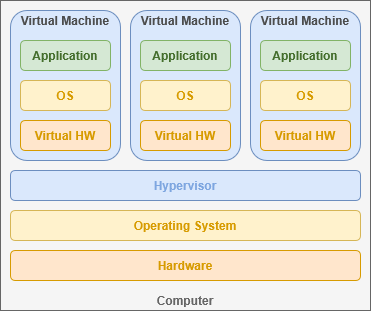
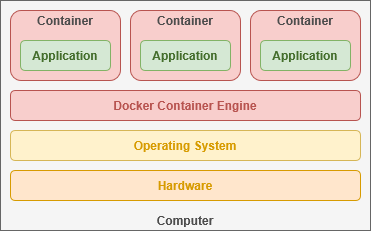
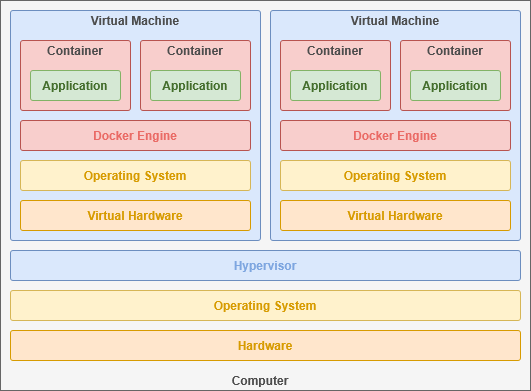
<div drawio-diagram="826"><img src="https://hub.subspace.services/uploads/images/drawio/2025-04/drawing-3-1744068315.png" alt=""/></div>

By comparison, Docker containers share their host operating system's kernel and directly utilize the existing hardware infrastructure. This allows containers to emulate the smallest possible operating system required for their software.

<div drawio-diagram="775"><img src="https://hub.subspace.services/uploads/images/drawio/2025-04/drawing-3-1743634005.png" alt=""/></div>

### Scaling Up

Data server infrastructure often combines these two technologies to host a virtual machines for clients with each running its own private Docker instance. The exact implementation depends on a [balance of efficiency, privacy and performance](https://en.m.wikipedia.org/wiki/Data_center).

<div drawio-diagram="820"><img src="https://hub.subspace.services/uploads/images/drawio/2025-04/drawing-3-1744067469.png" alt=""/></div>

As your user base grows, [Docker Swarm](https://docs.docker.com/guides/swarm-deploy/) makes it simple to deploy across multiple servers – each running the same software – so the load can be balanced between independent systems. Communicating over the [Local Area Network](https://hub.subspace.services/books/world-wide-web/page/what-are-computer-networks "What are Computer Networks?"), Docker can automatically create and destroy containers as needed to handle traffic.

<div drawio-diagram="797"><img src="https://hub.subspace.services/uploads/images/drawio/2025-04/drawing-3-1743812042.png" alt=""/></div>

## Immutable Images

Developers build a '[container image](https://www.docker.com/resources/what-container/)' that contains the complete operating system required for their application. [Alpine Linux](https://www.alpinelinux.org/) is the foundation of many Docker containers requiring only 5mb of storage space and 120mb of RAM.

<div drawio-diagram="823"><img src="https://hub.subspace.services/uploads/images/drawio/2025-04/drawing-3-1744067820.png" alt=""/></div>

These act as a template for quickly deploying a containerized operating system that can interface directly with your hardware. Since Docker can communicate with the kernel, it has the ability to share device and file access with individual containers.

<div drawio-diagram="619"><img src="https://hub.subspace.services/uploads/images/drawio/2025-03/drawing-3-1742155255.png" alt=""/></div>

Container images are read-only and its files cannot be directly changed – a property known as "[immutable](https://en.m.wikipedia.org/wiki/Immutable_object)". Any changes you make will only be stored in memory and will reset once the container is restarted. In order to keep data between power cycles, we need to designate persistent storage space for the container.

## Persistent Storage

Docker-optimized applications will often store all of their persistent data within a single directory, commonly called "*/app*" or "*/config*". This makes services easy to update services because all you need to do is download the latest Docker image and re-start the container using it.

![](https://hub.subspace.services/uploads/images/drawio/2025-04/drawing-3-1744068245.png)

### Docker Volumes

Docker can automatically create virtual disk drives – called "[volumes](https://docs.docker.com/engine/storage/volumes/)" – tied to the container that can be deleted alongside it when no longer needed. This is helpful for trying out an image, creating ephemeral web instances or sharing data among multiple containers.

### Host Binds

You can also mount a directory or file from the host server inside the container. These files can be read-only or fully controlled by the container. This is how many containerized applications keep track of their persistent data in a single-server solution.

### Temporary Volumes

Docker can also create a temporary filesystem in active memory that is deleted when the container is stopped. These are excellent for occasions where information needs to be quickly accessible, but should never written to a hard drive for security purposes – such as private [caches](https://en.m.wikipedia.org/wiki/Cache_(computing)).

## Networks &amp; Neighbors

When creating a container, we can open access to [network ports](https://en.m.wikipedia.org/wiki/Port_(computer_networking)) that allow communication with the service you are hosting. For many self-hosted cloud services, this includes access to the browser-based graphical user interface served over HTTP. Some services, like [qBittorrent](https://hub.subspace.services/books/qbittorrent "qBittorrent •"), use ports to coordinate communication with the outside internet through your router. Each service chooses what the functions or purpose for the ports it uses.

These ports can also enable communication between multiple containers – such as an application frontend and it's database. Docker can increase security by allowing your services to communicate behind-the-scenes, inaccessible to access from outside your local computer.

Modern operating systems have 65,535 ports to be individually allocated. A few are [reserved system ports](https://en.m.wikipedia.org/wiki/List_of_TCP_and_UDP_port_numbers#Well-known_ports) (such as port 80 for [HTTP](https://en.m.wikipedia.org/wiki/HTTP)), but the majority are freely available for use. As a metaphor, specific telephone numbers are reserved for emergency services while others are available for use as telephone numbers to businesses and consumers.

We can either chose to "[expose](https://docs.docker.com/compose/compose-file/compose-file-v3/#expose)" a port – making it accessible only to the other containers within the stack along side it – or "[map](https://docs.docker.com/compose/compose-file/compose-file-v3/#ports)" the ports to make them accessible outside of the stack. When opening a port, we need to use both an "internal" port and an "external" port.

<div drawio-diagram="827"><img src="https://hub.subspace.services/uploads/images/drawio/2025-04/drawing-3-1744069077.png" alt=""/></div>

Since we are virtualizing an operating system inside each container, they have their own 65,000 available ports. By defining two numbers – such as 80:80 – we can connect the port used by the container to the port used by our host system. When a container image defaults to a common port – like port 80 – we can assign it to another available port. We use the order *"external:internal"* – or *"host:container"* – when mapping a container port.

<p class="callout info">Mapping an [nginx](https://hub.subspace.services/books/nginx "nginx") container – which uses port 80 – to port 4000 on your host computer would be: *"4000:80".*</p>


### Isolated Systems

By leveraging ports, we can access multiple services hosted from the same machine, each running in their own container. This is a common practice – known as a Docker Stack – that allows you to deploy new containers as well as define the virtual private networks connecting them. Conceptually, a stack sits a level higher than containers and can consist of several containers that work in tandem.
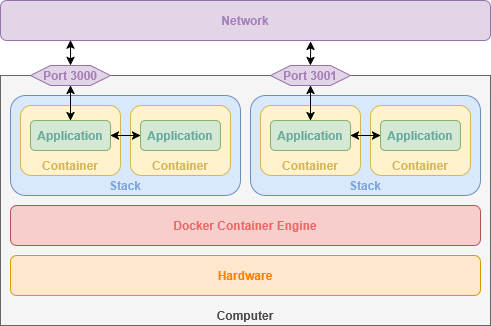
<div drawio-diagram="626"><img src="https://hub.subspace.services/uploads/images/drawio/2025-03/drawing-3-1742170473.png" alt=""/></div>

As an example, we could create two stacks for hosting two independent websites. Each stack would have an [nginx](https://hub.subspace.services/books/nginx "nginx") container allocating sequential ports – such as 3000 and 3001. Additionally, each stack would have a [MariaDB](https://hub.subspace.services/books/mariadb "MariaDB") container for storing web application data. Within each stack, nginx can communicate with the MariaDB container, but is completely unaware of the other MariaDB container within the other stack.

## Creating Containers

Docker containers are controlled through the terminal, allowing you to easily start, stop and restart them. Similarly, you can connect to the operating system running inside the container to perform tasks and get information.

You can run a docker container from the terminal with one command.

```bash
sudo docker run --it -d -p 80:80 --name nginx -v /srv/nginx/:/config scr.io/linuxserver/nginx:latest
```

This is the basic syntax for creating any Docker container. There are several important parameters that define how our container functions.

The above command follows the basic syntax:

```bash
sudo [[program]] [[command]] [[parameters]]
```

Running 'sudo' tells the shell to run the command as Root – or 'super user do'.

We are telling the 'docker' program to 'run' a container with the following parameters:

<table border="1" id="bkmrk---it-keeps-the-conta" style="border-collapse: collapse; width: 100%; border-width: 1px; height: 223.2px;"><colgroup><col style="width: 15.4762%;"></col><col style="width: 84.5238%;"></col></colgroup><tbody><tr style="height: 28.8px;"><td class="align-right" style="height: 28.8px;">--it</td><td style="height: 28.8px;">Keeps the container's shell accessible through the terminal   
</td></tr><tr style="height: 28.8px;"><td class="align-right" style="height: 28.8px;">-d</td><td style="height: 28.8px;">Runs container in the background   
</td></tr><tr style="height: 62.4px;"><td class="align-right" style="height: 62.4px;">-p</td><td style="height: 62.4px;">Opens a port on the container, connecting a port from the container to an external port on our host computer. This allows the service to be accessible by other computers on your network.

</td></tr><tr style="height: 28.8px;"><td class="align-right" style="height: 28.8px;">--name</td><td style="height: 28.8px;">Name to use for the container   
</td></tr><tr style="height: 45.6px;"><td class="align-right" style="height: 45.6px;">-v</td><td style="height: 45.6px;">Links a directory or file from our host computer to the container so it can access it.</td></tr><tr style="height: 28.8px;"><td class="align-right" style="height: 28.8px;">scr.io/linuxserver/nginx:latest</td><td style="height: 28.8px;">The Docker image to use for creating the container</td></tr></tbody></table>

We can check the status of running Docker containers by entering the command:

```bash
sudo docker ps
```

### Compose

This Docker Engine add-on makes it very easy to quickly pop-up containers using an easy-to-read syntax. Compose uses [YAML](https://en.m.wikipedia.org/wiki/YAML), a [data serialization language](https://en.m.wikipedia.org/wiki/Serialization#Serialization_formats) commonly used for human-readable software configuration files.

This example shows how YAML might be used for storing information about people:

```yaml
people:
  sally:
    name: Sally
    age: 32
    interests:
      - "Watching movies"
      - Linux
  john:
    name: John
    age: 46
    interests:
      - Music
      - "Eating out"
```

Using the Docker Compose, we can quickly define a stack with one or more containers. This makes it simple to automatically define private networks for each stack running on the system. By default, apps within the same stack can communicate with each other but restricts external connections unless a port is configured.

```yaml
services:
  nginx:
    image: lscr.io/linuxserver/nginx:latest
    container_name: nginx
    volumes:
      - /srv/nginx/:/config
    ports:
      - 80:80
```

This Docker Compose snippet creates the same container as our Docker Engine example above using the command line.

We can also create a Stack with multiple connected containers, such as [WordPress](https://hub.subspace.services/books/wordpress "WordPress •") which uses a web server and a database.

```yaml
---
services:
  db:
    image: mariadb:10.6.4-focal
    command: '--default-authentication-plugin=mysql_native_password'
    volumes:
      - /srv/wordpress/db:/var/lib/mysql
    restart: always
    expose:
      - 3306

  wordpress:
    image: wordpress:latest
    ports:
      - 8080:80
    restart: always
    depends_on:
      - db
    volumes:
     - /srv/wordpress/html:/var/www/html
    environment:
      - WORDPRESS_DB_HOST=db
```

For convenience, we will be using [Portainer](https://hub.subspace.services/books/portainer "Portainer") which offers fully browser-based access for managing Docker containers and stacks.

[![Capture9.PNG](https://hub.subspace.services/uploads/images/gallery/2025-03/scaled-1680-/capture9.PNG)](https://hub.subspace.services/uploads/images/gallery/2025-03/capture9.PNG)

# Installing Docker

Docker is a service that allows you to quickly host containerized applications tailored for your hardware.

# Running the Install Script

[Docker](https://www.docker.com/) provides a convenient script for quickly installing their software and getting it ready.

<p class="callout info">You can find the [official Docker installation guide](https://docs.docker.com/engine/install/debian/#install-using-the-convenience-script) on their website.</p>

## Preparation

First, we need to open our terminal to install a small application called *curl* that can be used to download files through the terminal.

Enter this command and hit enter to automatically install the curl software:

```bash
sudo apt-get install -y curl
```

<p class="callout warning">You will be prompted to enter your password.</p>

<table border="1" class="align-center" id="bkmrk-" style="border-collapse: collapse; width: 100%; border-width: 1px;"><colgroup><col style="width: 50%;"></col><col style="width: 50%;"></col></colgroup><tbody><tr><td>[![image.png](https://hub.subspace.services/uploads/images/gallery/2025-04/scaled-1680-/yk7image.png)](https://hub.subspace.services/uploads/images/gallery/2025-04/yk7image.png)</td><td>[![image.png](https://hub.subspace.services/uploads/images/gallery/2025-04/scaled-1680-/v72image.png)](https://hub.subspace.services/uploads/images/gallery/2025-04/v72image.png)

</td></tr></tbody></table>

## Installation

Now, enter the following command to use *curl* to download the script that installs Docker and it's dependencies:

```bash
curl -fsSL https://get.docker.com -o get-docker.sh
```

[![image.png](https://hub.subspace.services/uploads/images/gallery/2025-04/scaled-1680-/TZ7image.png)](https://hub.subspace.services/uploads/images/gallery/2025-04/TZ7image.png)

Once the download is complete, you can enter this command to run the script we just downloaded:

```bash
sh get-docker.sh
```

[![image.png](https://hub.subspace.services/uploads/images/gallery/2025-04/scaled-1680-/v8Eimage.png)](https://hub.subspace.services/uploads/images/gallery/2025-04/v8Eimage.png)

The Docker setup process should proceed automatically and prompt you about further actions once it's finished. We do not need to follow these additional instructions.

[![image.png](https://hub.subspace.services/uploads/images/gallery/2025-04/scaled-1680-/BTMimage.png)](https://hub.subspace.services/uploads/images/gallery/2025-04/BTMimage.png)

We have successfully installed the Docker Container Engine on our server.

# Graphic Card Integration

Graphic cards handle images and videos much more efficiently than a traditional processor. While using Docker, some media services – such as [Plex](https://hub.subspace.services/books/media-servers/chapter/plex "Plex"), [Jellyfin](https://hub.subspace.services/books/media-servers/chapter/jellyfin "Jellyfin") or [Stash](https://hub.subspace.services/books/media-servers/chapter/stash "Stash") – will run much more efficiently if they have direct access to your graphics card.

This process is different depending on the manufacturer of your graphics card.


## AMD/ATI

You will need to install the ROCm software in order to use your graphics card within Docker. The process for [installing ROCm on Debian](https://rocm.docs.amd.com/projects/install-on-linux/en/latest/install/quick-start.html#rocm-install-quick) is detailed in their documentation.

Once installed, the graphics card can be attached to Docker containers.

## Intel

Integrated graphics, like those in modern Intel processors, are innately available to Docker containers by providing access.

## Nvidia

You will need to install the [Nvidia Container Toolkit](https://docs.nvidia.com/datacenter/cloud-native/container-toolkit/latest/index.html) in order to use your graphics card with Docker containers.

<p class="callout warning">This requires that the [proprietary Nvidia drivers are installed](https://hub.subspace.services/books/software/page/graphics-card "Setting Up Your Graphics Card") and working correctly.</p>

The process for [installing the required software](https://docs.nvidia.com/datacenter/cloud-native/container-toolkit/latest/install-guide.html) is detailed in their documentation. Once installed, the graphics card can be attached to Docker containers.

# Creating Your First Container

We will be installing [Portainer](https://www.portainer.io/), an open-source web application that makes it easy to manage Docker from your browser.

[![Capture9.PNG](https://hub.subspace.services/uploads/images/gallery/2025-03/scaled-1680-/capture9.PNG)](https://hub.subspace.services/uploads/images/gallery/2025-03/capture9.PNG)
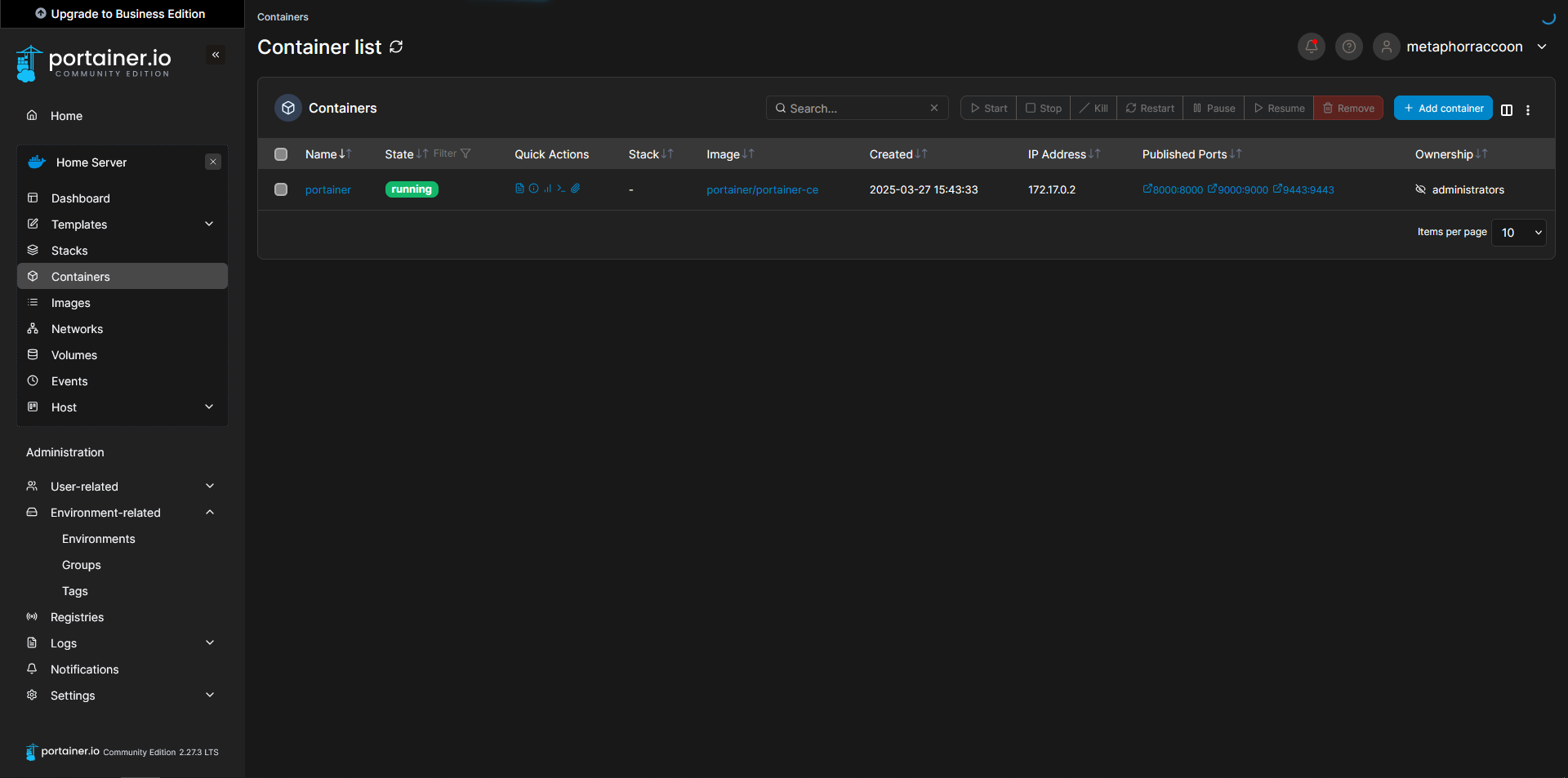
## Starting Portainer

We are adding port 9000 which isn't used by default. This allows Portainer to be accessed through HTTP instead of HTTPS.

<p class="callout info">You can find the [official Portainer installation guide](https://docs.portainer.io/start/install-ce/server/docker/linux) on their website.</p>

Using the terminal, we will issue the command to start our new Docker container:

```bash
sudo docker run -d -p 8000:8000 -p 9000:9000 -p 9443:9443 --name=portainer --restart=always -v /var/run/docker.sock:/var/run/docker.sock -v /srv/portainer:/data portainer/portainer-ce
```

Docker will download the image and start the container.

[![image.png](https://hub.subspace.services/uploads/images/gallery/2025-03/scaled-1680-/nyIimage.png)](https://hub.subspace.services/uploads/images/gallery/2025-03/nyIimage.png)Once the command has finished, we can verify that Portainer is operational by querying Docker's running containers:
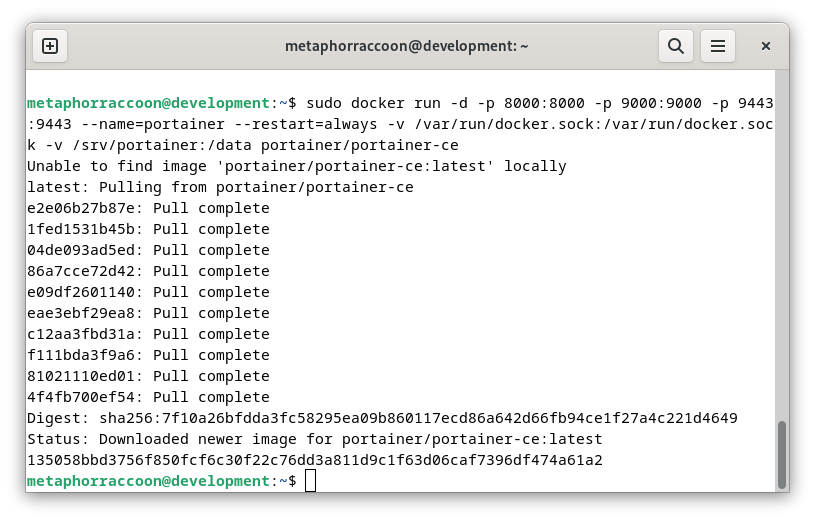
```bash
sudo docker ps
```

[![image.png](https://hub.subspace.services/uploads/images/gallery/2025-04/scaled-1680-/DX0image.png)](https://hub.subspace.services/uploads/images/gallery/2025-04/DX0image.png)
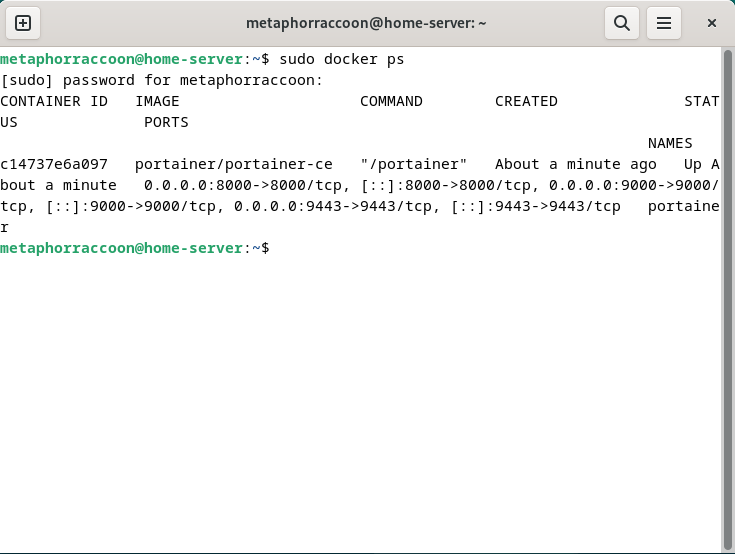
The command should return our running Portainer container and show that it's available under four different ports.

## Creating an Admin Account

In order to configure our instance of Portainer, we will need to open a web browser.

<p class="callout info">We recommend [Mozilla Firefox,](https://www.mozilla.org/en-US/firefox/) but [Google Chrome](https://www.google.com/chrome/) will also work.   
</p>

Once the web browser is open, go to [http://localhost:9000/](http://localhost:9000/) to load Portainer.

[![Capture.PNG](https://hub.subspace.services/uploads/images/gallery/2025-03/scaled-1680-/QSTcapture.PNG)](https://hub.subspace.services/uploads/images/gallery/2025-03/QSTcapture.PNG)
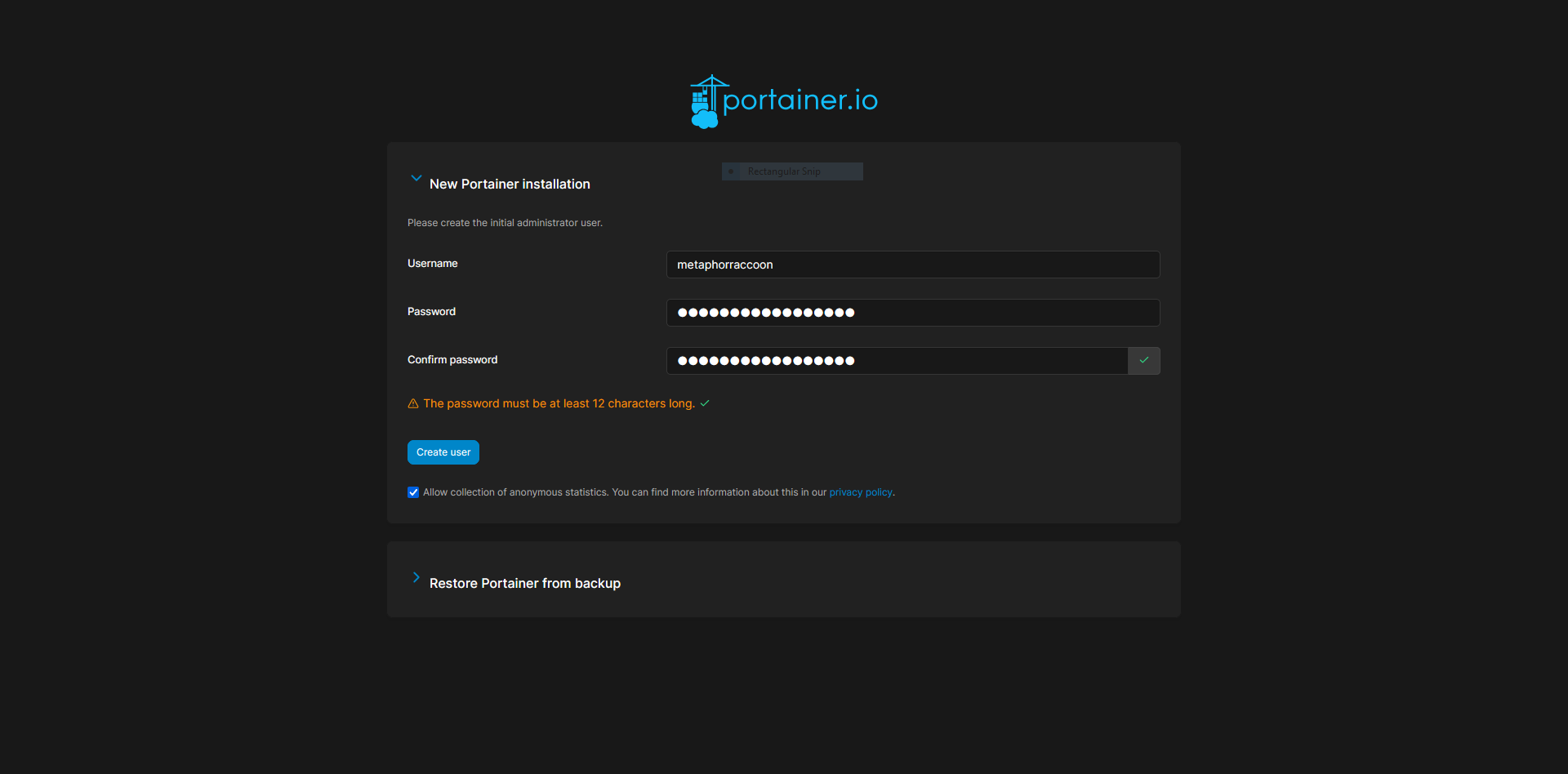
Here, we are instructed to create an administrator account and set a secure password. This will be used in the future to login to Portainer.

<p class="callout warning">**The account creation wizard will time-out if not completed quickly.**  
If this happens, restart Portainer with the command: *docker restart portainer*.</p>

[![Capture2.PNG](https://hub.subspace.services/uploads/images/gallery/2025-03/scaled-1680-/jC5capture2.PNG)](https://hub.subspace.services/uploads/images/gallery/2025-03/jC5capture2.PNG)

## Adding Docker

Once we have created an account, we will be able to select our Docker service. If everything is working as expected, you should be able to click 'Get Started' to use the local Docker service.

[![Capture3.PNG](https://hub.subspace.services/uploads/images/gallery/2025-03/scaled-1680-/Q0jcapture3.PNG)](https://hub.subspace.services/uploads/images/gallery/2025-03/Q0jcapture3.PNG)
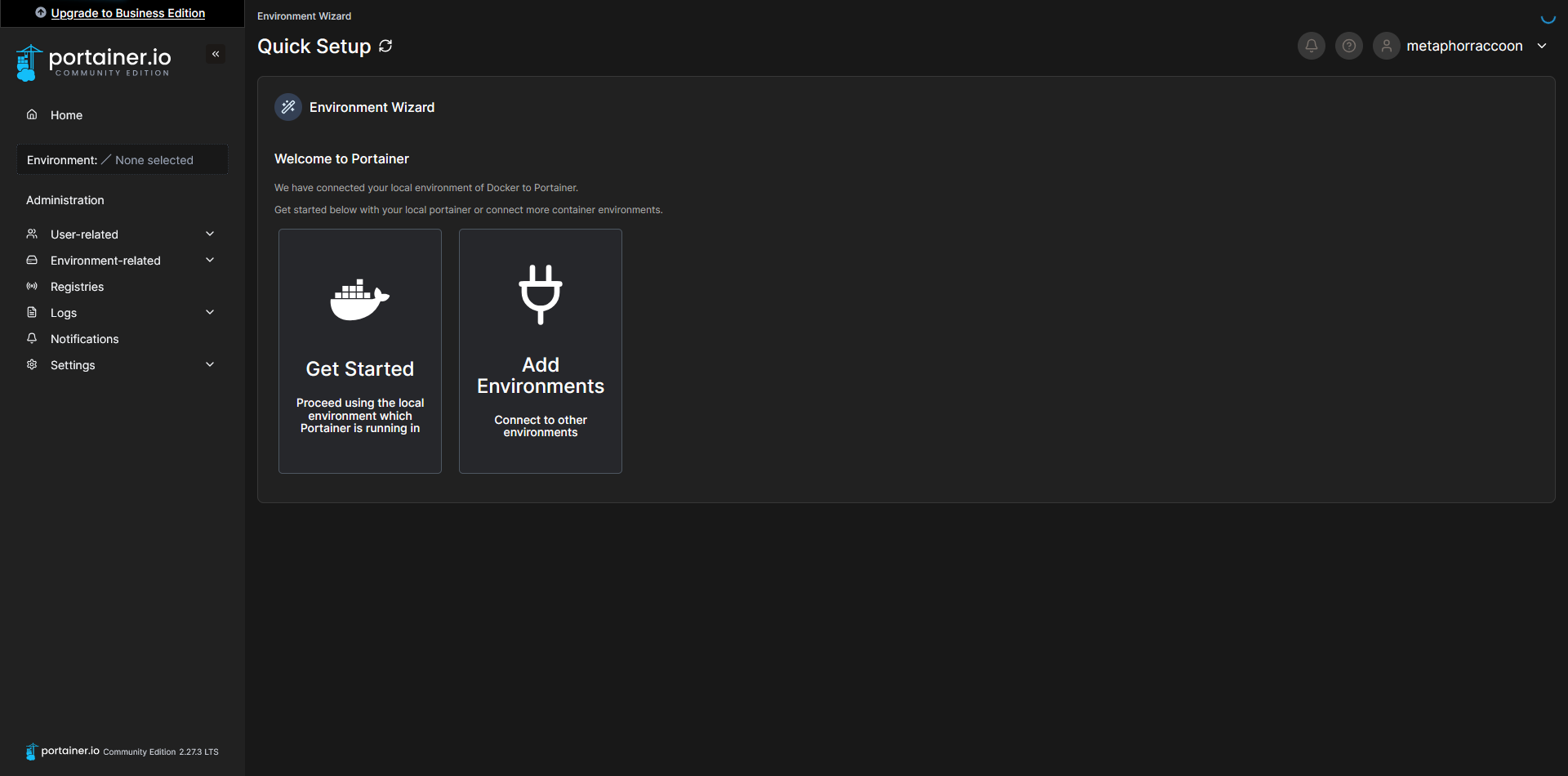
This will bring you to a list of Docker installations that are available to Portainer.

<p class="callout info">You can use the [Portainer Agent](https://docs.portainer.io/admin/environments/add/docker/agent) to control Docker on additional servers.</p>

[![Capture4.PNG](https://hub.subspace.services/uploads/images/gallery/2025-03/scaled-1680-/oADcapture4.PNG)](https://hub.subspace.services/uploads/images/gallery/2025-03/oADcapture4.PNG)

Now, we can configure the name of our Docker server, for personal preference, as well as set the root IP address of our server so we can quickly access our services from Portainer. Select the pencil icon next to your "local" Environment.

[![Capture7.PNG](https://hub.subspace.services/uploads/images/gallery/2025-03/scaled-1680-/capture7.PNG)](https://hub.subspace.services/uploads/images/gallery/2025-03/capture7.PNG)
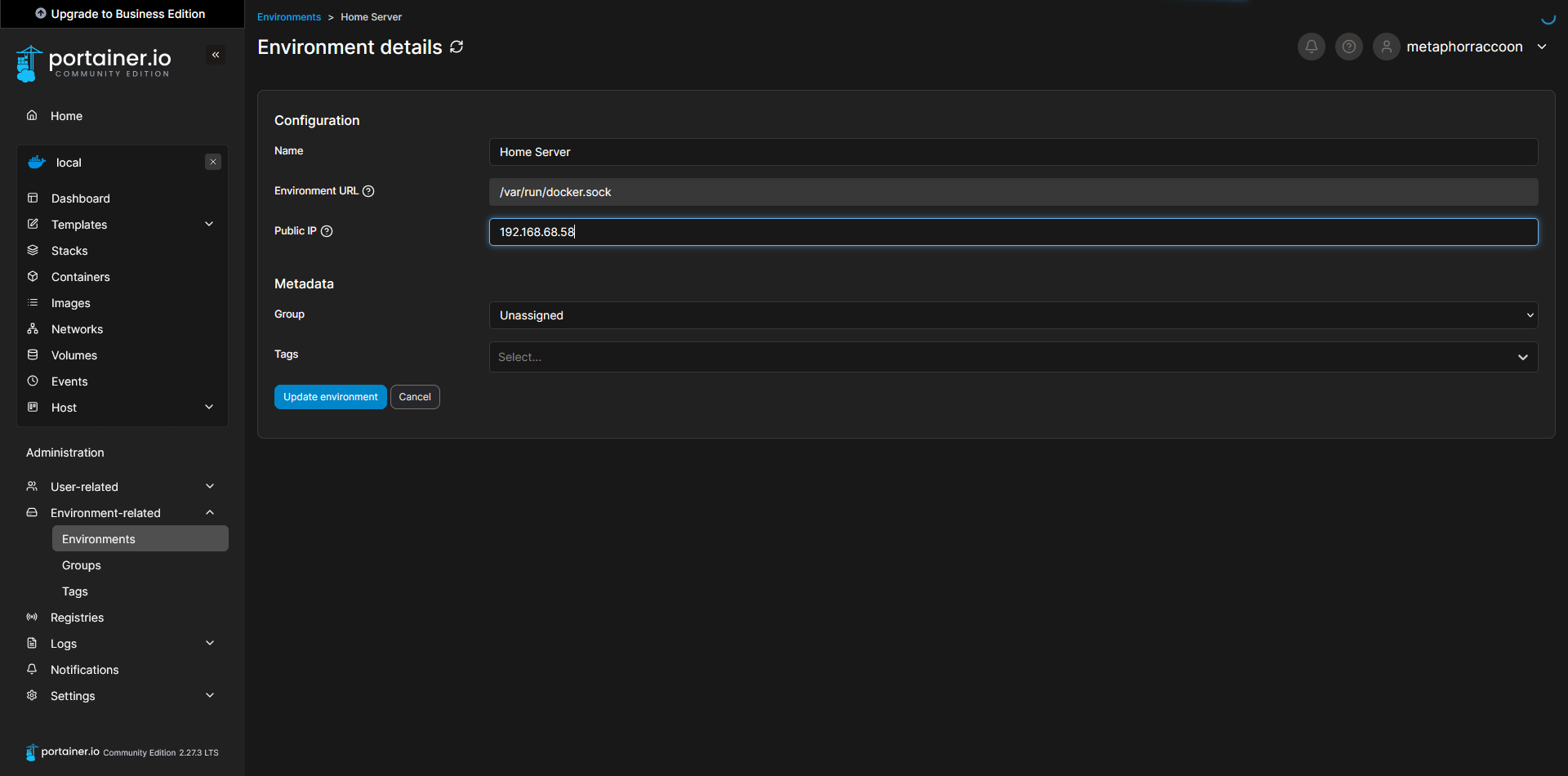
If you are unsure about the LAN IP address [we selected earlier](https://hub.subspace.services/books/software/page/networking "Static Network IP"), you can run the command below to obtain it:

```bash
ip -o route show | grep default
```

[![image.png](https://hub.subspace.services/uploads/images/gallery/2025-02/scaled-1680-/rzDimage.png)](https://hub.subspace.services/uploads/images/gallery/2025-02/rzDimage.png)

Once you have completed that, you can save the settings to apply them. When returning to the home screen, we can see that our settings were updated.

[![Capture8.PNG](https://hub.subspace.services/uploads/images/gallery/2025-03/scaled-1680-/capture8.PNG)](https://hub.subspace.services/uploads/images/gallery/2025-03/capture8.PNG)
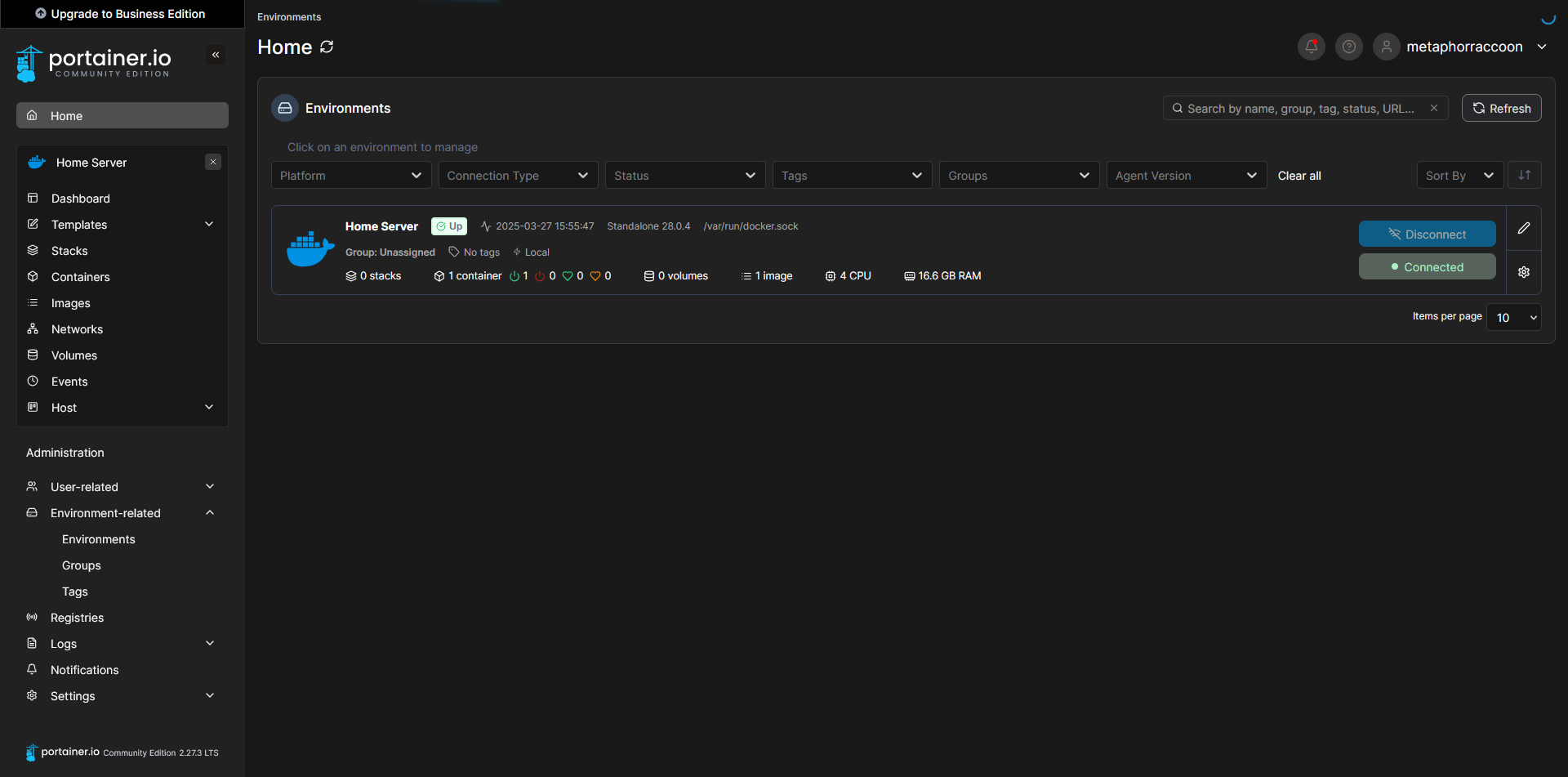
Clicking on our Docker environment – named "Home Server" here – will pull up a list of our running containers. You can see the first and only one listed is our newly created Portainer installation.

[![Capture9.PNG](https://hub.subspace.services/uploads/images/gallery/2025-03/scaled-1680-/capture9.PNG)](https://hub.subspace.services/uploads/images/gallery/2025-03/capture9.PNG)

Clicking on "8000:8000" under assigned ports will open this port using your web browser. In this instance, it should open Portainer in a new tab.

[![Capture8.PNG](https://hub.subspace.services/uploads/images/gallery/2025-03/scaled-1680-/capture8.PNG)](https://hub.subspace.services/uploads/images/gallery/2025-03/capture8.PNG)

# Next Steps

Now that we have created a solid server foundation, we can begin to install our desired services through [Portainer](https://hub.subspace.services/books/portainer "Portainer"). We will use [Docker Compose](https://hub.subspace.services/books/software/page/what-is-docker "What is Docker?") markup to quickly self-host new web applications.

[![Capture8.PNG](https://hub.subspace.services/uploads/images/gallery/2025-03/scaled-1680-/capture8.PNG)](https://hub.subspace.services/uploads/images/gallery/2025-03/capture8.PNG)

[<button class="nav-button" type="button">See the Services Guide</button>](https://hub.subspace.services/books/services "Next Steps")