# What is Linux?
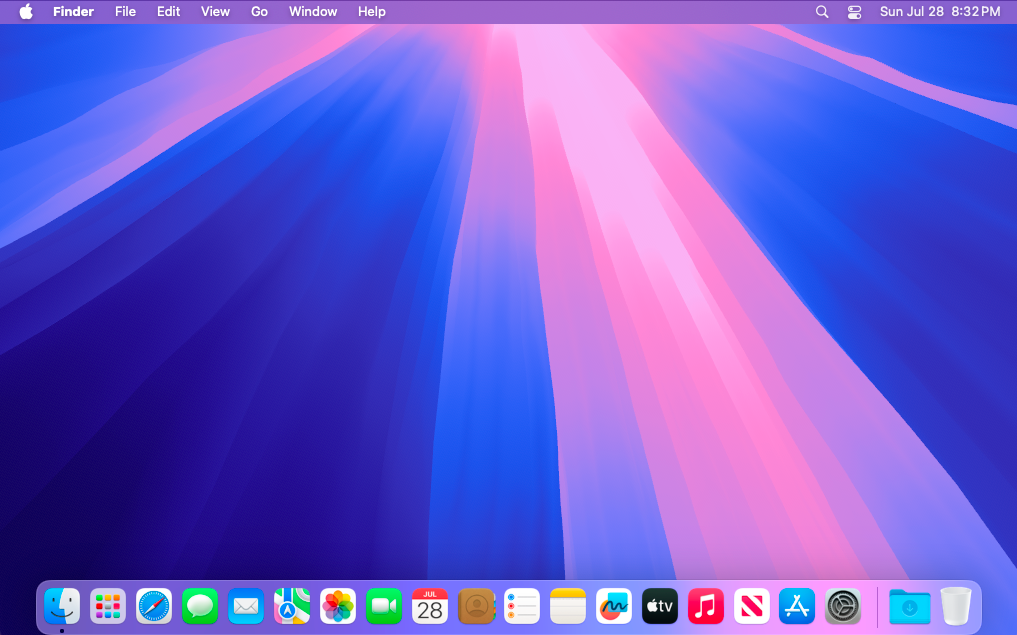
When you purchase a MacBook, it comes with [MacOS](https://en.m.wikipedia.org/wiki/MacOS) pre-installed on it. This [operating system](https://en.m.wikipedia.org/wiki/Operating_system) is where you browse the Internet, message friends and run your favorite applications. This closely guarded software uses proprietary code created by [Apple](https://en.m.wikipedia.org/wiki/Apple_Inc.) and each year they release a new version superseding the last. This cycle focuses on using software to leverage new features in updated hardware.
[](https://hub.subspace.services/uploads/images/gallery/2025-05/1000000358.png)
When talking about "Linux", we are not explicitly referring to any one operating system – like MacOS or Windows. Linux is a collective effort of countless development communities from around the globe working together and releasing their source code for everyone. These projects create modular components that conglomerate into larger systems.
[](https://hub.subspace.services/uploads/images/gallery/2025-05/1000000350.png)These systems revolve around the [Linux kernel](https://en.m.wikipedia.org/wiki/Linux_kernel) – a core piece of software that has complete control over all hardware and software within a computer. At 40-million lines of code, this monolithic software project has [contributions from over 13,000 developers and 1,300 companies](https://www.linuxfoundation.org/resources/open-source-guides/participating-in-open-source-communities) around the globe.
| 
|  | [](https://hub.subspace.services/uploads/images/gallery/2025-05/ring.png) |
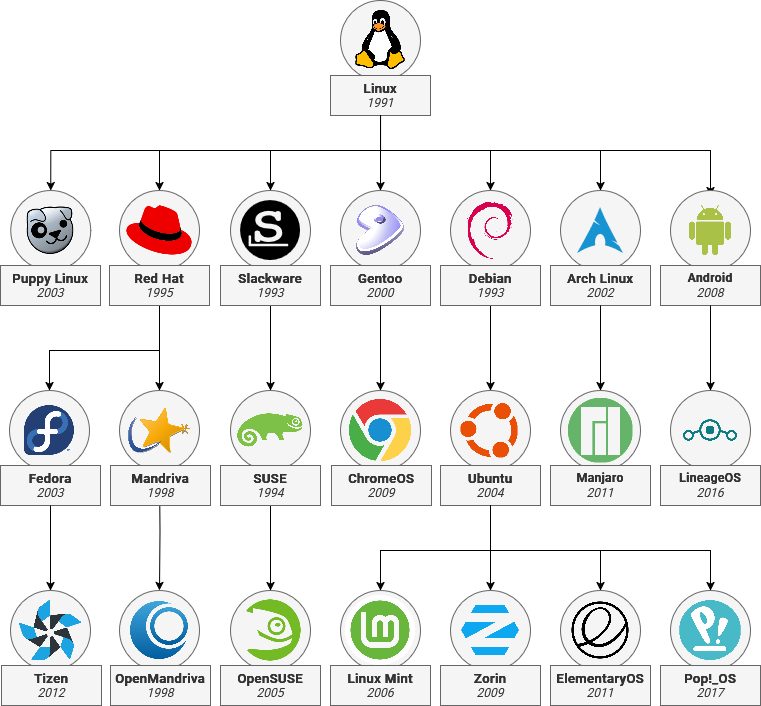
The Kernel is packaged alongside software created by other open-source developers into a 'distro' – or a [distribution](https://en.m.wikipedia.org/wiki/Linux_distribution). [Entire Linux branches](https://en.m.wikipedia.org/wiki/List_of_Linux_distributions) can derive from other distros by mixing and matching components to [create a family tree](https://distrowatch.com/dwres-mobile.php?resource=family-tree). [Debian](https://www.debian.org/) is the root of [Ubuntu](https://ubuntu.com/) which is used in turn for [Raspberry Pi OS](https://www.raspberrypi.com/software/), [ElementaryOS](https://elementary.io/), [Linux Mint](https://linuxmint.com/) and many others.
Much of our modern world is powered through open-source software projects. Linux is an example of the immense scale of the open-source projects used to power the majority of the [cloud](https://www.cbtnuggets.com/blog/certifications/open-source/why-linux-runs-90-percent-of-the-public-cloud-workload) and [Internet servers](https://www.fortunebusinessinsights.com/server-operating-system-market-106601). [Openssl](https://www.openssl.org/), an open-source project which provides secure encryption to over two-thirds of the internet, illustrates their [dire importance](https://www.vice.com/en/article/the-internet-was-built-on-the-free-labor-of-open-source-developers-is-that-sustainable/).
Linux-based operating system require several core components in order to function. These parts works together to get the hardware initialized so that software can be loaded and made available for users. Owing to the open ethos behind Linux, there are often multiple software options to achieve the same outcome. This means you can make choices about how you use the hardware you own.
## Bootstrapping
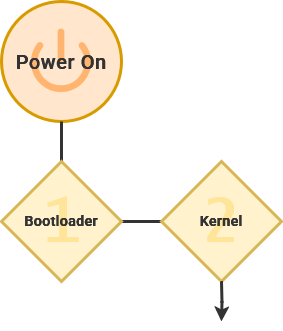
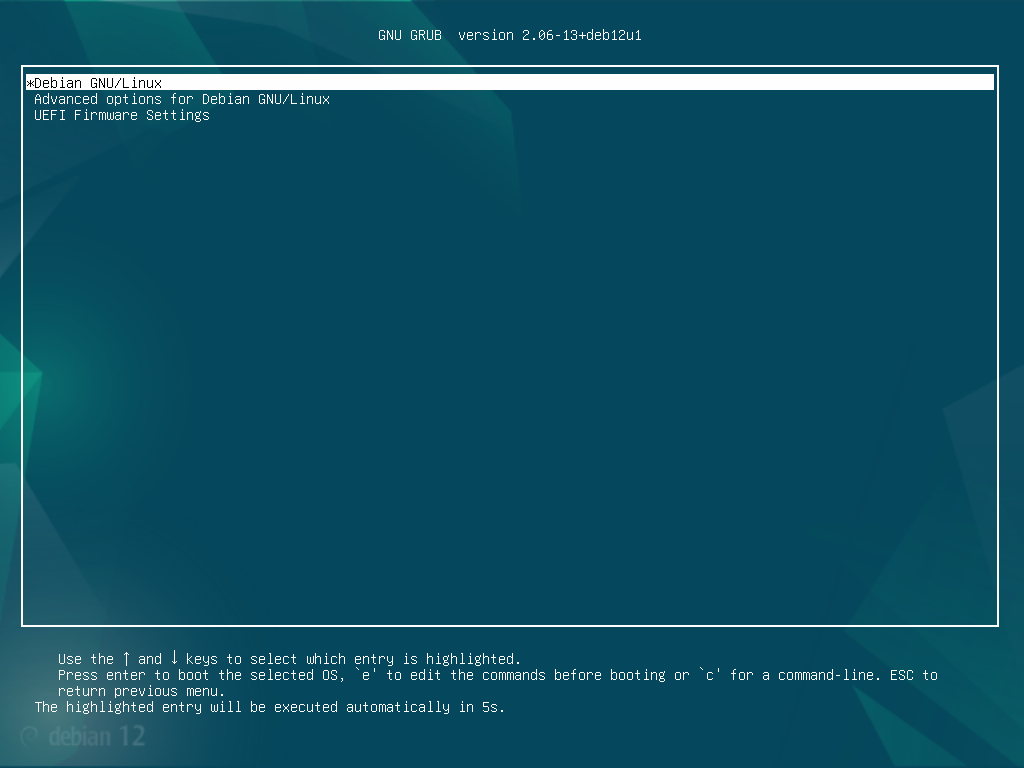
When a computer is first turned on, the bootloader loads the kernel into active memory and activates the first stages of the operating system.
[GRUB](https://en.m.wikipedia.org/wiki/GNU_GRUB) (or the GNU GRand Unified Boot) is the most common bootloader for Linux operating systems. This enables you to install multiple operating systems on the same hardware.
[](https://hub.subspace.services/uploads/images/gallery/2025-02/virtualbox-debian-14-02-2025-18-00-28.png)
## Core Systems
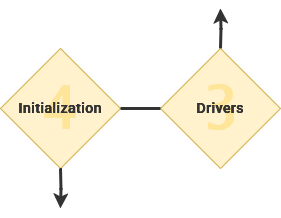
The kernel is always loaded into memory and facilitating communication between components – like your processor, graphics card, and storage drives. The kernel uses installed [device drivers](https://en.m.wikipedia.org/wiki/Device_driver) to control hardware inside the computer.
A kernel is the most essential and core part of something greater.
[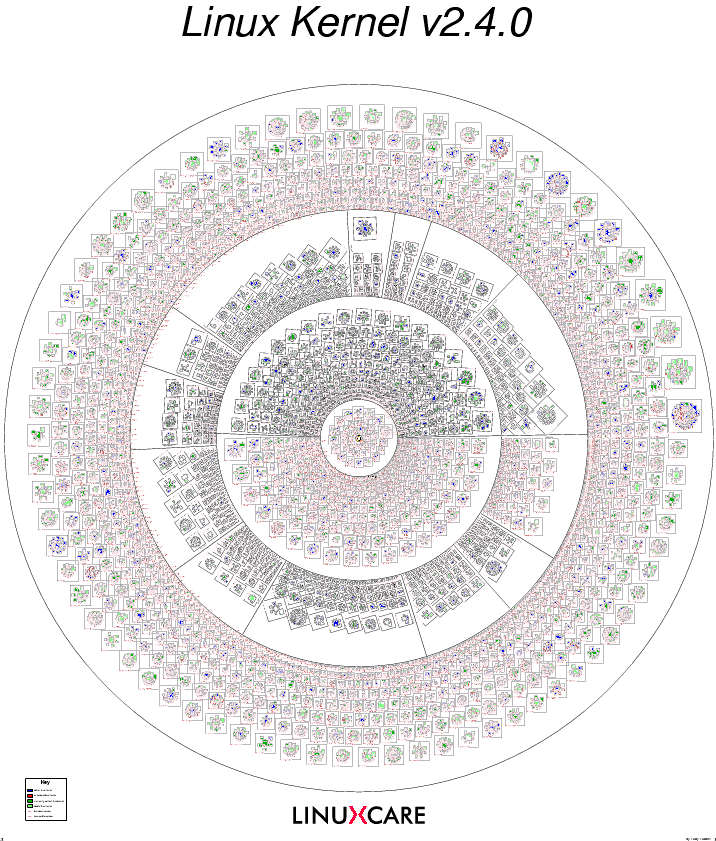](https://hub.subspace.services/uploads/images/gallery/2025-05/1000000352.png)[Visualization of Open-Source Projects in the Linux Kernel](https://fcgp.sourceforge.net/)
While the [Linux kernel](https://en.m.wikipedia.org/wiki/Linux_kernel) is perhaps the most well-known open-source kernel, it is [far from the only option](https://en.m.wikipedia.org/wiki/Comparison_of_operating_system_kernels). Notable examples being [FreeBSD](https://en.m.wikipedia.org/wiki/FreeBSD), [OpenBSD](https://en.m.wikipedia.org/wiki/OpenBSD) and [NetBSD](https://en.m.wikipedia.org/wiki/NetBSD), as well as specialized kernels like GNU [Hurd](https://en.m.wikipedia.org/wiki/GNU_Hurd) and [Mach](https://en.m.wikipedia.org/wiki/Mach_(kernel)). Microsoft [Windows](https://en.m.wikipedia.org/wiki/Architecture_of_Windows_NT) and [MacOS](https://en.m.wikipedia.org/wiki/Darwin_(operating_system)) also use their own proprietary "[closed-source](https://en.m.wikipedia.org/wiki/Proprietary_software)" kernel for their operating systems.
### Drivers
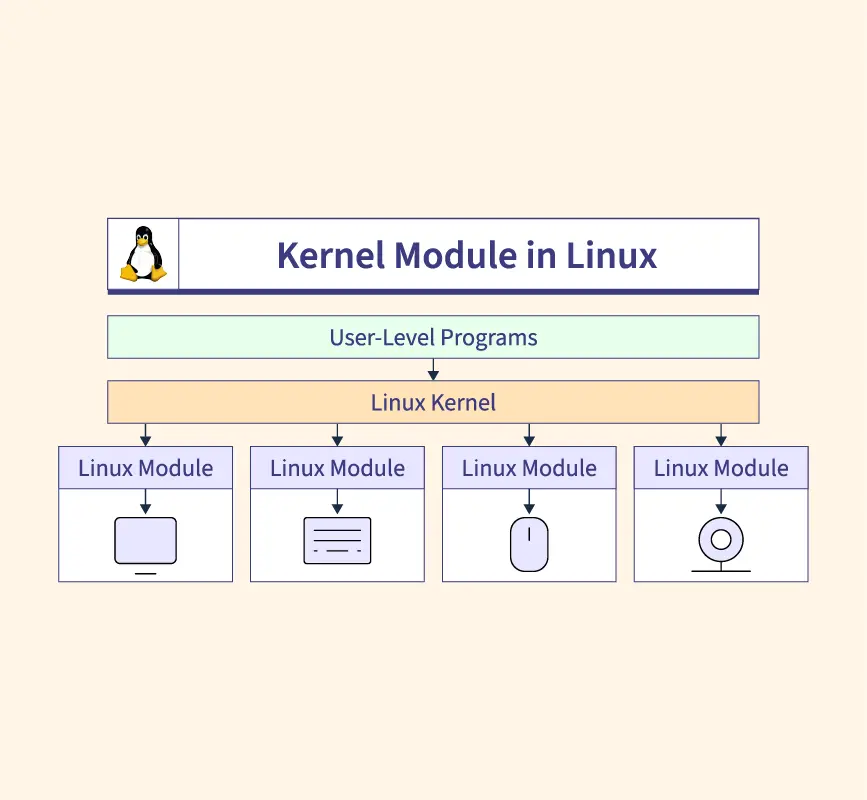
The Kernel uses modular software known as [drivers](https://en.m.wikipedia.org/wiki/Device_driver) to control hardware components. There are a wide range of drivers available for a diverse range of devices – from proprietary drivers from corporations to open-source drivers that provide basic features.
[](https://hub.subspace.services/uploads/images/gallery/2025-05/1000000347.webp)
## Initialize Subsystems
Once GRUB has loaded the kernel, the first program started by the operating system is called an [*init*](https://en.m.wikipedia.org/wiki/Init) – or *initialization* – service. This integral program is responsible for all other processes operating on the computer. This is the first program that operates within the '[user space](https://en.m.wikipedia.org/wiki/User_space_and_kernel_space)' – or software that exists outside of the kernel.
[Systemd](https://en.m.wikipedia.org/wiki/Systemd) has become standard for many Linux-based distributions. This software manages all of the software that runs behind-the-scenes in an operating system. A crucial aspect is making sure that everything starts in the right order – such as only starting network-dependent services after an internet connection is established.
### Daemons
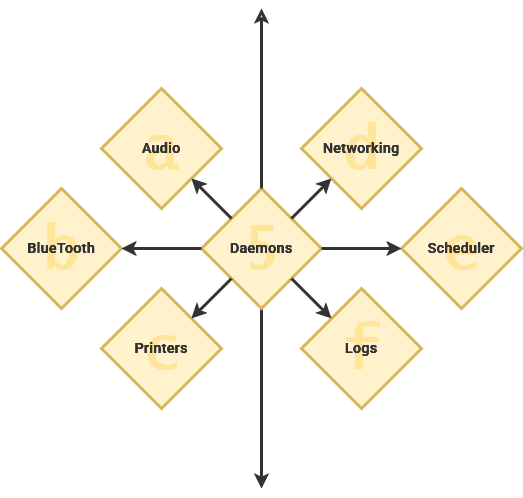
Once the init program – often systemd – has loaded itself, it can start the other necessary processes. A [daemon](https://en.m.wikipedia.org/wiki/Daemon_(computing)) is a specific type of software program that controls system functions and are not something that are interacted with directly. Generally, these programs start during the boot process and continue running until the computer is shut down.
> Many people equate the word "daemon" with the word "demon", implying some kind of satanic connection between UNIX and the underworld. This is an egregious misunderstanding. "Daemon" is actually a much older form of "demon"; daemons have no particular bias towards good or evil, but rather serve to help define a person's character or personality. The ancient Greeks' concept of a "personal daemon" was similar to the modern concept of a "guardian angel"—eudaemonia is the state of being helped or protected by a kindly spirit. As a rule, UNIX systems seem to be infested with both daemons and demons.
>
> — Unix System Administration Handbook
These daemon services fill a range of roles and niche operations. Traditionally, they have a 'd' at the end of their name or denote that it's a daemon.
| Daemon | Description
|
| [syslogd](https://en.m.wikipedia.org/wiki/Syslogd) | Handles error logs |
| [sshd](https://en.m.wikipedia.org/wiki/Secure_Shell#Use) | Handles SSH connections |
| [PulseAudio-d](https://en.m.wikipedia.org/wiki/PulseAudio) | Handles system audio |
| [D-Bus-Daemon](https://en.m.wikipedia.org/wiki/D-Bus) | Handles communication between applications |
| [cups-daemon](https://en.m.wikipedia.org/wiki/CUPS) | Handles printer integration |
## Granular Security
There are fundamental differences between how Windows and Linux-based operating systems function. Windows is functionally a *single user* environment which means that important system services run alongside user applications under a user's personal account. This makes it difficult to contain security vulnerabilities because the same account is in control of important system processes.
Linux, on the other hand, has been a *multi-user* environment since it's inception. Under this operating system, important system functions are run as the *root* user. This is a [superuser](https://en.m.wikipedia.org/wiki/Superuser) account that has administrative access to control everything about the hardware and software of the computer system. Within Windows, the first user account created on the computer acts as the superuser.
Diagram showing windows and Linux users. Windows has user account and admin account together. Linux has them separately.
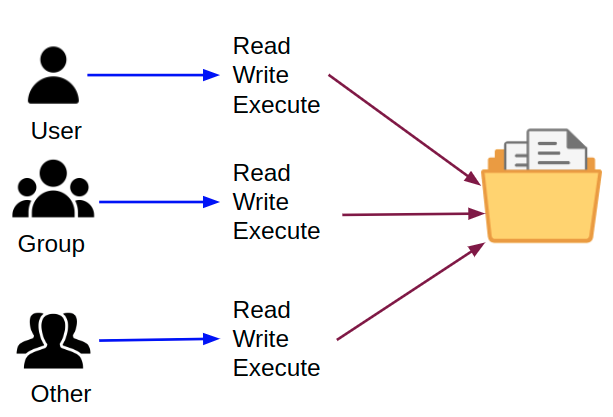
User accounts can be provided with secure access to run programs using superuser privileges. This is accomplished through utilities like [sudo](https://en.m.wikipedia.org/wiki/Sudo) that will temporarily provide administrative control to a program. By keeping processes separated, Linux has a better operational security – if a process on one account is compromised, it still cannot access core systems. Partitioned user accounts also mean that files on your storage drives can have strict file [access controls](https://en.m.wikipedia.org/wiki/Access-control_list).
[](https://hub.subspace.services/uploads/images/gallery/2025-05/1000000430.png)
This provides the ability to fine-tune who can access files and folders on the local computer – or over the network. Operating system files are owned by the root user and cannot be modified by non-privileged accounts. Personal files, on the other hand, are under the control of each individual user. This means the administrator is in charge of who can access a computer's digital resources.
## Interacting with a Computer
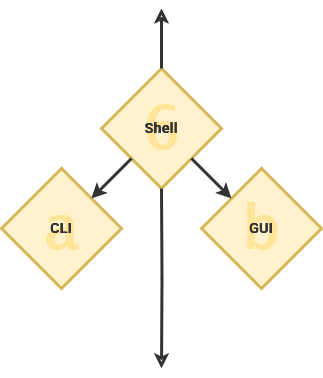
As part of the initialization program, the system loads the [Shell](https://en.m.wikipedia.org/wiki/Shell_(computing)) – or [user interface](https://en.m.wikipedia.org/wiki/User_interface). This is the interactive element that evokes what we commonly consider to be the "operating system". The shell can be a command line or a graphical user interface.
It is named the "shell" because it is [outermost layer surrounding the operating system](http://www.catb.org/jargon/html/S/shell.html).
### Command Line
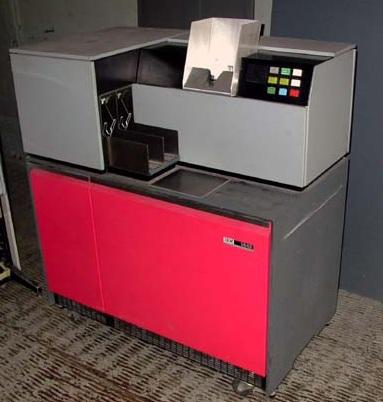
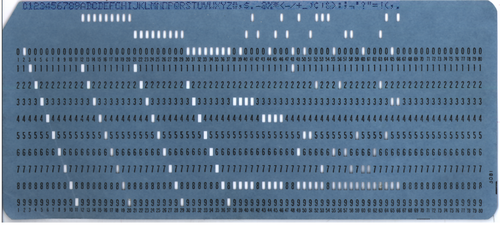
Before we had digital computers and operating systems, we had mechanical "analog" computers. These machines used a [punch-card system](https://en.m.wikipedia.org/wiki/Punched_cards) that read data and operational programs from a physical paper card with holes punched out.
| [](https://hub.subspace.services/uploads/images/gallery/2025-05/1000000379.jpg) |
| [](https://hub.subspace.services/uploads/images/gallery/2025-05/1000000380.png) |
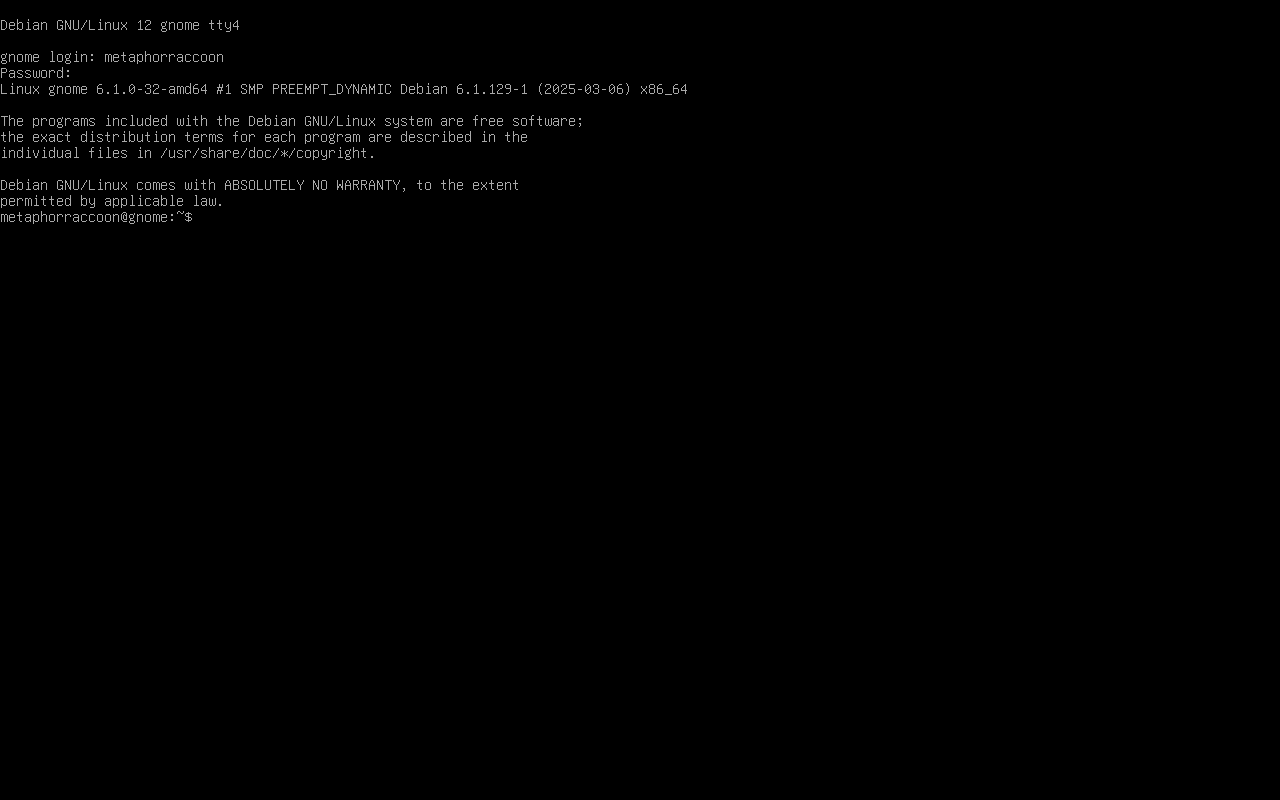
Along with the rise of digital computers, we crafted the now ubiquitous keyboard from our experience with the typewriter. With this tool, [command line interfaces](https://en.m.wikipedia.org/wiki/Command-line_interface) first emerged in the 1970s as the primary means of interacting with a computer.
[](https://hub.subspace.services/uploads/images/gallery/2025-05/virtualbox-debian-gnome-26-05-2025-20-00-57.png)
They provide powerful direct access to computer hardware and software. You accomplish this using the terminal to run programs that accept text-based [parameters](https://en.m.wikipedia.org/wiki/Parameter_(computer_programming)) – or instructions on how to operate. Terminal command use a specific syntax that must be interpreted in order to run programs with the necessary variables – one such interpreter is [bash](https://en.m.wikipedia.org/wiki/Bash_(Unix_shell)).
```bash
#!/bin/bash
echo "Please enter a number: "
read num
if [ $num -gt 0 ]; then
echo "$num is positive"
elif [ $num -lt 0 ]; then
echo "$num is negative"
else
echo "$num is zero"
fi
```
The command line makes it easy to automate procedural tasks by writing [shell scripts](https://en.m.wikipedia.org/wiki/Shell_script). Many command line interpreters support basic conditional statements – such as "[if-this-then-do-that](https://en.m.wikipedia.org/wiki/Conditional_(computer_programming))" logic that enables output to be dependent on input.
### Graphical User Interface
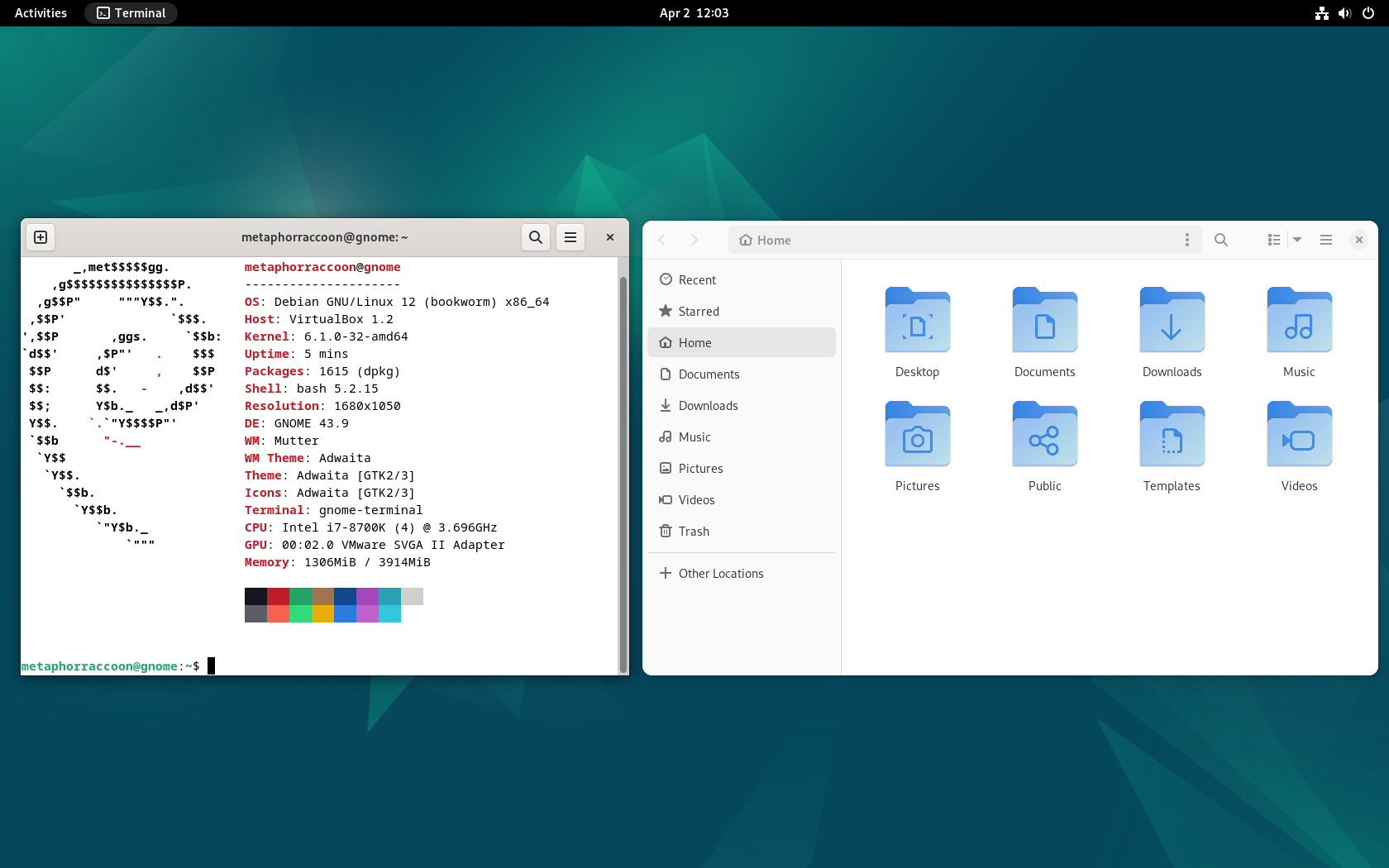
[Graphical user interfaces](https://en.m.wikipedia.org/wiki/Graphical_user_interface) offer a visual desktop environment to interact with the operating system and installed applications. These interfaces use a display to view the "[desktop](https://en.m.wikipedia.org/wiki/Desktop_metaphor)" as well as a mouse, keyboard or other input device that enables people to interact. GUIs – pronounced "gooey" – come with a [terminal emulator](https://en.m.wikipedia.org/wiki/Terminal_emulator) pre-installed, providing direct access to the command-line from your desktop.
[](https://hub.subspace.services/uploads/images/gallery/2025-04/virtualbox-debian-gnome-02-04-2025-12-03-25.png)
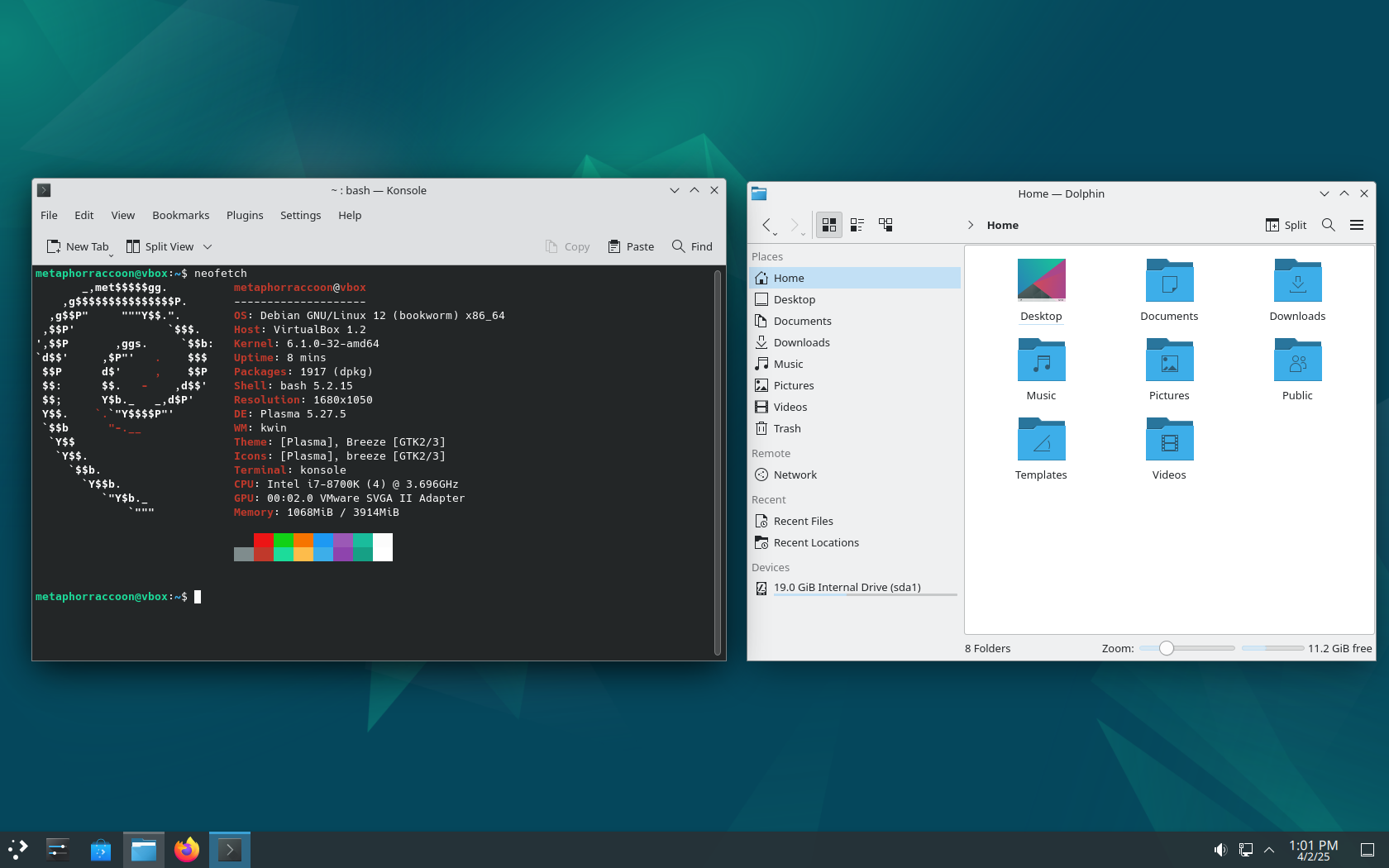
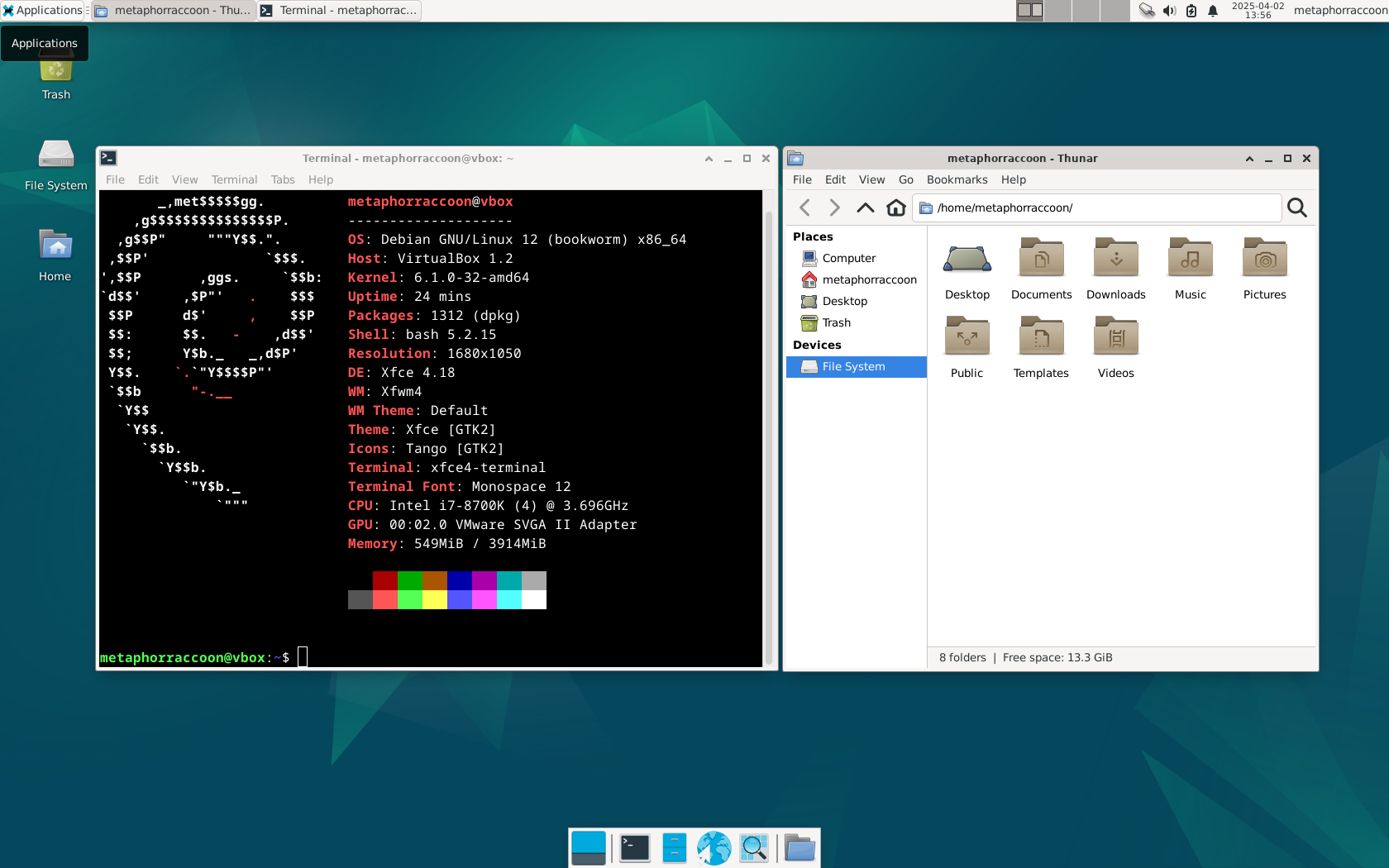
Debian uses [GNOME](https://www.gnome.org/) as it's desktop environment by default, but other common options include:
| [](https://hub.subspace.services/uploads/images/gallery/2025-04/virtualbox-plasma-02-04-2025-13-01-16.png)
[KDE Plasma](https://kde.org/plasma-desktop/)
| [](https://hub.subspace.services/uploads/images/gallery/2025-04/virtualbox-xfce-02-04-2025-13-56-51.png)
[Xfce](https://www.xfce.org/)
| [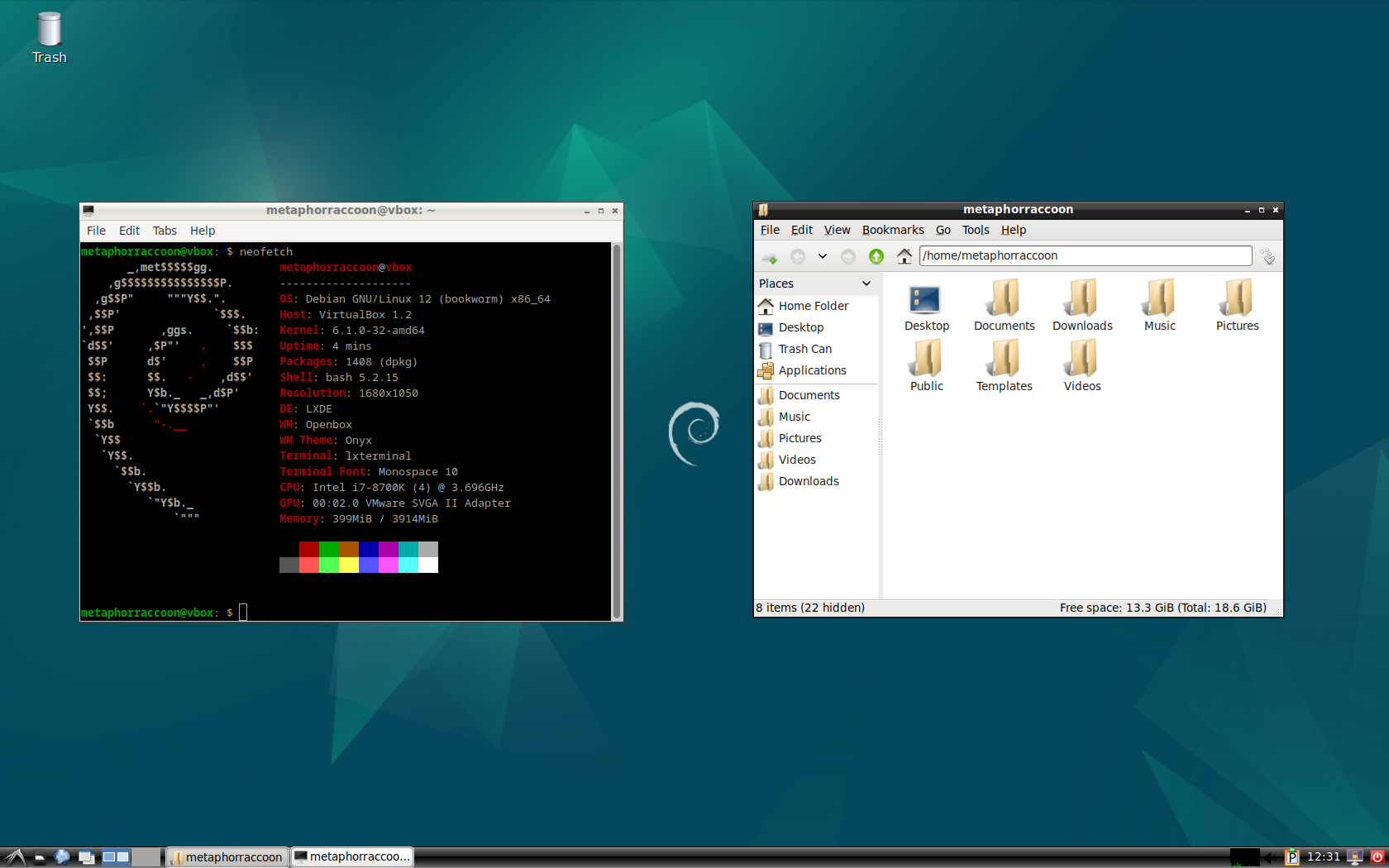](https://hub.subspace.services/uploads/images/gallery/2025-04/virtualbox-lxde-02-04-2025-12-31-42.png)
[LXDE](https://www.lxde.org/)
|
| [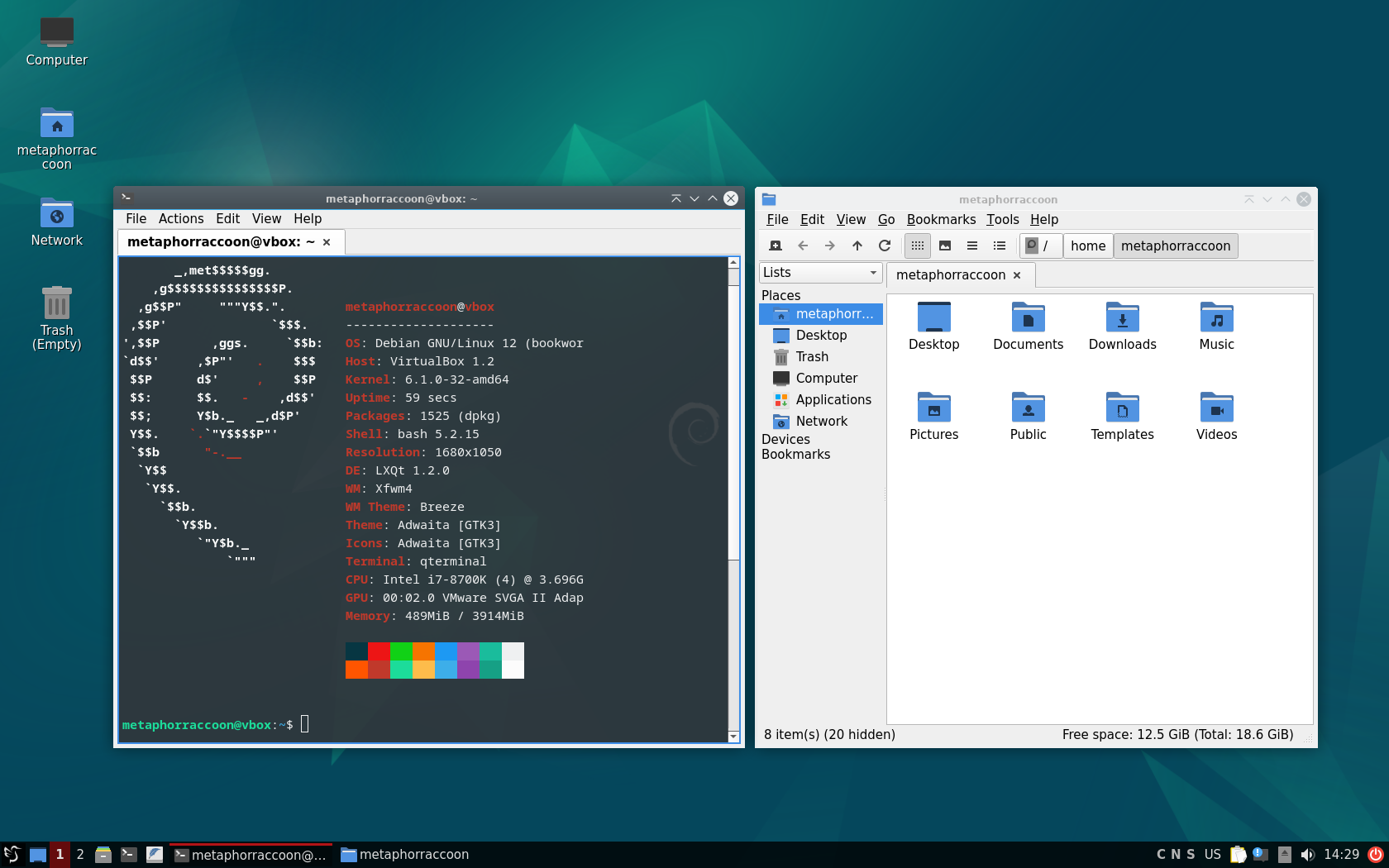](https://hub.subspace.services/uploads/images/gallery/2025-04/virtualbox-lxqt-02-04-2025-14-29-44.png)
[LXQt](https://lxqt-project.org/)
| [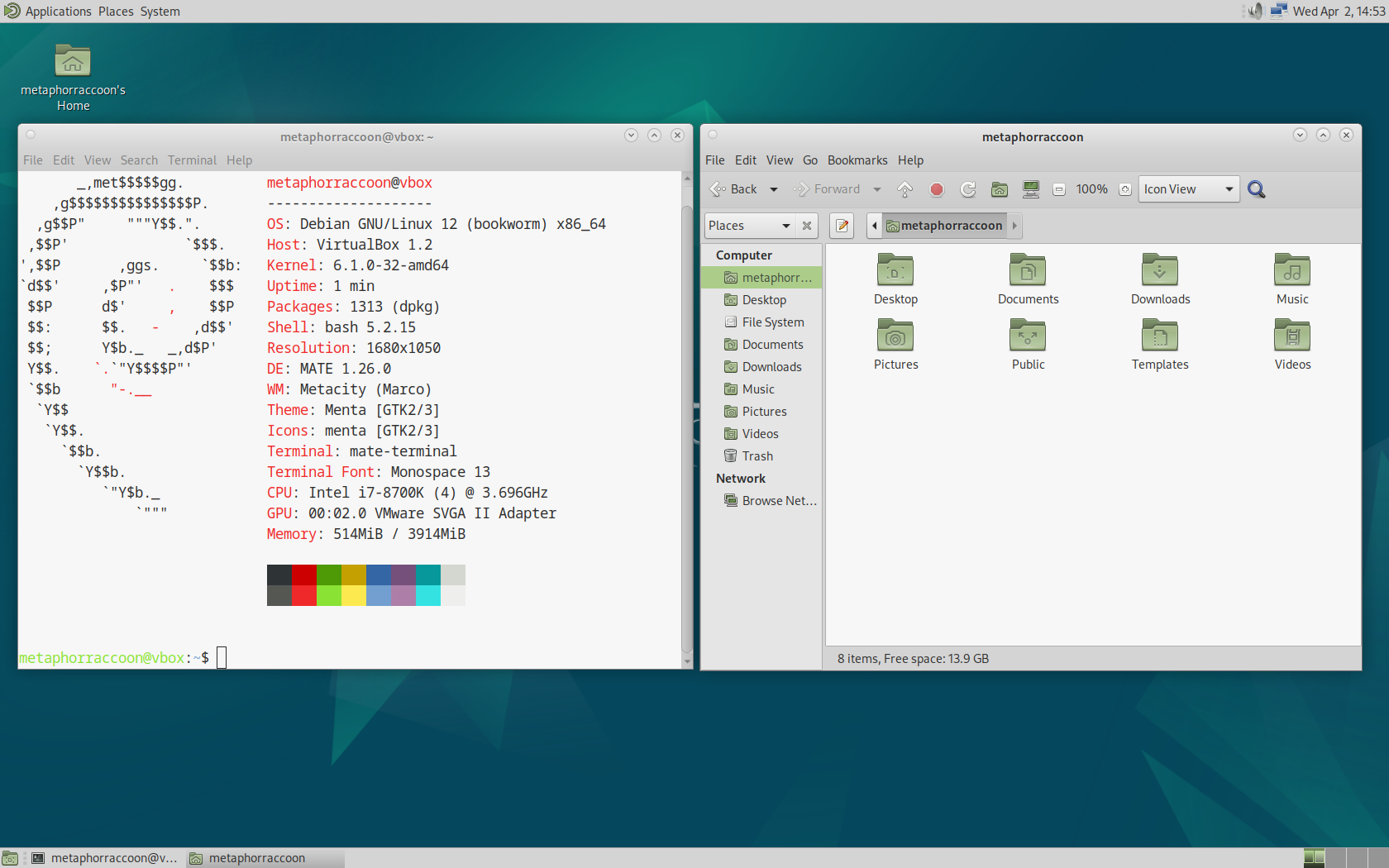](https://hub.subspace.services/uploads/images/gallery/2025-04/virtualbox-mate-02-04-2025-14-52-59.png)
[MATE](https://mate-desktop.org/)
| [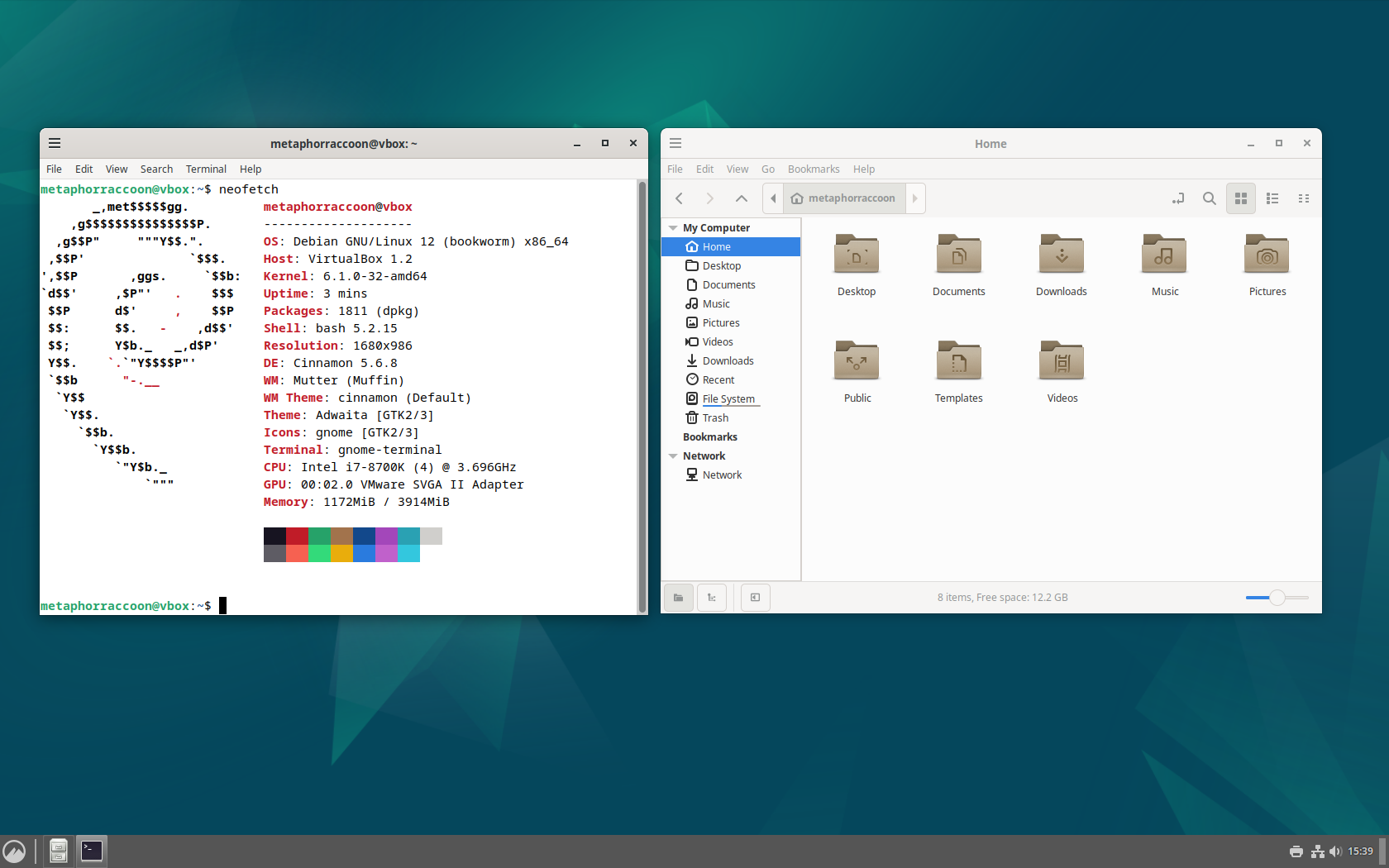](https://hub.subspace.services/uploads/images/gallery/2025-04/virtualbox-cinnamon-02-04-2025-15-39-08.png)
[Cinnamon](https://projects.linuxmint.com/cinnamon/)
|
The [Desktop Environment](https://en.m.wikipedia.org/wiki/Desktop_environment) is largely a personal preference and defines the overall feel of your user experience. This choice affects what applications are installed by default, but you are free to install any compatible applications. While installing Debian, you can choose your preference or even include more than one to switch on-the-fly.
## Wrangling Data
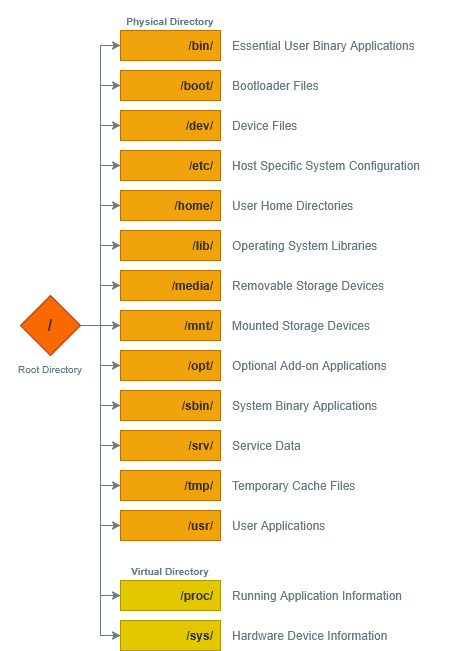
The Shell allows users to interact with the data on storage drives through a command line or graphic user interface. This is accomplished using a [file system](https://en.m.wikipedia.org/wiki/File_system) written onto storage drives that govern functional organizational structure and file access.
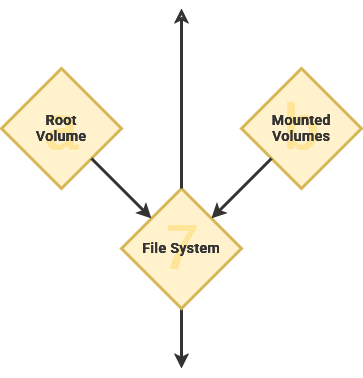
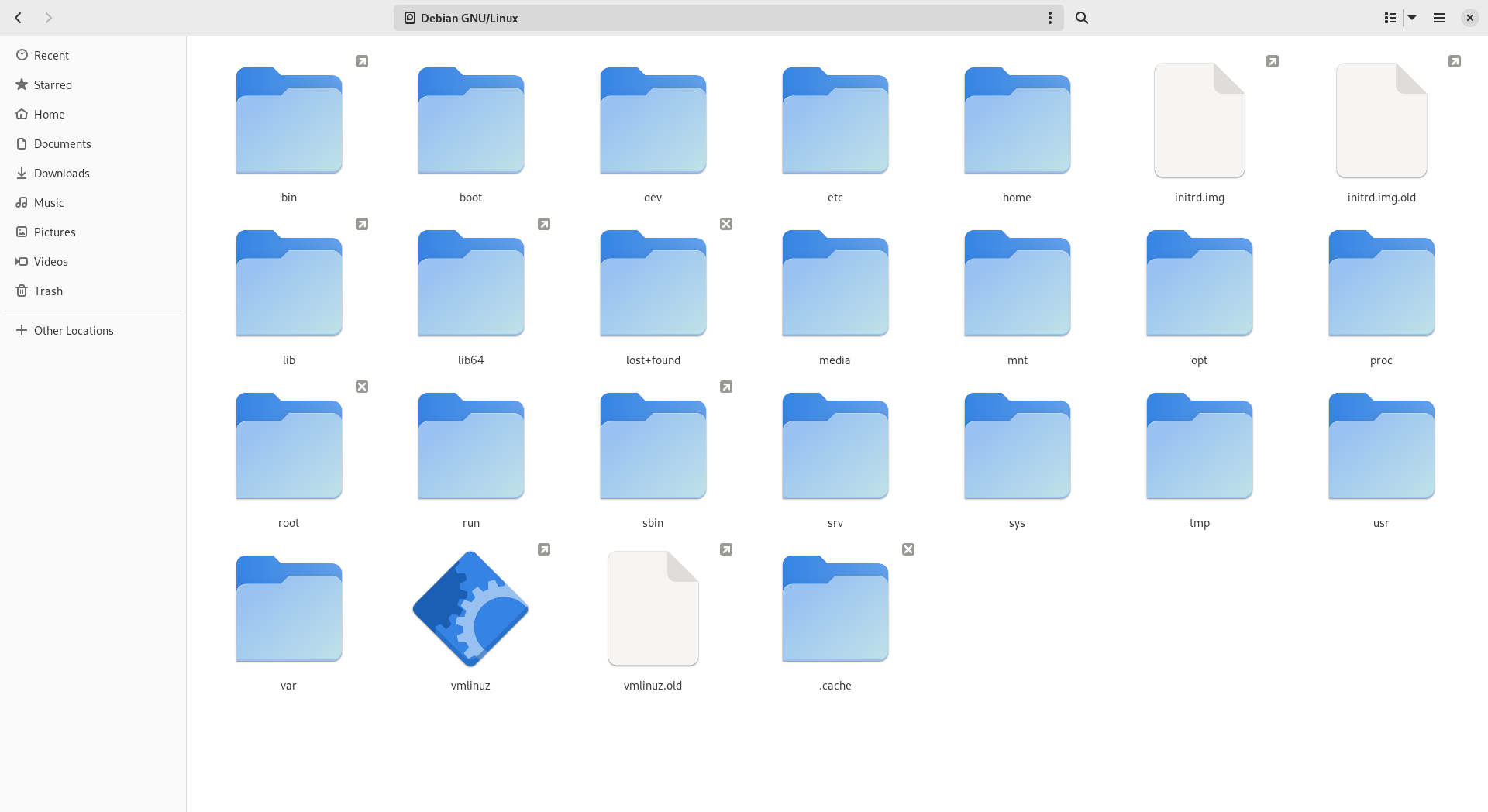
Windows path use a backslash ("\\") while Linux uses a forward slash ("/").
[](https://hub.subspace.services/uploads/images/gallery/2025-03/AkCimage.png)
When a computer system has multiple storage drives, they are located as a subdirectory within "*/mnt*". This enables all of our storage drives to be accessible from the root "/" folder. As an example, we could mount an external USB hard disk drive to "*/mnt/flashdrive*".
The Windows operating system assigns a letter designation to each drive, effectively creating multiple root folders – such as "*C:\\*" and "*D:\\*".
Linux follows an "[everything is a file](https://en.m.wikipedia.org/wiki/Everything_is_a_file)" design philosophy. This functionally means that information about hardware and software appear within the root folder as a file. As an example, the directory "*/proc*" doesn't exist on your storage drive. It is instead a [virtual filesystem showing real-time data](https://en.m.wikipedia.org/wiki/Procfs) about the kernel and other running software.
Add virtual docker socket
Show mounted hard drives
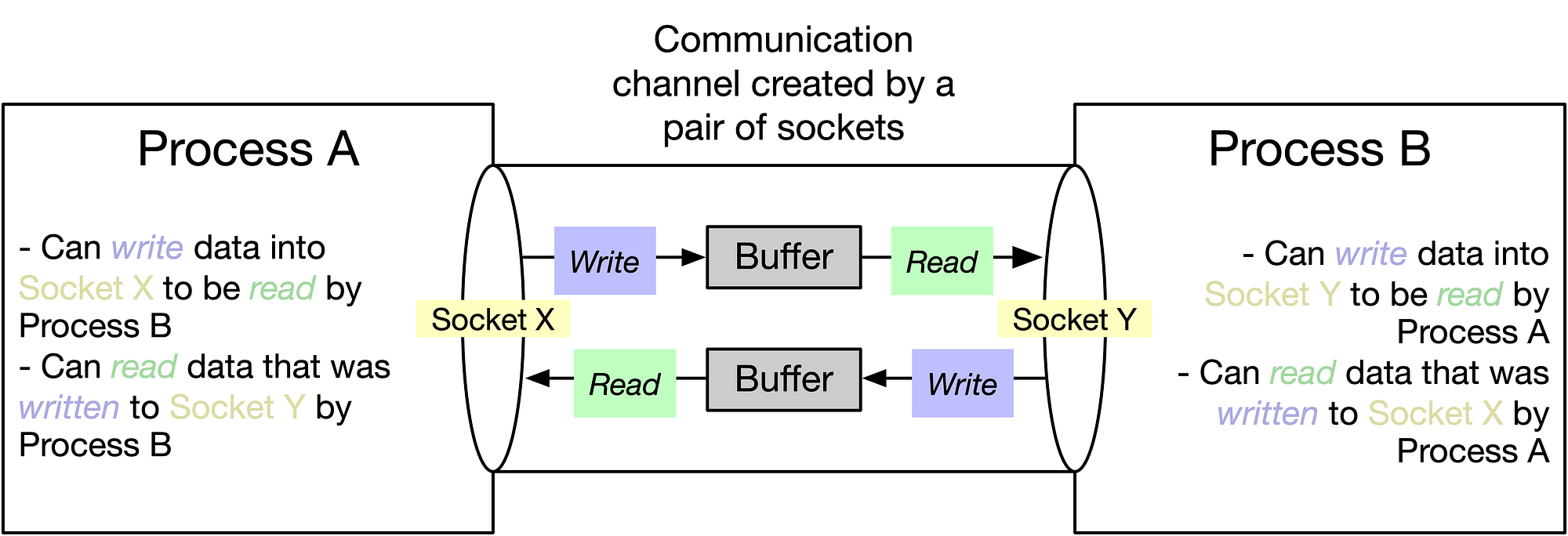
Similarly, [Docker](https://hub.subspace.services/books/software/page/what-is-docker "What is Docker?") creates a virtual file named *"/var/run/docker.sock"* that acts as a "[socket](https://en.m.wikipedia.org/wiki/Unix_domain_socket)" for [communication between services](https://en.m.wikipedia.org/wiki/Inter-process_communication). By creating an intermediary file, processes can read what that process is doing as well as write any requests. This is how [Portainer](https://hub.subspace.services/books/portainer "Portainer") can access and manage existing Docker containers, as well as create new ones.
[](https://hub.subspace.services/uploads/images/gallery/2025-05/1000000431.png)
## Systematic Functions
Software – like a computer program – instructs a computer how to complete a task. While an operating system offers the general foundation and optional productivity tools, applications are what leverage computers for specific operations.
```fortran
program hello
! This is a comment line; it is ignored by the compiler
print *, 'Hello, World!'
end program hello
```
[Programming languages](https://en.m.wikipedia.org/wiki/Programming_language) are how human developers convey instructions to the underlying machine hardware – [there are over 8000](https://hopl.info/). This is a very basic snippet of the Fortan programming language created in 1957. When run through the command line, it returns the response "Hello, World!" before exiting.
The 1978 book "The C Programming Language" introduced the now traditional "[Hello, World!](https://en.m.wikipedia.org/wiki/%22Hello,_World!%22_program)" code example employed by many programming languages.
[High-level programming languages](https://en.m.wikipedia.org/wiki/High-level_programming_language) like Fortran are highly abstracted from the underlying 1s and 0s needed to control hardware. These focus on creating human-readable computer instructions and are [primarily based on the English language](https://en.m.wikipedia.org/wiki/English_in_computing). This made coding more intuitive while also allowing software to be portable across computers. Completed software code written using a program language can be run on compatible hardware.
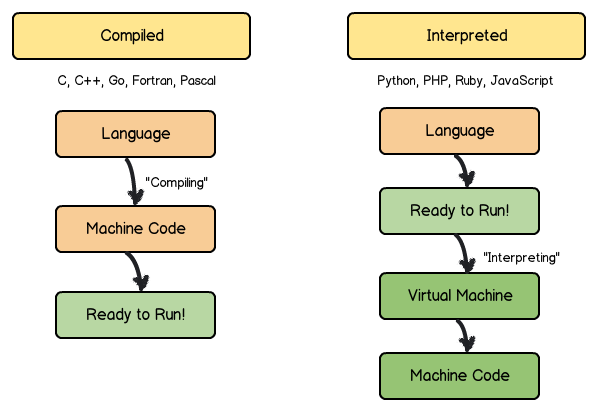
Compiled languages like Fortran are broken down into easy-to-use "binary" applications for a specific architecture – such as MacOS, Windows or Debian. These languages take the human-readable logic and convert it directly into machine code.
[](https://hub.subspace.services/uploads/images/gallery/2025-05/1000000438.png)
Interpreted languages like JavaScript are run line-by-line from their written form – commonly known as a script. The computer executes the code in the same way a human would read it. By contrast, these languages interpret the human-readable logic into machine code on-the-fly as needed to complete tasks.
### A Common Language
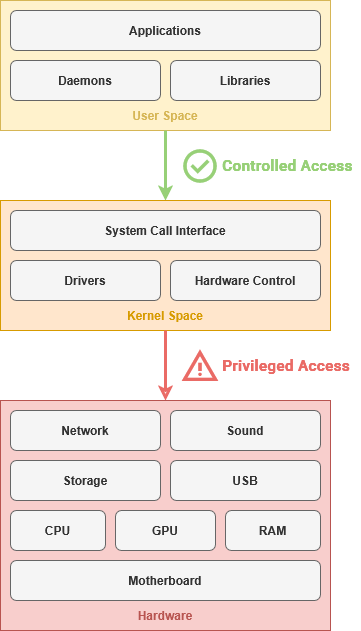
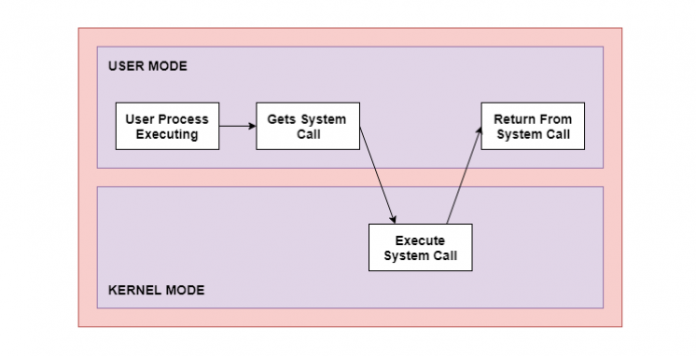
The [System Call Interface](https://en.m.wikipedia.org/wiki/System_call) allows the applications to access computer hardware without needing to communicate with specific hardware components. This way, an application doesn't need to know how to communicate with your exact hard drive model – instead, it can just use the System Call Interface to ask the operating system to write data to the hard drive on its behalf. This abstracts a great deal of underlying information, much like the delineation between hardware and software.
[](https://hub.subspace.services/uploads/images/gallery/2025-05/1000000435.png)
This is an example of an [Application Programming Interface](https://en.m.wikipedia.org/wiki/API) – or API – that allows software to communicate through a mutually agreed upon language. This is how your web browser can access a web camera connected to your computer though a USB cable, or a word processor can edit a document file on your external hard drive.
### User Applications
These programs are intended for end-users to perform tasks that are not related to the general operation or administration of the computer. These may be installed by an administrator for everyone, or installed by a specific user for their own needs.
Program, application, software – and even script – are often used interchangeably to refer to this type of code. This category includes – but is [not limited to](https://en.m.wikipedia.org/wiki/Application_software) – office productivity suites, media players, web browsers and photo editors. Many modern operating systems provide digital storefronts to download and install open-source and proprietary software to your local computer system.
### Server Applications
While user applications are geared towards a person sitting in a chair in front of that computer, server software is intended for use by other computers and the people who use them. When you visit most websites and web apps – such as [diagrams.net](https://app.diagrams.net/) – you are using your personal computer to remotely load a server application.
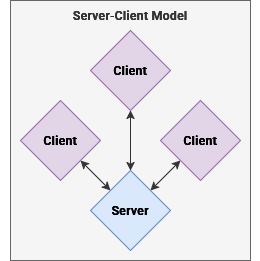
The [client—server model](https://en.m.wikipedia.org/wiki/Client%E2%80%93server_model) structures applications so that individual people or computers – known as [clients](https://en.m.wikipedia.org/wiki/Client_(computing)) – can retrieve information from a centralized location – known as a [server](https://en.m.wikipedia.org/wiki/Server_(computing)). Instead of installing and managing user applications on a personal computer, administrators can create a server application accessible by people over our local network. When a server shares it's resources, it is providing a *service*.
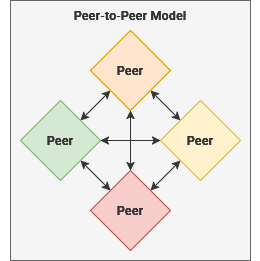
Similarly, the [peer-to-peer model](https://en.m.wikipedia.org/wiki/Peer-to-peer) describes a mutualistic relationship where each computer acts as a peer – or as both a server and a client. This means that each [peer node](https://en.m.wikipedia.org/wiki/Node_(networking)) is considered equally privileged and trustworthy in exchange for the local resources they share with other peer computers.
Traditionally, server applications were only available over a Local Area Network within a physical distinct region – or by people remotely connected to one through a Virtual Private Network. The rise of cloud computing has led to server applications being provided to end-users over the World Wide Web.
These have become known as [Software as a Service](https://en.m.wikipedia.org/wiki/Software_as_a_service) – such as Google Workspace or Microsoft Office Online. By leveraging monolithic days centers distributed around the globe, corporations provide unified access to a server application they host. Generally these are accessed through a web browser, but many cloud services also provide platform-specific apps – like Microsoft Word for Windows.