# Ward

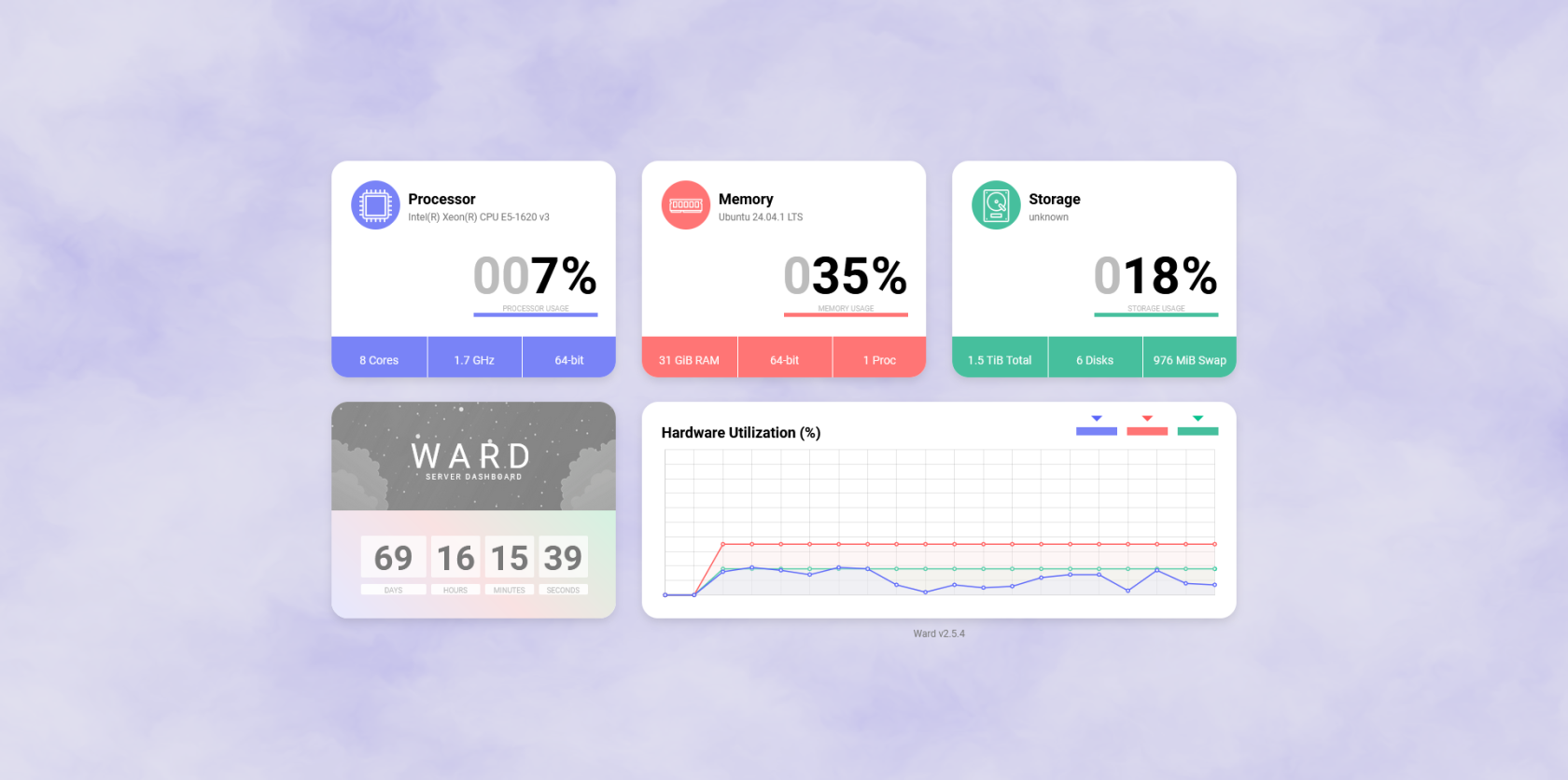
Basic dashboard to monitor your server's hardware resource usage.

# Overview

![Capture.PNG](https://hub.subspace.services/uploads/images/gallery/2025-03/5eYcapture.PNG)

[Ward](https://ward.leons.dev/) is a basic dashboard to monitor your server's hardware resource usage.

<p class="callout success">Tryout a [Ward demo](https://status.leons.dev/).</p>

- Monitor your processor, memory and hard disk usage.
- See at a glance how long your server has been running.
- Attractive interface that supports light and dark mode.

# Media

## Screenshots

<p class="callout info">Ward v2.5.4</p>

<table border="1" id="bkmrk-" style="border-collapse: collapse; width: 100%; border-width: 1px; height: 59.6px; border-color: rgb(88, 110, 117);"><colgroup><col style="width: 33.3333%;"></col><col style="width: 33.3333%;"></col><col style="width: 33.3333%;"></col></colgroup><tbody><tr style="height: 29.8px;"><td style="border-width: 1px; height: 29.8px; border-color: rgb(88, 110, 117);">[![Capture.PNG](https://hub.subspace.services/uploads/images/gallery/2025-03/scaled-1680-/5eYcapture.PNG)](https://hub.subspace.services/uploads/images/gallery/2025-03/5eYcapture.PNG)</td><td style="border-width: 1px; height: 29.8px; border-color: rgb(88, 110, 117);">  
</td><td style="border-width: 1px; height: 29.8px; border-color: rgb(88, 110, 117);">  
</td></tr></tbody></table>

# Setup & Configuration

We need to install the service through Portainer and configure any necessary settings.

# Preparation

There are some things we need to do in preparation to install this service.

### Capabilities 

<details id="bkmrk-db_root_pass-this-is"><summary>SYS\_PTRACE</summary>

This grants the container access to tracing currently running system processes.

</details>

# Installation

The service can be installed through the Portainer web interface.

<p class="callout info">Learn about [creating a new stack](https://hub.subspace.services/books/portainer/page/creating-a-new-stack "Creating a New Stack").</p>

## Docker Compose

Use the following code to install the service:

```yaml
---
services:
    ward:
        restart: unless-stopped
        container_name: ward
        ports:
            - '4000:4000'
        environment:
            - WARD_PORT=4000
            - WARD_THEME=light
            - WARD_NAME=Ward
            - WARD_FOG=true
            - WARD_BACKGROUND=#3c3c3c
        cap_add:
            - SYS_PTRACE
        image: antonyleons/ward
```

# Updating

<p class="callout success">Re-Deploy the Stack</p>

This service has been optimized for running in Docker.

This allows you to [re-deploy the stack through Portainer](https://hub.subspace.services/books/portainer/page/updating-a-stack "Updating a Stack") to download the latest updates.

# User Manual

# Development

<p class="callout info">This software is released under the [MIT license](https://opensource.org/license/mit). </p>

The developer accepts [donations](https://www.buymeacoffee.com/leons).

# Resources

## Official

- [Official GitHub Repository](https://github.com/AntonyLeons/Ward/tree/main)
- [Official Website](https://ward.leons.dev/get-started)